







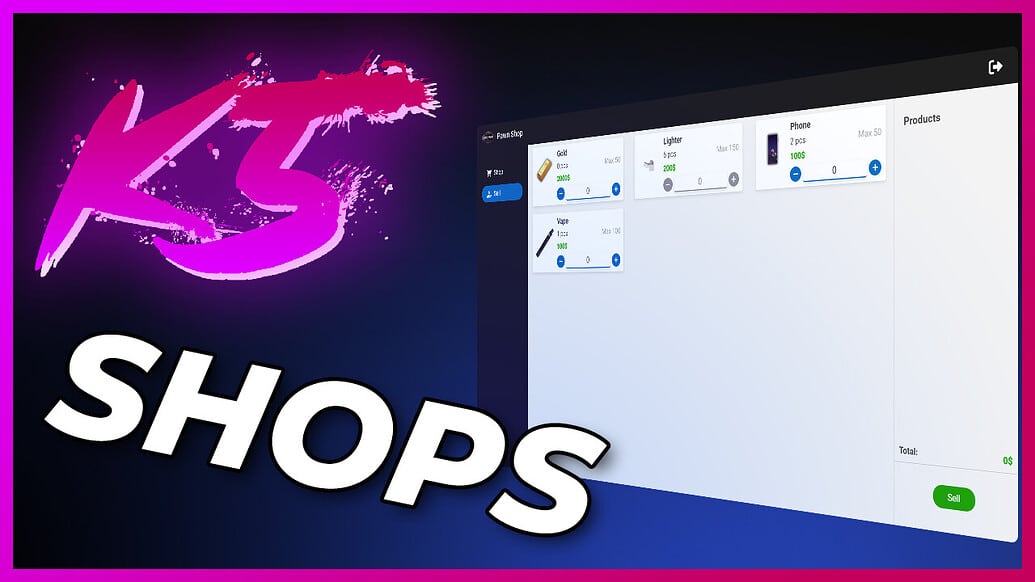
Przedstawiamy FiveM System Sklepowy, potężny skrypt zaprojektowany do ulepszenia Twojego serwera RP poprzez dodanie wielu rodzajów sklepów akceptujących różne formy waluty. Ten mod pozwala na konfigurację sklepów jako lombardów, sklepów lub rynków kupujących. Dostosuj maksymalną pojemność sklepu, aby pomieścić cenne przedmioty graczy, takie jak wydobyte żelazo, i ciesz się bardziej dynamiczną i angażującą ekonomią w grze.
Podgląd wideo
Pobierz
O
The System sklepów jest zbudowany na frameworku ESX, zapewniając wysoce konfigurowalne i wydajne doświadczenie zarówno dla administratorów serwerów, jak i graczy. Kluczowe cechy tego moda to:
- Wysoce konfigurowalna konfiguracja sklepu: Dostosuj ustawienia każdego sklepu, aby sprostać unikalnym potrzebom Twojego serwera.
- Edycja danych w czasie rzeczywistym: Dokonuj zmian w locie bez konieczności restartowania serwera.
- Nie wymaga SQL: Prostota i łatwość są na pierwszym miejscu, eliminując potrzebę skomplikowanych konfiguracji baz danych.
- Wydajny: Mod działa płynnie, z minimalnym wpływem na wydajność serwera.
Mod obsługuje wiele konfiguracji, takich jak:
- Lombardy – gdzie gracze mogą sprzedawać niechciane przedmioty.
- Sklepy – gdzie gracze mogą kupować różne towary.
- Rynki Kupujących – wyspecjalizowane sklepy, w których gracze mogą sprzedawać przedmioty, ale nie kupować żadnych.
Instrukcje Instalacji
- Pobierz modyfikację
Najpierw pobierz moda - Wyodrębnij pliki
Wyodrębnij zawartość pobranego pliku do folderu zasobów Twojego serwera. - Dodaj do konfiguracji serwera
Otwórz swójserver.cfgi dodaj następującą linię:ensure VersatileShopSystem - Zainstaluj zależności
Upewnij się, że masz zainstalowane następujące zależności na swoim serwerze:es_extendedesx_addonaccountesx_society
- Skonfiguruj mod
Przejdź do pliku konfiguracyjnego moda i dostosuj ustawienia sklepu do swoich wymagań. - Uruchom swój serwer
Zrestartuj swój serwer, aby załadować nowy mod i ciesz się ulepszonym doświadczeniem zakupowym!