







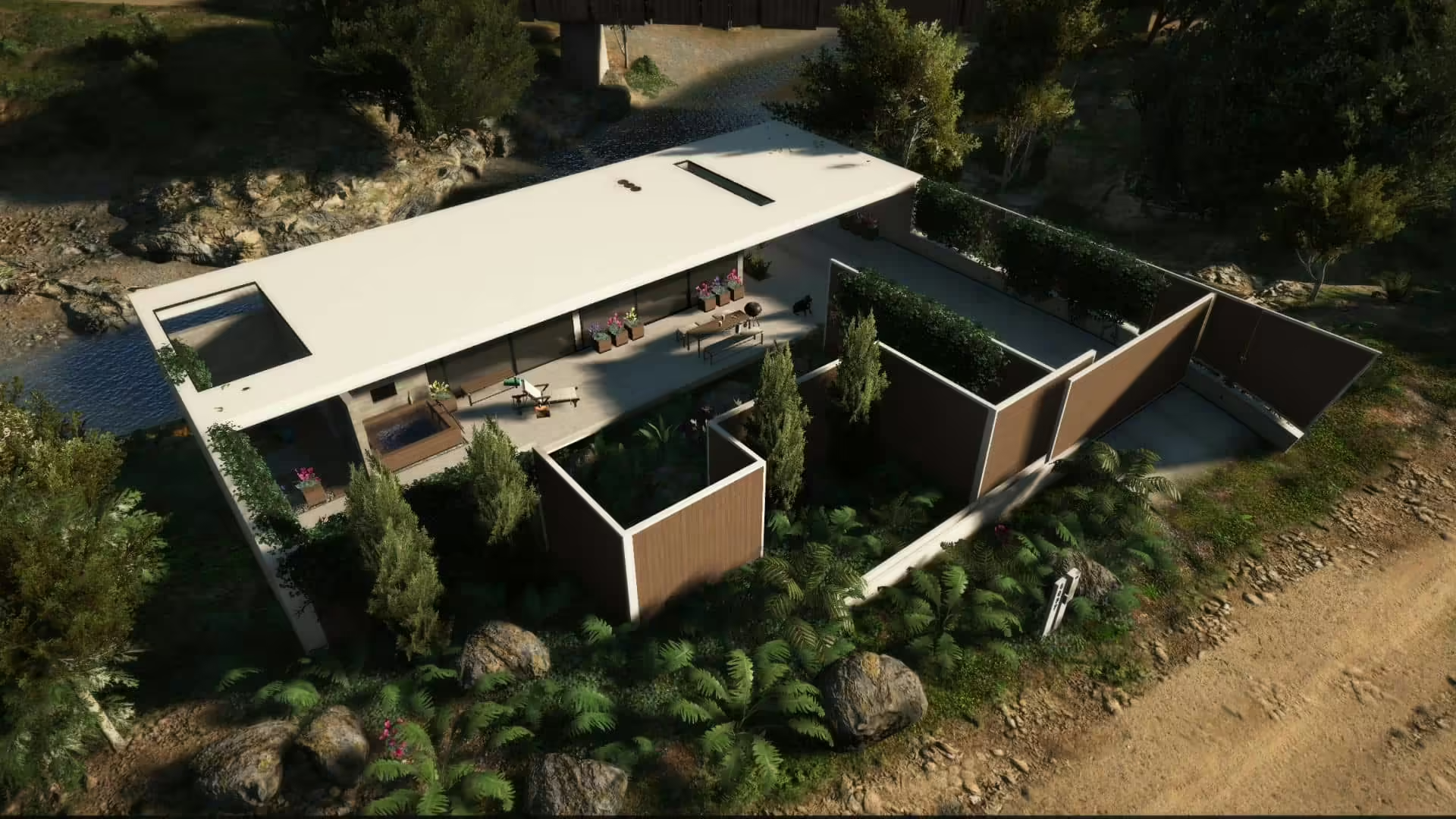
Odkryj spokojne otoczenie Nature Weekend House (FiveM Mansion), wciągający dodatek do twojego doświadczenia GTA V. Ten mod wprowadza sielankową oazę położoną wśród natury, oferując graczom idylliczną ucieczkę od szalonego tempa życia miejskiego. Posiadając wykwintne detale i urzekające modele 3D pochodzące ze Sketchfab, uznasz ten mod za wizualne arcydzieło.
Jak zainstalować moda
Zaprojektowany, aby zapewnić spokojny odpoczynek od zgiełku wirtualnego miasta, Nature Weekend House ma nowoczesną, minimalistyczną estetykę, która płynnie wtapia się w naturalne otoczenie. Przestronne wnętrze wypełnione jest wygodnymi meblami i oferuje zapierające dech w piersiach widoki na okoliczny krajobraz.
Postępuj zgodnie z tymi prostymi krokami, aby zainstalować mod Nature Weekend House:
-
Uruchom OpenIV – Upewnij się, że masz zainstalowany OpenIV do zarządzania plikami gry.
-
Dodaj folder moda – Przeciągnij i upuść folder “nature_weekend_house_1a” do następującej ścieżki:
modsupdatex64dlcpacks -
Zaktualizuj listę DLC – Przejdź do:
modsupdateupdate.rpfcommondataOtwórz plik “dlclist.xml” i dodaj tę linię:
dlcpacks:/nature_weekend_house_1a/ - Zastąp pliki – Teraz przeciągnij i upuść wszystkie pliki z folderu “ReplaceFiles” do:
modsupdateupdate.rpfx64levelsgta5scenario
Po wykonaniu tych kroków mod Nature Weekend House będzie gotowy do eksploracji!
Skorzystaj z tego zasobu, gdy potrzebujesz spokojnej rezydencji lub domku weekendowego na sceny roleplay, zrzuty ekranu lub prywatne wydarzenia.
Pobierz mod Nature Weekend House
Źródło / pobieranie
Otwórz oryginalne źródło lub stronę pobierania.
Przeglądaj więcej darmowych modów FiveM.
Umiejscowienie i dopasowanie do roleplay
Ten typ moda domowego najlepiej sprawdza się jako cel podróży: prywatne ustronie, miejsce spotkań, przestrzeń wydarzeń dla personelu lub ekskluzywna lokalizacja mieszkalna. Przed dodaniem go jako mieszkania gracza, sprawdź wejścia, kolizje, oświetlenie wnętrza, dostęp do garażu oraz czy obszar nie koliduje z innymi mapami.
Jeśli prowadzisz serwer z dużą ilością zasobów strumieniowanych, przetestuj tę mapę razem z istniejącym MLOs. Zasoby rezydencji mogą wyglądać dobrze w izolacji, a mimo to powodować problemy z teksturami lub kolizjami podczas ładowania obok innych niestandardowych wnętrz.
Powiązane ścieżki FiveMX: