







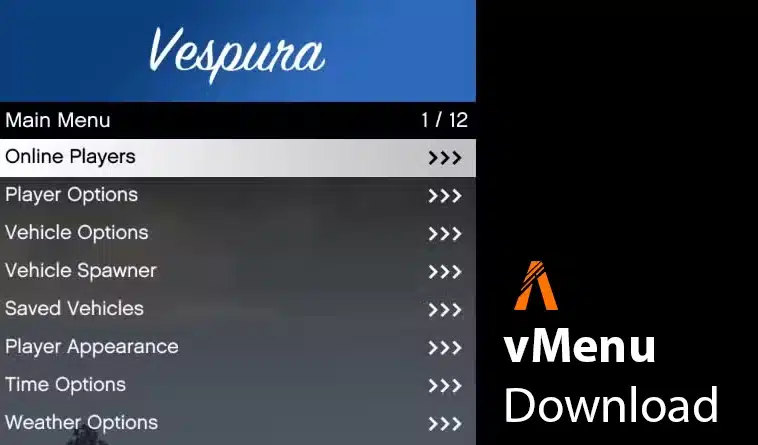
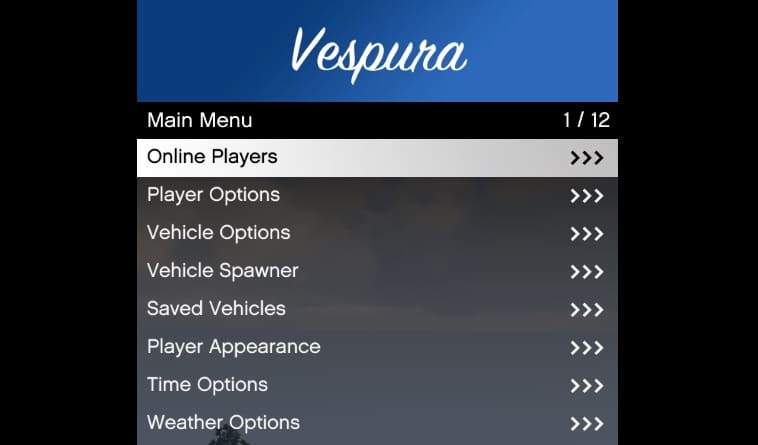
vMenu to dynamiczne, serwerowe menu/trener dla FiveM. Obsługuje uprawnienia i konfigurację, co czyni go świetnym narzędziem dla właścicieli serwerów. Dzięki vMenu możesz dostosować menu do swoich konkretnych potrzeb, zapewniając graczom dostęp tylko do funkcji, które chcesz pozwolić.
Zarządzaj opcjami graczy, dostosowuj pojazdy lub modyfikuj różne ustawienia – vMenu oferuje szereg funkcji, które czynią go niezbędnym dla każdego serwera FiveM.
O vMenu
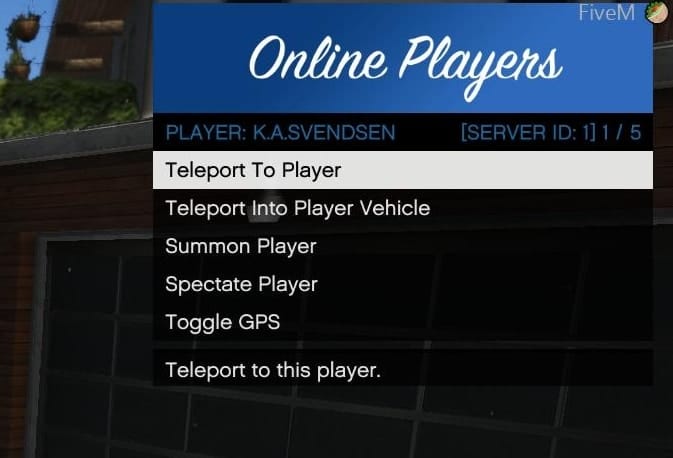
To narzędzie administracyjne zostało stworzone, aby oferować administratorom serwerów wszechstronne i potężne narzędzie do zarządzania uprawnieniami graczy i ustawieniami serwera. Kluczowe funkcje obejmują:
- Opcje gracza: Obejmują tryb boga, leczenie, ustawianie zdrowia, regulację poziomu poszukiwań, spawn i dostosowywanie broni i pedów oraz więcej.
- Dostosowanie postaci: Zaawansowane dostosowanie multiplayerowej postaci z możliwością zapisania i spawnienia się jako niestandardowa postać po dołączeniu na serwer.
- Opcje pojazdu: Rozbudowane opcje dostosowywania pojazdów, w tym zapisywanie pojazdów.
- Narzędzia deweloperskie: Oferuje dodatkowe narzędzia dla deweloperów serwerowych.
- Uprawnienia i konfiguracja: Pełne wsparcie dla niestandardowych uprawnień i ustawień konfiguracyjnych.
Pobierz

Instrukcje Instalacji
Instalacja ręczna
- Pobierz najnowszą wersję vMenu
- Rozpakuj pobrany plik ZIP.
- Umieść folder w katalogu swojego serwera
resourceskatalogu. - Dodaj
start vMenuw pliku konfiguracyjnym serwera (server.cfg). - Skonfiguruj uprawnienia i ustawienia według potrzeb, edytując plik
permissions.cfgw folderze zasobu.
Instalacja jednym kliknięciem ZAP Hosting (łatwa)
- Pobierz serwer FiveM od ZAP Hosting.
- Skorzystaj z instalatora jednym kliknięciem w panelu sterowania.
Szczegółowe instrukcje instalacji znajdziesz w dokumentacji instalacji vMenu.
Film instruktażowy
![How to install vMenu into a Fivem server [Updated 2024 Tutorial] #2](https://i.ytimg.com/vi/yrQrIh705PY/hqdefault.jpg)
Zgodność
Kompatybilny ze wszystkimi aktualnymi kompilacjami serwera FiveM. Jednak dla najlepszej wydajności i uniknięcia problemów ze zgodnością zaleca się używanie go z najnowszą stabilną wersją FiveM.
Często zadawane pytania
Co to za menu?
u003cstrongu003evMenuu003c/strongu003e is a server-sided u003ca href=u0022https://fivemx.com/shop/u0022 data-type=u0022linku0022 data-id=u0022https://fivemx.com/shop/u0022u003eadmin menu (trainer)u003c/au003e for FiveM. It allows server owners to manage player permissions, customize vehicles, and adjust various settings to enhance the gameplay experience on their servers.
Co mogę z tym zrobić?
Opcje gracza: Zarządzanie trybem Boga, leczeniem, zdrowiem, poziomem poszukiwań, spawnem/kastomizacją broni i postaci oraz więcej.
Personalizacja postaci: Twórz i zapisuj niestandardowe postacie do użycia przy dołączaniu do serwera.
Opcje pojazdów: Dostosowuj i zapisuj pojazdy.
Narzędzia deweloperskie: Dostęp do dodatkowych narzędzi dla twórców serwerów.
Uprawnienia i konfiguracja: Ustaw niestandardowe uprawnienia i ustawienia konfiguracyjne.
Jak zainstalować vMenu?
1. Pobierz najnowszą wersję tutaj
2. Rozpakuj pobrany plik ZIP.
3. Umieść folder w katalogu u003cstrongu003eresourcesu003c/strongu003e swojego serwera.
4. Dodaj u003ccodeu003estart u003c/codeu003edo pliku u003cstrongu003eu003ca class=u0022wpil_keyword_linku0022 href=u0022https://fivemx.com/fivem-server-cfg/u0022 title=u0022FiveM server.cfg u0026#8211; Pełny przewodniku0022 data-wpil-keyword-link=u0022linkedu0022 data-wpil-replace=u0022u0022u003eserver.cfgu003c/au003eu003c/strongu003e.
Korzystanie z uprawnień: Edytuj plik u003cstrongu003epermissions.cfgu003c/strongu003e w folderze u003cstrongu003evMenuu003c/strongu003e, aby ustawić swoje uprawnienia i ustawienia.
Jeśli chcesz korzystać z uprawnień, dostępny jest samouczek wideo
Czy jest film instruktażowy?
Tak, możesz obejrzeć film instruktażowy tutaj.
Czy vMenu działa z ESX / QBCore?
Tak. Nie potrzebujesz konkretnego frameworka – to samodzielny zasób.
Podziękowania i uznanie
- Deweloper: Vespura
- Współautorzy: Podziękowania dla wszystkich współtwórców w repozytorium GitHub.
Wsparcie i aktualizacje
Aby uzyskać dokumentację i aktualizacje, zapoznaj się z repozytorium GitHub oraz dokumentacją (oficjalny link)
Szukasz więcej ekscytujących modyfikacji? Sprawdź nasze darmowe mody FiveM i odkryj najlepsze MLO oraz skrypty.