• Instant digital delivery
  • Lifetime updates on selected products
  • Trusted by server owners
FiveMX
Shop
Full ServersBundlesNew releases
FiveMX

Start building your server today.

Curated FiveM resources, instant delivery, free starter mods, and practical guides in one calm marketplace.

Browse the shopsupport@fivemx.com

Shop

  • Shop
  • FiveM Mods
  • All Products
  • Free Mods
  • Best Scripts & Mods
  • FiveM Scripts

Frameworks

  • QBCore Scripts
  • ESX Scripts
  • QBox
  • Standalone

Community

  • Blog
  • Support
  • Creators
  • Affiliate

Legal

  • Privacy Policy
  • Terms of Service
  • Refund Policy
  • Digital Delivery
  • Cookie Policy
  • GDPR Compliance
  • DMCA
  • Imprint
  • Editorial Policy

Server Templates

  • QBCore Server Template
  • ESX Server Template
  • NoPixel Server Template
  • Server Packs
  • Free Server Templates
  • Tebex Alternative
© 2026 FiveMX. All rights reserved.·FiveMX is not affiliated with Rockstar Games, Take-Two Interactive, or CFX.re. All trademarks are property of their respective owners.
DiscordDocs
Compatibility:

Modern HUD

$8.49

Secure Checkout

Card, Klarna and supported wallets via Stripe. More local methods may appear when available for your region.

Instant file access after paymentSupport and refund policy shown before checkout
Ask support before buyingRead refund policy
Instant Access
SSL Encrypted
Card, Klarna, wallets
Frameworksesx, qbcore, qbox
RequirementsPublished on this page
PreviewAvailable

Description

Modern HUD - Sleek Player Interface for FiveM

The Modern HUD delivers a clean, contemporary heads-up display replacing FiveM's default UI with a minimalist, information-rich interface. This customizable HUD provides essential player stats, vehicle information, and server data in an unobtrusive design that enhances immersion rather than cluttering the screen. Perfect for servers wanting modern UI that matches current gaming standards while maintaining roleplay focus.

What's Included

You receive a complete HUD package featuring health and armor displays, hunger and thirst indicators (if applicable), vehicle speedometer with fuel gauge, minimap customization, player money display, location and street name overlay, time and weather information, voice chat indicator, and notification system. The HUD includes multiple color themes, position customization, and toggle options allowing players to configure visibility preferences.

Key Features

  • Minimalist Design - Clean interface showing only essential information without screen clutter
  • Vehicle Speedometer - Modern speed display with fuel, gear, and vehicle health indicators
  • Status Indicators - Health, armor, hunger, thirst with visual icons and progress bars
  • Location Display - Dynamic street names and district information
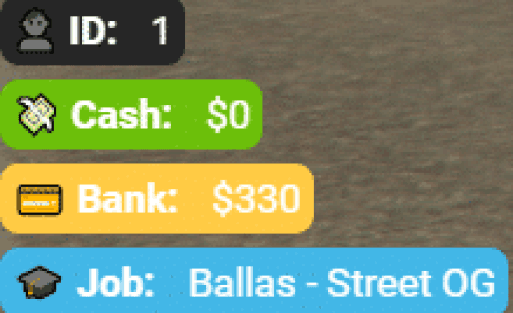
  • Money Counter - Real-time cash and bank balance display
  • Voice Indicator - Visual feedback for voice chat activity and range
  • Customizable Themes - Multiple color schemes and opacity settings
  • Position Controls - Drag-and-drop HUD element positioning
  • Toggle Options - Show/hide specific elements based on preference
  • Responsive Design - Adapts to different screen resolutions and aspect ratios

Perfect For

  • Roleplay servers wanting modern, immersive UI
  • Servers replacing outdated default HUD systems
  • Communities prioritizing clean visual presentation
  • Servers allowing player UI customization preferences

Technical Details

  • Performance: 0.01-0.02 ms (lightweight rendering with optimized updates)
  • Dependencies: ESX/QBCore for framework integration
  • Customization: Config file for colors, positions, and default visibility
  • Resolution Support: Optimized for 1920x1080, scales to other resolutions

Installation

  1. Extract the HUD resource to your server's resources folder
  2. Configure default theme, colors, and positions in config.lua
  3. Set framework-specific integration (ESX or QBCore)
  4. Add ensure modern-hud to your server.cfg
  5. Restart server and test HUD visibility and functionality
  6. Adjust positioning and themes based on community feedback

Framework Compatibility

  • ✅ ESX Legacy - Full integration with ESX player data and status systems
  • ✅ QBCore - Complete QB integration with stress, hunger, and thirst support
  • ✅ QBOX - Compatible with QBOX player status framework
  • ⚠️ Standalone - Partial support (basic elements work, framework features require adaptation)

What Makes It Stand Out

Modern HUD prioritizes information hierarchy - showing critical data prominently while keeping secondary information subtle. The vehicle speedometer only appears when driving, reducing on-foot screen clutter. Status bars use color-coding and icons that communicate state at a glance without requiring focused attention. The customization system respects player preferences, allowing individuals to configure their experience without server-wide mandates. Unlike bulky HUDs that dominate the screen, Modern HUD uses strategic positioning and transparency to maintain immersion. The voice chat indicator provides clear visual feedback without intrusive overlays. Regular updates ensure compatibility with new FiveM features and framework changes.


Video Previews

https://www.youtube.com/watch?v=iExPKdQgAxQ

https://www.youtube.com/watch?v=C3bHs6FIuuw

Installation notes

Requires a FiveM server, ESX or QBCore, access to server resources, and permission to restart the resource after configuration.
Installation notes
Requires a FiveM server, ESX or QBCore, access to server resources, and permission to restart the resource after configuration.

Buy this when it saves setup time

Use this checklist to decide quickly whether the resource fits your current server build, framework, and support expectations.

Server-owner payoff

Modern HUD is positioned to reduce HUDs instead of making you rebuild the same system from scratch.

Compatibility

Works with esx, qbcore, qbox. Check the requirements block before adding it to a live stack.

Purchase confidence

Instant download, Stripe checkout, support access, and refund policy context are shown before payment.

Decision assets

Requirements, Preview video, Product Q&A

Product fit, setup, and proof at a glance

Use the published facts on this page to confirm whether Modern HUD matches your server before checkout.

Compatibility

Frameworks
ESX, QBCore, QBOX
Category
HUDs

Setup & requirements

Install flow
Download → resources folder → ensure in server.cfg
Requirements
Published on this page
File size
93.72 KB

Proof & buyer questions

Reviews
No reviews — be the first
Sales
1

Only the facts published on this page should be treated as confirmed. If you need more detail, review the description, requirements, changelog, reviews, and product Q&A before checkout.

DescriptionRequirementsPreview video
HUDs
Compatibility:
ESX
QBCore
QBOX

Modern HUD

Review process
$8.49

Secure Checkout

Card, Klarna and supported wallets via Stripe. More local methods may appear when available for your region.

Instant file access after paymentSupport and refund policy shown before checkout
Ask support before buyingRead refund policy
Instant Access
SSL Encrypted
Card, Klarna, wallets
Frameworksesx, qbcore, qbox
RequirementsPublished on this page
PreviewAvailable
Home
Shop
HUDs
HUDs
ESX
QBCore
QBOX
Review process

Key Features

  • Minimalist Design

    Clean interface showing only essential information without screen clutter

  • Vehicle Speedometer

    Modern speed display with fuel, gear, and vehicle health indicators that appears only when driving

  • Status Indicators

    Health, armor, hunger, and thirst displays with visual icons and progress bars using color-coding

  • Real-Time Money Display

    Shows cash and bank balance information dynamically

  • Location Display

    Dynamic street names and district information overlay

Frequently Asked Questions

Related Products

$6.99
$4.49
$4.49
$18.99

Related Tutorials & Guides

Learn more about setting up, configuring, and using this type of resource.

ESX vs QBCore vs QBOX: Technical Framework Comparison 2026

ESX vs QBCore vs QBOX: Technical Framework Comparison 2026

Choosing a framework is the single most consequential decision when building a FiveM server. It determines which scripts you can use, how your developers write code, the…

FiveM Frameworks Explained: Complete Guide to ESX, QBCore & QBOX

FiveM Frameworks Explained: Complete Guide to ESX, QBCore & QBOX

FiveM frameworks form the backbone of roleplay servers. They're not just code libraries—they're complete systems that manage player identity, jobs, inventory, permissions,…

QBox Framework Guide: Migrate from QBCore and Boost Performance (2026)

QBox Framework Guide: Migrate from QBCore and Boost Performance (2026)

QBox has firmly established itself as the natural successor to QBCore in the FiveM roleplay ecosystem.

Continue Building Your FiveM Server

Use this product as part of a larger setup. Explore related categories, alternative frameworks, premium bundles, and free companion downloads.

Explore Phone ScriptsExplore Inventory ScriptsBrowse all scriptsHUDs scriptsesx scriptsTry QBCore insteadTry QBox insteadFree FiveM modsCompare bundles
Premium Vehicle HUD

Premium Vehicle HUD

Simple ESX HUD

Simple ESX HUD

HUD Coords

HUD Coords

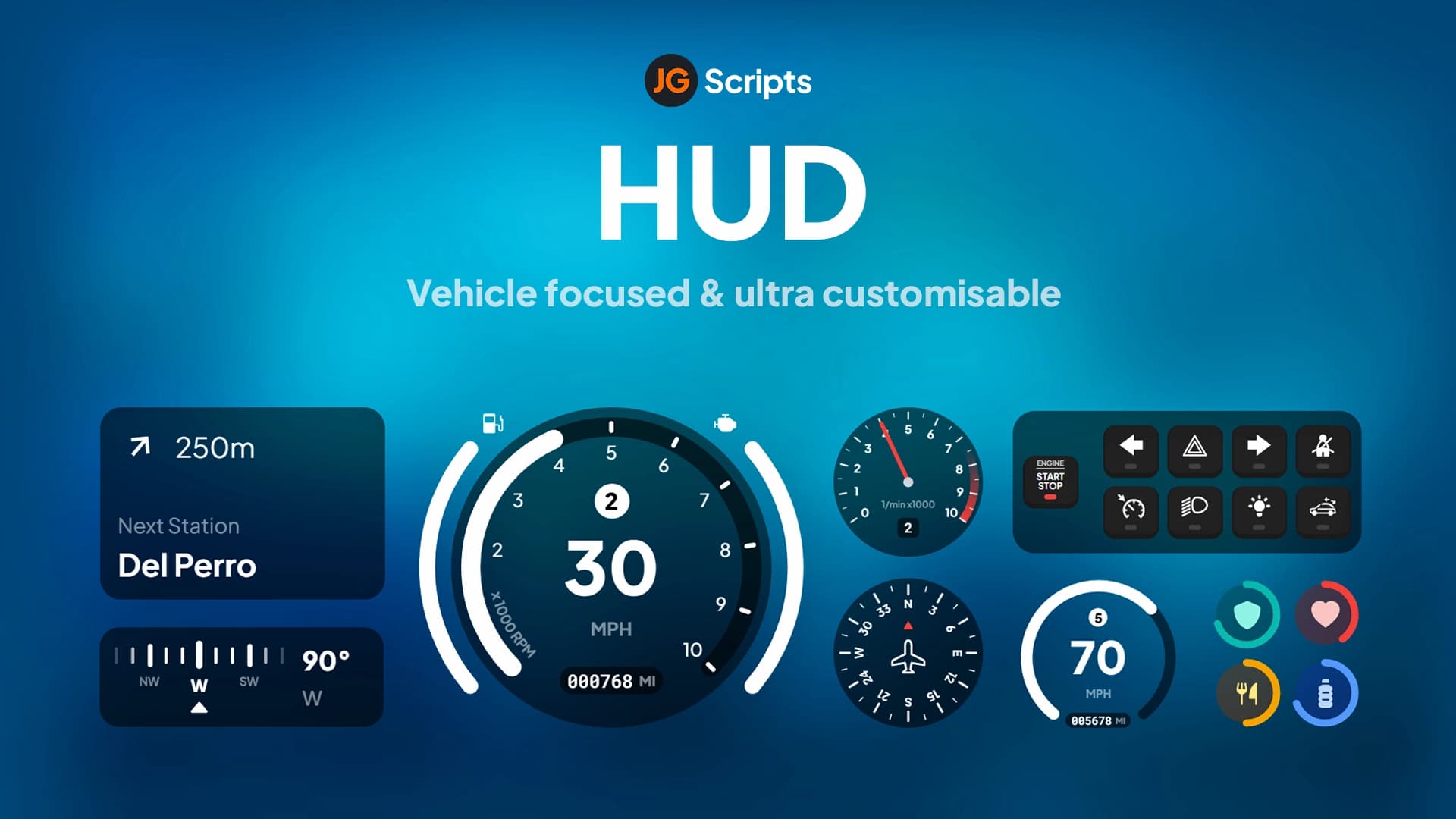
JG HUD

JG HUD