• Instant digital delivery
  • Lifetime updates on selected products
  • Trusted by server owners
FiveMX
Shop
Full ServersBundlesNew releases
FiveMX

Start building your server today.

Curated FiveM resources, instant delivery, free starter mods, and practical guides in one calm marketplace.

Browse the shopsupport@fivemx.com

Shop

  • Shop
  • FiveM Mods
  • All Products
  • Free Mods
  • Best Scripts & Mods
  • FiveM Scripts

Frameworks

  • QBCore Scripts
  • ESX Scripts
  • QBox
  • Standalone

Community

  • Blog
  • Support
  • Creators
  • Affiliate

Legal

  • Privacy Policy
  • Terms of Service
  • Refund Policy
  • Digital Delivery
  • Cookie Policy
  • GDPR Compliance
  • DMCA
  • Imprint
  • Editorial Policy

Server Templates

  • QBCore Server Template
  • ESX Server Template
  • NoPixel Server Template
  • Server Packs
  • Free Server Templates
  • Tebex Alternative
© 2026 FiveMX. All rights reserved.·FiveMX is not affiliated with Rockstar Games, Take-Two Interactive, or CFX.re. All trademarks are property of their respective owners.
DiscordDocs

2 product images available.

Compatibility:

0r Chat V2

$23.99

Secure Checkout

Cards, Apple Pay, Google Pay, iDEAL/Wero, Bancontact, EPS, Przelewy24, and optional Crypto where available via Stripe.

Instant file access after paymentSupport and refund policy shown before checkout
Ask support before buyingRead refund policy
Instant Access
SSL Encrypted
Cards, wallets, bank redirects
Frameworksesx, qbcore, qbox, standalone
Setup

Requires a FiveM server, ESX or QBCore, access to server resources, and permission to restart the resource after configuration.

RequirementsPublished on this page
PreviewAvailable

Description

0r Chat V2 - Modern Chat System with Advanced Features for FiveM

The 0r Chat V2 replaces FiveM's default chat system with a modern, feature-rich communication interface designed for enhanced roleplay and server management. This comprehensive chat overhaul includes proximity-based chat with voice range indicators, command suggestions, rich formatting options, customizable themes, and advanced moderation tools. Perfect for roleplay servers wanting realistic communication mechanics where messages fade based on distance, or any server looking to upgrade from the basic GTA chat interface to something more polished and functional.

What's Included

This complete chat replacement includes proximity-based messaging where text fades as distance increases, multiple chat channels (local, department radio, global OOC), rich text formatting with colors and emotes, command auto-completion, message history, and fully customizable themes. Server owners get moderation features including chat logs, message filtering, mute systems, and anti-spam protection. The system integrates seamlessly with framework job systems to provide department-specific chat channels and automated announcements.

Key Features

  • Proximity-Based Chat - Messages fade with distance for realistic local communication
  • Multiple Channels - Local, radio, department, global OOC, and custom channels
  • Rich Text Formatting - Colors, bold, italics, and emote integration
  • Command Suggestions - Auto-complete for commands as you type
  • Message History - Scroll through previous messages with timestamps
  • Custom Themes - Fully customizable colors, fonts, and positioning
  • Moderation Tools - Chat logs, filters, mute system, and anti-spam
  • Department Radio - Job-specific channels for police, EMS, mechanics, etc.
  • Staff Chat - Separate channel for admin communication
  • Announcement System - Broadcast server-wide messages with styling

Perfect For

  • Roleplay servers requiring proximity-based communication
  • Communities with multiple departments needing private channels
  • Servers wanting professional, modern chat aesthetics
  • Communities requiring strong chat moderation
  • Any server upgrading from the default FiveM chat

Chat Channels & Ranges

  • Local Chat - Proximity-based with configurable fade distance (default: normal speaking range)
  • Shout - Extended range for yelling or loud speech
  • Whisper - Very short range for private conversations
  • Department Radio - Job-specific channels (police, EMS, fire, mechanics, etc.)
  • Global OOC - Server-wide out-of-character communication
  • Admin Chat - Staff-only communication channel
  • Custom Channels - Create additional channels for gangs, businesses, etc.

Installation Guide

  1. IMPORTANT: Remove your current chat script and chat-theme-gtao from your server
  2. Extract the 0r Chat V2 folder to your resources directory
  3. Review and configure settings in the config.lua file
  4. Set up chat ranges, channels, and theme preferences
  5. Configure department channels to match your framework jobs
  6. Add ensure 0r-chat-v2 to your server.cfg
  7. Start the resource and test all chat channels
  8. Customize colors and fonts to match your server branding

Framework Compatibility

  • ✅ ESX - Integrates with ESX job system for department channels
  • ✅ QBCore - Compatible with QB jobs and gang systems
  • ✅ QBOX - Works with QBOX job management
  • ✅ Standalone - Can function without framework (basic channels only)

What Makes It Stand Out

Version 2 of 0r Chat improves upon the original with better performance, more customization, and enhanced roleplay features. The proximity-based chat system creates realistic communication where you can't read messages from across the city - players must be close to see local chat, making radios essential for coordination. The command suggestion system helps new players discover available commands while typing. Unlike basic chat replacements, this system includes proper moderation tools so admins can combat spam and toxicity effectively. The theme system is incredibly flexible, allowing complete visual customization without editing code.

Customization Options

  • Configure chat position, size, and transparency
  • Set custom colors for each chat channel type
  • Customize fonts, text size, and message spacing
  • Define proximity ranges for local, shout, and whisper
  • Set up custom emote commands and formatting
  • Configure timestamp formats and display options
  • Create custom chat channels with permissions

Moderation Features

  • Chat Logging - Complete server-side logs of all messages
  • Word Filter - Automatically block or replace prohibited words
  • Spam Protection - Prevents message flooding and rapid posting
  • Mute System - Temporary or permanent chat mutes for players
  • Channel Restrictions - Control who can access specific channels
  • Admin Oversight - View all channels even when not in them

Technical Specifications

  • Performance: Optimized rendering, minimal FPS impact
  • Database: Optional database for persistent mutes and logs
  • UI Framework: Custom HTML/CSS/JS with smooth animations
  • Compatibility: Replaces default chat entirely, no conflicts
  • Exports: Includes exports for custom message types and channels

Command Integration

  • Auto-suggestion shows available commands while typing
  • Supports all framework commands automatically
  • Custom command registration via exports
  • Parameter hints for complex commands
  • Command history with up/down arrow navigation

Department Radio Setup

  • Automatically creates channels for all framework jobs
  • Police, EMS, fire, mechanics, and more get dedicated radios
  • Messages only visible to players in the same job
  • Optional cross-department channels for emergencies
  • Configurable radio command (default: /radio or /r)

Support & Configuration

The resource includes a comprehensive config file with clear documentation for all settings. If you encounter any issues during setup or have questions about configuration, you can create a support ticket through the developer's Discord server. The config allows you to enable/disable features individually, so you can start with basic functionality and gradually add more advanced features as your community grows.
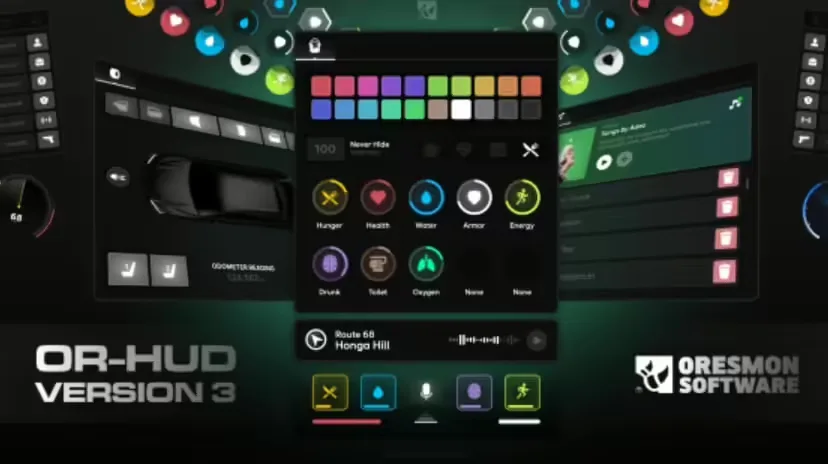
Video Preview

https://www.youtube.com/watch?v=F2PUKJOfkQs

Installation

- Remove the chat script and the chat-theme-gtao script you are using on your server. - Upload the folder to your server. - Add it to server.cfg and start it. - Don't forget to take a look at the config file. - If you have any problems, you can create a support ticket by coming to our discord address. - aliko.

Related ESX Scripts

  • GFX MDT
  • ESX Standing HUD
  • Origen Police (ESX)
  • Advanced Boss & Gang Menu

Installation notes

Requires a FiveM server, ESX or QBCore, access to server resources, and permission to restart the resource after configuration.
Installation notes
Requires a FiveM server, ESX or QBCore, access to server resources, and permission to restart the resource after configuration.

Buy this when it saves setup time

Use this checklist to decide quickly whether the resource fits your current server build, framework, and support expectations.

Server-owner payoff

0r Chat V2 is positioned to reduce HUDs instead of making you rebuild the same system from scratch.

Compatibility

Works with esx, qbcore, qbox, standalone. Check the requirements block before adding it to a live stack.

Purchase confidence

Instant download, Stripe checkout, support access, and refund policy context are shown before payment.

Decision assets

Requirements, Preview video, Product Q&A

Product fit, setup, and proof at a glance

Use the published facts on this page to confirm whether 0r Chat V2 matches your server before checkout.

Compatibility

Frameworks
ESX, QBCore, QBOX, Standalone
Category
HUDs

Setup & requirements

Install flow
Download → resources folder → ensure in server.cfg
Requirements
Published on this page
File size
269.47 KB

Proof & buyer questions

Reviews
No reviews yet
Answered Q&A
Ask before buying

Only the facts published on this page should be treated as confirmed. If you need more detail, review the description, requirements, changelog, reviews, and product Q&A before checkout.

DescriptionRequirementsPreview video
HUDs
Compatibility:
ESX
QBCore
QBOX
Standalone

0r Chat V2

Review process
$23.99

Secure Checkout

Cards, Apple Pay, Google Pay, iDEAL/Wero, Bancontact, EPS, Przelewy24, and optional Crypto where available via Stripe.

Instant file access after paymentSupport and refund policy shown before checkout
Ask support before buyingRead refund policy
Instant Access
SSL Encrypted
Cards, wallets, bank redirects
Frameworksesx, qbcore, qbox, standalone
Setup

Requires a FiveM server, ESX or QBCore, access to server resources, and permission to restart the resource after configuration.

RequirementsPublished on this page
PreviewAvailable
Home
Shop
HUDs
HUDs
ESX
QBCore
QBOX
Standalone
Review process

Key Features

  • Proximity-Based Chat

    Messages fade with distance for realistic local communication, with configurable fade distance for normal speaking range, shouting, and whispering.

  • Multiple Chat Channels

    Includes local, shout, whisper, department radio, global OOC, admin chat, and custom channels for gangs or businesses.

  • Rich Text Formatting

    Supports colors, bold, italics, and emote integration for enhanced message customization.

  • Command Auto-Completion

    Command suggestions appear as you type to help players discover available commands.

  • Moderation Tools

    Includes chat logging, word filtering, spam protection, mute system, and channel access restrictions for server administrators.

Frequently Asked Questions

Related Products

$6.99
$4.49
$7.49
$4.49

More from 0R Scripts

0R HUD V3

0R HUD V3

0r TowTruck

0r TowTruck

0R Casino (FiveM Casino System)

0R Casino (FiveM Casino System)

0R Trucker

0R Trucker

View all from 0R Scripts

Related Tutorials & Guides

Learn more about setting up, configuring, and using this type of resource.

ESX vs QBCore vs QBOX: Technical Framework Comparison 2026

ESX vs QBCore vs QBOX: Technical Framework Comparison 2026

Choosing a framework is the single most consequential decision when building a FiveM server. It determines which scripts you can use, how your developers write code, the…

FiveM Frameworks Explained: Complete Guide to ESX, QBCore & QBOX

FiveM Frameworks Explained: Complete Guide to ESX, QBCore & QBOX

FiveM frameworks form the backbone of roleplay servers. They're not just code libraries—they're complete systems that manage player identity, jobs, inventory, permissions,…

QBox Framework Guide: Migrate from QBCore and Boost Performance (2026)

QBox Framework Guide: Migrate from QBCore and Boost Performance (2026)

QBox has firmly established itself as the natural successor to QBCore in the FiveM roleplay ecosystem.

Continue Building Your FiveM Server

Use this product as part of a larger setup. Explore related categories, alternative frameworks, premium bundles, and free companion downloads.

Explore Phone ScriptsExplore Inventory ScriptsBrowse all scriptsHUDs scriptsesx scriptsTry QBCore insteadTry QBox insteadFree FiveM modsCompare bundles
Premium Vehicle HUD

Premium Vehicle HUD

Simple ESX HUD

Simple ESX HUD

Circle HUD

Circle HUD

HUD Coords

HUD Coords