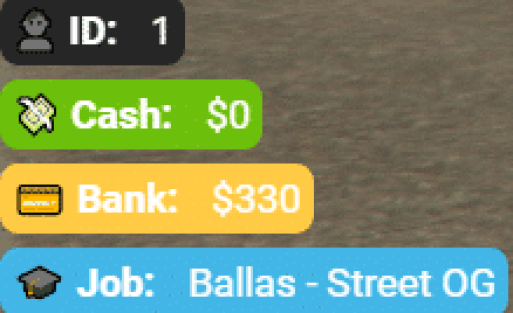
2 product images available.
DopeNotify (v1+v2)
Secure Checkout
Cards, Apple Pay, Google Pay, iDEAL/Wero, Bancontact, EPS, Przelewy24, and optional Crypto where available via Stripe.
Requires a FiveM server, ESX or QBCore, access to server resources, and permission to restart the resource after configuration.
Description
DopeNotify (v1+v2) - Modern Notification System for ESX & QBCore
Transform your FiveM server's notification system from basic, immersion-breaking popups into sleek, modern alerts that enhance rather than interrupt gameplay. DopeNotify delivers a complete notification overhaul with both v1 and v2 versions included, giving you professional-grade alerts that inform players clearly while maintaining the aesthetic quality and smooth performance your server deserves. This isn't just about making notifications prettier - it's about improving user experience and creating a polished, cohesive interface that elevates your entire server.
What's Included
The DopeNotify package includes both the original v1 notification system and the enhanced v2 version, allowing you to choose the style that best fits your server's aesthetic or even use different versions for different notification types. Both versions share core features - smooth animations, customizable positioning, support for multiple notification types (success, error, info, warning), and framework integration - while offering distinct visual approaches to how information is presented to players.
Unlike basic notification systems that simply display text in a corner, DopeNotify provides context through color coding, icons, and animation timing. Players instantly understand the importance and type of each notification without needing to stop and read carefully. A green success notification feels different from a red error alert, and that instant visual communication makes for smoother, more intuitive gameplay.
Key Features
- Dual Version System - Both v1 and v2 included in one package, letting you choose your preferred style or use both
- Framework Integration - Seamlessly integrates with ESX, QBCore, and QBOX notification triggers
- Multiple Notification Types - Success, error, info, warning, and custom notifications with distinct styling
- Smooth Animations - Notifications slide in and out gracefully rather than popping abruptly
- Queue System - Multiple notifications display in organized sequence without overlapping or creating visual chaos
- Customizable Positioning - Configure where notifications appear on screen to match your UI layout
- Duration Control - Set how long notifications remain visible based on importance and message length
- Color Customization - Adjust notification colors to match your server's theme and branding
- Performance Optimized - Lightweight code ensures notifications don't impact FPS or cause stuttering
- Mobile Responsive - Adapts to different screen sizes and resolutions automatically
Perfect For
- Complete UI Overhauls - Part of modernizing your server's entire interface with cohesive styling
- ESX Servers - Replace default ESX notifications with professional alternatives
- QBCore Servers - Upgrade QB's notification system to something more visually appealing
- Immersive Roleplay - Notifications that enhance rather than break immersion with their appearance
- Custom Scripts - Use in your own scripts to provide consistent notification styling
- Player Feedback - Communicate system messages, alerts, and responses clearly and attractively
- Error Handling - Display error messages in a way that's visible but not jarring
- Achievement Systems - Celebrate player accomplishments with satisfying notification animations
Notification Types & Use Cases
Success Notifications (Green): Perfect for confirming actions completed successfully - purchases made, items crafted, jobs completed, money received, skills leveled up, vehicles purchased. Success notifications provide positive reinforcement that makes players feel good about their actions.
Error Notifications (Red): Communicate problems clearly without being aggressive - insufficient funds, missing requirements, action failed, cooldown active, access denied. Error notifications need to be visible and clear, but not so dramatic that they frustrate players unnecessarily.
Info Notifications (Blue): General information that players should know but isn't urgent - server announcements, hints, tips, location names, system messages. Info notifications keep players informed without demanding immediate attention.
Warning Notifications (Yellow/Orange): Alert players to situations requiring attention - low health, ammunition running out, wanted level increasing, time running out on missions. Warnings sit between info and error in urgency, catching attention without implying failure.
Installation & Configuration
- Download the DopeNotify package containing both v1 and v2 versions
- Choose which version you want to use (or keep both for flexibility)
- Extract the resource folder to your server's resources directory
- Configure notification positioning and colors in the config file
- Add DopeNotify to your server.cfg file
- Update your framework or scripts to use DopeNotify triggers
- Restart server and test notifications to ensure proper display
Framework Integration
- ✅ ESX - Replace esx:showNotification with DopeNotify for all ESX notifications. Works with ESX Legacy and older versions
- ✅ QBCore - Integrate with QBCore.Functions.Notify for consistent notification styling across all QB scripts
- ✅ QBOX - Full compatibility with QBOX notification systems
- ✅ Standalone - Use independently with custom scripts via simple export functions
- ✅ ox_lib - Can work alongside or replace ox_lib notifications depending on preference
Developer-Friendly Implementation
DopeNotify is designed with developers in mind, providing simple export functions that make triggering notifications effortless. Whether you're writing a custom job script, creating inventory systems, or building unique gameplay mechanics, adding DopeNotify notifications requires just a single line of code. The system handles all the complexity of positioning, animation, queuing, and cleanup automatically.
Example triggers work like this: specify notification type (success/error/info/warning), provide the message text, and optionally set a custom duration. DopeNotify handles everything else - displaying the notification at the right time, in the right place, with the right styling, and removing it gracefully when the duration expires.
Technical Details
- Versions: v1 and v2 both included in single package
- Type: UI notification system
- Technology: HTML/CSS/JavaScript with NUI integration
- File Size: Lightweight resource with minimal memory footprint
- Dependencies: None - completely standalone notification system
- Performance: Optimized rendering with no FPS impact
- Customization: Config-based color, position, and timing adjustments
- Compatibility: Works with all frameworks and custom scripts
What Makes It Stand Out
Many servers stick with default framework notifications because changing them seems like a low-priority cosmetic upgrade. But notifications are one of the most frequently seen UI elements on your server - players encounter them dozens or hundreds of times per session. Poor notification design creates constant micro-frustrations that accumulate over time, while well-designed notifications enhance the experience invisibly. Players might not consciously notice great notifications, but they'll definitely notice terrible ones.
DopeNotify bridges the gap between purely functional (default notifications that work but look dated) and over-designed (flashy notifications that distract from gameplay). The animations are smooth enough to feel polished but quick enough to not interrupt action. The styling is modern without being aggressively trendy. The system is reliable without being boring. This balance is harder to achieve than it seems, and DopeNotify delivers it out of the box.
Notification Best Practices
The notification system is only as good as how you use it. Avoid notification spam - don't trigger alerts for every tiny action or players will learn to ignore them. Use appropriate types - don't make everything a warning or errors will lose their impact. Keep messages concise - notifications should communicate information quickly, not tell stories. Time notifications appropriately - urgent messages should display longer than confirmations. These principles apply regardless of which notification system you use, but DopeNotify's design encourages good practices by making proper usage intuitive.
Customization Options
While DopeNotify works great out of the box, servers with specific branding requirements can customize colors to match their theme. Want notifications that use your gang's signature colors? Prefer a darker or lighter aesthetic? Need to ensure color-blind accessibility? The config file provides straightforward color controls that don't require editing complex CSS or understanding web development - just specify color codes and the system applies them consistently.
Position customization allows notifications to coexist with other UI elements. If your server uses custom HUDs, vehicle displays, or other NUI components, you can adjust where DopeNotify appears to avoid overlaps and maintain clean visual hierarchy. Notifications can appear in corners, along edges, or in custom positions defined by pixel coordinates.
Performance Considerations
Notification systems run constantly and trigger frequently, making performance optimization critical. DopeNotify uses efficient rendering techniques that don't redraw the entire notification queue unnecessarily. Animations utilize CSS transitions rather than JavaScript timers, leveraging browser optimization for smoother, less resource-intensive movement. The queue system prevents notification buildup from overwhelming the UI or causing memory leaks during long play sessions.
Why Dual Versions Matter
Including both v1 and v2 versions gives you flexibility as your server evolves. Maybe you start with v1 for its simplicity and later switch to v2 for additional features. Maybe you use v1 for standard notifications but v2 for special events and announcements. Maybe different game modes or servers in your network use different versions while sharing other resources. Having both options available without needing separate purchases provides value and future-proofing.
Support & Updates
Your purchase includes both current versions of DopeNotify with lifetime access to future updates and improvements. If you encounter any issues during installation or need assistance configuring notifications for your specific framework and scripts, support is available to ensure your notification system is displaying properly and enhancing your server's user experience.