



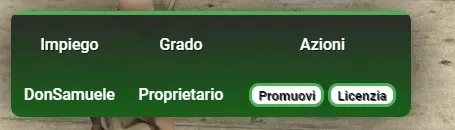
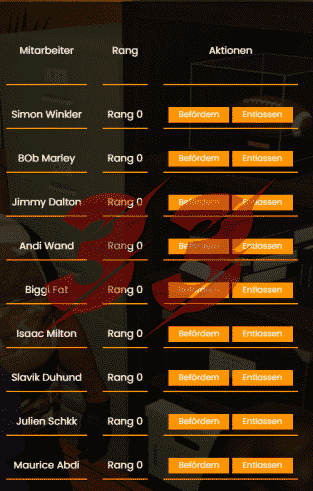

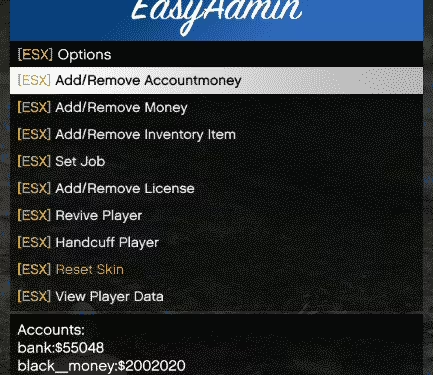
ESX Menu List is a robust UI library that powers menu systems across your FiveM server. If your ESX scripts need a reliable, lightweight foundation for displaying in-game menus and player interactions, this library is essential—it eliminates the need for each script to build its own menu system from scratch.
Key Features
- Lightweight menu rendering engine optimized for ESX frameworks
- Support for dynamic menu lists with customizable titles and descriptions
- Smooth scrolling and navigation with keyboard and controller support
- Built-in callback system for menu item selection and actions
- Easy integration with existing ESX scripts and job systems
- Configurable styling options to match your server’s aesthetic
- Low performance footprint—minimal impact on server and client FPS
- Comprehensive documentation for developers implementing menu interactions
Compatibility
Designed for ESX Legacy and ESX 1.2+ frameworks. This library works seamlessly with ESX-based scripts including job systems, shops, banks, and custom interactions. If you’re running a pure ESX server, this is your go-to menu foundation.
Installation
Extract the resource folder into your resources directory. Add ensure esx_menu_list (or the resource name) to your server.cfg before any scripts that depend on it. Review the included configuration file to customize menu appearance and behavior for your server’s needs.
Upgrade your server’s menu infrastructure today—grab ESX Menu List and give your scripts a professional, unified UI foundation.
ESX Menu List is a menu library for in-game lists, player interactions, callbacks and configurable navigation.
Product details
- Dynamic menu lists and descriptions
- Selection callbacks and keyboard or controller navigation
- Configurable styling and integration with dependent ESX scripts
Compatibility and setup
The listing identifies ESX Legacy and ESX 1.2+. Load it before dependent resources and test their menu callbacks.

Reviews
There are no reviews yet.