• Instant digital delivery
  • Lifetime updates on selected products
  • Trusted by server owners
FiveMX
Shop
Full ServersBundlesNew releases
FiveMX

Start building your server today.

Curated FiveM resources, instant delivery, free starter mods, and practical guides in one calm marketplace.

Browse the shopsupport@fivemx.com

Shop

  • Shop
  • FiveM Mods
  • All Products
  • Free Mods
  • Best Scripts & Mods
  • FiveM Scripts

Frameworks

  • QBCore Scripts
  • ESX Scripts
  • QBox
  • Standalone

Community

  • Blog
  • Support
  • Creators
  • Affiliate

Legal

  • Privacy Policy
  • Terms of Service
  • Refund Policy
  • Digital Delivery
  • Cookie Policy
  • GDPR Compliance
  • DMCA
  • Imprint
  • Editorial Policy

Server Templates

  • QBCore Server Template
  • ESX Server Template
  • NoPixel Server Template
  • Server Packs
  • Free Server Templates
  • Tebex Alternative
© 2026 FiveMX. All rights reserved.·FiveMX is not affiliated with Rockstar Games, Take-Two Interactive, or CFX.re. All trademarks are property of their respective owners.
DiscordDocs
Compatibility:

CodeM mHUD — Advanced HUD System

$10.49

Secure Checkout

Cards, Apple Pay, Google Pay, iDEAL/Wero, Bancontact, EPS, Przelewy24, and optional Crypto where available via Stripe.

Instant file access after paymentSupport and refund policy shown before checkout
Ask support before buyingRead refund policy
Instant Access
SSL Encrypted
Cards, wallets, bank redirects
Frameworksesx, qbcore, qbox, standalone
Setup

Requires a FiveM server, ESX or QBCore, access to server resources, and permission to restart the resource after configuration.

RequirementsPublished on this page
PreviewAvailable

Description

mHUD - Modern Minimalist HUD for FiveM

Elevate your server's visual experience with this sleek, performance-optimized HUD that displays all essential player information in a clean, modern interface. Designed for servers that want a professional look without the bloated features and performance drain of heavyweight HUD systems, mHUD strikes the perfect balance between functionality and aesthetics.

What's Included

This complete HUD replacement features a minimalist status display showing health, armor, hunger, thirst, and stress indicators with smooth animated transitions. The integrated vehicle speedometer activates automatically when entering vehicles, displaying speed (MPH/KPH), fuel level, gear indicator, and engine status. The HUD is fully customizable through easy configuration files, allowing you to adjust colors, positioning, visibility toggles, and which status bars are shown.

Key Features

  • Player Status Display - Health, armor, hunger, thirst, stress with color-coded progress bars
  • Vehicle Speedometer - Automatic speed display with MPH/KPH toggle, gear indicator, fuel gauge
  • Minimalist Design - Clean, unobtrusive interface that doesn't clutter the screen
  • Smooth Animations - Fluid transitions when status values change or HUD elements appear
  • Toggle Visibility - Command to hide/show HUD (perfect for screenshots or cinematic moments)
  • Conditional Display - Some elements (armor, stamina, oxygen) only appear when relevant
  • Color Customization - Adjust progress bar colors to match your server's theme
  • Optimized Performance - Minimal resource usage, typically 0.00-0.01ms idle

Perfect For

  • Roleplay servers wanting clean UI that doesn't distract from immersion
  • Servers transitioning from default GTA HUD to custom interface
  • Communities prioritizing performance and looking to reduce resource overhead
  • Servers with custom color schemes requiring HUD theme matching
  • Streamers and content creators who need minimal UI for clean footage

Technical Details

  • Resource Usage: 0.00-0.01ms idle, negligible FPS impact
  • UI Framework: HTML/CSS/JavaScript NUI with optimized rendering
  • Status Updates: Real-time synchronization with framework status systems
  • Resolution Support: Responsive design works on all screen resolutions
  • Commands: /toggleui or configurable command to hide/show HUD
  • Dependencies: Framework-specific status system (ESX/QBCore)

Installation

  1. Extract mHUD to your resources folder
  2. Configure framework in config.lua (ESX or QBCore)
  3. Customize colors, positioning, and displayed elements in config
  4. Set unit preference (MPH or KPH for speedometer)
  5. Add to server.cfg: ensure mhud
  6. Restart server and verify HUD displays correctly
  7. Test toggle command and vehicle speedometer activation

Framework Compatibility

  • ✅ ESX - Full integration with ESX status system (hunger, thirst, etc.)
  • ✅ QBCore - Native support for QB-Core stress, hunger, thirst mechanics
  • ✅ QBOX - Compatible with QBOX player status framework
  • ⚠️ Standalone - Requires framework for status tracking (not fully standalone)

Customization Options

The configuration file provides extensive customization without touching code. Adjust the position of HUD elements anywhere on screen, change progress bar colors to match your server theme, toggle individual status indicators on or off, set percentage thresholds for when certain bars appear (armor only above 0%, stamina only below 100%), choose between MPH and KPH units, and configure the toggle command to your preference. This flexibility means mHUD adapts to your server rather than forcing a specific look.

Display Logic

mHUD uses smart display logic to reduce screen clutter. Armor only appears when you actually have armor equipped. Stamina and oxygen bars only show when they're below 100% (during sprinting or underwater). The vehicle speedometer automatically appears when you enter a vehicle and disappears on exit. This conditional display keeps the screen clean during normal gameplay while ensuring critical information appears exactly when you need it.

What Makes It Stand Out

In a market flooded with bloated, feature-heavy HUDs that tank performance, mHUD focuses on doing the essentials perfectly. The minimalist design philosophy means no distracting animations, no unnecessary information, and no FPS drops. It's inspired by modern UI design principles where less is more - every element serves a purpose, nothing is there for decoration. The result is a HUD that looks professional, performs flawlessly, and gets out of the way so players can focus on roleplay rather than interface elements.
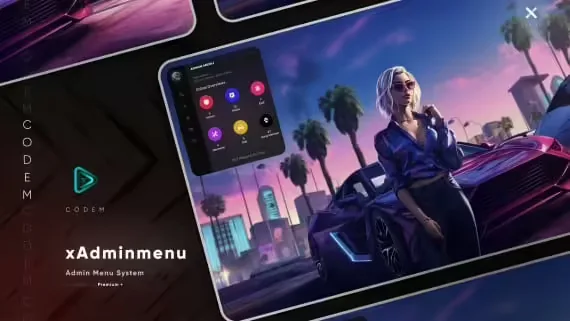
Video preview

Related ESX Scripts

  • 0R-HUD | Hud Script
  • T1GER Drug Business (+ shells) - mega pack
  • Pacific Heist (Rainmad)
  • VexCreator - Skin Changer

Installation notes

Requires a FiveM server, ESX or QBCore, access to server resources, and permission to restart the resource after configuration.
Installation notes
Requires a FiveM server, ESX or QBCore, access to server resources, and permission to restart the resource after configuration.

Buy this when it saves setup time

Use this checklist to decide quickly whether the resource fits your current server build, framework, and support expectations.

Server-owner payoff

CodeM mHUD — Advanced HUD System is positioned to reduce HUDs instead of making you rebuild the same system from scratch.

Compatibility

Works with esx, qbcore, qbox, standalone. Check the requirements block before adding it to a live stack.

Purchase confidence

Instant download, Stripe checkout, support access, and refund policy context are shown before payment.

Decision assets

Requirements, Preview video, Product Q&A

Product fit, setup, and proof at a glance

Use the published facts on this page to confirm whether CodeM mHUD — Advanced HUD System matches your server before checkout.

Compatibility

Frameworks
ESX, QBCore, QBOX, Standalone
Category
HUDs

Setup & requirements

Install flow
Download → resources folder → ensure in server.cfg
Requirements
Published on this page
File size
13.59 MB

Proof & buyer questions

Reviews
No reviews yet
Answered Q&A
Ask before buying

Only the facts published on this page should be treated as confirmed. If you need more detail, review the description, requirements, changelog, reviews, and product Q&A before checkout.

DescriptionRequirementsPreview video
HUDs
Compatibility:
ESX
QBCore
QBOX
Standalone

CodeM mHUD — Advanced HUD System

Review process
$10.49

Secure Checkout

Cards, Apple Pay, Google Pay, iDEAL/Wero, Bancontact, EPS, Przelewy24, and optional Crypto where available via Stripe.

Instant file access after paymentSupport and refund policy shown before checkout
Ask support before buyingRead refund policy
Instant Access
SSL Encrypted
Cards, wallets, bank redirects
Frameworksesx, qbcore, qbox, standalone
Setup

Requires a FiveM server, ESX or QBCore, access to server resources, and permission to restart the resource after configuration.

RequirementsPublished on this page
PreviewAvailable
Home
Shop
HUDs
HUDs
ESX
QBCore
QBOX
Standalone
Review process

Key Features

  • Player Status Display

    Shows health, armor, hunger, thirst, and stress indicators with color-coded progress bars

  • Vehicle Speedometer

    Automatically activates when entering vehicles, displaying speed in MPH or KPH, fuel level, gear indicator, and engine status

  • Smooth Animations

    Fluid transitions when status values change or HUD elements appear and disappear

  • Toggle Visibility Command

    Hide or show the entire HUD using /toggleui or a configurable command for screenshots and cinematic moments

  • Conditional Display Logic

    Armor only appears when equipped, stamina and oxygen bars only show when below 100%, and speedometer automatically appears and disappears with vehicle entry/exit

Frequently Asked Questions

Related Products

$6.99
$4.49
$7.49
$4.49

More from CodeM

CodeM Admin Menu

CodeM Admin Menu

CodeM xPawnshop — Advanced Pawn Shop Script

CodeM xPawnshop — Advanced Pawn Shop Script

CodeM mHunting — Hunting & Wildlife System

CodeM mHunting — Hunting & Wildlife System

CodeM mTaxiJob — Advanced Taxi Script

CodeM mTaxiJob — Advanced Taxi Script

View all from CodeM

Related Tutorials & Guides

Learn more about setting up, configuring, and using this type of resource.

ESX vs QBCore vs QBOX: Technical Framework Comparison 2026

ESX vs QBCore vs QBOX: Technical Framework Comparison 2026

Choosing a framework is the single most consequential decision when building a FiveM server. It determines which scripts you can use, how your developers write code, the…

FiveM Frameworks Explained: Complete Guide to ESX, QBCore & QBOX

FiveM Frameworks Explained: Complete Guide to ESX, QBCore & QBOX

FiveM frameworks form the backbone of roleplay servers. They're not just code libraries—they're complete systems that manage player identity, jobs, inventory, permissions,…

QBox Framework Guide: Migrate from QBCore and Boost Performance (2026)

QBox Framework Guide: Migrate from QBCore and Boost Performance (2026)

QBox has firmly established itself as the natural successor to QBCore in the FiveM roleplay ecosystem.

Continue Building Your FiveM Server

Use this product as part of a larger setup. Explore related categories, alternative frameworks, premium bundles, and free companion downloads.

Explore Phone ScriptsExplore Inventory ScriptsBrowse all scriptsHUDs scriptsesx scriptsTry QBCore insteadTry QBox insteadFree FiveM modsCompare bundles
Premium Vehicle HUD

Premium Vehicle HUD

Simple ESX HUD

Simple ESX HUD

Circle HUD

Circle HUD

HUD Coords

HUD Coords