NoPixel 4.0 Inventory (QBCore)
Secure Checkout
Cards, Apple Pay, Google Pay, iDEAL/Wero, Bancontact, EPS, Przelewy24, and optional Crypto where available via Stripe.
Requires a FiveM server, ESX or QBCore, access to server resources, and permission to restart the resource after configuration.
Description
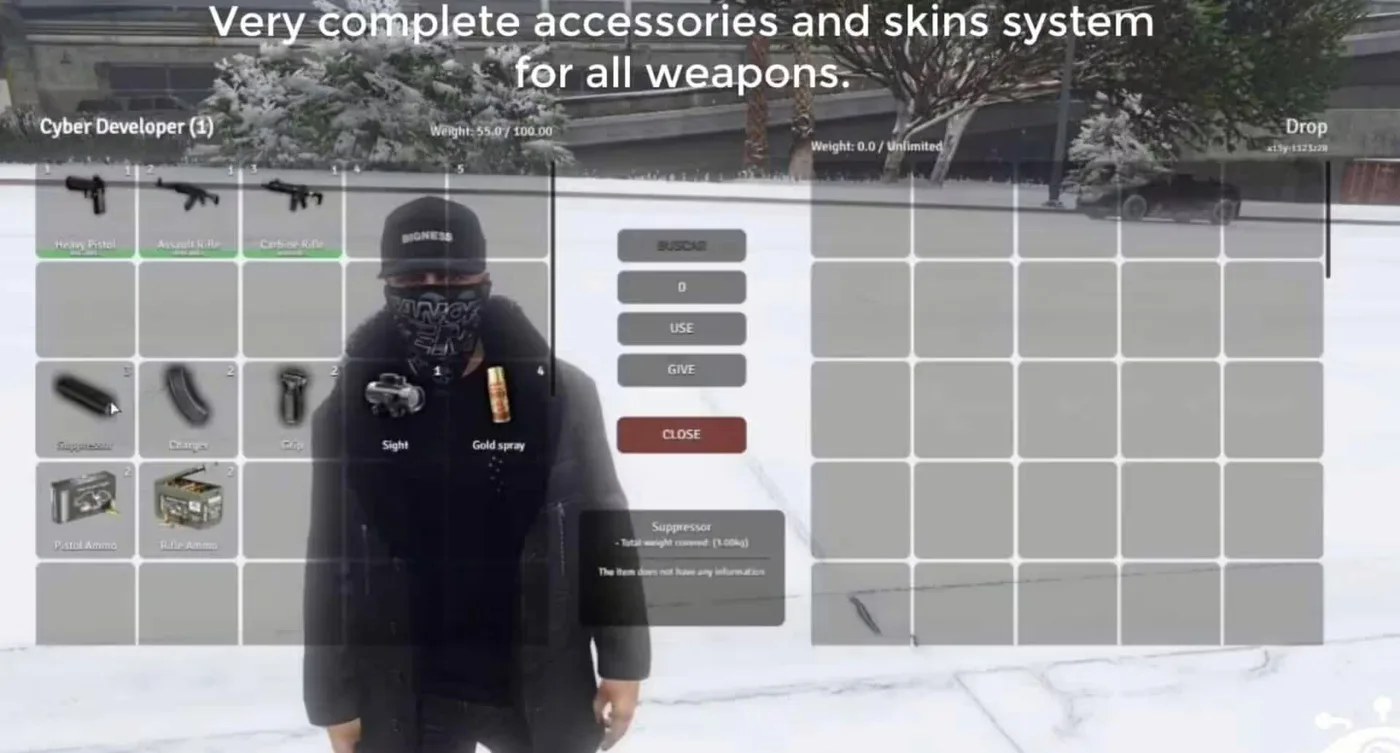
The NoPixel 4.0 Inventory system brings the industry-leading inventory design from the most popular GTA V roleplay server directly to your QBCore framework. This professionally-built script delivers authentic UI/UX, intuitive item management, and server-grade stability that immediately elevates player immersion and reduces support tickets related to inventory bugs.
Key Features
- Authentic NoPixel 4.0 interface design with responsive grid-based item layout
- Advanced weight and capacity system with real-time slot calculation
- Drag-and-drop item management between inventory, hotbar, and containers
- Item durability and metadata tracking for weapons, food, and consumables
- Context menu actions for item use, drop, give, and custom interactions
- Optimized database queries and client-side caching for minimal server load
- Full QBCore item framework integration with support for custom items
- Configurable hotbar slots and quick-access keybinds
Compatibility
Built specifically for QBCore framework. Requires QBCore core resources and a compatible MySQL database. Works seamlessly with standard QBCore item definitions and job scripts. Not compatible with ESX or standalone frameworks without significant modification.
Installation
Extract the resource folder into your resources/ directory. Add ensure noPixel4Inventory to your server.cfg after core QBCore resources. Review the config.lua file to adjust weight limits, hotbar slots, and UI scaling if needed. Restart your server and verify the inventory opens with the default keybind (default: I).
Upgrade your server's inventory system today and give your players the NoPixel experience they expect.