12 product images available.
Secure Checkout
Cards, Apple Pay, Google Pay, iDEAL/Wero, Bancontact, EPS, Przelewy24, and optional Crypto where available via Stripe.
Requires a FiveM server, qbcore, access to server resources, and permission to restart the resource after configuration.
Description
okok Chat V2 - The #1 Best-Selling Chat System for FiveM
Transform your server communication with the most popular and feature-rich chat system on FiveM. okok Chat V2 has dominated the marketplace as the top-selling chat resource for a reason — it combines powerful functionality with stunning visuals and unmatched customization. Whether you run ESX or QBCore, this system delivers professional-grade communication tools your players will actually use.
Why It's #1
okok Chat V2 isn't just another chat script — it's a complete communication platform that handles everything from proximity voice indicators to staff channels, job-specific communications to custom command systems. Thousands of servers worldwide trust this system because it works flawlessly, looks incredible, and gives admins total control over how players communicate.
Core Features
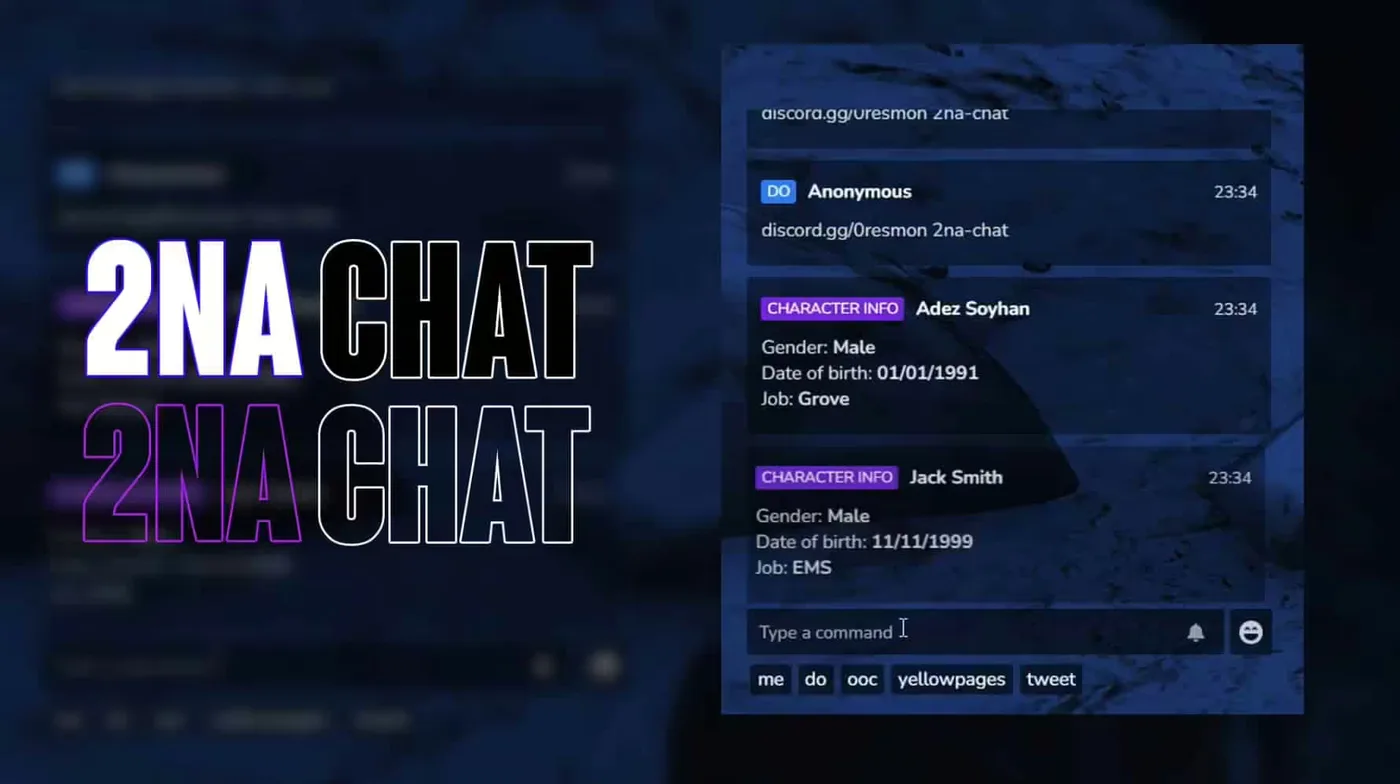
- Modern Custom UI - Sleek, responsive interface that matches any server theme. Customizable colors, fonts, opacity, and positioning. Chat bubbles, timestamps, and player avatars create an immersive experience.
- Multiple Chat Channels - Global chat, local proximity, job-specific channels, admin channels, and custom groups. Players can switch between channels seamlessly with hotkeys or UI controls.
- Staff Communication Tools - Dedicated admin/moderator chat channels invisible to regular players. Perfect for coordinating events, discussing reports, or managing situations without breaking immersion.
- Job-Based Channels - Automatic chat channels for police, EMS, mechanics, and any custom job. Only players with the correct job can see and send messages, enabling realistic department communications.
- Proximity Voice Indicators - Visual indicators show who's talking nearby with customizable range circles. Integrates with popular voice systems like Mumble-Voip, pma-voice, and TokoVoip.
- Custom Commands - Create unlimited custom chat commands with permission restrictions. Build commands for announcements, advertisements,911 calls, tweets, or any roleplay scenario.
- Message Filtering - Built-in profanity filter with customizable word lists. Auto-moderation options to prevent spam, block certain phrases, or mute toxic players automatically.
- Rich Message Types - Support for emojis, mentions (@playername), links, images, and formatted text. Players can express themselves beyond plain text.
- Chat History & Logs - Full message history saved per session. Admins can access complete chat logs for moderation, evidence gathering, or reviewing player interactions.
- Suggestions System - Auto-complete for commands, player names, and common phrases. Makes chat faster and reduces typos in critical communications.
Perfect For
- Roleplay servers needing realistic department communications and job channels
- Communities wanting professional admin tools for staff coordination
- Servers that value aesthetics and need a beautiful, modern chat interface
- Admins who need comprehensive chat logging and moderation tools
- Any server wanting the most popular, battle-tested chat system on FiveM
Customization Options
- Colors & Themes - Customize background colors, text colors, border styles, and chat bubble appearance. Create light or dark themes, match your server branding, or offer multiple theme options to players.
- Chat Positioning - Move chat to any screen position. Adjust size, width, height, and margins. Create compact chat for minimalists or expansive chat for social servers.
- Channel Setup - Define which channels exist, who can access them, and what permissions are required. Create channels for factions, gangs, businesses, or any custom group.
- Command Configuration - Build custom commands with specific formats. Example: /911 sends formatted emergency calls to police with location data automatically included.
- Message Formats - Control how messages display — show/hide timestamps, player IDs, job badges, or VIP indicators. Format announcements differently than regular messages.
Voice Integration
Works seamlessly with popular FiveM voice systems. When a player talks on voice, their name appears in the chat UI with a speaking indicator. Customize indicator style, color, and animation. Shows proximity ranges visually so players know who can hear them.
Admin Features
- Access all chat channels regardless of job or faction
- Send global announcements with custom styling and sounds
- Mute/unmute specific players or ban from chat entirely
- View complete chat logs with timestamp and player info
- Clear chat for all players or specific individuals
- Monitor private messages between players for moderation
Framework Compatibility
- ✅ QBCore - Fully integrated with QBCore jobs, permissions, and player data
- ✅ ESX - Complete ESX support with job-based channels and society integration
- ✅ Standalone - Can work independently without framework dependency
Performance
- Optimized - 0.00-0.01ms idle, 0.02-0.03ms active usage
- Lightweight - Minimal impact on server performance even with 200+ players
- Efficient - Smart message caching reduces database queries
- Reliable - Battle-tested on thousands of servers with zero major issues
Installation & Setup
- Download and extract to your resources folder
- Configure framework type (QBCore/ESX/Standalone) in config
- Customize chat channels, commands, and UI appearance
- Set up job-specific channels for your server jobs
- Configure voice integration settings for your voice resource
- Add custom commands for /911, /ad, /tweet, etc.
- Start resource and enjoy the best chat system on FiveM
Popular Custom Commands
- /911 [message] - Emergency calls sent to police with GPS location
- /ad [message] - Server-wide advertisements with cooldown timers
- /tweet [message] - In-character social media posts
- /311 [message] - Non-emergency reports to government services
- /me [action] - Roleplay actions visible to nearby players
- /do [action] - Describe scene/environment to nearby players
What You Get
- Complete okok Chat V2 system
- Multiple chat channels and job-based communications
- Custom UI with full theme customization
- Voice integration with proximity indicators
- Staff tools and admin commands
- Chat logging and moderation features
- Custom command system
- Lifetime updates from the most trusted chat developer on FiveM
- Detailed documentation and configuration guide
Join thousands of servers worldwide using okok Chat V2 — the proven, professional choice for FiveM communication.
Related QBCore Scripts
Buy this when it saves setup time
Use this checklist to decide quickly whether the resource fits your current server build, framework, and support expectations.
Server-owner payoff
okok Chat V2 is positioned to reduce UI & Communication instead of making you rebuild the same system from scratch.
Compatibility
Works with qbcore. Check the requirements block before adding it to a live stack.
Purchase confidence
Instant download, Stripe checkout, support access, and refund policy context are shown before payment.
Decision assets
Requirements, Preview video, Product Q&A
Product fit, setup, and proof at a glance
Use the published facts on this page to confirm whether okok Chat V2 matches your server before checkout.
Compatibility
- Frameworks
- QBCore
- Category
- UI & Communication
Setup & requirements
- Install flow
- Download → resources folder → ensure in server.cfg
- Requirements
- Published on this page
- File size
- 16.82 KB
Proof & buyer questions
- Reviews
- No reviews yet
- Answered Q&A
- Ask before buying
Only the facts published on this page should be treated as confirmed. If you need more detail, review the description, requirements, changelog, reviews, and product Q&A before checkout.