






Radial Menu – NoPixel 4.0 Inspired Interface for QBCore
Experience the ultimate in server management with the Radial Menu for QBCore. This sophisticated radial menu system brings the sleek, intuitive interface design from NoPixel’s latest iteration directly to your FiveM server, offering players an unparalleled user experience that combines elegance with functionality. Every animation, transition, and interaction has been meticulously crafted to replicate the premium feel that made NoPixel 4.0’s interface legendary.
Perfect for server owners seeking to elevate their player experience beyond basic interaction menus. This isn’t just another radial menu—it’s a complete UI overhaul that transforms how players interact with your server, making every action feel smooth, intuitive, and professional.
Key Features
- Amazing Design – Pixel-perfect recreation of NoPixel 4.0’s iconic radial interface
- Smooth Animations – Fluid transitions and responsive interactions that enhance gameplay immersion
- Customizable Options – Fully configurable menu items, colors, and keybinds to match your server’s unique style
- QBCore Native – Built specifically for QBCore framework with full compatibility
- Context-Sensitive Menus – Dynamic menu options that adapt based on player location, job, and situation
- Subcategory Support – Nested menu layers for organized access to extensive command lists
- Icon Customization – Custom icons for every menu option with FontAwesome support
- Hotkey Integration – Quick access keybinds for frequently used actions
- Multi-Language Ready – Translation support for international communities
What’s Included
- Complete Menu System – Pre-configured with essential player actions and interactions
- Job-Specific Menus – Custom radial options for police, EMS, mechanics, and other jobs
- Vehicle Controls – Quick access to engine, doors, trunk, windows, and other vehicle functions
- Animation Shortcuts – Easy access to commonly used emotes and animations with preview icons
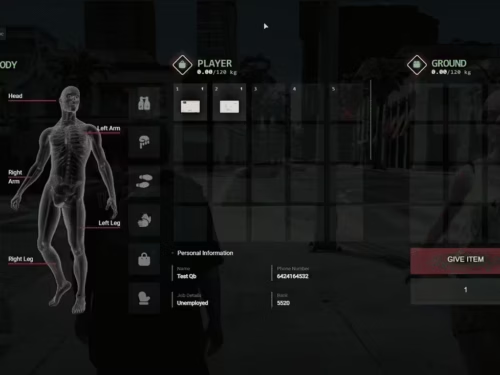
- Inventory Integration – Seamless connection with QBCore inventory system for item usage
- Property Interactions – Enter/exit buildings, garage access, door locking from radial
- Emergency Actions – Panic button, call for backup, medical requests for job players
- Easy Configuration – Simple config file for adding/removing menu items without coding
- Documentation Package – Comprehensive setup guide and customization examples
Menu Categories
Organized sections for intuitive navigation:
General Actions
- Inventory Access: Open inventory with smooth transition
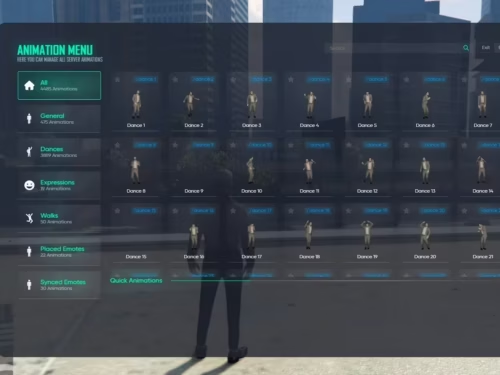
- Animation Menu: Browse available emotes and scenarios
- Hands Up/Kneel: Surrender animations for RP situations
- Clothing Menu: Quick outfit changes and accessories
- Phone Access: Launch phone interface (if installed)
Vehicle Interactions
- Engine Control: Start/stop engine without keys (if allowed)
- Door Controls: Individual door open/close for all doors
- Trunk Access: Open trunk for storage interaction
- Hood Access: Check engine for mechanics
- Window Controls: Roll windows up/down individually
- Seat Shuffling: Move between seats without exiting
- Vehicle Locking: Lock/unlock from inside or outside
Job-Specific Options (Contextual)
- Police Tools: Handcuff, drag, search, breathalyzer, fingerprint scanner
- EMS Actions: Revive, heal, stretcher, medical diagnosis
- Mechanic Tools: Repair, performance tuning, cosmetic changes
- Business Menus: Cash register, boss actions, employee management
- Gang Options: Territory control, stash access, member management
Property Actions
- Door Management: Lock/unlock property doors
- Garage Access: View and retrieve stored vehicles
- Stash Access: Open property storage containers
- Clothing Storage: Access wardrobe for outfit changes
- Logout Points: Safe disconnect from specific locations
Technical Specifications
- Framework: QBCore (Latest Version Compatible – tested up to QB-Core v1.4+)
- Dependencies: qb-core (required), qb-target (optional for enhanced interactions)
- File Size: Optimized package under 5MB including all assets
- Installation Time: Less than 5 minutes with drag-and-drop setup
- Keybind: Configurable (default F1, can be changed to any key)
- UI Framework: NUI with React-based interface (no external UI dependencies)
Customization Capabilities
Make the radial menu match your server’s identity:
- Color Schemes: Adjust primary, secondary, and accent colors
- Icon Selection: Choose from FontAwesome library or custom images
- Menu Positioning: Center, left, or right screen placement
- Animation Speed: Adjust fade-in/fade-out timing to preference
- Item Organization: Rearrange menu items in any order
- Conditional Display: Show/hide options based on job, location, or custom triggers
- Custom Commands: Link menu items to any server-side event or command
- Subcategory Nesting: Create up to 3 levels of nested menus
Player Experience Benefits
- Reduced Learning Curve: Intuitive design means new players understand it instantly
- Faster Interactions: Radial layout allows muscle memory development for speed
- Visual Appeal: Professional interface increases player retention
- Consistent UX: Standardized interaction method across all server features
- Accessibility: Clear icons and labels help players with varying experience levels
Integration Examples
Easily connect the radial menu to your existing scripts:
- Job Scripts: Add custom job actions to the context-sensitive menu
- Housing Systems: Integrate property interactions seamlessly
- Vehicle Scripts: Link performance tuning or racing options
- Phone Systems: Quick access to phone apps from the radial
- Custom Items: Use items directly from the radial menu
Configuration Example
Simple config structure for adding custom menu items:
Config.MenuItems = {
    {
        id = 'inventory',
        title = 'Inventory',
        icon = 'fas fa-box',
        event = 'inventory:client:OpenInventory',
        shouldShow = function() return true end
    },
    {
        id = 'handcuff',
        title = 'Handcuff',
        icon = 'fas fa-hands-bound',
        event = 'police:client:CuffPlayer',
        shouldShow = function() return QBCore.Functions.GetPlayerData().job.name == 'police' end
    }
}
Support & Updates
Purchase includes access to future updates and basic installation support. The script is actively maintained to ensure compatibility with the latest QBCore updates and FiveM builds. Updates include new features, bug fixes, and performance improvements based on community feedback.
Installation Process
- Download & Extract: Unzip the resource to your QBCore resources folder
- Add to server.cfg:
ensure radial-menu - Configure Options: Edit config.lua to customize menu items and colors
- Restart Server: Reload to apply changes
- Test Functionality: Verify all menu items work correctly

Reviews
There are no reviews yet.