• Instant digital delivery
  • Lifetime updates on selected products
  • Trusted by server owners
FiveMX
Shop
Full ServersBundlesNew releases
FiveMX

Start building your server today.

Curated FiveM resources, instant delivery, free starter mods, and practical guides in one calm marketplace.

Browse the shopsupport@fivemx.com

Shop

  • Shop
  • FiveM Mods
  • All Products
  • Free Mods
  • Best Scripts & Mods
  • FiveM Scripts

Frameworks

  • QBCore Scripts
  • ESX Scripts
  • QBox
  • Standalone

Community

  • Blog
  • Support
  • Creators
  • Affiliate

Legal

  • Privacy Policy
  • Terms of Service
  • Refund Policy
  • Digital Delivery
  • Cookie Policy
  • GDPR Compliance
  • DMCA
  • Imprint
  • Editorial Policy

Server Templates

  • QBCore Server Template
  • ESX Server Template
  • NoPixel Server Template
  • Server Packs
  • Free Server Templates
  • Tebex Alternative
© 2026 FiveMX. All rights reserved.·FiveMX is not affiliated with Rockstar Games, Take-Two Interactive, or CFX.re. All trademarks are property of their respective owners.
DiscordDocs
Compatibility:

Street Inventory

4.0·2 reviews
$32.99

Secure Checkout

Cards, Apple Pay, Google Pay, iDEAL/Wero, Bancontact, EPS, Przelewy24, and optional Crypto where available via Stripe.

Instant file access after paymentSupport and refund policy shown before checkout
Ask support before buyingRead refund policy
Instant Access
SSL Encrypted
Cards, wallets, bank redirects
Frameworksesx
Setup

Requires a FiveM server, esx, access to server resources, and permission to restart the resource after configuration.

RequirementsPublished on this page
PreviewNot available

Description

Street Inventory - Premium ESX Inventory System with Visual Character Display

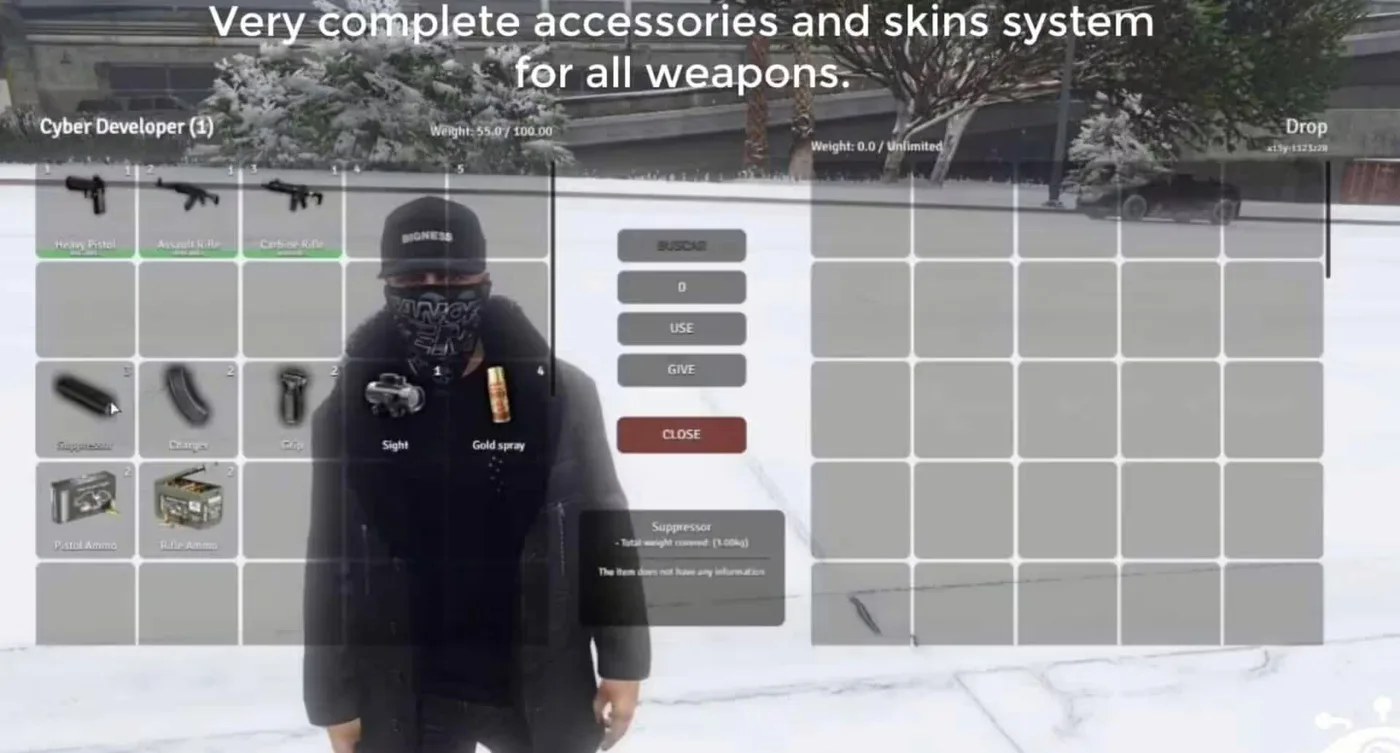
Street Inventory transforms the standard FiveM inventory experience into a modern, visually-rich interface that displays your character alongside your items. This premium ESX inventory script combines advanced clothing management with an intuitive slot-based system, giving players a comprehensive view of their character's appearance and possessions in one streamlined interface.

Unlike basic inventory systems that show only item lists, Street Inventory provides real-time visual feedback by rendering your character model directly in the inventory UI. Players can see exactly how clothing items look on their character before equipping them, making outfit coordination and roleplay immersion significantly better. The system handles everything from weapons and consumables to clothing and accessories with detailed item descriptions and organized categorization.

What's Included

You'll receive a complete inventory solution with visual character rendering, clothing management system, customizable slot configuration, item description framework, and modern UI design. The script integrates seamlessly with ESX framework and supports all standard ESX item types including weapons, consumables, clothing, and custom items. The visual character display updates in real-time as players equip or remove clothing items, providing instant feedback for outfit changes.

Key Features

  • Visual Character Display - See your character model rendered directly in the inventory interface with real-time updates as you equip items
  • Advanced Clothing Management - Dedicated clothing system that shows exactly how items look on your character before equipping
  • Slot-Based Organization - Configurable inventory slots with drag-and-drop functionality for intuitive item management
  • Detailed Item Descriptions - Each item displays comprehensive information including weight, quantity, and custom descriptions
  • Modern UI Design - Clean, responsive interface optimized for all screen resolutions with smooth animations
  • Weight Management - Visual weight indicator showing current capacity and preventing over-encumbrance
  • Quick Actions - Right-click context menus for use, drop, give, and other item interactions
  • Search Functionality - Find items quickly in large inventories with built-in search filter
  • Category Filtering - Sort items by type (weapons, clothing, consumables, etc.) for faster access
  • ESX Integration - Full compatibility with ESX framework including society inventories and job-specific items

Perfect For

  • Roleplay servers wanting enhanced character customization visibility
  • Fashion-focused servers with extensive clothing systems
  • ESX servers looking to upgrade from basic inventory scripts
  • Servers with large item databases needing better organization
  • Communities prioritizing modern, user-friendly interfaces

How It Works

When players open their inventory, they're presented with a split-screen interface. The left side displays their 3D character model showing current clothing and appearance, while the right side shows their inventory slots with all carried items. As players hover over clothing items, they can preview how they'll look before equipping. The drag-and-drop system makes moving items between slots intuitive, and the weight bar at the bottom prevents players from carrying more than their capacity allows.

The clothing management system integrates with ESX's skin/clothing system, automatically detecting compatible clothing items and displaying them in the character preview. Players can equip, remove, or swap clothing directly from the inventory, seeing changes reflected instantly on their character model. This eliminates the need to visit clothing stores just to try on owned items.

Installation

  1. Extract the street-inventory folder to your server's resources directory
  2. Add ensure street-inventory to your server.cfg file
  3. Import the included SQL file to add item descriptions (if provided)
  4. Configure settings in config.lua (slot count, weight limits, UI colors)
  5. Restart your server and test with /inventory command

Framework Compatibility

  • ✅ ESX Legacy - Full support for ESX 1.9.x and Legacy versions with all inventory functions
  • ✅ ESX Older Versions - Compatible with es_extended final and earlier releases
  • ⚠️ QBCore/Standalone - Designed specifically for ESX framework, not compatible with QBCore without extensive modifications

What Makes It Stand Out

Street Inventory's defining feature is its visual character display integration. While most inventory scripts focus solely on item management, this system understands that in roleplay environments, appearance matters as much as possessions. The ability to see your character wearing clothing before you equip it eliminates guesswork and makes fashion roleplay more engaging. Combined with the modern UI design and smooth performance, it provides a premium inventory experience that feels native to high-quality roleplay servers.

Configuration Options

Server owners can customize inventory slot counts, maximum weight capacity, UI color schemes, item categories, and which items appear in the clothing preview. The config file allows adjustment of animation speeds, icon sizes, and whether to show certain UI elements like weight bars or slot numbers. You can also configure hotkeys for quick inventory access and set different inventory sizes for different job roles or VIP tiers.

Performance

Despite rendering a 3D character model, Street Inventory maintains excellent performance with typical resource usage under 0.05ms resmon when the inventory is closed, and around 0.15-0.25ms when actively viewing the character preview. The script uses optimized rendering techniques and only loads character models when the inventory is opened, ensuring minimal impact on server performance.

Video preview

Related ESX Scripts

  • Security Camera Job
  • Premium MultiJob
  • Uniq Investments
  • Thief Menu

Installation notes

Requires a FiveM server, esx, access to server resources, and permission to restart the resource after configuration.
Installation notes
Requires a FiveM server, esx, access to server resources, and permission to restart the resource after configuration.

Buy this when it saves setup time

Use this checklist to decide quickly whether the resource fits your current server build, framework, and support expectations.

Server-owner payoff

Street Inventory is positioned to reduce Inventory Scripts instead of making you rebuild the same system from scratch.

Compatibility

Works with esx. Check the requirements block before adding it to a live stack.

Purchase confidence

Instant download, Stripe checkout, support access, and refund policy context are shown before payment.

Decision assets

Requirements, Product Q&A

Product fit, setup, and proof at a glance

Use the published facts on this page to confirm whether Street Inventory matches your server before checkout.

Compatibility

Frameworks
ESX
Category
Inventory Scripts

Setup & requirements

Install flow
Download → resources folder → ensure in server.cfg
Requirements
Published on this page
File size
15.36 MB

Only the facts published on this page should be treated as confirmed. If you need more detail, review the description, requirements, changelog, reviews, and product Q&A before checkout.

DescriptionRequirementsReviews
Inventory Scripts
Compatibility:
ESX

Street Inventory

4.0·2 reviews
$32.99

Secure Checkout

Cards, Apple Pay, Google Pay, iDEAL/Wero, Bancontact, EPS, Przelewy24, and optional Crypto where available via Stripe.

Instant file access after paymentSupport and refund policy shown before checkout
Ask support before buyingRead refund policy
Instant Access
SSL Encrypted
Cards, wallets, bank redirects
Frameworksesx
Setup

Requires a FiveM server, esx, access to server resources, and permission to restart the resource after configuration.

RequirementsPublished on this page
PreviewNot available
Home
Shop
Inventory Scripts
Inventory Scripts
ESX

Key Features

  • Visual Character Display

    See your character model rendered directly in the inventory interface with real-time updates as you equip items

  • Advanced Clothing Management

    Dedicated clothing system that shows exactly how items look on your character before equipping

  • Slot-Based Organization

    Configurable inventory slots with drag-and-drop functionality for intuitive item management

  • Weight Management

    Visual weight indicator showing current capacity and preventing over-encumbrance

  • Quick Actions

    Right-click context menus for use, drop, give, and other item interactions

Frequently Asked Questions

Related Products

$18.99
$4.49
$8.49
$8.49

Related Tutorials & Guides

Learn more about setting up, configuring, and using this type of resource.

Best FiveM Inventory Scripts 2026: Complete Comparison Guide

Best FiveM Inventory Scripts 2026: Complete Comparison Guide

The best FiveM inventory scripts in 2026 are ox_inventory as the free open-source default, qs-inventory as the polished premium alternative around 35 to 50 USD, qb-inventory as…

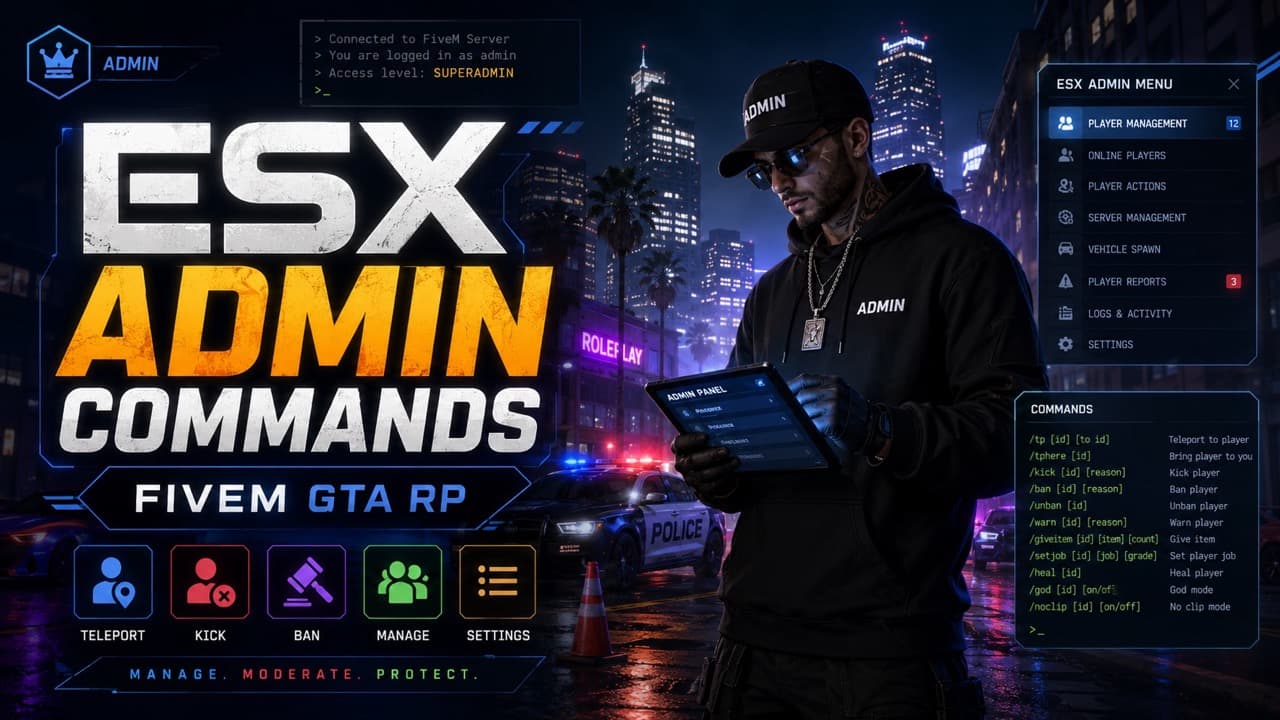
ESX Admin Commands — Complete 2026 Reference

ESX Admin Commands — Complete 2026 Reference

A practical ESX admin command list for FiveM servers: all user commands, admin commands, aliases, arguments, examples, and permission notes for es_extended.

ESX vs QBCore vs QBOX: Technical Framework Comparison 2026

ESX vs QBCore vs QBOX: Technical Framework Comparison 2026

Choosing a framework is the single most consequential decision when building a FiveM server. It determines which scripts you can use, how your developers write code, the…

Continue Building Your FiveM Server

Use this product as part of a larger setup. Explore related categories, alternative frameworks, premium bundles, and free companion downloads.

Explore Economy & BankingExplore Drug ScriptsBrowse all scriptsInventory Scripts scriptsesx scriptsTry QBCore insteadTry QBox insteadFree FiveM modsCompare bundles
Premium Inventory Script

Premium Inventory Script

Cooking Script

Cooking Script

ESX Inventory HUD V16

ESX Inventory HUD V16

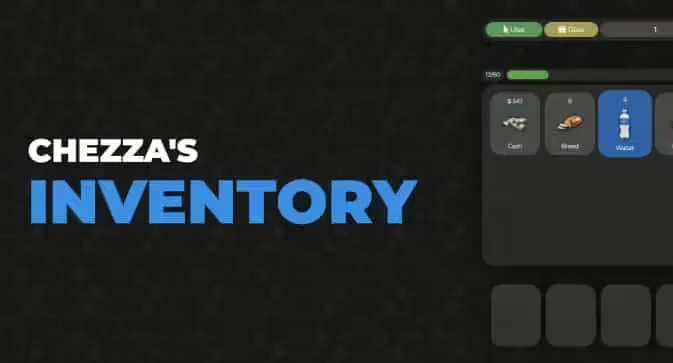
Chezza Inventory

Chezza Inventory