








![Shop Robbery [ESX & QB] Brutal Scripts FiveM resource preview](https://fivemx.com/wp-content/uploads/2023/12/brave_d8qJtQIr2Q-jpg-500x375.avif)
Preview Video
Features
| Module | Core Functions | Typical Use-Case |
|---|---|---|
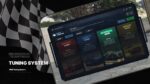
| Dyno | Real-time power, torque & drivetrain loss read-outs | Benchmark before/after tweaks |
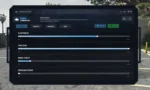
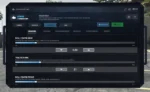
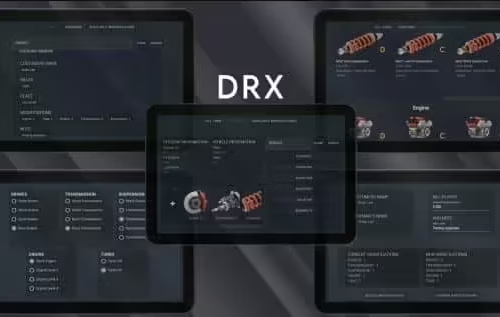
| Handling Editor | Suspension (ride-height, stiffness, damping) • Traction • Brake force • Drive-bias • Roll-centre | Precision setup for drift, drag, grip or patrol vehicles |
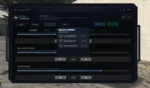
| USB System | Save, label & export tunes onto in-game USB items; quick-load on any compatible vehicle | Share pro setups with crew or fleet |
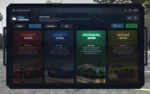
| Preset Modes | Sport • Drift • Normal • Drag (editable templates) | One-click configuration |
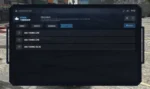
| Police Audit Tablet | Read-only inspection of all modified parameters | RP-friendly enforcement |
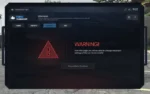
| Safety Layer | High-impact settings flagged with confirmation prompts | Prevent accidental over-tuning |
All menus localised, mouse-/controller-friendly, and grouped by system (Chassis • Engine • Transmission • Suspension • Brakes • Wheels).
Compatibility & Integration
-
Frameworks: ESX, QBCore, QBox (stand-alone)
-
Sync: Fully server-authoritative; no client-side trust issues
-
Performance: < 0.02 ms per tick idle; auto-sleep outside UI
-
Config: YAML/JSON; exports & server callbacks for custom UIs or jobs
Deployment Steps (typical)
-
Drop resource folder into
/resources -
Add
ensure frkn_tuningchiptoserver.cfg -
Import SQL (USB item + police tablet)
-
Edit
config.lua→ enable desired frameworks & permissions -
/reload — tuning tablet spawns in-game
Total setup: ~15 min for a standard ESX + qbcore server.


Reviews
There are no reviews yet.