$ ABD Doları
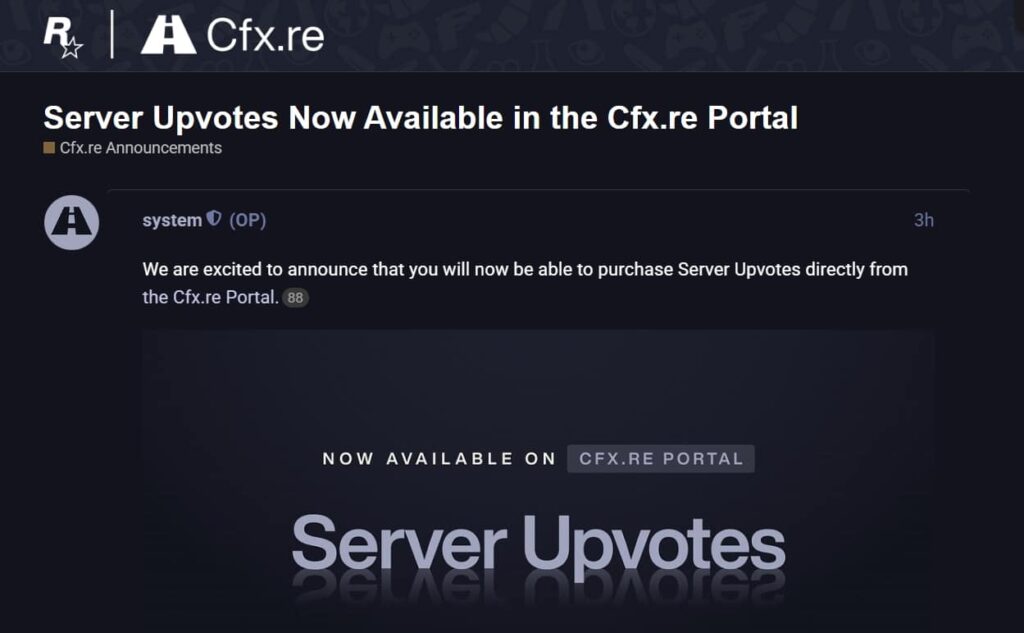
FiveM Sunucu Oylamaları Artık Cfx.re Portalında Canlı
Bilmeniz Gerekenler
FiveM sunucunuzun fark edilmesini sağlamakta zorluk mu çekiyorsunuz? Cfx.re sunucunuzun görünürlüğünü artırmayı kolaylaştırdı - artık üçüncü taraf sorunları yok. Şimdi doğrudan Cfx.re Portal'da bulunan yeni Server Upvotes sistemini inceleyelim.
Bunun Önemi Nedir?
Cfx.re, Sunucu Oylamalarını Zaphosting'den kendi portalına taşıyarak süreci hızlandırdı. Bu, şu anlama geliyor:
- ✅ Aracısız doğrudan satın alma
- ✅ İki güçlendirme türü: Patlamak (24 saatlik güçlendirmeler) ve Tekrarlayan (haftalık/aylık abonelikler)
- ✅ Harcama limitleri üzerinde tam kontrol (günlük maksimum $2k)
Oy Nasıl Satın Alınır ve Uygulanır
- Portaldan Satın Alma: Çoklu veya Tekrarlayan seçeneğini seçin, tercih ettiğiniz yöntemle ödeme yapın.
- Oyun içinde atayın: Tıklamak "Oy verFiveM/RedM istemci sunucu listesinde.
Görsel bir rehbere mi ihtiyacınız var? Ayrıntılı eğitimlerini buradan inceleyin:
https://forum.cfx.re/t/server-upvotes-now-available-in-the-cfx-re-portal/5315329
SSS'lere Genel Bakış
S: Burst ve Recurring arasındaki fark nedir?
A: Patlama = kısa vadeli artışlar (maksimum 24 saat). Tekrarlayan = istikrarlı görünürlük (haftalık/aylık otomatik yenilenme).
S: Aboneliğimi iptal edebilir miyim?
A: Evet! Portal üzerinden otomatik yenilemeleri istediğiniz zaman yönetin veya iptal edin.
S: Bu daha fazla oyuncuyu garantileyecek mi?
A: Oy artışı visibility, but a great server experience keeps players. Pair this with high-quality FiveM mods for best results.
FiveMX'den Profesyonel İpucu
Upvote'lar sunucunuzu daha da yukarılara taşırken şunları unutmayın: tutma anahtardır.
Seviye atlamaya hazır mısınız? Oylarınızı alın, ardından sunucunuzu unutulmaz kılacak kaynaklar için FiveMX'ye uğrayın. 🚀
Practical checklist
Use this guide as a staging checklist before changing a live FiveM server. Confirm the current server artifact version, framework version, resource dependencies, database changes, and any client-side files before you apply the change.
- Back up the affected configuration files and database tables.
- Apply the change on a test server first.
- Watch the server console and client F8 console for errors.
- Check whether the change affects jobs, inventory, vehicles, maps, voice, permissions, or player data.
- Document the exact file, command, or setting you changed so it can be reverted quickly.
Testing before production
After the first test, join with a normal player account and repeat the flow from the player perspective. If the topic involves performance, measure before and after with the same player count, route, and resource set. If it involves admin tools or permissions, verify both allowed and denied users.
Yaygın hatalar
Most FiveM issues come from missing dependencies, stale cache, wrong folder names, framework mismatch, or configuration copied from another server. Avoid changing multiple systems at once; make one change, test it, and then continue.
Related resources
For production-ready assets, compare paid resources in the FiveMX shop. For free resources, browse free FiveM scripts and test each resource before using it publicly.
Production rollout notes
Before using this guidance on a live FiveM server, define the exact outcome you expect from the change. For FiveM Server Upvotes Now Live in Cfx.re Portal, that means checking which resource, setting, command, or workflow is affected and confirming that the change fits your current framework, artifact version, and server rules. Keep the rollout small enough that you can reverse it quickly if players report errors.
Use a staging server with the same framework, database schema, resource order, and key dependencies as production. If the topic changes gameplay, permissions, visuals, voice, vehicles, maps, inventory, or economy behavior, test with at least one admin account and one normal player account. Watch server console output, client F8 logs, and resource timing while repeating the exact player flow that will happen on the live server.
Rollback checklist
- Save the previous configuration file, resource folder, and database state before changing anything.
- Record the resource version, commit, download page, or setting value you tested.
- Restart only the affected resource first when possible, then restart the full server if dependencies require it.
- If errors appear, revert the single changed resource or setting before testing another fix.
Maintenance guidance
Review this setup again after FiveM artifact updates, framework updates, or major resource changes. A configuration that works today can break after dependency updates, renamed exports, changed events, or database migrations. Keep notes with your server documentation so future admins understand what was changed, why it was changed, and how to verify it again.
Ongoing review
Recheck FiveM Server Upvotes Now Live in Cfx.re Portal after major FiveM artifact updates, framework changes, or resource migrations. Confirm that the advice still matches current server behavior, that any linked source remains available, and that installation steps still match the files a server owner will actually download or configure.
For public servers, keep a short changelog beside your server documentation. Note what was tested, what changed, which accounts were used for verification, and how to roll back. This makes future maintenance faster and prevents old setup notes from becoming unclear or unsafe for players.