$ ABD Doları

QBCore Framework – FiveM Frameworks | FiveMX
qbCore nedir?
QBCore, rol yapma sunucunuzu geliştirmek için tasarlanmış son derece özelleştirilebilir, çok yönlü ve güçlü bir çerçevedir. Temiz ve sağlam bir ortam sağlamak için geliştirilen QBCore, FiveM sunucu sahiplerinin projelerine başlamalarına olanak tanıyan kapsamlı bir özellik yelpazesi sunar.
Özellikler
- Kullanıcı dostu: QBCore'un basit kurulum süreci ve sezgisel tasarımı, onu hem yeni hem de deneyimli FiveM sunucu sahipleri için mükemmel bir seçim haline getiriyor.
- Kapsamlı Senaryo Koleksiyonu: Qb-framework, geliştirmeyi sağlayan çeşitli dahil edilmiş betiklerle birlikte gelir GTA RP ve rol yapma daldırma. Daha fazla senaryo arıyorsanız buraya tıklayın!
- Kaynak Verimliliği: Hafif bir çerçeve olan QBCore, sunucu kaynaklarına daha az talepte bulunarak sorunsuz bir performans sağlar.
- Düzenli Güncellemeler: Sık güncellemeler, yeni özellikler, iyileştirmeler ve hata düzeltmeleriyle çerçeveyi taze tutar.
- Aktif Topluluk: Büyüyen bir kullanıcı ve geliştirici topluluğu, çok sayıda paylaşılan kaynak olduğu anlamına gelir ve Destek mevcut.
QBCore'u indirin
QBCore'a Başlarken
QBCore'u FiveM sunucunuza kurmak basit bir işlemdir. Başlamanız için işte kısa bir kılavuz:
- QBCore'u indirin
- qbCore'u indirmek için buraya tıklayın: QBCore İndir
- ZIP dosyasını istediğiniz bir yere çıkarın.
- QBCore Dosyalarını Sunucunuza Aktarın
- FiveM sunucunuzun kaynaklar klasörüne erişin.
- Çıkarılan “qb-core” klasörünü kaynaklar klasörüne taşıyın.
- QBCore Yapılandırmasını Düzenle
- Bulun
yapılandırma.lua“qb-core” klasörünün içindeki dosya. - Veritabanı bağlantıları ve sunucu ayrıntıları dahil olmak üzere sunucunuzun ihtiyaçlarına uyacak şekilde yapılandırmayı özelleştirin.
- Bulun
- Sunucunuzda QBCore'u Başlatın
- Eklemek
qb-core'u garanti altına almaksunucunuzasunucu.cfgdosya. - Dosyayı kaydedin ve değişikliklerin uygulanması için sunucunuzu yeniden başlatın.
- Eklemek
- Kurulumu Doğrula
- QBCore'un kurulu olduğundan ve düzgün çalıştığından emin olmak için sunucunuza katılın.
QBCore Nasıl Kurulur
Neden QBCore kullanmalısınız?
Choosing QBCore for your server framework offers numerous advantages:
- Modülerlik: Sunucu ortamınıza göre özellikleri kolayca ekleyin, kaldırın veya değiştirin.
- Esneklik: Çeşitli rol yapma senaryolarına uyarlanabilir, oyuncu katılımını artırır.
- Topluluk ve Destek: QBCore topluluğunun paylaştığı bilgi ve kaynaklardan yararlanın.
QBCore stands out as an ideal framework for those looking to build a dynamic, immersive roleplaying server on the FiveM platform. Its combination of user-friendliness, efficiency, and extensive feature set makes it a valuable tool for server owners aiming to create a thriving RP community
FiveM Çerçeveleri: QBCore ve ESX
Tüm FiveM Framework'leri karşılaştırdık. Karşılaştırmamıza buradan göz atın:
Premium Scriptler
-
 Metwus3D Konağı Vinewood V2 MLO$79.95
 -
İndirimdeki ürün
 Soloty İmparatorluk Sarayları MLOOrijinal fiyat: $50.00.$40.00Şu andaki fiyat: $40.00.
 -
İndirimdeki ürün
 Vanilya Tek Boynuzlu At Gece KulübüOrijinal fiyat: $41.65.$32.00Şu andaki fiyat: $32.00.
 -
 Paleto Bay Polis Departmanı ve Belediye Binası$54.99
 -
 G&N’s Studio | Vespucci Police Department$30.99
 -
 Bennys Plajı$9.49
 -
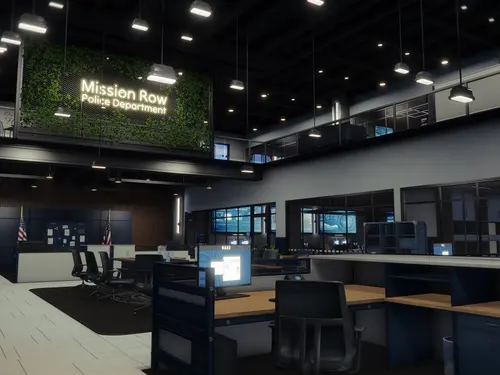 MRPD 2026 Los Santos (TStudio)$24.99
 -
 CarHud + Kilometre Sistemi ve Direksiyon Simidi$6.99
 -
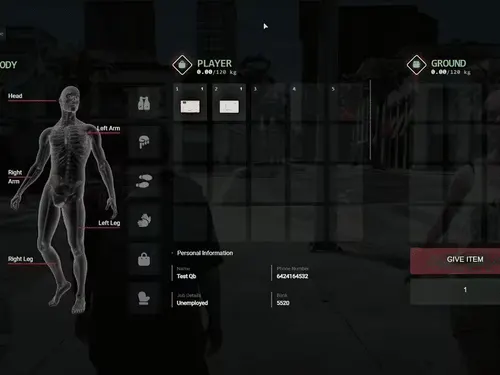 NoPixel 4.0 Envanter (QBCore)$20.00
Ücretsiz Scriptler
SSS – QBCore
QBCore için Yönetici Komutları Nelerdir?
Admin commands in QBCore allow administrators to manage server settings, players, and resources efficiently. These commands can range from moderating player behavior to configuring server parameters.u003cbru003eu003cbru003eu003ca data-wpil=u0022urlu0022 href=u0022https://fivemx.com/qbcore-admin-commands/u0022 data-type=u0022linku0022 data-id=u0022https://fivemx.com/qbcore-admin-commands/u0022u003eClick here to find the qbCore Admin Commandsu003c/au003e
How do I download u0026amp; install QBCore?
You can download the latest version of QBCore from the official GitHub repository. u003ca href=u0022https://link-center.net/1197882/qbcore-downloadu0022 target=u0022_blanku0022 data-type=u0022linku0022 data-id=u0022https://link-center.net/1197882/qbcore-downloadu0022 rel=u0022noreferrer noopeneru0022u003eClick here to download QBCore (latest).u003c/au003e
FiveM sunucumda QBCore'u nasıl kullanmaya başlarım?
QBCore'u FiveM sunucunuza kurmak basit bir işlemdir. Yukarıdaki öğreticiyi kontrol edin.
QBCore ve ESX – Hangi FiveM Framework daha iyi?
We compared all FiveM frameworks. Check out our full comparison here: u003ca href=u0022https://fivemx.com/fivem-frameworks/u0022 target=u0022_blanku0022 data-type=u0022linku0022 data-id=u0022https://fivemx.com/fivem-frameworks/u0022 rel=u0022noreferrer noopeneru0022u003eQBCore vs. ESX – Full Comparison.u003c/au003eu003cbru003eBy addressing these frequent questions, you can provide comprehensive information that can enhance user experience and reduce repetitive inquiries.
Practical checklist
Use this guide as a staging checklist before changing a live FiveM server. Confirm the current server artifact version, framework version, resource dependencies, database changes, and any client-side files before you apply the change.
- Back up the affected configuration files and database tables.
- Apply the change on a test server first.
- Watch the server console and client F8 console for errors.
- Check whether the change affects jobs, inventory, vehicles, maps, voice, permissions, or player data.
- Document the exact file, command, or setting you changed so it can be reverted quickly.
Testing before production
After the first test, join with a normal player account and repeat the flow from the player perspective. If the topic involves performance, measure before and after with the same player count, route, and resource set. If it involves admin tools or permissions, verify both allowed and denied users.
Yaygın hatalar
Most FiveM issues come from missing dependencies, stale cache, wrong folder names, framework mismatch, or configuration copied from another server. Avoid changing multiple systems at once; make one change, test it, and then continue.
Related resources
For production-ready assets, compare paid resources in the FiveMX shop. For free resources, browse free FiveM scripts and test each resource before using it publicly.
Production rollout notes
Before using this guidance on a live FiveM server, define the exact outcome you expect from the change. For QBCore Framework – FiveM Frameworks | FiveMX, that means checking which resource, setting, command, or workflow is affected and confirming that the change fits your current framework, artifact version, and server rules. Keep the rollout small enough that you can reverse it quickly if players report errors.
Use a staging server with the same framework, database schema, resource order, and key dependencies as production. If the topic changes gameplay, permissions, visuals, voice, vehicles, maps, inventory, or economy behavior, test with at least one admin account and one normal player account. Watch server console output, client F8 logs, and resource timing while repeating the exact player flow that will happen on the live server.
Rollback checklist
- Save the previous configuration file, resource folder, and database state before changing anything.
- Record the resource version, commit, download page, or setting value you tested.
- Restart only the affected resource first when possible, then restart the full server if dependencies require it.
- If errors appear, revert the single changed resource or setting before testing another fix.
Maintenance guidance
Review this setup again after FiveM artifact updates, framework updates, or major resource changes. A configuration that works today can break after dependency updates, renamed exports, changed events, or database migrations. Keep notes with your server documentation so future admins understand what was changed, why it was changed, and how to verify it again.
Ongoing review
Recheck QBCore Framework – FiveM Frameworks | FiveMX after major FiveM artifact updates, framework changes, or resource migrations. Confirm that the advice still matches current server behavior, that any linked source remains available, and that installation steps still match the files a server owner will actually download or configure.
For public servers, keep a short changelog beside your server documentation. Note what was tested, what changed, which accounts were used for verification, and how to roll back. This makes future maintenance faster and prevents old setup notes from becoming unclear or unsafe for players.