Ücretsiz bir komut dosyasını mı test ediyorsunuz?
Hızlı kontroller için ücretsiz komut dosyaları uygundur. Üretim sunucuları için, çerçeveye ve kullanım senaryosuna göre tam sunucu paketlerini veya ücretli, bakımı yapılan komut dosyalarını karşılaştırın.
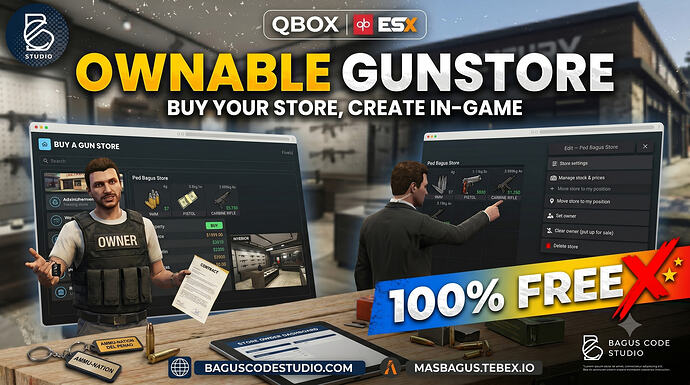
A FiveM mod that turns gun stores into player-owned businesses, using the native ox_inventory shop interface for browsing and buying.
Önizleme
Genel bakış
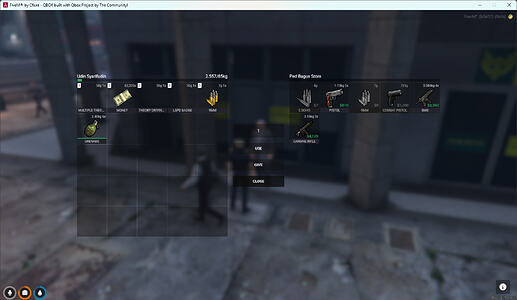
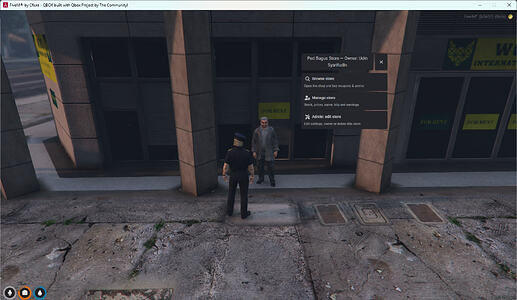
This resource allows players to own and manage gun stores in FiveM, fully integrated with ox_inventory. Browsing and purchasing weapons and ammo happen directly within the native inventory shop UI, with live stock counts.
Temel Özellikler
- Native ox_inventory shop – players browse and buy weapons/ammo in the normal inventory shop window with live stock counts.
- Ownable – any player can buy an unowned store; admins can assign ownership directly.
- Sell back to the system – owners can sell their store for a configurable percentage of its price, returning it to the market.
- NPC or point target – stores can use a spawned ped or a plain point as the interaction target.
- Raycast placement preview – placing or moving a store shows a live ghost ped or ground marker at your crosshair.
- In-game admin editor – create, edit, move, or delete stores with a placement tool.
- Dynamic wholesale stock prices – owners pay per unit to restock; admins set per-item wholesale prices.
- In-game owner manager – stock up, set prices, restock, rename the store, and change blip color/sprite.
Requirements and Compatibility
- Framework bridge – works on Qbox, QB Çekirdek, and ESX (auto-detected). Additional frameworks can be added under bridge/.
Kurulum
- Kaynağı, incelenen indirme düğmesi aracılığıyla indirin.
- Doğrulanmış kaynak sayfasındaki yaratıcı notlarını okuyun.
- Kaynağı çıkarın ve doğru FiveM sunucu kaynakları klasörüne yerleştirin.
- Yayınlanan sürümde kaynak klasörü bulunuyorsa, kaynağı server.cfg dosyasına ekleyin.
- Canlı kullanmadan önce bir hazırlık sunucusunda yeniden başlatın ve test edin.