Testen eines kostenlosen Skripts?
Kostenlose Skripte eignen sich gut für schnelle Überprüfungen. Für Produktivserver sollten Sie jedoch vollständige Serverpakete oder kostenpflichtige, gewartete Skripte nach Framework und Anwendungsfall vergleichen.
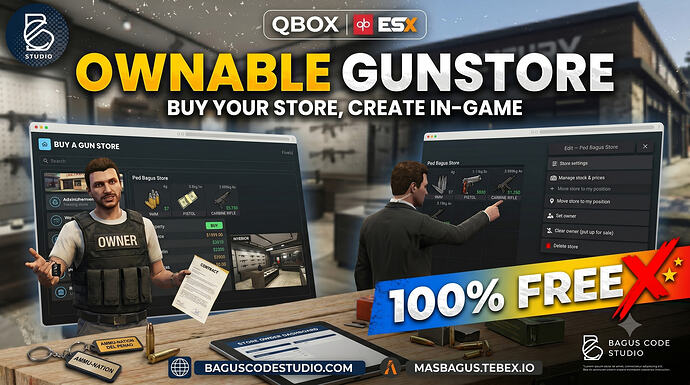
A FiveM mod that turns gun stores into player-owned businesses, using the native ox_inventory shop interface for browsing and buying.
Vorschau
Überblick
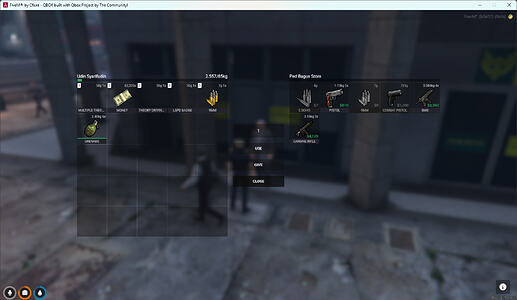
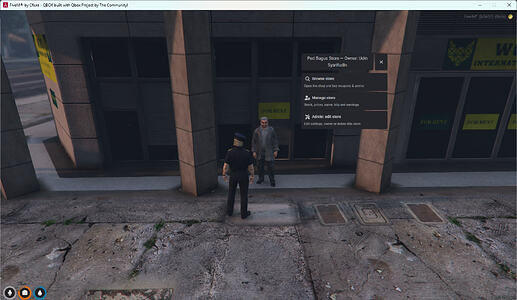
This resource allows players to own and manage gun stores in FiveM, fully integrated with ox_inventory. Browsing and purchasing weapons and ammo happen directly within the native inventory shop UI, with live stock counts.
Hauptmerkmale
- Native ox_inventory shop – players browse and buy weapons/ammo in the normal inventory shop window with live stock counts.
- Ownable – any player can buy an unowned store; admins can assign ownership directly.
- Sell back to the system – owners can sell their store for a configurable percentage of its price, returning it to the market.
- NPC or point target – stores can use a spawned ped or a plain point as the interaction target.
- Raycast placement preview – placing or moving a store shows a live ghost ped or ground marker at your crosshair.
- In-game admin editor – create, edit, move, or delete stores with a placement tool.
- Dynamic wholesale stock prices – owners pay per unit to restock; admins set per-item wholesale prices.
- In-game owner manager – stock up, set prices, restock, rename the store, and change blip color/sprite.
Anforderungen und Kompatibilität
- Framework bridge – works on Qbox, QBCore, and ESX (auto-detected). Additional frameworks can be added under bridge/.
Installation
- Laden Sie die Ressource über die geprüfte Download-Schaltfläche herunter.
- Lesen Sie die Hinweise des Erstellers auf der verifizierten Quellseite.
- Extrahieren Sie die Ressource und platzieren Sie sie im richtigen FiveM-Server-Ressourcenordner.
- Fügen Sie die Ressource zu server.cfg hinzu, wenn die Version einen Ressourcenordner enthält.
- Starten Sie neu und testen Sie auf einem Staging-Server, bevor Sie sie live verwenden.