



UpTime Monitor – Professional Server Health & Performance Tracking System
Keep your FiveM server running at peak performance with UpTime Monitor, the comprehensive server health tracking and diagnostics system that gives administrators real-time visibility into server status, player activity, resource performance, and system health. This isn’t just another monitoring tool—it’s a complete server operations dashboard that helps you identify issues before they become problems, track uptime statistics for reliability reporting, and provide transparency to your player community about server status and scheduled maintenance.
What’s Included
UpTime Monitor provides enterprise-grade server monitoring capabilities tailored specifically for FiveM environments. The system includes real-time server status displays, comprehensive uptime tracking with historical data, resource performance monitoring showing individual script impacts, player count analytics with peak hour identification, database health checks and query performance metrics, automatic alerting for critical issues, customizable status page for public display, detailed logging of crashes and restarts, and integration capabilities with Discord webhooks for instant notifications. Everything administrators need to maintain optimal server health and demonstrate reliability to their player base.
Core Monitoring Features
- Real-Time Server Status Dashboard – Live monitoring interface showing current server FPS, player count, active resources, memory usage, and overall health score. Updates every second to provide instant visibility into server conditions with color-coded status indicators for quick assessment.
- Historical Uptime Tracking – Comprehensive uptime statistics including daily, weekly, monthly, and all-time percentages. System records every restart and crash with timestamps, duration, and reason codes to calculate accurate availability metrics that can be shared with community.
- Resource Performance Profiling – Identifies resource scripts consuming excessive CPU or memory with detailed millisecond-level resmon data. Helps administrators pinpoint problematic scripts causing lag or performance degradation before players notice issues.
- Player Activity Analytics – Tracks player connection patterns including peak hours, average session length, join/quit frequency, and player retention metrics. Data visualization helps optimize restart schedules and event timing for maximum participation.
- Automated Alert System – Configurable thresholds trigger instant notifications when server FPS drops below targets, player count hits capacity, resources exceed performance budgets, or critical errors occur. Alerts sent via Discord webhooks, email, or in-game admin notifications.
Advanced Diagnostic Tools
- Database Health Monitoring – Tracks database query response times, connection pool status, slow query identification, and table optimization recommendations. Prevents database bottlenecks that cause server lag and player timeouts.
- Network Performance Metrics – Monitors bandwidth usage, packet loss rates, player ping distributions, and network congestion indicators. Identifies network-related issues distinct from server performance problems.
- Crash Analysis & Logging – Automatically captures crash dumps, error logs, and system state at time of failure. Provides administrators detailed information needed to diagnose and fix recurring stability issues.
- Resource Comparison Reports – Compare performance of different script versions over time to verify that updates improve rather than degrade performance. Historical data shows performance trends and identifies gradual degradation.
- Custom Health Checks – Create custom monitoring rules for specific gameplay systems like banking APIs, phone systems, or third-party integrations. Ensure critical server features remain operational beyond basic uptime.
Public Status Page Features
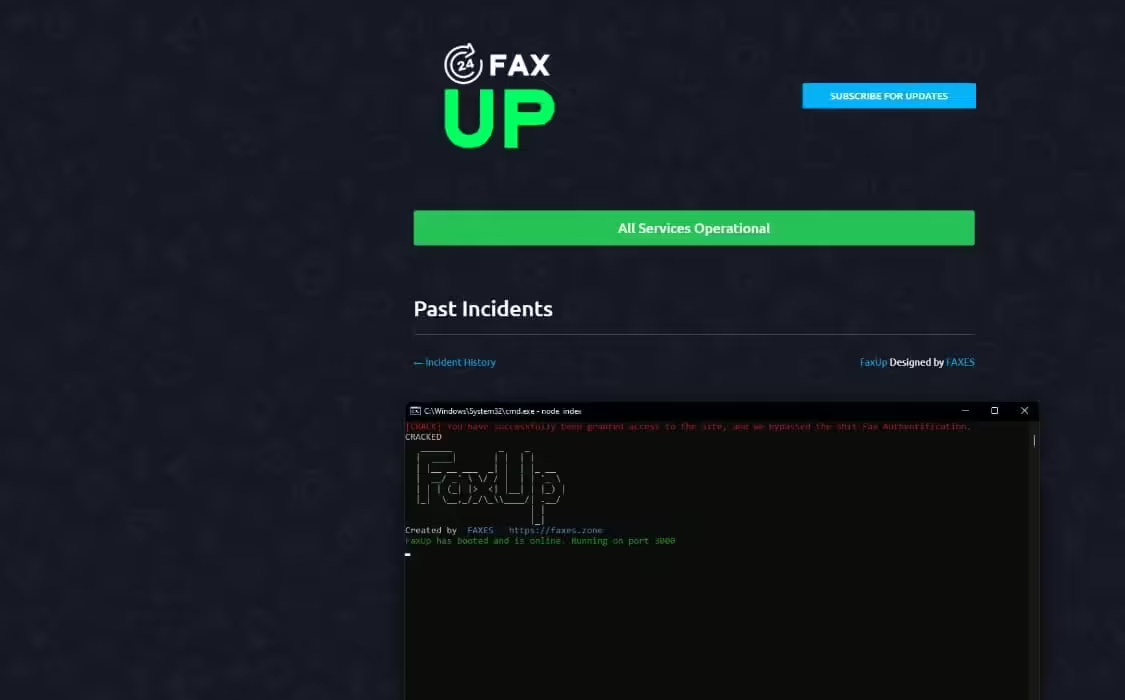
UpTime Monitor includes a beautiful, customizable status page that can be displayed publicly to your community. Show current server status with uptime percentage, planned maintenance schedules, ongoing incident reports, and historical performance data. The status page builds trust by demonstrating server reliability and providing transparency when issues occur. Players can subscribe to status updates, check if current lag is server-wide or client-side, and see administrator acknowledgment of reported issues. The page is fully brandable with your server logo, colors, and custom messaging while maintaining professional appearance that matches major online service providers.
Perfect For These Administration Needs
- Professional Server Operations – Demonstrates competent server management to players and staff
- Performance Optimization – Identifies resource bottlenecks requiring optimization or replacement
- Capacity Planning – Data-driven decisions about server upgrades and infrastructure scaling
- Incident Response – Quick diagnosis and resolution of performance issues and outages
- Community Transparency – Public accountability for server uptime and reliability commitments
Technical Specifications
- Performance Impact – Negligible 0.00-0.01ms resmon usage, designed for always-on monitoring
- Data Storage – Efficient database schema stores months of metrics in minimal space
- Update Frequency – Configurable monitoring intervals from 1 second to 5 minutes per metric
- Webhook Integration – Discord, Slack, email, and custom webhook support for alerts
- API Access – RESTful API endpoints for external monitoring and custom integrations
Installation & Configuration
- Extract UpTime Monitor resource to your server’s resources folder
- Import SQL schema to create monitoring tables for metrics and historical data
- Configure monitoring thresholds, alert recipients, and check frequencies in config.lua
- Set up Discord webhook URLs for automated notifications to admin channels
- Customize status page branding, colors, and public visibility settings
- Add admin permissions to view detailed dashboard and diagnostic tools
- Restart server and access monitoring dashboard through in-game command or web panel
Framework Compatibility
- ✅ Framework Agnostic – Works with ESX, QBCore, QBOX, and standalone servers
- ✅ Cross-Platform – Compatible with Windows and Linux FiveM server hosts
- ✅ Multi-Server Support – Can monitor multiple servers from single dashboard installation
- ✅ txAdmin Integration – Optional integration with txAdmin for enhanced monitoring
What Makes UpTime Monitor Stand Out
While basic monitoring tools only show if your server is up or down, UpTime Monitor provides deep visibility into server health with actionable insights that prevent problems before they impact players. The combination of real-time monitoring, historical analytics, and predictive alerting means administrators stay ahead of issues rather than reacting to player complaints. Unlike server panel basic metrics, this system understands FiveM-specific performance indicators like resource resmon values, script errors, and gameplay-affecting lag patterns. The public status page functionality is unique—most monitoring tools only show data to administrators, but UpTime Monitor helps build community trust by demonstrating consistent reliability and transparent communication during issues. Integration with Discord and other communication platforms ensures the right people get notified instantly when intervention is needed.
Proactive Server Management Benefits
UpTime Monitor transforms server administration from reactive firefighting to proactive optimization. Historical performance data reveals patterns like gradual memory leaks or performance degradation after specific updates. Player activity analytics inform decisions about restart schedules, event timing, and capacity upgrades. Resource performance tracking identifies optimization opportunities that improve server stability and player experience. The system pays for itself by reducing unplanned downtime—every hour of outage costs player retention and community reputation. Administrators using UpTime Monitor consistently achieve 99%+ uptime by catching issues early, scheduling maintenance during low-activity periods, and having data needed to diagnose problems quickly. For professional server operations that take reliability seriously, comprehensive monitoring isn’t optional—it’s essential infrastructure that separates amateur servers from professional communities.
Community Trust & Transparency
Players judge server quality by uptime and performance consistency. UpTime Monitor’s public status page demonstrates your commitment to reliability by showing real metrics rather than empty promises. When issues do occur, the incident reporting system shows players that you’re aware, working on solutions, and communicating honestly about estimated resolution times. Historical uptime percentages prove track record of stability when recruiting new players. The transparency builds loyalty—players are more forgiving of occasional issues when they see professional monitoring and communication. Many servers using UpTime Monitor include uptime statistics in their promotional materials, showcasing 99.5%+ availability as competitive advantage. The system creates accountability that drives continuous improvement in server infrastructure and operations practices.

Maritza (verified owner) –
The developer helped me with a custom configuration and explained everything clearly.
Beth (verified owner) –
A promising product, worth trying
Jailyn (verified owner) –
One of the best scripts I have used.
Alvera (verified owner) –
Support was friendly, fast, and knowledgeable. My issue was resolved within a short time.
Alexandrea (verified owner) –
This is the coolest thing I’ve found on here! Will keep using your products in the future!
Jarrod (verified owner) –
I think this is amazing. Lots of features and customizable from every point of view. The few times I asked for help in support they were competent, fast and above all very patient. Really recommend