



FiveMX
Shop
Scripts
MLOs
Full Servers
Free Mods
Tools
Guides
All Products
FiveMX

Start building your server today.

Curated FiveM resources, instant delivery, free starter mods, and practical guides in one calm marketplace.

Browse the shopsupport@fivemx.com

Shop

  • Shop
  • All Products
  • Free Mods
  • Best Scripts & Mods
  • FiveM Scripts

Frameworks

  • QBCore Scripts
  • ESX Scripts
  • QBox
  • Standalone

Community

  • Blog
  • Support
  • Creators
  • Affiliate

Legal

  • Privacy Policy
  • Terms of Service
  • Refund Policy
  • Digital Delivery
  • Cookie Policy
  • GDPR Compliance
  • DMCA
  • Imprint
  • Editorial Policy
© 2026 FiveMX. All rights reserved.·FiveMX is not affiliated with Rockstar Games, Take-Two Interactive, or CFX.re. All trademarks are property of their respective owners.
GitHubDiscordDocs
  1. Home
  2. Shop
  3. Mechanic Scripts

7 product images available.

Mechanic Scripts
Compatibility:
ESX
QBCore
QBOX
Standalone

Airbags Script

Review process

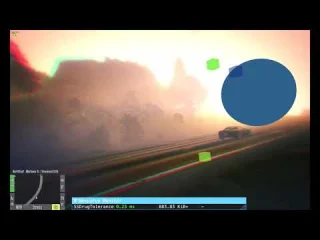
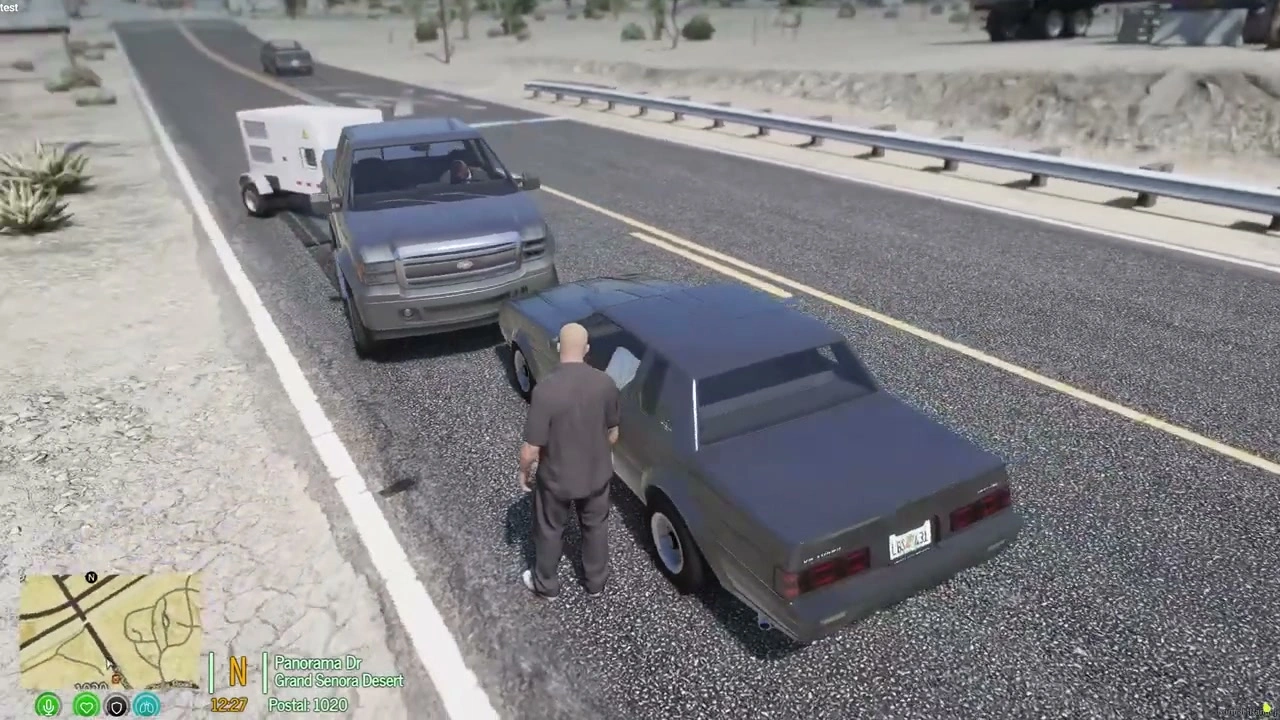
Airbags Script - Airbags deploy on collision and deflate after. Compatible with ESX framework for FiveM servers.

Instant Access
14-day refund policy
Secure Checkout
$5.49
Instant file access after payment
Support and refund policy shown before checkout
Works with esx, qbcore, qbox, standalone
  • Instant Access
  • SSL Encrypted
  • Card, Klarna, wallets
Frameworks

esx, qbcore, qbox, standalone

Requirements

Published on this page

Preview

Available

Card, Klarna and supported wallets via Stripe. More local methods may appear when available for your region.

Ask support before buyingRead refund policy

Support expectation

Support covers download access, missing delivered files, and questions based on the published setup notes.

Custom installation, framework conversion, live server setup, and custom feature work are not included unless stated on the product page.

Ask before buying if your server uses heavily modified framework, inventory, or database resources.

Building a larger server?Compare curated bundles before checkout if you need multiple compatible scripts.View FiveM bundles

Buy this when it saves setup time

Use this checklist to decide quickly whether the resource fits your current server build, framework, and support expectations.

Server-owner payoff

Airbags Script is positioned to reduce Mechanic Scripts instead of making you rebuild the same system from scratch.

Compatibility

Works with esx, qbcore, qbox, standalone. Check the requirements block before adding it to a live stack.

Purchase confidence

Instant download, Stripe checkout, support access, and refund policy context are shown before payment.

Decision assets

Requirements, installation details, Preview video, Product Q&A

Description

Airbags Script - Realistic Vehicle Safety System for FiveM

Add authentic crash realism to your FiveM server with this dedicated airbag deployment system. When vehicles collide, airbags deploy automatically and deflate realistically — just like real-world safety systems. This standalone script brings immersive vehicle safety mechanics to your server without requiring a full speedometer resource. Compatible with ESX, QBCore, and standalone frameworks.

What It Does

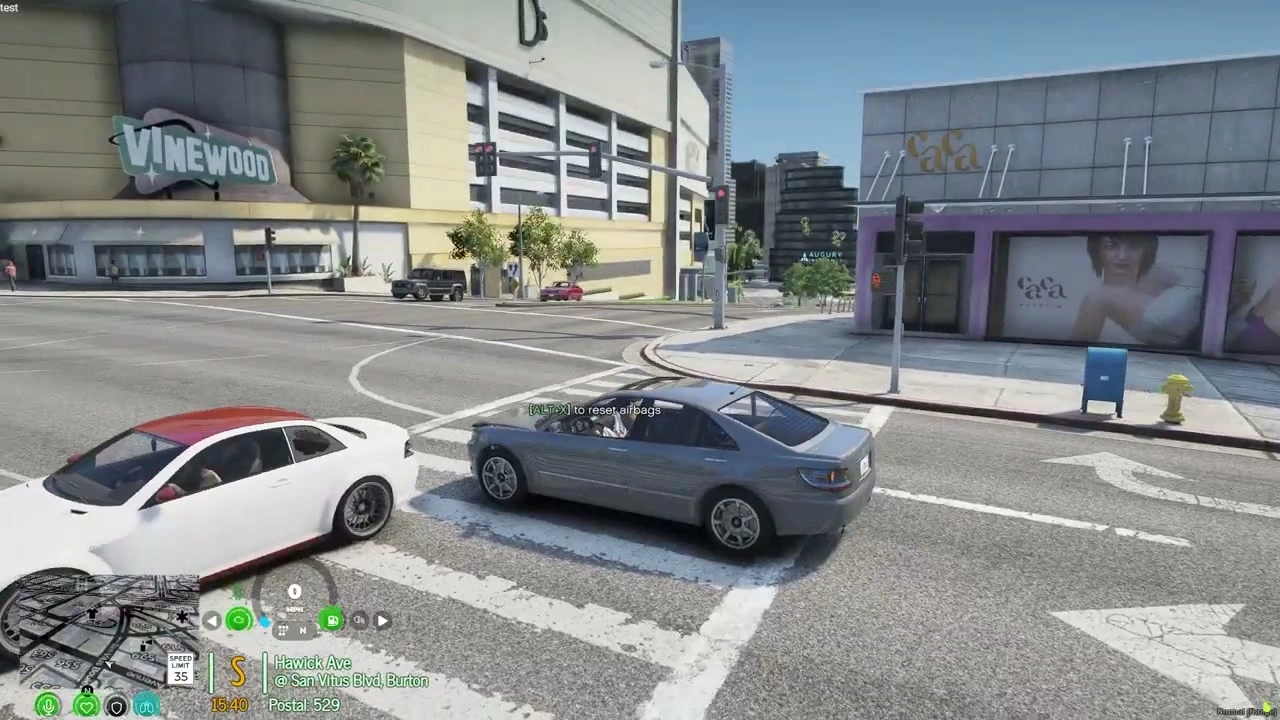
This script detects vehicle collisions and automatically triggers airbag deployment animations. After deploying, airbags deflate naturally over a few seconds. Players can also manually reset airbags using a customizable keybind, perfect for roleplay scenarios or testing. Simple, lightweight, and effective.

Key Features

  • Automatic Deployment - Airbags deploy when collision force exceeds threshold. Sensitive enough to trigger on significant impacts but won't activate from minor bumps.
  • Realistic Deflation - After deployment, airbags deflate gradually just like real vehicles. Timing is configurable to match your server's realism level.
  • Manual Reset - Customizable keybind allows players to reset airbags after deployment. Useful for mechanics, crash testing, or continuing after accidents.
  • Performance Optimized - Minimal resource usage, runs efficiently even with many vehicles spawned. No noticeable performance impact.
  • Customizable Threshold - Adjust collision sensitivity in config to determine when airbags deploy. Set higher for only severe crashes or lower for increased sensitivity.

Perfect For

  • Roleplay servers wanting realistic vehicle crash mechanics
  • Racing servers where collision safety adds immersion
  • Law enforcement scenarios involving traffic accidents
  • EMS roleplay requiring accident response realism
  • Servers that don't need a full speedometer but want airbag functionality

Important Note

Already have Speedometer+? This exact functionality is included in the Speedometer+ resource. If you own or plan to purchase Speedometer+, you don't need this standalone airbag script — it's already built into that system. This standalone version is for servers that want airbags without a full speedometer UI.

How It Works

  1. Player drives vehicle normally
  2. Collision occurs with sufficient force
  3. Script detects impact and calculates severity
  4. If threshold met, airbag deployment animation triggers
  5. Airbags remain inflated briefly then deflate automatically
  6. Player can manually reset using keybind to re-enable airbags

Configuration Options

  • Deployment Threshold - Set collision force required to trigger airbags (adjustable for realism vs gameplay)
  • Deflation Timer - Configure how long airbags stay inflated before deflating
  • Reset Keybind - Choose which key players use to manually reset airbags
  • Vehicle Whitelist/Blacklist - Enable airbags for specific vehicle types or disable for certain models
  • Sound Effects - Toggle deployment sound effects on/off

Roleplay Applications

  • Accident Investigation - Police can note airbag deployment as evidence in crash reports
  • Mechanic Repairs - Mechanics roleplay resetting airbags after collision repairs
  • Insurance Claims - Deployed airbags indicate crash severity for insurance RP
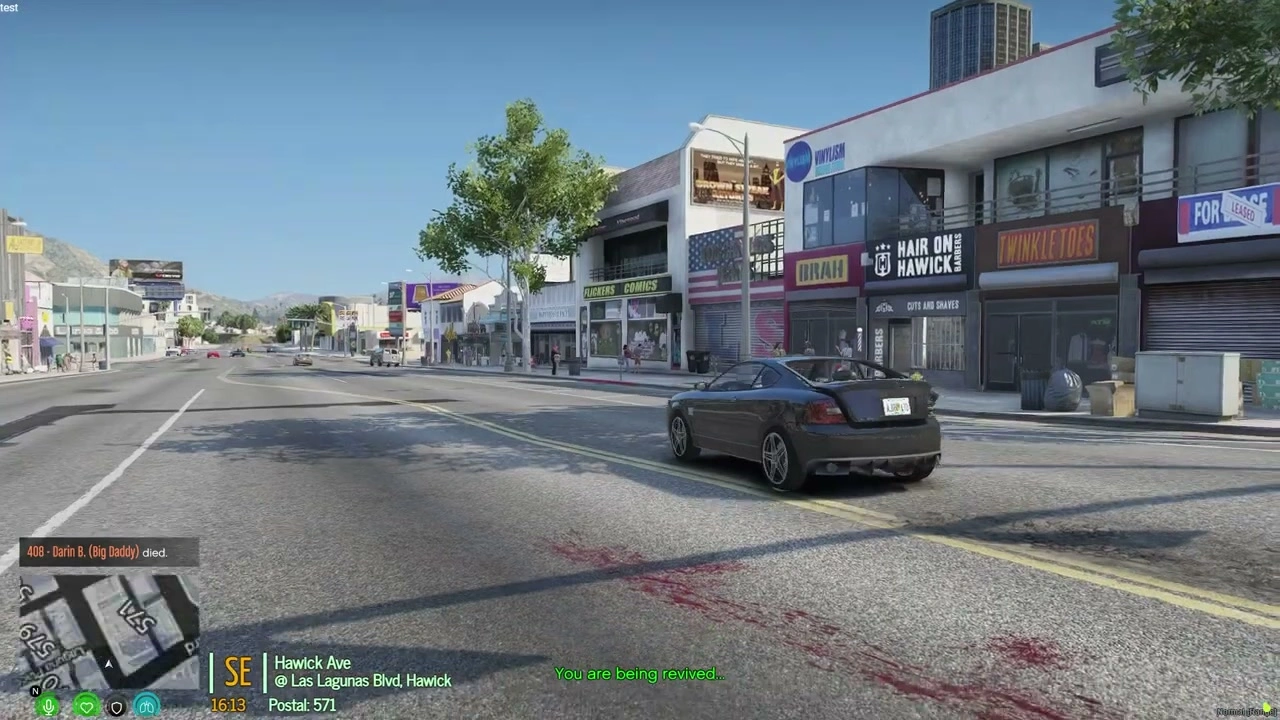
  • EMS Response - Paramedics assess injuries based on airbag deployment
  • Vehicle Inspections - Check if airbags are functional during safety inspections

Technical Specifications

  • Performance - 0.00-0.01ms idle, negligible impact during deployment
  • Compatibility - Works with all vehicle types (cars, trucks, motorcycles where applicable)
  • Framework - Standalone, no ESX or QBCore dependency required
  • Conflicts - No known conflicts with other vehicle scripts
  • Updates - Lightweight script means minimal update requirements

Installation

  1. Download and extract to your resources folder
  2. Configure deployment threshold and keybind in config.lua
  3. Add 'start airbags-script' to server.cfg
  4. Restart server and test by driving into a wall
  5. Adjust sensitivity as needed based on server preferences

Customization Examples

High Realism Setup - Set threshold high so only severe collisions deploy airbags. Deflation time 8-10 seconds for realistic recovery.

Arcade Style - Lower threshold deploys airbags more frequently. Quick 3-4 second deflation keeps gameplay fast.

Mechanic Roleplay - Moderate threshold with manual reset required. Forces players to visit mechanics after accidents.

Comparison: Standalone vs Speedometer+

  • Standalone Airbags - This product. Only airbag functionality. Perfect if you already have a speedometer or don't want HUD elements.
  • Speedometer+ - Full speedometer UI with built-in airbag system, fuel gauge, speed display, and more. Better value if you need complete vehicle HUD.

Performance Impact

Extremely lightweight script with minimal footprint. Only activates during collision events, remaining dormant otherwise. No constant loops or checks mean zero performance drain during normal driving. Even on high-population servers with 200+ players, this script maintains excellent performance.

What You Get

  • Standalone airbag deployment script
  • Automatic collision detection and deployment
  • Realistic deflation animations
  • Customizable reset keybind
  • Adjustable deployment threshold
  • Configuration file for sensitivity tuning
  • Installation guide
  • Lifetime updates

Why Choose This

If you want airbag realism but don't need or want a full speedometer resource, this standalone script is the perfect solution. It does one thing exceptionally well — deploy airbags realistically during collisions. No bloat, no unnecessary features, just clean airbag functionality that enhances immersion without complexity.

Add realistic crash safety to your FiveM server with the Airbags Script — simple, effective, immersive.

Product fit, setup, and proof at a glance

Use the published facts on this page to confirm whether Airbags Script matches your server before checkout.

Compatibility

Frameworks
ESX, QBCore, QBOX, Standalone
Category
Mechanic Scripts

Setup & requirements

Install flow
Download → resources folder → ensure in server.cfg
Requirements
Published on this page
File size
4.23 MB

Proof & buyer questions

Reviews
No reviews yet
Sales
1

Only the facts published on this page should be treated as confirmed. If you need more detail, review the description, requirements, changelog, reviews, and product Q&A before checkout.

DescriptionRequirementsPreview video

Key Features

  • Automatic Deployment

    Airbags deploy when collision force exceeds a configurable threshold, sensitive enough to trigger on significant impacts but won't activate from minor bumps.

  • Realistic Deflation

    After deployment, airbags deflate gradually over a configurable timeframe, matching real vehicle behavior and server realism preferences.

  • Manual Reset Functionality

    Players can manually reset airbags using a customizable keybind, enabling mechanics roleplay, crash testing, and continued gameplay after accidents.

  • Performance Optimized

    Runs at 0.00-0.01ms idle with negligible impact during deployment, maintaining efficiency even with many vehicles spawned.

  • Customizable Threshold Settings

    Adjust collision sensitivity in config to determine deployment triggers, allowing servers to set higher thresholds for only severe crashes or lower for increased sensitivity.

Frequently Asked Questions

Community Q&A

0 questions

No Questions

Be the first to ask a question!

0/500 characters (minimum 10)

Your question will be reviewed before appearing publicly.

Related Tutorials & Guides

Learn more about setting up, configuring, and using this type of resource.

Continue Building Your FiveM Server

Use this product as part of a larger setup. Explore related categories, alternative frameworks, premium bundles, and free companion downloads.

Installation notes

Requires a FiveM server, ESX or QBCore, access to server resources, and permission to restart the resource after configuration.
Review process

Related Products

NoPixel 4.0 Car Control Script – Advanced Vehicle Management

NoPixel 4.0 Car Control Script – Advanced Vehicle Management

$15.49
JG Mechanic (Bundle)

JG Mechanic (Bundle)

$27.99
Engine Swaps

Engine Swaps

$10.49
ESX Mechanic

ESX Mechanic

$9.49
ESX vs QBCore vs QBOX: Technical Framework Comparison 2026

ESX vs QBCore vs QBOX: Technical Framework Comparison 2026

Choosing a framework is the single most consequential decision when building a FiveM server. It determines which scripts you can use, how your developers write code, the…

FiveM Frameworks Explained: Complete Guide to ESX, QBCore & QBOX

FiveM Frameworks Explained: Complete Guide to ESX, QBCore & QBOX

FiveM frameworks form the backbone of roleplay servers. They're not just code libraries—they're complete systems that manage player identity, jobs, inventory, permissions,…

Best QBCore Scripts 2026: Essential Server Stack

Best QBCore Scripts 2026: Essential Server Stack

A practical QBCore script stack for FiveM server owners in 2026. Covers police, jobs, HUD, phone, inventory, housing, economy, vehicles, and free starter options.

Explore Job Scripts
Explore Garages & Industrial
Browse all scripts
Mechanic Scripts scripts
esx scripts
Try QBCore instead
Try QBox instead
Free FiveM mods
Compare bundles