Home
Shop
Free Mods
Tools
Bundles
Full Servers
  1. Home
  2. Blog
  3. Tutorials & Guides

How To Create a FiveM Server Trailer

Published on June 24, 2024·by Lars Miller(Founder & Lead Editor)·Credentials·9 min read
Tutorials & Guideshow to create fivem server trailer

Learn how to create a professional FiveM server trailer. Covers planning, filming with freecam, editing, color grading, music selection, and promotion.
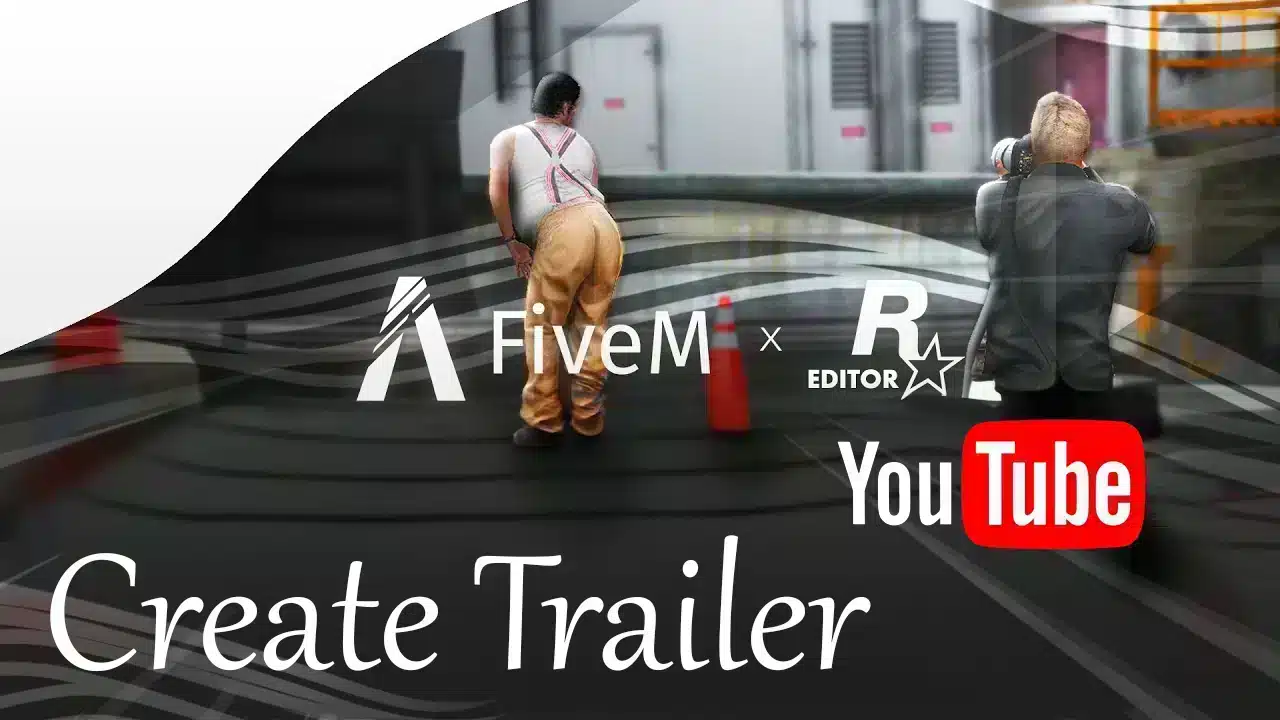
How To Create a FiveM Server Trailer

This tutorial is for players who already own and have set up a FiveM server. If you want to learn how to create a FiveM server, click here.

Creating a captivating trailer for your FiveM server can be a game-changer in attracting new players. A high-quality trailer showcases the unique features and excitement of your server, piquing the interest of potential players. This tutorial will guide you through the essential steps and techniques for filming, editing, color grading, and adding music to your FiveM server trailer.


Planning Your Server Trailer

Creating a FiveM Server Trailer for YouTube

Why it's important: Effective planning ensures you capture all the essential features and highlights of your server, making the filming and editing processes smoother.

Steps to take:

  • Storyboard: Draft a rough storyboard outlining the scenes and sequences you want to include. This helps visualize the flow and structure of your trailer.
    • Example: If your server is known for epic heists, your storyboard could include scenes of planning, executing, and escaping from a heist.
  • Shot List: Create a detailed list of shots, specifying locations, characters, and activities. This ensures you don't miss any important footage during filming.
    • Example: Mention specific locations like downtown, wilderness, and secret hideouts you want to capture. Include shots of key characters performing unique actions such as car chases, firefights, or community gatherings.
  • Script: If you plan to include narration or dialogue, write a script to guide your filming and editing.
    • Example: Script out narration that sets the tone, such as "In a city that never sleeps, only the boldest survive," accompanied by dramatic visuals.

Types of Trailers You Could Create

  • Dramatic Trailer: Focus on high-stakes action and intense scenes. Use dramatic music and fast-paced editing to create a sense of urgency and excitement. Think bank robberies gone wrong, police pursuits through downtown, or gang territory standoffs. This style works best for action-oriented servers.
  • Cinematic Trailer: Prioritize visual storytelling and atmosphere over raw action. Slow camera sweeps across your city skyline, moody lighting, and carefully composed shots give your server a polished, professional feel. Cinematic trailers work particularly well for servers with custom MLOs and detailed environments.
  • Community Showcase: Highlight the people who make your server special. Feature clips of actual RP scenarios, community events, and player testimonials. This style builds trust by showing prospects what daily life on your server actually looks like.
  • Feature Highlight: Walk viewers through your server's standout mechanics—custom jobs, unique vehicles, economy systems, or housing. This is less about storytelling and more about demonstrating value. Pair it with clean text overlays that label each feature.

Essential Tools for the Job

You don't need a Hollywood budget, but you do need the right software. Here's what works:

Recording Software

  • OBS Studio (Free): The go-to for most creators. Set it to record at your native resolution with a high bitrate (40,000+ kbps for 1080p) to preserve quality for editing.
  • NVIDIA ShadowPlay (Free with NVIDIA GPUs): Lightweight and runs with minimal performance impact. Great for capturing gameplay without frame drops on your server.
  • Rockstar Editor: Built into GTA V, the Rockstar Editor lets you replay recorded sessions with full camera control. While it has quirks with FiveM, some creators use it for specific cinematic shots.

Video Editing Software

  • DaVinci Resolve (Free): Professional-grade editing and color grading in a free package. The learning curve is real, but it's the best free editor available by a wide margin.
  • Adobe Premiere Pro (Paid): Industry standard with a massive tutorial ecosystem. If you already have a Creative Cloud subscription, it's the natural choice.
  • CapCut (Free): A simpler option for quick edits with solid text and transition tools. Good enough for shorter promotional clips.

Royalty-Free Music Sources

  • NCS (NoCopyrightSounds): Free to use with credit. Huge library of electronic and gaming-adjacent tracks.
  • Epidemic Sound (Paid): High-quality library with clear licensing. Worth the investment if you plan to monetize your YouTube channel.
  • Artlist (Paid): Flat-rate licensing with an excellent search engine for finding the right mood and tempo.

Filming Techniques

Great footage is the foundation of a great trailer. Here's how to capture it:

  • Use Freecam/Spectator Mode: FiveM's built-in freecam lets you detach from your character and position the camera anywhere. This is essential for sweeping establishing shots and following action from creative angles. Bind it to an accessible key so you can activate it quickly.
  • Leverage Time and Weather Commands: The same scene looks completely different at golden hour versus midnight rain. Use server commands to set the time of day and weather to match the mood of each shot. A dramatic heist scene hits harder in a thunderstorm. A community event looks warmer in afternoon sunlight.
  • Choreograph Scenes with Players: For scripted sequences, coordinate with your community. Have players run through a scene multiple times so you can capture it from different angles. The best trailers don't rely on random gameplay—they're planned performances.
  • Vary Your Camera Angles: Mix wide establishing shots with medium shots and tight close-ups. A car chase filmed entirely from one angle gets boring fast. Cut between a helicopter view, a ground-level tracking shot, and an interior dashboard cam to keep things dynamic.
  • Capture B-Roll: Film extra footage of your city, interiors, custom vehicles, and ambient activity. You'll use this to fill transitions, cover audio, and add visual variety during editing.

Editing Your Trailer

Raw footage becomes a trailer in the editing room. These principles will keep your edit sharp:

  • Keep Shots Short: Aim for 2–3 seconds per shot in action-heavy sequences. Longer shots (4–6 seconds) work for establishing mood, but cutting too slowly loses attention. Trailers should be 60–90 seconds total for maximum impact.
  • Match Cuts to Music: Every cut should feel intentional. Align your edits to the beat, bass drops, or transitions in your music track. This single technique separates amateur trailers from professional-looking ones.
  • Use Transitions Sparingly: Hard cuts are your default. Fancy transitions—wipes, spins, zoom blurs—draw attention to the editing rather than the content. Use a crossfade occasionally for mood shifts, but keep it clean otherwise.
  • Color Grading Basics: Color grading sets the visual tone. In DaVinci Resolve, start by correcting white balance and exposure, then apply a subtle look. Cooler tones (blues, teals) feel serious and cinematic. Warmer tones (oranges, golds) feel inviting and energetic. Consistency across shots matters more than any specific look.
  • Add Text Overlays: Use clean, readable text to highlight your server name, IP address, Discord link, and key features. Keep fonts simple—sans-serif works best for trailers. Avoid cluttering the screen; let the visuals do the talking.

Adding Music and Sound

Audio is half the experience. A visually stunning trailer with bad audio will fall flat.

  • Choose Music That Matches Your Server's Identity: An upbeat electronic track suits an action server. A moody orchestral piece works for serious RP. Listen to the track in full before committing—the energy should match your footage from start to finish.
  • Cut to the Beat: Sync your visual cuts to the rhythm of the music. Major transitions should align with drops or beat changes. This creates a sense of cohesion that viewers feel even if they can't articulate why the trailer "works."
  • Layer Sound Effects: Add SFX for gunshots, tire screeches, engine revs, and ambient city noise. These details make scenes feel alive rather than like silent footage with a music overlay. Free SFX libraries like Freesound.org have everything you need.
  • Balance Audio Levels: Music should sit behind any dialogue or narration. A common mistake is drowning out spoken words with a loud soundtrack. In your editor, keep music at -12 to -18 dB when dialogue is present, and bring it up to -6 dB during visual-only sections.

Export Settings for YouTube

Your editing software's default export settings are rarely optimal. Use these for the best results on YouTube:

  • Resolution: 1920x1080 (1080p) minimum. If your footage supports it, export at 2560x1440 (1440p) or 3840x2160 (4K)—YouTube assigns higher-quality codecs to 1440p+ uploads, even if most viewers watch at 1080p.
  • Codec: H.264 for broad compatibility, or H.265 for smaller file sizes at the same quality. If uploading to YouTube, H.264 is the safer choice.
  • Bitrate: 16 Mbps for 1080p, 35–45 Mbps for 4K. Higher bitrate means larger files but better quality. YouTube re-encodes everything, so upload the highest quality you can.
  • Frame Rate: Match your recording frame rate. 30 fps is standard; 60 fps looks smoother for fast action. Don't mix frame rates within a project.

Promoting Your Trailer

A great trailer sitting on an empty YouTube channel helps nobody. Get it in front of the right audience:

  • YouTube SEO: Title your video with searchable terms like "FiveM Server Trailer" plus your server name. Write a description with relevant keywords, your server's IP, and Discord link. Add tags for FiveM, GTA RP, and your server's framework. Create an eye-catching thumbnail—don't rely on auto-generated ones.
  • Discord: Share the trailer in your own server's announcements and in FiveM community Discords that allow server promotion. Pin it in your welcome channel so every new member sees it.
  • Reddit: Post in communities like r/FiveM and r/FiveMServers. Follow each subreddit's self-promotion rules to avoid getting removed.
  • FiveM Forums: The official FiveM forums have dedicated server advertisement sections. Include the trailer in your server listing post.
  • Social Media: Short clips (15–30 seconds) from your trailer work well as teasers on TikTok, Instagram Reels, and X/Twitter. Link back to the full trailer on YouTube.

Wrapping Up

A well-made server trailer is one of the most effective tools for growing your FiveM community. It doesn't require expensive equipment or years of editing experience—just planning, the right free tools, and attention to pacing and audio. Start with a clear plan, capture varied footage, edit with intention, and put your trailer where players will find it. Your server has a story worth telling. Make sure people see it.

Frequently Asked Questions

What is Create a FiveM Server Trailer?

This tutorial is for players who already own and have set up a FiveM server. If you want to learn how to create a FiveM server, click here.

Previous Article

How to Advertise Your FiveM Server

Next Article

Master FiveM Jobs Creator: Complete Tutorial (4 Steps)

More on This Topic

How to Create Discord Donation Tiers for Your FiveM ServerHow to Create a Logo for Your Gaming Server or Community (2026 Guide)How To Create FiveM MLOs: Complete TutorialHow To Create a FiveM Driving School (DMV)How to Run a FiveM Server Using Docker: Complete Setup Guide

Turn framework research into a launch-ready script stack

Use this guide to narrow the framework decision, then move into the core commercial hubs for verified scripts, curated bundles, and a faster server launch path.

Framework hub

Browse QBCore-ready scripts

Move into the QBCore landing page to compare verified scripts, framework fit, and install-ready products built for modern FiveM servers.

Open QBCore hub

Framework hub

Review the ESX script path

Use the ESX landing page to compare framework-specific resources, launch guidance, and premium products that fit ESX-first servers.

Open ESX hub

Premium catalog

Browse premium FiveM scripts

Move from research into the main shop to compare real products, framework labels, screenshots, and production-ready quality signals.

Open premium shop

Launch faster

Compare curated bundles

Bundles shorten the path from planning to launch by grouping the highest-leverage scripts into a cleaner commercial starting point.

View bundles

Disclosure: Some links below are affiliate links to FiveMX products. We may earn a commission at no extra cost to you.

Related Articles

Eliminate Annoying Delays: Optimize FiveM Server Loading ...

Eliminate Annoying Delays: Optimize FiveM Server Loading ...

Learn how to optimize FiveM server loading times by managing resources, using efficient mods, and choosing the right server host to eliminate annoying delays.

September 3, 2024
Best FiveM Server Hosting 2025: Performance Guide

Best FiveM Server Hosting 2025: Performance Guide

Ready to get your FiveM server running like a champ? Dive into our 2025 comparison to find the perfect host that balances unbeatable uptime, lightning‑fast performance, and pocket‑friendly pricing, al

March 24, 2025
How To Create an alt:V Server (2026 Quickstart Guide)

How To Create an alt:V Server (2026 Quickstart Guide)

Want to host your own GTA V multiplayer world with alt:V? This guide shows you two reliable setup paths (Windows & Linux), gives you a clean server.toml, a first working…

September 22, 2025
Secure CheckoutInstant AccessMoney-Back GuaranteeLifetime Updates
FiveMX

Premium FiveM scripts and mods for serious server owners.

Shop

  • Shop
  • QBCore Scripts
  • ESX Scripts
  • FiveM Scripts
  • Free Mods
  • Best Scripts & Mods

Help

  • About
  • FAQ
  • Support
  • Contact
  • Account
  • Affiliate Program

Legal

  • Privacy Policy
  • Terms of Service
  • Refund Policy
  • Cookie Policy
  • GDPR Compliance
  • DMCA
  • Imprint
  • Editorial Policy
© 2026 FiveMX. All rights reserved.·support@fivemx.com

FiveMX is not affiliated with Rockstar Games, Take-Two Interactive, or CFX.re. All trademarks are property of their respective owners.

Flash Sale — Up to 19% off!Flash Sale — 19% off!Shop Now