Home
Shop
Free Mods
Tools
Bundles
Full Servers
  1. Home
  2. Blog
  3. Tutorials & Guides

How To Install NVE (NaturalVision Evolved) for GTA 5 & FiveM

Published on August 21, 2024·by Lars Miller(Founder & Lead Editor)·Credentials·7 min read·Updated on April 23, 2026
Tutorials & Guideshow to install nve (naturalvision evolved)

NaturalVision Evolved (NVE) is fundamentally the gold standard for visual modifications in Grand Theft Auto V.

How To Install NVE (NaturalVision Evolved) for GTA 5 & FiveM

NaturalVision Evolved (NVE) is fundamentally the gold standard for visual modifications in Grand Theft Auto V. If you've seen those breathtaking, ultra-realistic driving videos on YouTube or TikTok, you were almost certainly looking at NVE.

This comprehensive guide will walk you through everything you need to know about installing NVE for both GTA 5 Singleplayer and FiveM, right down to setting up ENB, configuring optional add-ons, and troubleshooting any issues that arise.

What is NaturalVision Evolved (NVE)?

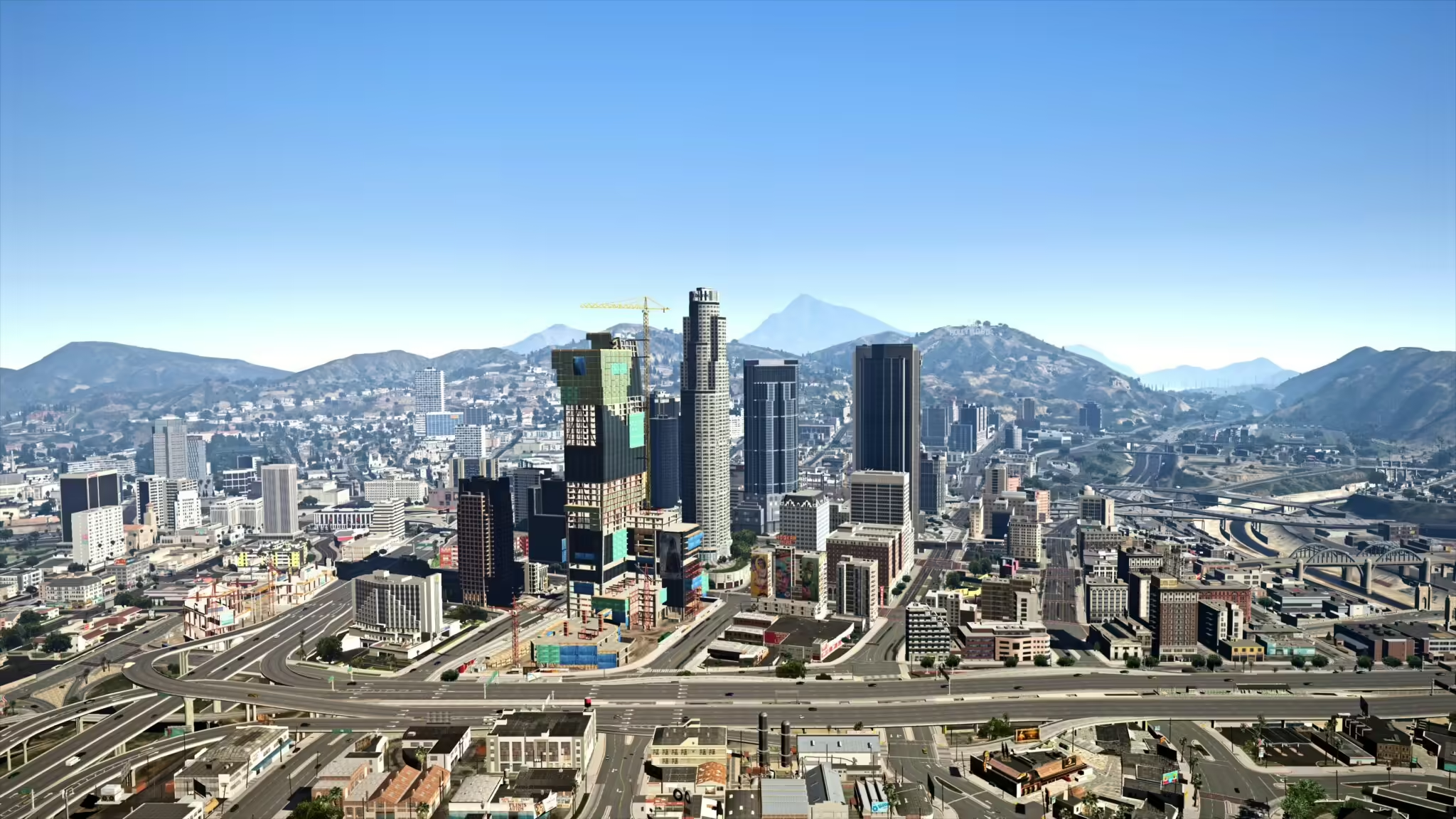
ReShade and NaturalVision Graphics Enhancement for FiveM

Created by Razed and his talented team, NVE is a monumental graphical overhaul. It goes far beyond simply tweaking the weather or changing lighting settings. NVE introduces:

  • Enhanced Lighting: Completely overhauled global illumination, ambient lighting, and reflections.
  • Volumetric Clouds & Weather: Stunning, fully 3D volumetric clouds and entirely re-written weather systems.
  • Parallax Textures: Road textures, walls, and brickwork now have actual depth using parallax occlusion mapping.
  • Screen-Space Raytraced Global Illumination (SSRTGI): Bringing pseudo-raytracing to a 2013 engine.
  • Vegetation Overhaul: Denser, more realistic trees and grass.

If you are looking for other FiveM graphics mods, NVE is the benchmark by which all others are measured.

System Requirements & Prerequisites

Because NVE pushes the RAGE engine to its absolute limits, it has significant hardware requirements. Unlike lightweight visual packs, NVE requires serious computing power.

Minimum and Recommended Specs

Running NVE at 1080p 60FPS requires solid hardware.

Minimum Specs (1080p, Normal Settings):

  • CPU: Intel Core i5-9600K / AMD Ryzen 5 3600
  • GPU: NVIDIA GTX 1070 / AMD RX 5600 XT (8GB VRAM highly recommended)
  • RAM: 16GB Setup
  • Storage: SSD is practically mandatory to avoid texture loss.

Recommended Specs (1440p/4K, High/Ultra Settings):

  • CPU: Intel Core i7-12700K / AMD Ryzen 7 5800X3D or better
  • GPU: NVIDIA RTX 3080 / AMD RX 6800 XT or better
  • RAM: 32GB
  • Storage: NVMe SSD

If you are struggling with frame rates on FiveM, consider upgrading your hardware or reducing NVE settings like shadow quality and draw distance.

Essential Tools You Will Need

Before you start downloading files, you need to prepare your environment:

  1. OpenIV (for singleplayer only): Essential for modifying GTA V game files safely.
  2. WinRAR or 7-Zip: To extract the large NVE archives.
  3. A clean, unmodded base copy of GTA V. We strongly advise starting fresh if you have old mods installed.

How to Install NVE for GTA 5 Singleplayer

Installing NVE for Singleplayer requires modifying your core game files structure. Follow these steps meticulously so you don't corrupt your GTA V installation.

Step 1: Preparing Your Game Directory

First, we need to create a safe zone for our mods.

  1. Download OpenIV and install it.
  2. Run OpenIV and select Grand Theft Auto V > Windows.
  3. Browse to your GTA V installation folder and select it.
  4. Go to Tools > ASI Manager in the top menu.
  5. Install the ASI Loader and OpenIV.asi.
  6. A prompt will ask if you want to create a mods folder. Click YES. This is critical; it ensures your vanilla game files remain untouched.

Step 2: Installing the Core NVE Packages

Now, we will install the actual modification files. NVE comes packaged in .oiv formats.

  1. In OpenIV, make sure Edit Mode is enabled (top right).
  2. Go to Tools > Package Installer.
  3. Navigate to where you extracted the NVE files.
  4. Select 1. NaturalVision Installer - PART ONE.oiv and run it.
  5. Important: Always choose "Install to mods folder". Never install to the game folder directly.
  6. Once Part One is complete, repeat this exact process for 2. NaturalVision Installer - PART TWO.oiv and 3. NaturalVision Installer - PART THREE.oiv.

Step 3: Installing Optional Add-ins

NVE comes with a folder full of optional .oiv add-ons. You install these the exact same way you installed the core packages (Tools > Package Installer > 'mods' folder).

Popular optional add-ons include:

  • Brighter Emergency Lights: Excellent for players who run FiveM Police Scripts.
  • Seasonal Tweaks: White streetlights, autumn styles, etc.
  • Volumetric Clouds: Be warned, this specific add-on is extremely performance-heavy.

How to Install NVE for FiveM

Installing NVE for FiveM is fundamentally easier than Singleplayer because you do not need OpenIV. You are simply dragging and dropping files into FiveM's Application Data structure.

Step 1: Locating Your FiveM Application Data Folder

  1. Press Win + R to open the Run dialog.
  2. Type %localappdata%\FiveM\FiveM.app and hit Enter.
  3. Alternatively, right-click your FiveM desktop shortcut, click "Open file location", and navigate into FiveM Application Data.

Step 2: Transferring NVE Citizen Files

Inside your NVE download, there will be a specific folder designated for FiveM.

  1. Open the FiveM App Data folder.
  2. Locate the mods folder (create one if it does not exist).
  3. From your downloaded NVE folder (NVE - FiveM Package), drag all the .rpf files (such as NVE_Models.rpf, NVE_Vegetation.rpf, etc.) directly into your FiveM mods folder.
  4. Delete your FiveM Cache: It is highly recommended to delete your cache folder (leave the game subfolder intact). If you don't know how, simply delete all files in the cache folder except the 'game' subfolder.

Installing and Configuring ReShade & ENB

NVE looks great on its own, but it looks incredible with the included ReShade and ENB presets.

Extracting the ReShade/ENB Files

For Singleplayer, copy the contents of the ReShade Shaders and ENB Files from your NVE download and paste them directly into your main GTA V root directory (where GTA5.exe is located).

For FiveM:

  1. Go to your FiveM Application Data folder (%localappdata%\FiveM\FiveM.app).
  2. Open the plugins folder. (Create it if missing).
  3. Paste the FiveM-specific ENB/ReShade files here.

In-Game Configuration Tips

Once in-game, you can open the menus:

  • Press Shift + Enter to open the ENB Menu.
  • Press Home to open the ReShade Menu.

From here, you can tweak effects like Bloom, Ambient Occlusion, and Depth of Field. If you are losing too many frames, try disabling Depth of Field first.

Troubleshooting Common NVE Issues

Modding GTA V is rarely a flawless process. Here are common issues and how to fix them.

Game Crashing on Startup

If your game crashes immediately upon loading:

  • Game Version: Ensure your GTA V is updated to the latest version. Old pirated or un-updated copies often crash with modern NVE builds.
  • Corrupt Install: You may have installed an .oiv to the main game folder instead of the mods folder. You will need to verify game file integrity via Steam/Epic/Rockstar Launcher.

Texture Loss or "Map Falling Through"

If the world starts disappearing and roads lose their textures, you are experiencing memory exhaustion. Ensure you have a custom gameconfig installed that allocates more memory. Also, consider increasing your pagefile size and closing background applications to free up RAM.

FiveM Specific Errors

Some FiveM servers actively block modified game files or ENB injectors to prevent cheating. If you get a "Modified Game Files" error upon connecting to a server, that specific server does not allow graphics mods. There is no bypass for this; you simply have to remove NVE from your mods folder when playing on that server.

Best Mods to Pair with NaturalVision Evolved

Once your game looks stunning, you'll want the rest of the game to match the quality.

Vehicle and Car Packs

High-quality graphics demand high-quality vehicles. Pair NVE with some excellent FiveM addon cars from our vehicle mods collection for the ultimate visual experience.

Enhanced Roleplay Scripts

A beautiful game deserves deep, immersive gameplay. Enhance your server by implementing high-end scripts designed with the Jobs Creator tool or by browsing the Free Mods section on FiveMX.

Conclusion

Installing NaturalVision Evolved breathes entirely new life into a decade-old game. Whether you are cruising through Vinewood in Singleplayer or roleplaying on a crowded FiveM server, NVE delivers absolute visual perfection.

Ready to download? Grab NVE via our verified, always-updated NaturalVision Evolved page.

If you encounter any persistent issues, be sure to clear your caches, double-check your installation paths, and consult the official Razed discord for community support.

Frequently Asked Questions

What do I need for Install NVE (NaturalVision Evolved) for GTA 5 & FiveM?

NVE requires significant hardware resources. Minimum specs: Intel Core i5-9600K / AMD Ryzen 5 3600, NVIDIA GTX 1070 / AMD RX 5600 XT (8GB VRAM), 16GB RAM, and an SSD. Recommended: Intel Core i7-12700K / AMD Ryzen 7 5800X3D, NVIDIA RTX 3080 / AMD RX 6800 XT, 32GB RAM, and NVMe SSD. You also need OpenIV (for singleplayer), WinRAR or 7-Zip, and a clean copy of GTA V.

How to Install NVE for GTA 5 Singleplayer?

1. Download and install OpenIV. 2. Run OpenIV and select Grand Theft Auto V > Windows. 3. Go to Tools > ASI Manager and install ASI Loader and OpenIV.asi. 4. Create a mods folder when prompted. 5. Enable Edit Mode in OpenIV. 6. Go to Tools > Package Installer and install the NVE .oiv files (Part One, Two, Three) to the mods folder. 7. Install optional add-ons the same way.

How to Install NVE for FiveM?

1. Press Win + R and type %localappdata%\FiveM\FiveM.app. 2. Create a mods folder if it doesn't exist. 3. From your NVE download (NVE - FiveM Package), drag all .rpf files into the FiveM mods folder. 4. Delete your cache folder (leave the game subfolder intact). 5. For ReShade/ENB: paste FiveM-specific files into the plugins folder.

How do I fix common Install NVE (NaturalVision Evolved) for GTA 5 & FiveM issues?

If your game crashes: ensure GTA V is updated, verify game files via Steam/Epic/Rockstar Launcher, and check that .oiv files were installed to the mods folder. For texture loss: install a custom gameconfig that allocates more memory. If you get a 'Modified Game Files' error on FiveM: that server blocks graphics mods - remove NVE from your mods folder before joining. Always clear your cache after installation.
Does NVE work with FiveM?

Yes, NVE works with FiveM. You install it by placing the .rpf files from the FiveM Package into your %localappdata%\FiveM\FiveM.app\mods folder. However, some FiveM servers block modified game files for anti-cheat reasons. If you encounter a 'Modified Game Files' error, that specific server doesn't allow graphics mods.

Is NVE free?

NaturalVision Evolved is a paid modification. You must purchase it from the official Razed Patreon or authorized resellers. Be wary of free downloads from unofficial sources as they may contain malware or outdated files that can corrupt your game.

Can I use NVE with other graphics mods?

NVE includes its own ReShade and ENB presets designed specifically for the overhaul. While you can technically combine it with other mods, it's not recommended as it can cause visual conflicts, performance issues, or crashes. NVE is designed as a complete graphics replacement, not an add-on.

Will NVE get me banned in GTA Online?

Yes. NVE modifies game files, which violates Rockstar's Terms of Service for GTA Online. NEVER use NVE or any graphics modification in GTA Online - it will result in a ban. NVE is safe for singleplayer and FiveM (on servers that allow it), but never for GTA Online.

Previous Article

How To Install FiveM HUD – Tutorials & Guides

Next Article

How To Install Liberty City (FiveM Server)

More on This Topic

How to Set Up a FiveM GTA RP Server (2026) — Complete Step-by-Step GuideHow To Install Custom Cars (FiveM)How To Install FiveM on Windows (10 / 11)How to Use FiveM Mods: Complete Installation and Setup GuideHow to Become a Successful GTA RP Content Creator

Turn framework research into a launch-ready script stack

Use this guide to narrow the framework decision, then move into the core commercial hubs for verified scripts, curated bundles, and a faster server launch path.

Framework hub

Browse QBCore-ready scripts

Move into the QBCore landing page to compare verified scripts, framework fit, and install-ready products built for modern FiveM servers.

Open QBCore hub

Framework hub

Review the ESX script path

Use the ESX landing page to compare framework-specific resources, launch guidance, and premium products that fit ESX-first servers.

Open ESX hub

Premium catalog

Browse premium FiveM scripts

Move from research into the main shop to compare real products, framework labels, screenshots, and production-ready quality signals.

Open premium shop

Launch faster

Compare curated bundles

Bundles shorten the path from planning to launch by grouping the highest-leverage scripts into a cleaner commercial starting point.

View bundles

Disclosure: Some links below are affiliate links to FiveMX products. We may earn a commission at no extra cost to you.

Free Scripts You Might Like

Project X Prompt Sandy Bank Robbery Heist - QB | QBOX | ESX | Custom

Project X Prompt Sandy Bank Robbery Heist - QB | QBOX | ESX | Custom

294 downloads
Realistic Grapple Gun - Nodus Scripts

Realistic Grapple Gun - Nodus Scripts

202 downloads
OP Gangs 3.0 — Most Advanced Gang Script [ESX/QB/QBOX]

OP Gangs 3.0 — Most Advanced Gang Script [ESX/QB/QBOX]

161 downloads
[FREE][QBOX][QBCORE] Pawnshop Script + FREE MLO

[FREE][QBOX][QBCORE] Pawnshop Script + FREE MLO

157 downloads

Related Articles

FiveM & GTA 6: What We Know, What Changes, and How to Prepare

FiveM & GTA 6: What We Know, What Changes, and How to Prepare

With GTA 6 launching in late 2026, every FiveM server owner is asking: what happens next? Here's everything we know about FiveM's future, GTA 6 modding possibilities, and how to prepare your server.

March 4, 2026
Eliminate Annoying Delays: Optimize FiveM Server Loading ...

Eliminate Annoying Delays: Optimize FiveM Server Loading ...

Learn how to optimize FiveM server loading times by managing resources, using efficient mods, and choosing the right server host to eliminate annoying delays.

September 3, 2024
How to Install ReShade on FiveM: Ultimate 2026 Graphics Guide

How to Install ReShade on FiveM: Ultimate 2026 Graphics Guide

FiveM has brought thousands of hours of life to Grand Theft Auto V, but let's be honest: the base game's graphics from 2013 are beginning to show their age.

June 20, 2024
Secure CheckoutInstant AccessMoney-Back GuaranteeLifetime Updates
FiveMX

Premium FiveM scripts and mods for serious server owners.

Shop

  • Shop
  • QBCore Scripts
  • ESX Scripts
  • FiveM Scripts
  • Free Mods
  • Best Scripts & Mods

Help

  • About
  • FAQ
  • Support
  • Contact
  • Account
  • Affiliate Program

Legal

  • Privacy Policy
  • Terms of Service
  • Refund Policy
  • Cookie Policy
  • GDPR Compliance
  • DMCA
  • Imprint
  • Editorial Policy
© 2026 FiveMX. All rights reserved.·support@fivemx.com

FiveMX is not affiliated with Rockstar Games, Take-Two Interactive, or CFX.re. All trademarks are property of their respective owners.

Flash Sale — Up to 19% off!Flash Sale — 19% off!Shop Now