

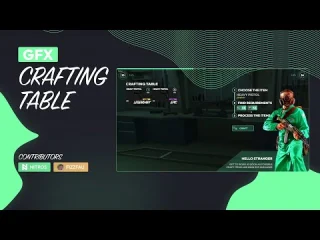

FiveM Text-UI Script – Standalone Display Solution
A lightweight, high-performance text display script that brings clean UI notifications to your FiveM server. This standalone resource works with any framework and delivers smooth, responsive text prompts that won’t bog down your server.
What Makes It Stand Out
Unlike bloated notification systems, this Text-UI focuses on doing one thing exceptionally well: displaying text prompts with zero performance impact. The optimized code uses native GTA V rendering, resulting in crisp text that appears instantly and disappears without flicker.
Built by 0Resmon, this script has become the go-to choice for developers who need reliable text displays for interactions, help prompts, keybind hints, and contextual information. It’s the foundation that powers countless other scripts.
Key Features
- Standalone Architecture – No framework dependency, works with ESX, QBCore, QBOX, or any custom base
- Export System – Simple API for triggering text from any other script
- Event-Based Control – Show and hide text through client/server events
- Customizable Appearance – Adjust position, color, size, and styling to match your theme
- Performance Optimized – Uses native rendering with minimal resource usage (0.00ms typical)
- Multiple Display Modes – Support for different text styles and positions
- Thread-Safe – Handles rapid show/hide calls without breaking
- Documentation Included – Complete API reference and implementation examples
Perfect For
- Interaction prompts (doors, vehicles, NPCs, objects)
- Job system notifications and instructions
- Vehicle interaction displays (fuel, trunk, hood, engine)
- Shop and business UI text (ATMs, registers, terminals)
- Keybind hints and help text
- Custom minigame instructions
- Any script that needs clean text display
How to Setup
- Download and extract to your resources folder
- Add
ensure fivem-text-ui-scriptto your server.cfg - Review the config file to customize appearance
- Use exports from your other scripts to trigger displays
- Test and adjust positioning for your UI layout
Implementation Examples
Client-Side Export:
Call exports['script-name']:Show(text) to display text and exports['script-name']:Hide() to remove it. The documentation includes dozens of working examples for common scenarios.
Event-Based Triggers:
Use TriggerEvent() or TriggerClientEvent() to show/hide text from server-side scripts, perfect for job systems and interactive elements that need server validation.
Documentation & Support
Full API documentation available at: https://docs.0resmon.org/0resmon/frkn-resources/frkn-drawtext/export-and-events
The documentation covers every export, event, and configuration option with code examples you can copy directly into your projects.
Technical Details
- Resource Type: Standalone (framework-independent)
- File Size: Minimal (~500 KB)
- Performance: 0.00ms average (client-side only)
- Dependencies: None required
- Language Support: Works with all character sets
- Client/Server: Client-side with optional server events
Framework Compatibility
- ✅ ESX Legacy – Full compatibility, commonly used for job interactions
- ✅ QBCore – Perfect replacement for default QB text displays
- ✅ QBOX – Works seamlessly with QBOX framework
- ✅ Standalone – Use with any custom framework or vanilla FiveM
- ✅ OX Framework – Compatible with ox_lib resource systems
Why Developers Love It
This script has become an essential dependency for countless FiveM resources because it just works. No complex setup, no performance issues, no compatibility headaches. It’s the reliable text display solution that lets you focus on building features instead of debugging UI glitches.
The clean API makes integration trivial – add two lines of code to any script and you’ve got professional text displays. Whether you’re building a complex job system or just need to show “Press E to open,” this script handles it perfectly.


Austin (verified owner) –
I want to say thanks to the support team for helping with my continuously silly questions, you’re the best!
Destin (verified owner) –
Good response from the support.
NovaNico (verified owner) –
Amazing thanks
Daisha (verified owner) –
Works as advertised and looks even better in game.
Johann (verified owner) –
The script feels professional and production-ready rather than unfinished or experimental.
SarahVenom224 (verified owner) –
Performance is excellent. We have not noticed any significant increase in resource usage since installing it.