
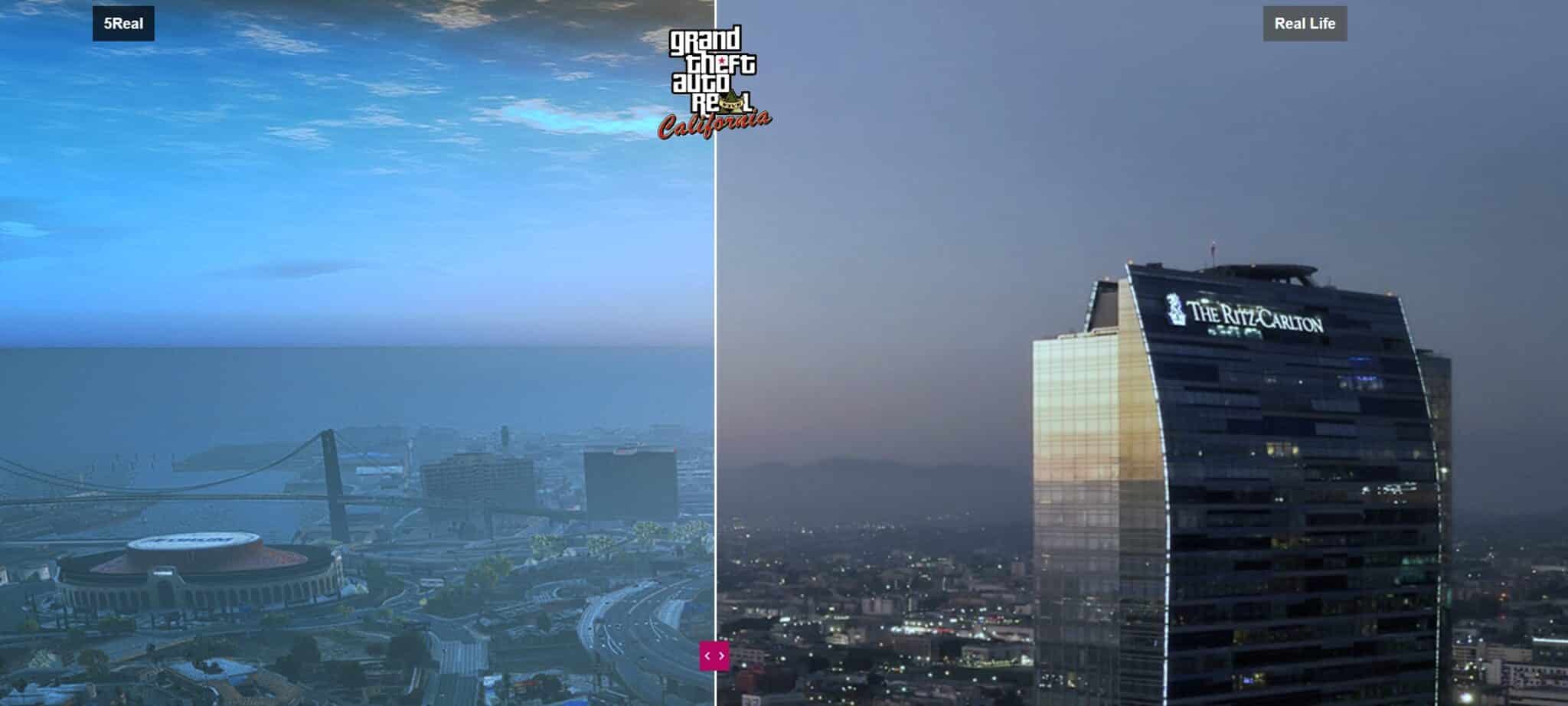
5Real is a GTA V and FiveM graphics-focused resource that players look for when they want a more realistic city feel. Treat this page as setup guidance and a source-review checklist, not as proof that every mirror or package is safe for your game installation.
If you are comparing visual upgrades, also review FiveM graphics mods and related options such as QuantV. Graphics mods can change many game files, so backups matter more than speed.
What 5Real is used for
Players usually use 5Real-style graphics packages to make the GTA V world look closer to a real city environment. Depending on the package you download, this can involve texture, lighting, map or visual preset changes. Before installing, check the archive contents and read the source notes for the exact version you are using.
Before you install
- Start from a clean GTA V PC installation or a separate test copy.
- Back up your current
modsfolder before replacing files. - Confirm whether the package is meant for single-player GTA V, FiveM visuals, or both.
- Scan downloaded archives and avoid unknown mirrors when possible.
- Keep notes on every package you install so you can roll back later.
Requirements to check
- OpenIV for package installation and file management.
- ScriptHookV or ScriptHookVDotNet only when the package instructions require them.
- A clean GTA V install from a legitimate source. See recommended GTA V sources.
- Enough disk space for a full backup and a separate mods folder.
Install checklist
- Download only from the source you intentionally trust.
- Unzip the archive and read every included text file before opening OpenIV.
- Create or refresh your
modsfolder backup. - Install package parts in the order described by the source notes.
- Start the game on a test profile and check visual glitches, loading issues and FPS.
Performance notes
Graphics mods can reduce FPS, especially when combined with ReShade, ENB presets, high-resolution textures or dense city add-ons. After installation, test with the same settings you use on FiveM servers. If performance drops, use the FiveM FPS guide and remove optional visual layers first.
For multiplayer, test on the servers you actually play. A setup that looks good in single-player can behave differently with FiveM resources, weather sync, NUI overlays and server-side visual settings. Keep a clean rollback folder so you can restore the game quickly if a server starts crashing or loading slowly.