
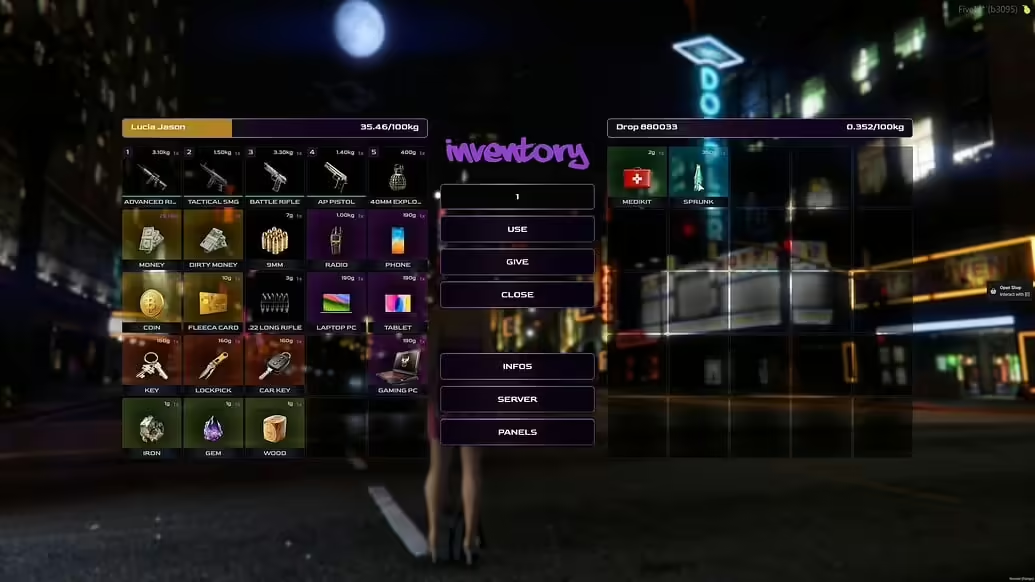
FRVGS OX Inventory reDesign for FiveM: an OX Inventory visual redesign.
What the old page mentioned
- The old page described an OX Inventory visual redesign.
- It mentioned redesigned slots, buttons, animations and a weight bar.
- It mentioned 2160p layout support and work-in-progress customization ideas.
Checks before live use
- Test common inventory actions, item images and weight display.
- Compare changed UI files with your current OX Inventory version before replacing them.
- Review the resource manifest, config files and dependency notes before starting it.
- Test the main workflow on a staging server with realistic player permissions.
- Check client and server console output after a clean restart.
- Keep a backup of affected resource folders, configs and database state before replacing live files.
External source links
Related FiveMX resources
For broader comparison, review FiveM inventory scripts, free FiveM scripts, premium FiveM scripts before deciding whether this resource fits your server.