

FiveM Mod NoPixel Icons for Inventory
NoPixel Icons for Inventory

$5.99

Add to cart

NoPixel Icons for Inventory

$5.99

100+ high-quality NoPixel-style inventory icons for FiveM ESX — transparent PNG, pre-named for instant drop-in use with any inventory system.

Save 20% for a limited time.
Category:
Guaranteed Safe Checkout
  • Premium Quality
  • Fully Open Source
  • Secure Payments
  • Satisfaction Guarantee
  • 30 Days Money-Back-Guarantee

NoPixel Icons for Inventory — FiveM ESX

Bring the iconic NoPixel server aesthetic to your FiveM inventory with this high-quality icon pack. Originally featured on top FiveM platforms as a bestselling resource with over 276 downloads, this pack includes 100+ professionally styled inventory icons in the unmistakable NoPixel visual style — transparent PNG format, perfectly sized for ESX inventories.

Whether you run esx_inventoryhud, ox_inventory, or any other ESX-based inventory system, these icons drop in with zero configuration and instantly elevate the look of your server.

What’s Included

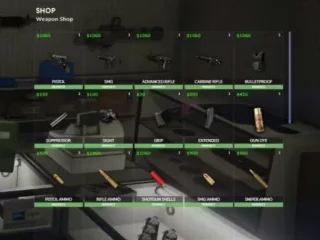
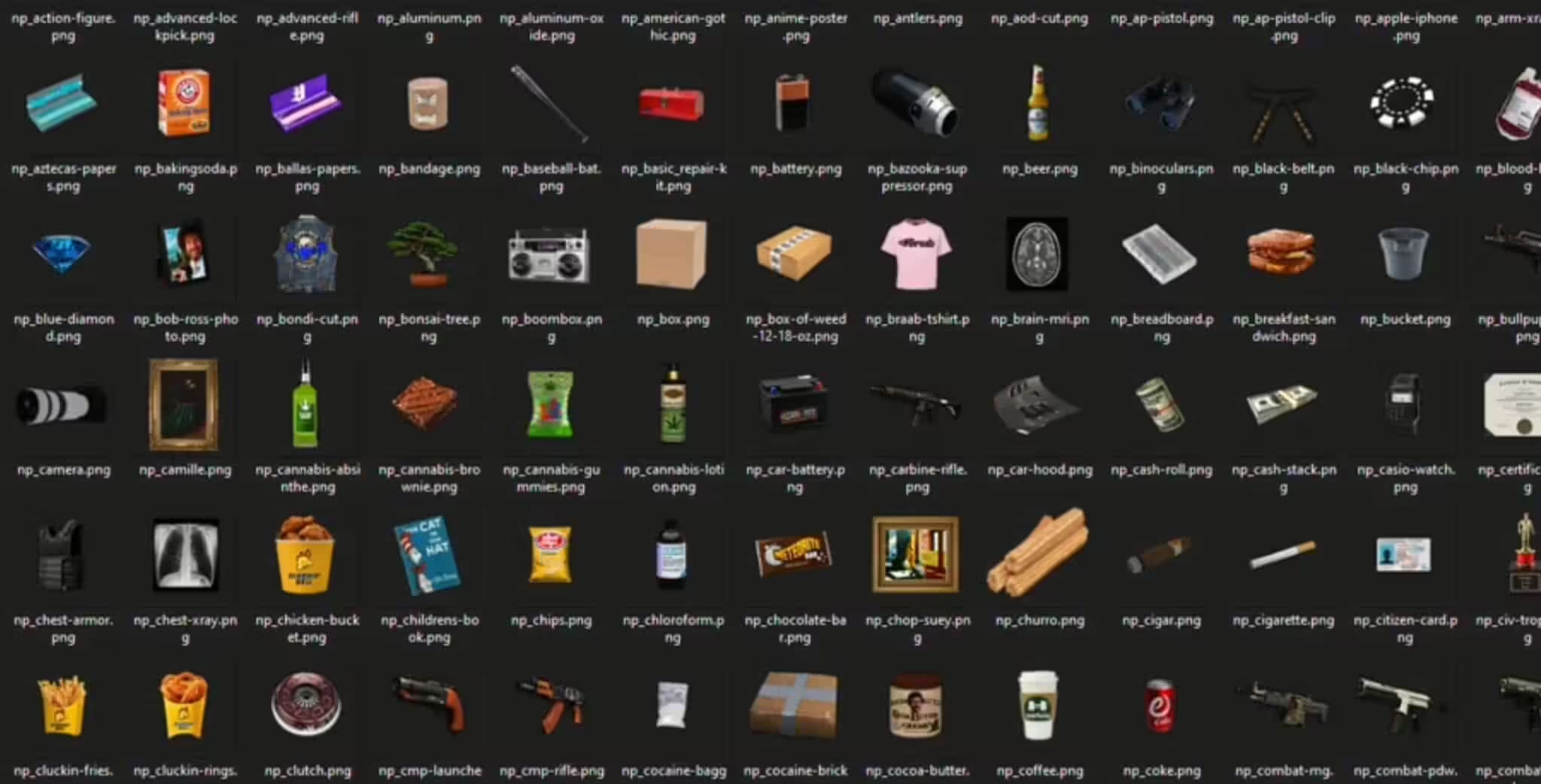
  • 100+ unique inventory icons in NoPixel style — transparent PNG, optimized for FiveM
  • Weapons: assault rifles, pistols, shotguns, SMGs, launchers, melee weapons
  • Drugs & contraband: cocaine brick, cocaine baggy, weed oz, weed brick, rolling paper
  • Tools & utilities: drill, lockpick set, advanced lockpick, crowbar, wrench, hammer, heavy cutters
  • Electronics & valuables: gold bar, gold chains (2ct–10ct), mobile phone, Nokia phone, gameboy
  • Food & consumables: hamburger, beer, whiskey, coke, glass bottle
  • RP items: citizen card, evidence bag, handcuffs, chest armor, binoculars
  • Crime & heist: money ink crate, money ink set, decrypter devices, MK II USB device
  • Crafting materials: aluminum, copper, wood, electronics, battery, breadboard, fuse

Features

  • NoPixel art style — same high-end look used by top RP servers worldwide
  • Transparent PNG format — works with any inventory UI theme or background
  • Pre-named files — filenames match common ESX item names for instant plug-in
  • Fully compatible with ESX Inventory HUD, ox_inventory, and most FiveM inventory systems
  • No dependencies — simply place icons in your items folder

Compatibility

  • ESX (all versions)
  • QBCore (ox_inventory, qb-inventory)
  • Standalone (any inventory system accepting PNG icons)

Installation

  1. Download and extract the icon pack ZIP
  2. Copy PNG files into your inventory’s items/images folder (e.g. esx_inventoryhud/html/img/items/ or ox_inventory/web/images/)
  3. Ensure item names in your database match the PNG filenames
  4. Restart your server or refresh the resource

Reviews

There are no reviews yet.

Be the first to review “NoPixel Icons for Inventory”