
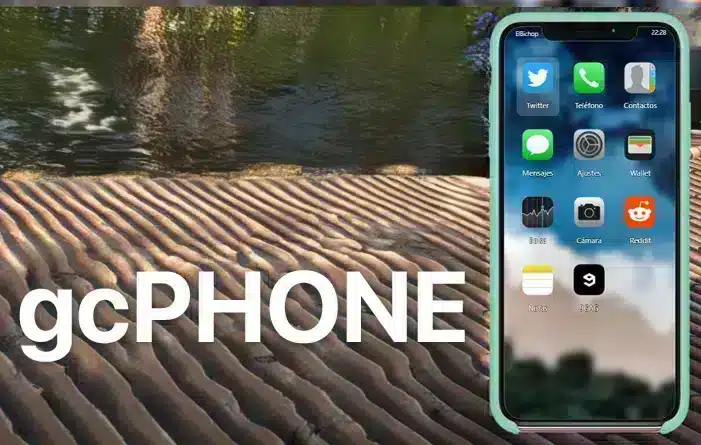
Current status: the original N3MTV gcPhone repository points users to Re-Ignited-Phone, and GitHub lists the original repository’s latest release in April 2019. The continuation identifies itself as a reimagination of gcPhone and lists its latest release in December 2020. Those repositories do not prove that the download mirror on this page is identical, maintained or appropriate for a current server.
For an existing city, compare a maintained phone before adopting this mirror. If you still evaluate gcPhone, match the archive to a named repository or release, read its license and migration instructions, and test with a copy of production phone data.
Fast answer: gcPhone is an older FiveM phone resource. It can still be useful for some servers, but you should check framework compatibility, database tables, app integrations, and support status before replacing a live phone system.
Last updated: June 25, 2026
The original gcPhone repository documents contacts, SMS, voice and anonymous calls, banking, chat and other phone functions. This FiveMX page does not establish that its mirror labelled “GCPhone V3” matches that repository or a maintained continuation, so inspect the exact archive before use.
Preview
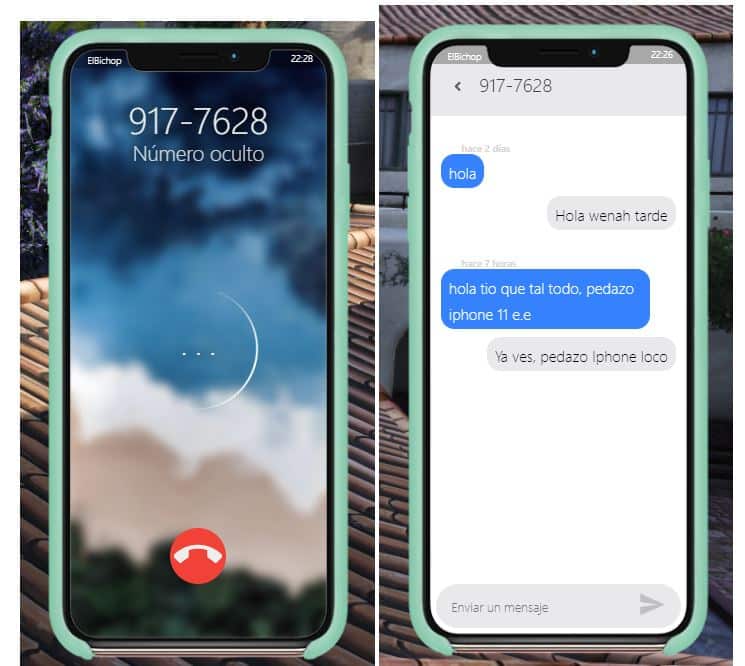
Here’s a sneak peek at the GCPhone in action:
Key Features
- Contact List: Manage your in-game contacts easily.
- SMS Messaging: Send and receive text messages.
- Voice Calls: Make regular and anonymous calls.
- Bank Application: Handle in-game banking operations, including transfers.
- Reddit App: review in roleplay with a fictional in-game Reddit.
- Notes and Bag Apps: Organize your items and thoughts.
- Customizable Ringtones: Choose from a variety of ringtones.
This mod significantly enhances your gameplay by providing a detailed communication tool that mirrors real-life smartphone functionality. if you are coordinating with your team, handling in-game finances, or roleplaying interactions, GCPhone is an essential mod for any serious FiveM server.
Installation Instructions
Follow these simple steps to install GCPhone V3 on your FiveM server:
- Download the mod
- Extract Files: Extract all files from the downloaded file.
- Upload to Server: Upload all files to your server’s
resourcesfolder. - Add to Server Config: Add
start gcphoneto yourserver.cfgfile. - Restart Server: Restart your server to apply the changes.
Troubleshooting:
- If images are not loading, try clearing the cache of your server and FiveM client.
Compatibility
GCPhone V3 is compatible with:
- FiveM artifacts: verify on the exact server artifact you run; this page has no source-backed “any version” guarantee.
- Framework: inspect the selected repository or mirror documentation and SQL files; do not infer ESX, QBCore, QBOX or standalone support from the gcPhone name.
- Voice integration: verify the exact fork and its documented voice dependency; this mirror page does not prove SaltyChat compatibility.
Download Mirror
Functions
All Functions (list)
- Contact list
- Send SMS
- Calls
- Anonymous calls
- Bank application with bank transfers
- Reddit app
- Bag Application
- Notes application
- Selection of ringtones (WORKING!)
- Fixed bug numeric keyboard script
- Added different cases for iphone 11
- Added new background images
- Renewed the complete aesthetics of the gcphone as well as its dimensions
Support and Updates
Use the repository for the exact fork you choose to determine its release history, issues and support status. Do not treat this mirror page or a generic community link as a promise of regular updates.
- Community Support: Visit the FiveM forums for help from the community.
- Official Support: Access GitHub for code, updates, and troubleshooting guides.
For more exciting FiveM mods, visit our main page: Free FiveM Mods. Don’t forget to check out our free MLOs: Free MLO and scripts: Free Scripts.
Treat the mirror as a legacy research lead. Prefer a source whose maintainer, license, releases, dependencies and migration path you can verify before replacing a production phone.
Free Alternatives for gcPhone
Paid Alternatives for gcPhone
-
 SaltyChat Overlay$8.00
 -
 NoPixel Radio$13.00
 -
 NoPixel Phone for ESX (NoPixel Style)$27.00
 -
 CodeM mChat — Advanced Chat System$17.00
 -
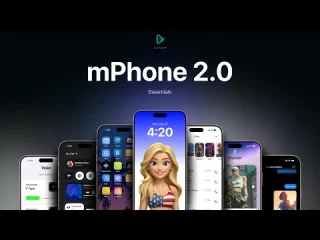 CodeM Phone (mPhone 2.0)$42.00
 -
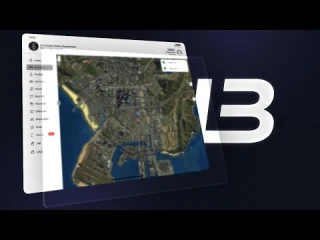 LB Tablet$50.00
 -
 JPR Phone-System$70.00
 -
 LMX iFruitPods$9.00
 -
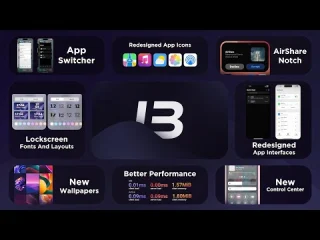 LB Phone v2$49.00
Migration checklist
- Back up phone-related database tables.
- Check contacts, messages, billing, dispatch, garage, and banking app integrations.
- Disable the old phone on staging before testing gcPhone.
- Test NUI focus with inventory, radial menus, and dispatch alerts.
- Keep a rollback plan for live servers.
Related phone resources
gcPhone setup and migration checklist
gcPhone is most useful to review as a phone-script compatibility and migration decision, not only as a download page. Before installing it on a live FiveM server, compare the resource with your framework, inventory, banking, dispatch, and notification stack.
Older phone scripts can conflict with newer voice, contact, billing, and dispatch resources. Check SQL tables, item names, exported events, server callbacks, webhook settings, and database character sets before replacing an active phone system.
For established servers, test contacts, messages, emergency calls, invoices, job-specific apps, and reconnect behavior on staging first. A phone resource usually touches roleplay flow, support tickets, and player data, so rollback planning matters more than a fast install.
- Confirm the phone resource supports your ESX, QBCore, QBOX, or standalone stack.
- Back up phone-related database tables before migration or cleanup.
- Test calls, messages, contacts, app permissions, billing, dispatch, and item handling with normal player accounts.
Related FiveMX resources: FiveM Scripts | Free FiveM Scripts | FiveM Server Packs
How to evaluate a gcPhone fork
- Record the exact repository, release or commit that produced the archive.
- Read its framework, SQL, voice, screenshot-upload and job-app requirements.
- Compare exported events and callbacks with your banking, dispatch, inventory and garage scripts.
- Test data migration and rollback with real staff accounts before any live cutover.
Primary project references: N3MTV/gcphone and the continuation it names, Re-Ignited-Phone. Their documented features apply to those repositories, not automatically to the mirror offered here.