



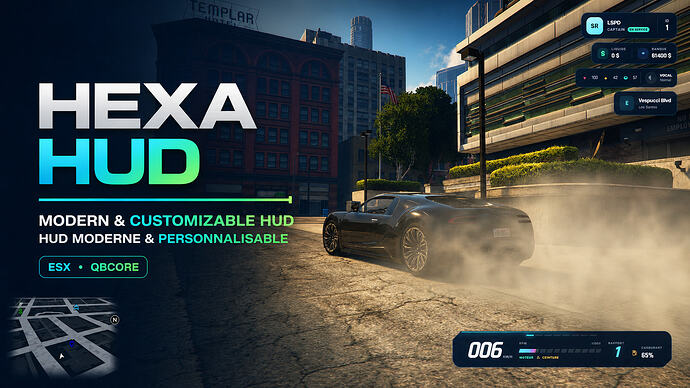
Enhance your FiveM experience with Hexa HUD, a free, modern, and customizable interface. Tailor your display directly in-game for a personalized look.
Preview
Overview
Hexa HUD offers a free, modern, and customizable Heads-Up Display for FiveM servers. It automatically detects whether your server is running ESX Legacy or QBCore, ensuring seamless integration.
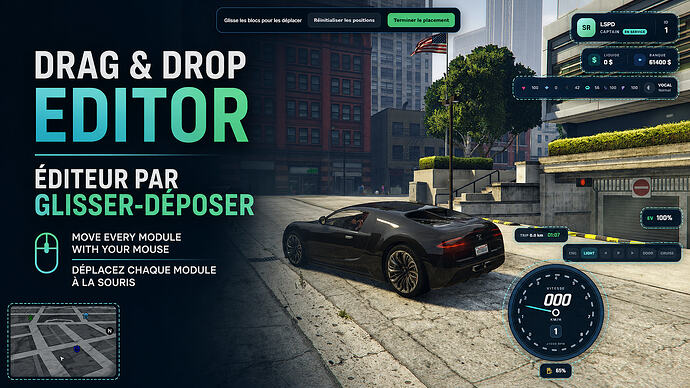
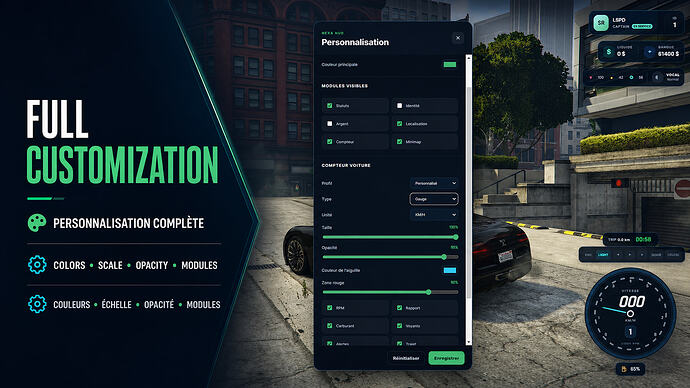
Players can personalize their in-game interface with a variety of options, including colors, opacity, and scale. The HUD also features a drag-and-drop module placement system with a snapping grid for easy arrangement.
Key Features
- Modern and responsive interface
- Supports French and English languages
- Customizable colors, opacity, and scale
- Drag-and-drop module placement with snapping grid
- Includes five preset styles: Immersion, Racing, Minimal, Police, and Discreet
- Offers four different speedometer styles
- Supports both KM/H and MPH
- Displays health, armor, hunger, thirst, stamina, and oxygen indicators
Requirements and Compatibility
- Automatically detects ESX Legacy and QBCore
- Requires esx_status for ESX status values
Installation
- Download the resource through the reviewed download button.
- Review the included files and configuration notes.
- Extract the resource and place it in the correct FiveM server resources folder.
- Add the resource to server.cfg when the release includes a resource folder.
- Restart and test on a staging server before using it live.