



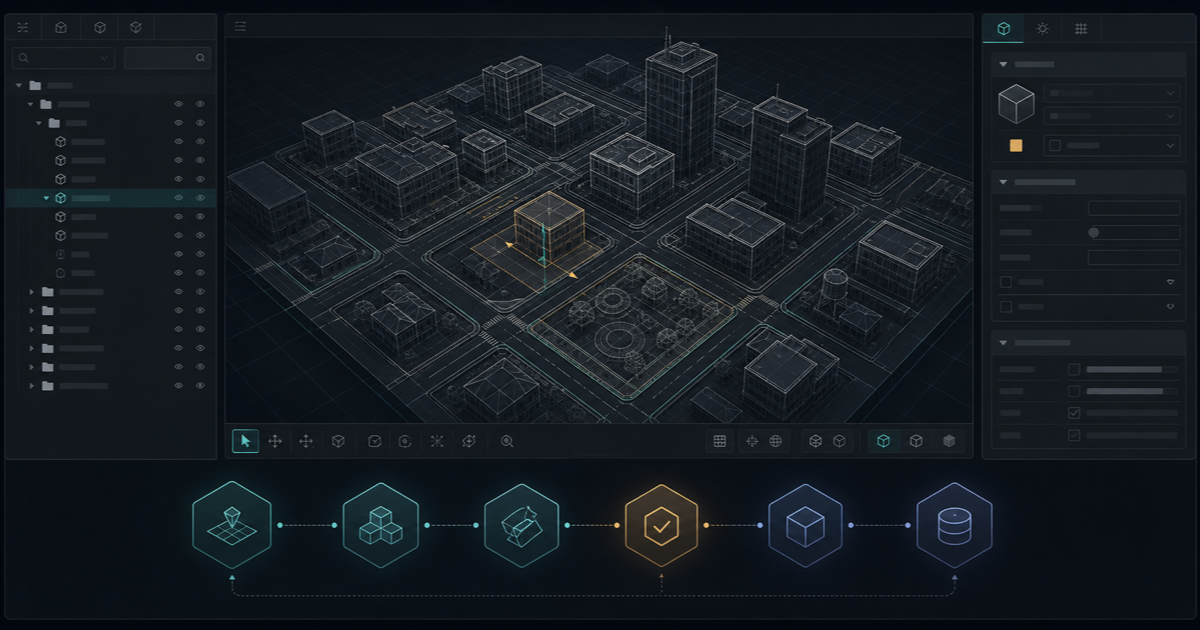
CodeWalker is a Windows tool for viewing GTA V archives and working with map data. Download it only from the official CodeWalker repository or the author’s GTA5-Mods distribution. Do not use mirrors or repacked executables.
What CodeWalker does—and what it does not do
CodeWalker can browse GTA V RPF archives, render the world, inspect entities, create projects, and edit map files such as YMAP. Its Project Window also supports other game-data formats described by the author. It is not a substitute for a 3D modelling suite, source control, backups, or an in-game FiveM test server.
Requirements and safe download sources
The repository lists a 64-bit Windows PC, a PC copy of GTA V, DirectX 11-capable graphics, and the required .NET runtime. Check the current author documentation before installing because development builds and requirements can change.
- Official GitHub repository by dexyfex for source and project documentation.
- Author’s GTA5-Mods page for the published distribution.
Configure the GTA V path
- Extract the author-provided archive into a dedicated tools folder.
- Start CodeWalker from that folder.
- On first launch, select the root of your GTA V installation if CodeWalker does not detect it automatically.
- Wait for the initial world data to load before assuming the application has stalled.
Use World View and the Project Window
World View is the visual navigation surface. The author’s controls use WASD for movement, left-drag for camera rotation, and the mouse wheel for zoom and movement speed. Open the Toolbox to inspect selections and the main toolbar to switch selection and transform modes.
Create and save a .cwproj project before editing. The Project Window keeps the files and entities for the current task together; editing an entity while it is open can add the owning YMAP to the project.
Work with YMAP and YTYP projects
A YMAP normally owns placements in the world. A YTYP describes archetypes and can carry information used by interior workflows. Keep source files, exported files, and the final FiveM resource in separate folders so an export cannot overwrite the only editable copy.
- Create or open a project and add only the files required for that map.
- Select entities in World View, then move, rotate, or scale them deliberately.
- Save edited YMAP files from the Project Window and review the output path.
- For MLO work, validate YTYP, room, portal, and archetype changes as part of the complete interior workflow.
Export, back up, and test
Before each editing session, copy the whole project folder to a dated backup. Export to a separate build folder, compare the file list with the project, and keep the last known-good build. CodeWalker’s author describes the tool as a work in progress, so crashes or incomplete rendering are possible; frequent saves and reversible changes matter.
Package the result as a FiveM resource
A common map-resource layout keeps the resource manifest at the resource root and exported map assets in a stream directory. Do not publish the raw CodeWalker project as the server resource. Use the FiveM MLO creation guide for the complete modelling, export, manifest, and in-game validation workflow.
my-map/
├── fxmanifest.lua
└── stream/
    ├── map.ymap
    └── archetypes.ytyp
Common CodeWalker problems
- The world is blank or still loading: verify the GTA V root and give the first load time to finish.
- An edit is missing from the project: confirm the Project Window was open and the correct YMAP is part of the saved project.
- The server shows the old map: compare the exported files with the resource’s
streamfolder and restart only the intended test resource. - CodeWalker crashes: reopen the last known-good project and reduce the change to the smallest reproducible edit before reporting it upstream.
Continue the MLO workflow
Compare the role of placements and interiors in MLO vs YMAP, browse FiveM MLOs, or inspect free FiveM MLOs before building your own test project.
Sources reviewed 20 August 2026: the dexyfex CodeWalker repository and the author’s GTA5-Mods distribution.