$ USD
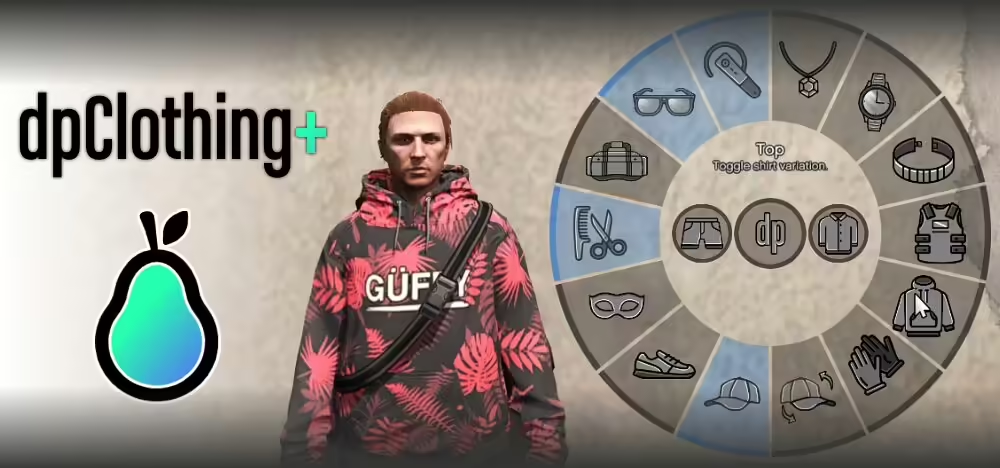
dpClothing for FiveM
Testare uno script gratuito?
Gli script gratuiti vanno bene per controlli rapidi. Per server in produzione, confronta pacchetti server completi o script a pagamento mantenuti, in base al framework e al caso d'uso.
Risposta rapida: dpClothing is a FiveM clothing menu resource used to toggle clothing items such as masks, hats, bags, and accessories. Install it like a normal client resource, test commands in game, and check for conflicts with your character creator or clothing store.
Ultimo aggiornamento: 25 giugno 2026
Setup checklist
- Install the resource in your server resources folder.
- Check that the resource has a valid
fxmanifest.lua. - Aggiungere
ensure dpclothingAserver.cfg. - Restart or refresh resources.
- Join the server and test the menu/commands.
What to test
- Hat, mask, glasses, shirt, pants, shoes, and bag toggles.
- Male and female characters.
- Job uniforms and saved outfits.
- Death, revive, reconnect, and character reload behavior.
Common conflicts
Clothing resources often conflict when two scripts try to control the same component. If dpClothing works at first but breaks after changing outfits, test your clothing store, character creator, job uniform system, and inventory clothing items one at a time.
Related FiveM clothing guides
Best use case
dpClothing is useful when players need quick clothing toggles without opening a full store or character editor. It is not a replacement for a complete clothing shop, uniform system, or character creator.
Admin test checklist
Test dpClothing with handcuff scripts, job uniforms, saved outfits, death/revive flows, and reconnects. Clothing state bugs often appear only after a player changes jobs or reloads a character.