







A real-time Live Map Script for FiveM – This mod allows users to view a live map of their game world, making it easier to manage, interact, and enhance the overall gaming experience. It includes both a server-side resource and a web interface.
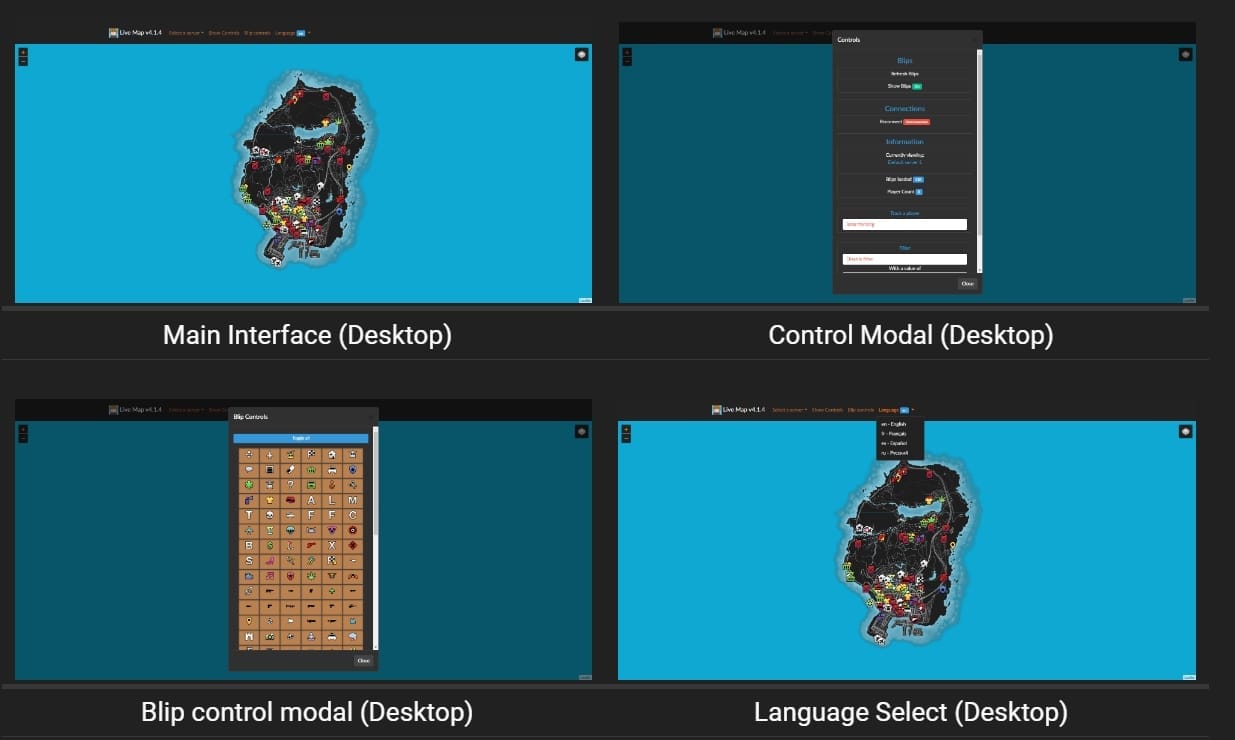
Voorbeeld
Hier is een snelle preview van hoe de Live Map er in actie uitziet.
Resource downloaden
Installeren live_map
- Download de nieuwste versie:
- Pak de inhoud uit:
- Plaats de bestanden in hun eigen map, bijv.,
resources/live_map.
- Plaats de bestanden in hun eigen map, bijv.,
- Configureren
server.cfg:- Open je
server.cfgbestand. - Voeg de volgende regel toe:
start live_map
- Open je
- Start je server:
- Start je server en controleer op de volgende uitvoer in de console:
1 2 3 Loaded live_map.net, ... Started resource: live_map
Installeren live_map-interface
- Download de nieuwste versie:
- Uitpakken naar uw webserver:
- Plaats de bestanden in een eigen map op uw webserver.
- Configuratie hernoemen:
- Hernoem
config.example.jsonnaarconfig.json.
- Hernoem
- Bewerk de configuratie:
- Open
config.jsonen pas de waarden aan zodat ze overeenkomen met uw serverinstellingen.
- Open
- Installatie verifiëren:
- Controleer of alles werkt door naar uw webinterface-URL te navigeren.
Voeg het volgende toe aan uw server.cfg bestand.
set socket_port 30121
set livemap_debug "warn" # "[all]" 'trace', 'debug', 'info', 'warn', 'error', 'fatal', 'off'
set blip_file "server/blips.json"
set livemap_access_control "*"
set livemap_use_nucleus true # Allow livemap to set up a secure reverseProxy using the Nucleus project

ensure live_map
Blijf op de hoogte voor updates, verbeteringen en nieuwe functies. Als u problemen ondervindt of suggesties heeft, neem dan gerust contact met ons op via de documentatiepagina's of onze communityforums.
FiveMX veiligheidsnotitie
Deze legacy gratis bron wordt beschikbaar gehouden voor gebruikers, maar is noindexed totdat een schonere primaire bron of sterkere paginawaarde wordt bevestigd. Als je het downloadt, scan dan de bestanden, inspecteer de code, test op een staging server en maak een back-up voordat je het toevoegt aan een live FiveM-server.
Voor schonere alternatieven, blader door FiveM resources, betaalde FiveM scripts, of FiveM MLOs.