







A real-time Live Map Script for FiveM – This mod allows users to view a live map of their game world, making it easier to manage, interact, and enhance the overall gaming experience. It includes both a server-side resource and a web interface.
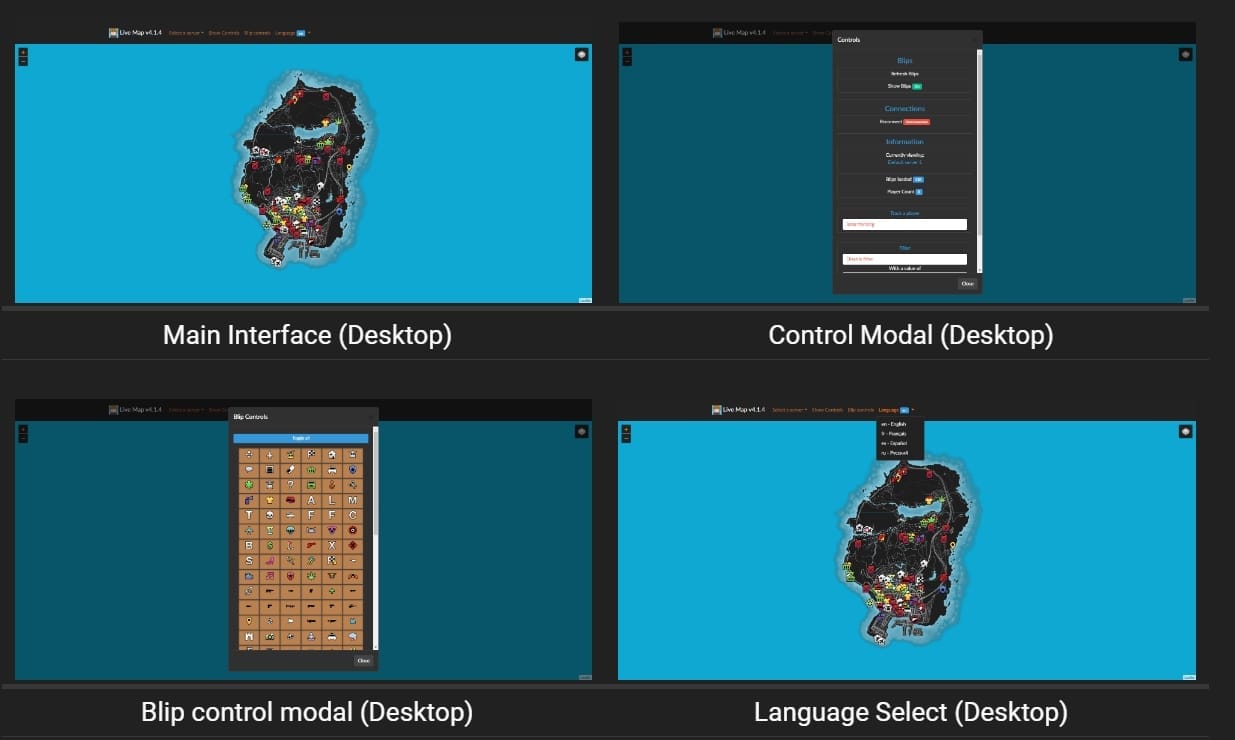
Podgląd
Oto szybki podgląd tego, jak Live Map wygląda w akcji.
Pobierz zasób
Instalacja live_map
- Pobierz najnowszą wersję:
- Wypakuj zawartość:
- Umieść pliki w osobnym folderze, np.,
resources/live_map.
- Umieść pliki w osobnym folderze, np.,
- Skonfiguruj
server.cfg:- Otwórz swój
server.cfgplik. - Dodaj następującą linię:
start live_map
- Otwórz swój
- Uruchom serwer:
- Uruchom serwer i sprawdź w konsoli następujący wynik:
1 2 3 Loaded live_map.net, ... Started resource: live_map
Instalacja live_map-interface
- Pobierz najnowszą wersję:
- Wypakuj na swój serwer WWW:
- Umieść pliki w ich własnym katalogu na swoim serwerze WWW.
- Zmień nazwę konfiguracji:
- Zmień nazwę
config.example.jsondoconfig.json.
- Zmień nazwę
- Edytuj konfigurację:
- Otwórz
config.jsoni dostosuj wartości do ustawień swojego serwera.
- Otwórz
- Zweryfikuj instalację:
- Sprawdź, czy wszystko działa, przechodząc pod adres URL swojego interfejsu WWW.
Dodaj poniższe do swojego server.cfg plik.
set socket_port 30121
set livemap_debug "warn" # "[all]" 'trace', 'debug', 'info', 'warn', 'error', 'fatal', 'off'
set blip_file "server/blips.json"
set livemap_access_control "*"
set livemap_use_nucleus true # Allow livemap to set up a secure reverseProxy using the Nucleus project

ensure live_map
Bądź na bieżąco z aktualizacjami, ulepszeniami i nowymi funkcjami. Jeśli napotkasz jakiekolwiek problemy lub masz sugestie, skontaktuj się za pośrednictwem stron dokumentacji lub naszych forów społecznościowych.
FiveMX uwaga dotycząca bezpieczeństwa
Ten starszy, darmowy zasób jest udostępniany użytkownikom, ale jest oznaczony jako noindex, dopóki nie zostanie potwierdzone czystsze źródło podstawowe lub wyższa wartość strony. Jeśli go pobierzesz, przeskanuj pliki, przejrzyj kod, przetestuj na serwerze staging i zrób kopię zapasową przed dodaniem go do działającego serwera FiveM.
Aby znaleźć czystsze alternatywy, przeglądaj FiveM resources, płatne skrypty FiveM, lub FiveM MLOs.