


okok Vehicle Shop – Modern Car Dealership System for QBCore & ESX
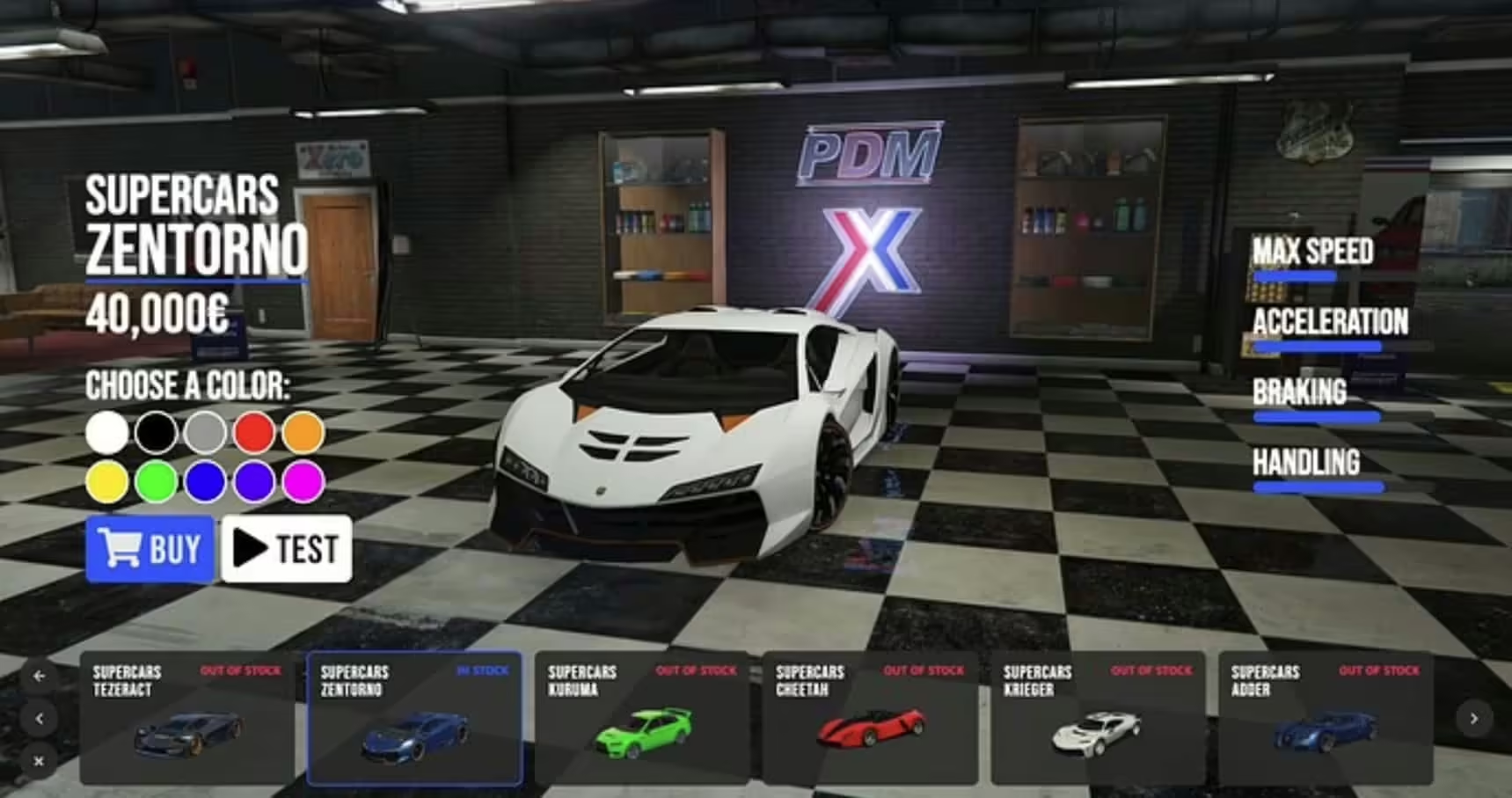
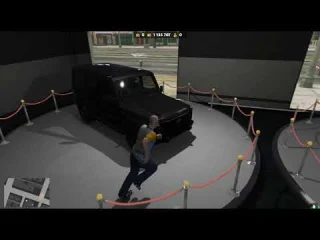
Transform your FiveM server’s vehicle sales experience with okok Vehicle Shop, a feature-rich dealership management system that brings professional automotive retail to both QBCore and ESX frameworks. This comprehensive script replaces basic vehicle spawn menus with an immersive showroom experience where players can browse inventory, customize vehicles, arrange financing, complete test drives, and purchase cars through an intuitive interface. Whether you’re running a luxury dealership, used car lot, or multi-location automotive retail operation, okok Vehicle Shop delivers the functionality and polish that modern roleplay servers demand.
What’s Included
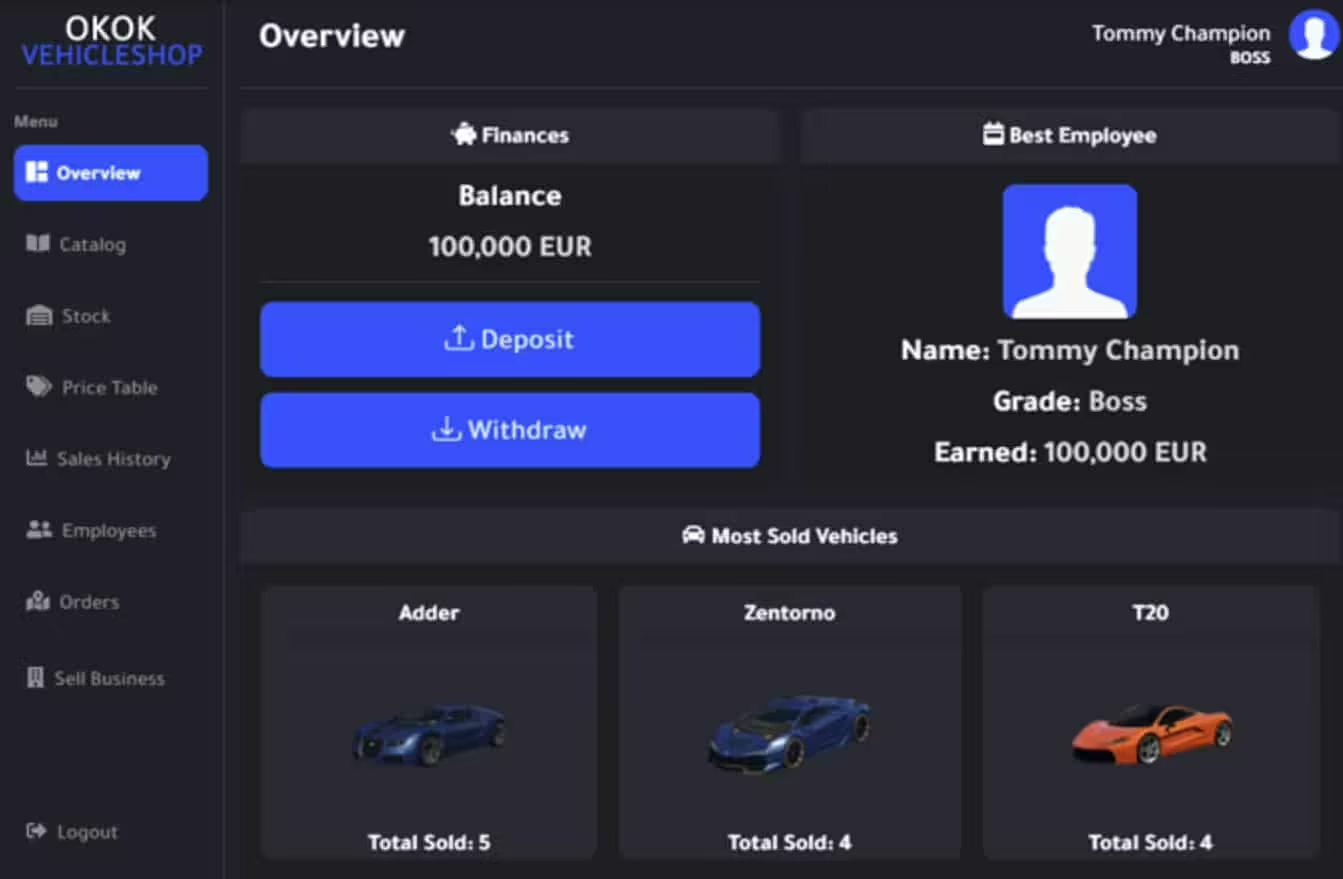
The okok Vehicle Shop package provides everything needed for a complete vehicle retail operation. You’ll get a fully customizable UI for browsing inventory with vehicle previews, detailed specification displays, price listings, and stock management. The system includes test drive functionality, financing calculations, down payment handling, vehicle customization integration, sales commission tracking for employees, inventory management for dealership owners, and comprehensive admin controls. The script is optimized for both client and server performance, with configurable locations supporting multiple dealerships across your map.
Key Features
- Modern Showroom Interface – Sleek UI displays available vehicles with 3D previews, specifications, pricing, and availability status
- Test Drive System – Let customers test vehicles before purchase with time limits and return requirements
- Financing Options – Configure payment plans with down payments, interest rates, and installment schedules
- Vehicle Customization – Integrate with modification shops to let buyers customize vehicles before purchase
- Employee Commission System – Track sales by employee and award commissions to dealership staff
- Inventory Management – Dealership owners can add/remove vehicles, set prices, and manage stock levels
- Multi-Location Support – Run multiple dealerships with different inventories (luxury, sports, economy, used cars)
- Framework Flexibility – Works seamlessly with both QBCore and ESX with simple configuration
- Stock System – Limited inventory creates scarcity and market dynamics (optional)
- Society Integration – Sales revenue flows to dealership society accounts for business roleplay
Perfect For
- Servers wanting realistic vehicle purchase experiences beyond basic spawn menus
- Business roleplay communities with player-owned dealerships
- Economy-focused servers where vehicle prices and availability matter
- Whitelisted dealership jobs requiring sales tracking and commission
- Multi-location servers (luxury dealerships in Rockford Hills, used cars in Sandy Shores)
- Servers transitioning from basic garage scripts to professional retail systems
Technical Specifications
- Script Type: Client/Server
- Performance: Highly optimized – minimal resource usage even with large inventories
- Frameworks: QBCore and ESX (both supported with configuration option)
- Dependencies: Framework-specific (qb-core or es_extended), optional: qb-target/ox_target
- Database: Uses framework database tables for vehicle ownership and sales records
- Customization: Extensive config file for locations, vehicles, prices, financing terms
Installation Guide
- Download the okok Vehicle Shop package from your purchase confirmation
- Extract the resource to your server’s resources folder
- Open the config.lua file and set your framework (QBCore or ESX)
- Configure dealership locations, vehicle inventories, and pricing
- Add “ensure okokVehicleShop” to your server.cfg (check actual resource name)
- Import any required SQL files to your database
- Restart your server and test the dealership at configured locations
- Set job permissions for dealership employees if using whitelisted sales positions
Configuration Options
- Vehicle Categories: Organize inventory by class (sedans, SUVs, sports cars, motorcycles)
- Pricing Structure: Set base prices, apply discounts, configure sales events
- Financing Terms: Down payment percentages, interest rates, maximum payment periods
- Commission Rates: Configure employee commission percentages per vehicle category
- Test Drive Duration: Set time limits for test drives and enforce return requirements
- Stock Management: Enable/disable limited inventory and automatic restocking
- Society Payments: Route sales revenue to business accounts or individual sellers
Framework Compatibility
- ✅ QBCore – Full integration with qb-core framework, society system, and banking
- ✅ ESX Legacy – Complete ESX support with esx_society and banking compatibility
- ✅ QBOX – Works with QBOX as QBCore variant
Recommended Complementary Scripts
- Vehicle customization/tuning script (okokGarage, qb-customs, esx_customization)
- Banking system for financing and payments
- Job center for dealership employment
- Vehicle insurance system
- Fuel system for realistic test drives
What Makes okok Vehicle Shop Stand Out
Unlike basic vehicle shops that just spawn cars from a list, okok Vehicle Shop creates an actual retail experience. The polished UI feels like browsing cars on a real dealership website, complete with detailed specs and visual previews. The test drive feature adds an important pre-purchase step that encourages roleplay interaction between salespeople and customers. Financing options make expensive vehicles accessible while creating ongoing payment obligations that drive player engagement.
For server owners, the inventory management system transforms vehicle sales from a passive spawn menu into an active business. Dealership owners can adjust prices based on demand, run sales promotions, manage stock levels, and track employee performance through commission reports. With 44+ servers already using this system, it’s proven to enhance both casual vehicle purchases and serious business roleplay scenarios. The dual framework support means you don’t need separate solutions for QBCore and ESX servers – one script handles both perfectly.
Whether you’re selling luxury supercars in Vinewood or economy vehicles in Paleto Bay, okok Vehicle Shop provides the professional platform that makes vehicle retail feel like a real business operation instead of just another spawn menu.
Related Products You Might Like
- Premium Vehicle HUD – Professional speedometer trusted by 429+ servers
- Vehicle Control UI – Advanced vehicle controls interface with 227+ sales
- MyCarDealer – Alternative car dealership system with 129+ downloads
- Super ESX Server – Complete server package with vehicle shops included (306+ sales)




Pearlie (verified owner) –
Good response from the support.
Albina (verified owner) –
Excellent work. The resource runs smoothly and integrates well with our existing setup.
Esteban (verified owner) –
This has quickly become one of my favorite resources on our server.
Garnett (verified owner) –
Fantastic resource for roleplay servers. Our staff and players both enjoy using it.
Celestino (verified owner) –
Our players noticed the improvement immediately. It adds a lot of quality to the server.
Myrl (verified owner) –
The quality is noticeably better than many alternatives I have tried.
Roger (verified owner) –
I got excellent support for this item. They were patient with me, and helped me solve my issue. I recommend this company 100%