







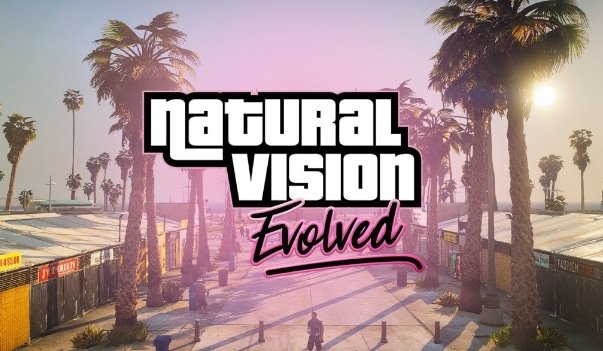
Szybka odpowiedź: Instaluj NaturalVision Evolved tylko z oficjalnego źródła, najpierw wykonaj kopię zapasową plików GTA V\/FiveM i przetestuj na jednym kliencie przed użyciem do nagrań lub mediów serwera. NVE to proces modyfikacji grafiki, a nie normalny zasób serwera, który każdy gracz automatycznie otrzymuje.
Ostatnia aktualizacja: 25 czerwca 2026
Zacznij od NaturalVision Evolved overview to confirm the correct edition, current official source and server-policy limits. For the files themselves, follow the official Razed Mods FiveM readme; do not use an old mirror or mix releases.
Przed instalacją
- Wykonaj kopię zapasową instalacji GTA V lub miej dostępną czystą kopię.
- Potwierdź, czy serwer, na którym grasz, zezwala na modyfikacje graficzne.
- Wyłącz inne modyfikacje graficzne przed testowaniem NVE.
- Zapisz swoje obecne FPS, aby móc porównać po instalacji.
Bezpieczna procedura instalacji
- Pobierz NVE od oficjalnego twórcy\/źródła.
- Przeczytaj dołączone instrukcje instalacji dla swojej bieżącej wersji.
- Zainstaluj na jednym kliencie, nie bezpośrednio na produkcyjnym zestawie do nagrywania.
- Uruchom GTA V\/FiveM i dołącz do spokojnego serwera testowego.
- Sprawdź FPS, tekstury, oświetlenie i awarie przed dodaniem innych modów.
Typowe konflikty
| Objaw | Prawdopodobna przyczyna |
|---|---|
| Awarie przy uruchomieniu | Nieprawidłowa wersja gry\/modu lub konfliktujące pliki graficzne. |
| Niskie FPS | Preset zbyt ciężki dla GPU lub wysokie ustawienia tekstur. |
| Brakujące tekstury | Niekompletna instalacja lub mieszane pakiety graficzne. |
| Serwer blokuje połączenie | Integralność plików serwera lub zasady trybu pure. |
Notatki właściciela serwera
Nie mów graczom, że muszą zainstalować NVE, chyba że jesteś w stanie wesprzeć dodatkowy ciężar konfiguracji. W przypadku publicznych serwerów zrzuty ekranu i trailery mogą korzystać z ustawień graficznych, ale instrukcje dotyczące rozgrywki powinny nadal działać dla graczy korzystających z domyślnej grafiki.
Kontrola wydajności
Po instalacji porównaj FPS w tym samym miejscu przed i po. Użyj FiveM Poradnik FPS i przetestuj gęsto zabudowane obszary miejskie, wnętrza MLO oraz oświetlenie nocne.
Powiązane przewodniki graficzne
- Mody graficzne FiveM
- Najlepsze ustawienia ReShade dla FiveM
- Najlepsze ustawienia FiveM zwiększające FPS
- Tryb Pure w FiveM
Plan wycofania zmian
Przed instalacją modów graficznych wiedz, jak wrócić do czystego stanu. Zachowaj kopię zmienionych plików lub użyj osobnej instalacji GTA V dla zmodyfikowanej grafiki. Jeśli FiveM zacznie się zawieszać, najpierw usuń zmiany graficzne, zanim obwiniasz serwer.
Przepływ pracy przy nagrywaniu i zwiastunach
W przypadku zwiastunów serwera przetestuj konfigurację graficzną na dedykowanym kliencie do nagrywania. Nie wymagaj od każdego gracza używania tego samego presetu. Kinowa konfiguracja graficzna może sprawić, że materiały marketingowe będą wyglądać lepiej, ale instrukcje dla publicznego serwera powinny nadal działać na normalnych ustawieniach klienta.
Oczekiwania dotyczące wydajności
NVE i podobne konfiguracje wizualne mogą być obciążające. Przetestuj światło dzienne, deszcz, noc, wnętrza, światła pojazdów i gęsto zabudowane obszary miejskie. Jeśli FPS spadnie zbyt mocno, obniż preset, usuń inne mody graficzne lub zachowaj NVE tylko do zrzutów ekranu i filmów.
Używaj NVE inaczej do gry i multimediów
Kinowa konfiguracja graficzna nie zawsze jest najlepsza do codziennego użytku. Do zwiastunów i zrzutów ekranu używaj dedykowanego klienta nagrywania i zapisuj notatki dotyczące ustawień, pory dnia, pogody i lokalizacji serwera. Do normalnej gry preferuj stabilne ustawienia, które nie powodują awarii ani dużych spadków FPS podczas intensywnych scen.
Lista kontrolna wycofywania zmian
- Przed testowaniem plików graficznych zachowaj czystą instalację GTA V lub wykonaj kopię zapasową.
- Testuj bez ReShade lub ENB, jeśli po instalacji zaczynają występować awarie.
- Sprawdź noc, deszcz, wnętrza, światła pojazdów i gęsto zabudowane obszary miejskie.
- Nie wymagaj, aby każdy gracz na twoim serwerze używał tych samych ustawień graficznych.
Polityka właściciela serwera
Napisz prostą zasadę dotyczącą modów graficznych zamiast polegać na domysłach. Niektóre społeczności zezwalają na ustawienia wizualne, inne ograniczają nakładki, a niektóre zakazują wszystkiego, co zmienia widoczność. Jeśli twój serwer wykorzystuje poważną grę fabularną lub sceny rywalizacyjne, wyjaśnij politykę, zanim gracze zaczną zgłaszać raporty nagrane ze znacznie zmodyfikowaną grafiką.
Typowy podział wsparcia
Jeśli tylko jeden gracz ma awarię, zacznij od jego klienta, plików graficznych i nakładek. Jeśli wielu graczy ma awarię w tym samym miejscu, sprawdź obszar serwera, MLOs, obiekty i przesyłane zasoby. NVE jest po stronie klienta, więc nie powinno być pierwszym wyjaśnieniem problemu dotyczącego całego serwera w danym miejscu.
Do tworzenia treści zachowaj jeden stabilny zestaw ustawień i używaj go wielokrotnie. Zmiana stosu graficznego przy każdym nagraniu utrudnia porównania, gdy scena nagle się zacina lub wygląda inaczej niż w starszych nagraniach.
Jeśli twój serwer sprzedaje lub prezentuje treści wizualne, nagraj klipy porównawcze z tymi samymi ustawieniami pogody i czasu, aby kupujący mogli ocenić rzeczywistą różnicę.
Przechowuj te klipy wraz z notatkami o ustawieniach, aby przyszłe aktualizacje można było sprawiedliwie porównać.
Stabilne ustawienia multimediów oszczędzają czas przy późniejszej aktualizacji zwiastunów.
Ułatwiają również porównywanie zrzutów ekranu do celów wsparcia technicznego.
yael
cześć, gdzie mogę to pobrać?