







GTA V · FiveM · Graphics Guide
NaturalVision Evolved for FiveM
Get NaturalVision Evolved from the correct source, install it cleanly and avoid the most common graphics, performance and server-compatibility problems.
Official sources linked FiveM-specific instructions Last checked July 24, 2026
Direct answer
What is NaturalVision Evolved for FiveM?
NaturalVision Evolved, usually called NVE, is a client-side visual overhaul for GTA V and FiveM created by Razed Mods. It changes lighting, weather, materials, reflections, water, atmosphere and image processing; it is not a server resource and should not be placed in a FiveM resources folder. Download the current package only from the official Razed Mods source and follow the readme included with that exact release, because file locations, optional add-ons and supported game editions can change. Keep a clean GTA V and FiveM rollback, remove conflicting graphics modifications, install the base package first and test before adding ReShade or other visual layers. Measure FPS and frame time in repeatable scenes and check textures, night lighting, rain and interiors. A server can restrict client plugins or modified files through its policy, pure mode or anti-cheat settings, so ask the server owner when the rules are unclear and never bypass those restrictions.
Download NaturalVision only from Razed Mods
Użyj official May 2026 release post oraz official FiveM readme. Avoid mirrors, repacked archives and misleading download pages. They can contain outdated, incomplete or modified files.
Visual overhaul
What NaturalVision Evolved changes
NVE rebuilds much of GTA V’s visual presentation rather than applying a single color filter. The exact features available can vary by release, package and optional add-on.
Sky and directional light
Reworked sky scattering, ambient light, sunlight and scene balance create more natural conditions throughout the day.
Improved materials
Vehicle paint, reflections, specular response and metallic effects receive a more detailed visual treatment.
Stronger atmosphere
Rain, clouds, fog, nighttime scenes and changing weather conditions are adjusted for a more cinematic environment.
Reworked water shaders
Water rendering includes improved light response, surface detail, whitecaps and more convincing absorption.
Filmic image processing
Tonemapping and post-processing changes affect highlight handling, contrast, motion and the overall image character.
Textures, props and characters
Environmental assets, surfaces, vegetation and character materials receive additional corrections and visual refinements.
Choose the right edition
NaturalVision Evolved vs. NaturalVision Enhanced
The names are similar, but they target different GTA V editions. Confirm your game version before downloading or replacing any files.
NaturalVision Evolved
The established NaturalVision project used with GTA V Legacy and supported FiveM configurations.
- Relevant to the FiveM installation covered here
- Installed on the player’s computer
- Uses the supplied FiveM package and readme
NaturalVision Enhanced
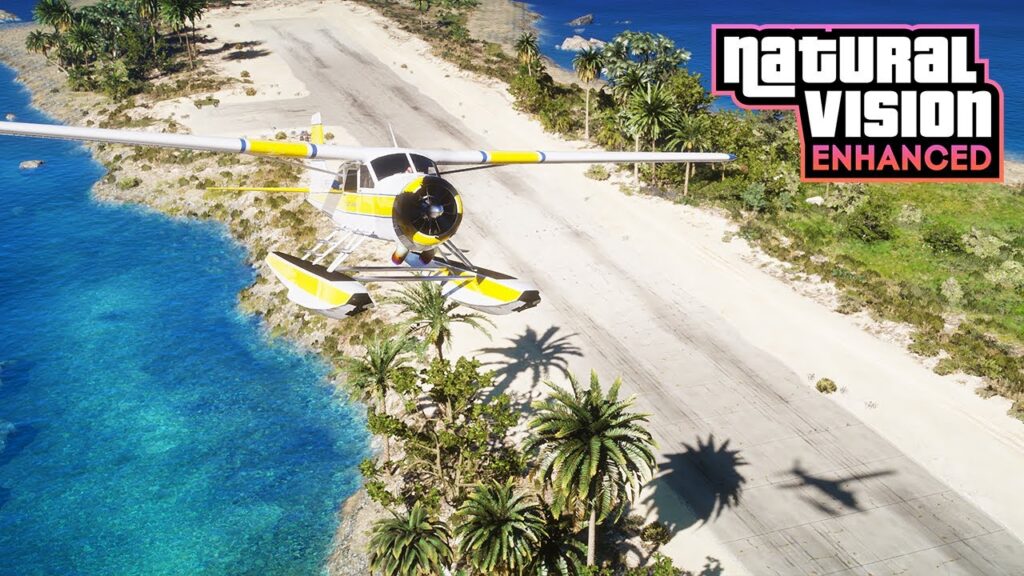
The newer project made for the GTA V Enhanced release on PC. Its files should not be treated as interchangeable with an NVE FiveM package.
- Targets GTA V Enhanced on PC
- Uses a separate installation path and package
- Check compatibility before moving any files
 NaturalVision Enhanced guide
Clean installation
How to install NaturalVision Evolved for FiveM
Always follow the readme included with your exact release. The sequence below provides a safe installation and troubleshooting baseline.
Create a reliable rollback
Back up the files you intend to change or keep a known-clean GTA V and FiveM installation available. Do this before copying anything.
Remove previous graphics modifications
Uninstall older NVE files and temporarily remove other graphics packs, shader injectors and visual plugins. Mixed releases are a common cause of crashes and broken rendering.
Download the current official package
Get the archive through Razed Mods. Access levels, download locations and included extras can change, so avoid instructions that rely on an old fixed price or third-party mirror.
Open the FiveM Main Package
Inside the supplied NVE - FiveM Package, otwórz
Main Package folder. The official instructions use the
provided mods I plugins folderów.
Copy the folders to the documented location
Move the supplied folders to the FiveM application-data location
specified in the current official readme. Do not substitute a GTA V
single-player path or a server resources falcówka.
Test NVE before adding optional extras
Launch FiveM and check a quiet daytime scene, nighttime lighting, rain, an interior and a moving vehicle. Confirm stable FPS, frametimes, textures and startup behavior first.
Need every step?
Use the complete installation and rollback checklist.
Server compatibility
Will NVE work on every FiveM server?
No. NaturalVision is installed on the player’s client, but each server can enforce its own modified-file, plugin, pure-mode and anti-cheat rules.
Respect the server’s policy
A visual modification working in your FiveM client does not guarantee that every server will permit it. Read the server rules and ask its staff when the policy is unclear.
Do not attempt to bypass pure-mode or anti-cheat restrictions. Keep a clean configuration available for servers that reject modified files or client plugins.
| Server configuration | What it means | NVE expectation |
|---|---|---|
| Pure mode disabled | The server is not using FiveM’s pure-level file restriction. Other server rules and anti-cheat controls may still apply. | Check server rules |
| Pure level 1 | Modified client files are restricted, with exceptions for audio and known graphics modifications. | Compatibility can vary |
| Pure level 2 | FiveM blocks modified client files. Modified base-game files can also produce an error. | Use a clean setup |
Performance baseline
Test visual quality without losing stability
Compare repeatable scenes before and after installation. Changing several mods and graphics settings at once makes the real cause of a problem much harder to identify.
 FiveM GPU guide
Build a stable baseline first.
Optimize the standard FiveM settings before increasing visual load.
Fast diagnosis
Common NaturalVision problems
Start with the simplest clean-state check before reinstalling FiveM or changing unrelated system settings.
| Problem | First action | Next check |
|---|---|---|
| FiveM crashes during startup | Restore a clean configuration and reinstall only the current NVE Main Package. | Remove old plugins, shader injectors and files from previous NVE releases. |
| Textures flicker or disappear | Remove other graphics packs and restart FiveM. | Check GPU-memory pressure and lower texture or distance settings. |
| FPS is significantly lower | Compare the same scene with NVE extras and overlays disabled. | Reduce the most expensive optional effects one at a time. |
| Nights are too dark | Disable stacked color presets and return to the base NVE image. | Adjust in-game brightness from a clean visual baseline. |
| Colors look oversaturated | Disable additional ReShade presets and monitor color profiles. | Check whether several tonemapping or color effects are active. |
| A server rejects the client | Launch with a clean FiveM configuration. | Read the server’s pure-mode, graphics-mod and anti-cheat rules. |
| Visual changes do not appear | Confirm that the files were copied to the FiveM location named in the official readme. | Check for an incorrect game edition, old package or clean-mode launch configuration. |
Najczęściej zadawane pytania
NaturalVision Evolved FAQ
Is NaturalVision Evolved a FiveM server resource?
No. NVE is installed on the player’s computer. A server owner
should not place the NaturalVision archive inside the server’s
resources directory or claim that every joining player
automatically receives it.
Where is the official NaturalVision download?
Use the official Razed Mods website or Patreon page. Download access, membership tiers and included packages can change, so always check the current creator page rather than an old mirror or fixed-price article.
Can I use NVE with ReShade?
Optional shaders may work with some configurations, but test NVE alone first. Stacking several color, tonemapping, sharpening or injection layers can cause visual errors, crashes and unnecessary performance loss.
Does every FiveM player need NVE?
No. Treat NVE as an optional client-side graphics setup. Server instructions, interfaces and gameplay should remain usable with standard GTA V graphics.
Can NaturalVision files be redistributed?
Do not republish, bundle or distribute creator files without permission. Link players to the official Razed Mods source and follow the current license and membership terms.
What is the fastest way to remove NVE?
Restore the clean files you backed up or follow the official uninstallation instructions for your package. Verify the GTA V installation through its launcher when necessary, then test FiveM before adding another graphics modification.
Why does NVE work on one server but not another?
Servers can use different pure-mode levels, anti-cheat systems and client-mod policies. A configuration permitted by one community may be blocked by another.
Continue reading
Related FiveM graphics guides
Install with confidence
Start with the official package and a clean rollback
Do not mix releases or rely on third-party archives. Download from Razed Mods, follow the readme supplied with your build and test FiveM before installing additional graphics layers.
FiveMX is not affiliated with Razed Mods. NaturalVision and related creator assets remain the property of their respective owners.