Szybka odpowiedź: reduce ambient NPCs and traffic with a small client resource that calls the density multiplier natives every frame. Include both fxmanifest.lua and the client Lua file, start with a moderate value on staging, and measure the same route before and after. Do not promise an FPS gain: the result depends on the wider client resource and asset workload.
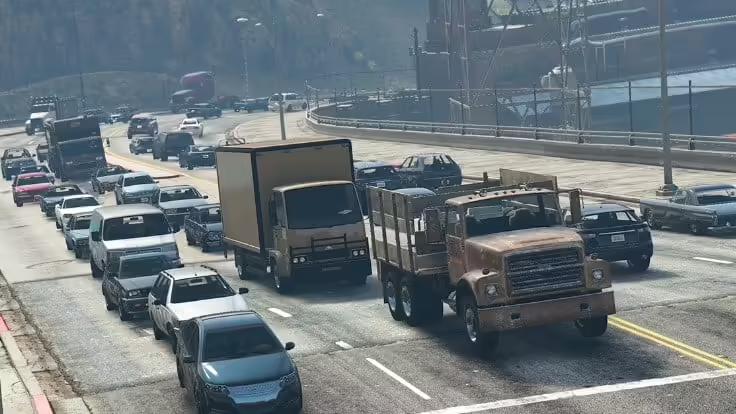
Czasami możesz chcieć zmniejszyć liczbę postaci niezależnych (NPC) lub ich gęstość w świecie gry, aby poprawić wydajność serwera lub stworzyć konkretne scenariusze rozgrywki. W tym poradniku pokażemy Ci, jak zmniejszyć liczbę NPC w FiveM.
Uwaga: Zmniejszenie gęstości NPC może wymagać znajomości skryptowania po stronie serwera w FiveM. Upewnij się, że masz dostęp administracyjny do swojego serwera FiveM oraz podstawową znajomość skryptowania w Lua.
Wymagania wstępne:
- Serwer FiveM. (Jak skonfigurować)
- Dostęp administracyjny do serwera.
- Edytor tekstu (np., Notepad++) do edycji skryptów Lua.
- Podstawowa znajomość skryptowania w Lua.
Kroki:
1. Uzyskaj dostęp do swojego serwera FiveM:
- Upewnij się, że masz dostęp SSH lub RDP do swojego serwera FiveM lub dostęp do jego panelu sterowania.
2. Znajdź folder resources:
- Przejdź do głównego katalogu swojego serwera FiveM.
- Znajdź folder “resources”; to tutaj znajdują się skrypty i zasoby twojego serwera.
3. Utwórz nowy skrypt Lua:
- W folderze “resources” utwórz nowy katalog, jeśli to konieczne, np. “npc_reducer”.”
- Wewnątrz
npc_reducer, utwórzfxmanifest.luaand a client script such asreduce_npc_density.lua. The manifest must declare the Lua file as aclient_scriptor FiveM will not detect and load it as described below.
4. Edytuj skrypt Lua:
- Otwórz plik “reduce_npc_density.lua” za pomocą preferowanego edytora tekstu.
- Dodaj do pliku następujący kod Lua:
 Citizen.CreateThread(function()
 while true do
 Citizen.Wait(0)
 -- Adjust the number below to set the desired NPC density.
 local newDensity = 0.1 -- Modify this value as needed.
 SetVehicleDensityMultiplierThisFrame(newDensity)
 SetPedDensityMultiplierThisFrame(newDensity)
 SetRandomVehicleDensityMultiplierThisFrame(newDensity)
 SetParkedVehicleDensityMultiplierThisFrame(newDensity)
 SetScenarioPedDensityMultiplierThisFrame(newDensity, newDensity)
 end
 end)
- W powyższym kodzie możesz zmodyfikować zmienną
newDensity, aby kontrolować gęstość różnych typów NPC i pojazdów w świecie gry. Wartość1.0oznacza domyślną gęstość, podczas gdy mniejsze wartości ją zmniejszają.
5. Zapisz i zamknij skrypt Lua:
- Zapisz zmiany wprowadzone w skrypcie Lua i zamknij edytor tekstu.
6. Skonfiguruj swój server.cfg:
- Przejdź do głównego katalogu swojego serwera FiveM.
- Otwórz plik “server.cfg” za pomocą edytora tekstu.
- Dodaj następującą linię do pliku:
ensure npc_reducer
- Ta linia zapewnia, że skrypt “reduce_npc_density.lua” zostanie załadowany podczas uruchamiania serwera.
7. Uruchom ponownie swój serwer FiveM:
- Zapisz “plik ”server.cfg” i uruchom ponownie swój serwer FiveM, aby zastosować zmiany.
8. Dostosuj gęstość NPC w czasie rzeczywistym:
- Gdy twój serwer znów działa, możesz dostosować gęstość NPC w czasie rzeczywistym, modyfikując
newDensityzmienną w skrypcie Lua. Niższe wartości zmniejszą gęstość NPC, a wyższe ją zwiększą.
Pomyślnie nauczyłeś się, jak zmniejszyć liczbę NPC (gęstość) w FiveM, tworząc skrypt Lua i konfigurując serwer do jego ładowania. Może to pomóc w optymalizacji wydajności serwera lub stworzeniu określonych scenariuszy rozgrywki z mniejszą liczbą NPC na twoim serwerze GTA V FiveM.
Proszę, polub, udostępnij i skomentuj to, jeśli ci pomogło. :)
Powiązane zasoby
Add the required resource manifest
Cfx.re’s Lua resource guide states that a resource folder needs a manifest to be detected and that client_script tells the client runtime which file to load. Add this beside reduce_npc_density.lua:
fx_version 'cerulean'
game 'gta5'

client_script 'reduce_npc_density.lua'
The example uses SetPedDensityMultiplierThisFrame, SetScenarioPedDensityMultiplierThisFrame, SetVehicleDensityMultiplierThisFrame, SetRandomVehicleDensityMultiplierThisFrame I SetParkedVehicleDensityMultiplierThisFrame. Keep the loop client-side and yield every frame as shown. Test populated interiors, emergency traffic, missions and job scripts before rollout because reduced ambient populations can change gameplay as well as load.
Do not combine this approach with undocumented popcycle.dat edits during the same test. Change one control at a time, record the value, compare client performance and restore the previous resource if behavior regresses.
Primary references: Cfx.re Lua resource guide oraz official CitizenFX native documentation repository.