



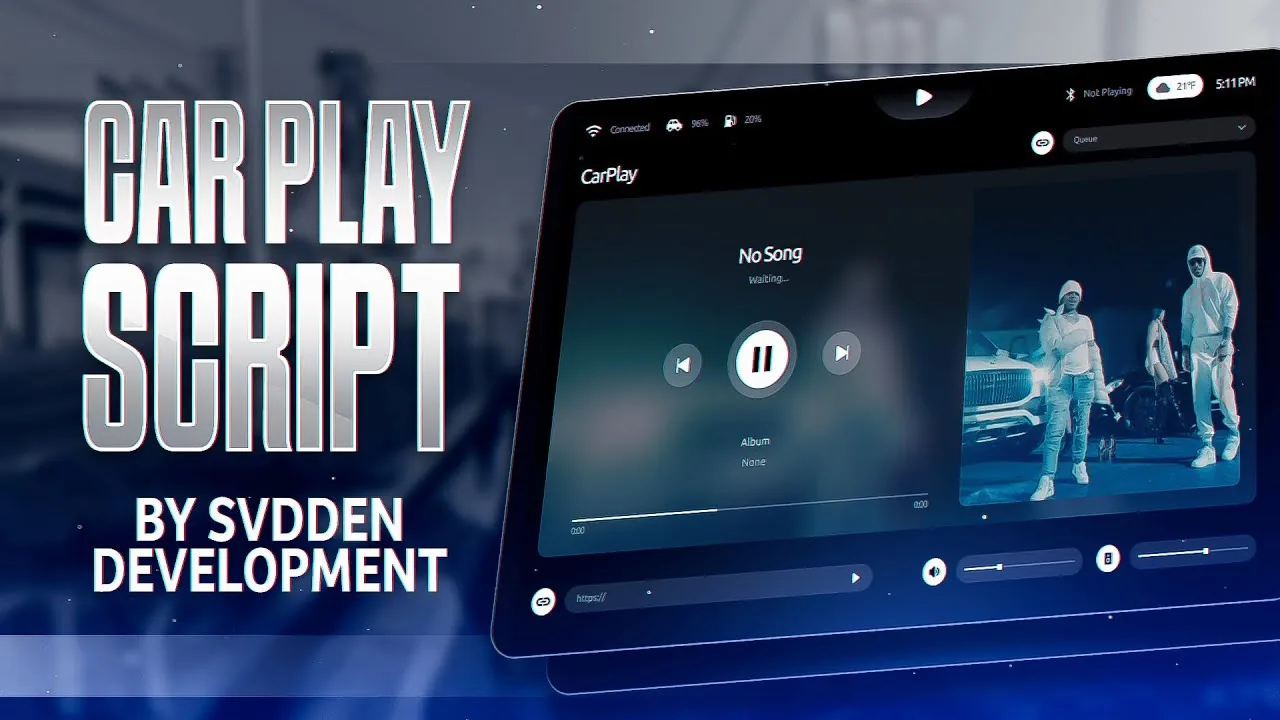
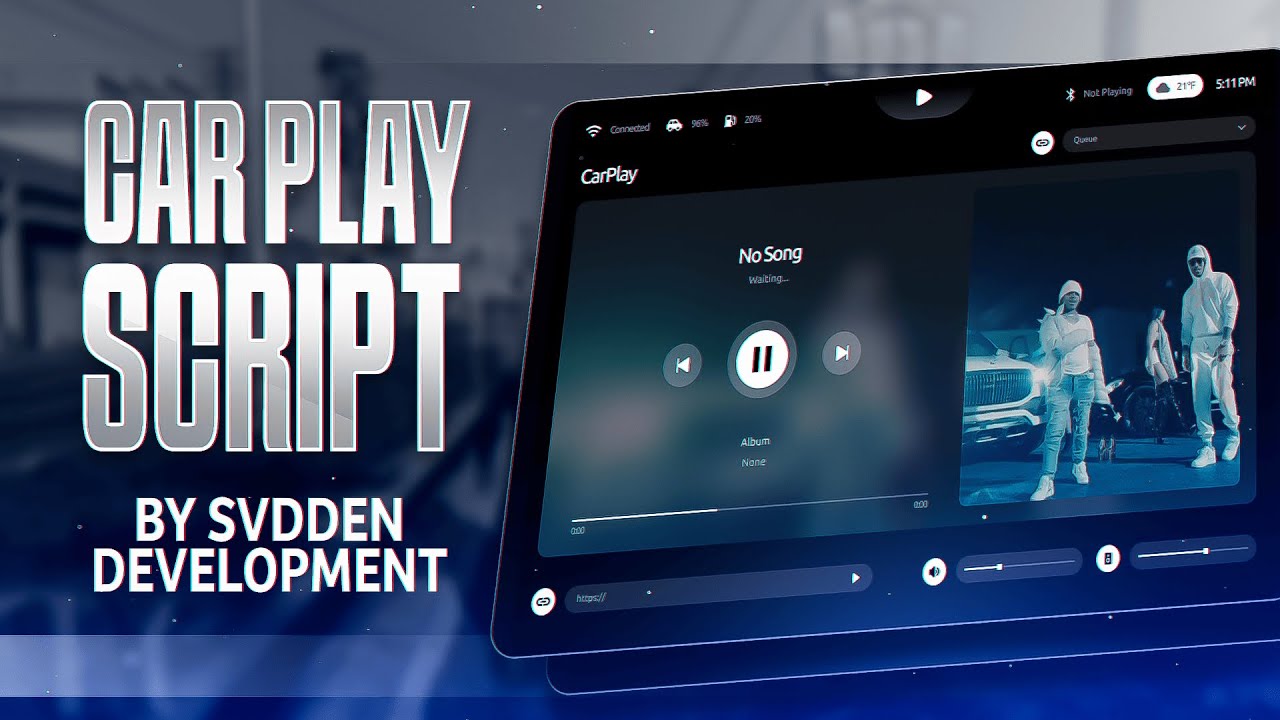


Premium CarPlay HUD System for FiveM Servers
Best CarPlay transforms your FiveM server’s vehicle interface with a stunning Apple CarPlay-inspired HUD system. This modern, feature-rich resource brings authentic smartphone integration to your roleplay experience, offering players an immersive way to access navigation, music, communications, and more while driving. Compatible with ESX, QBCore, QBOX, and vRP frameworks, this plug-and-play solution elevates your server’s quality to professional standards. Browse more FiveM HUD scripts for additional interface enhancements.
Video Preview
Key Features
- Modern Apple CarPlay Interface: Authentic design that mirrors real-world CarPlay systems
- Integrated GPS Navigation: Real-time routing with turn-by-turn directions and map display
- Music Player Integration: Stream music with playlist support and audio controls
- Phone System Integration: Make and receive in-game calls directly from the HUD
- Weather & Time Display: Real-time server weather and clock information
- Customizable Themes: Multiple color schemes and visual styles to match your server’s aesthetic
- Smooth Animations: Fluid transitions and responsive touch interactions
- Voice Command Support: Optional voice control integration (requires additional scripts)
- Spotify-Style Music UI: Beautiful album art and playlist management
- Contact Management: Access your in-game contacts with quick-dial functionality
- Message Notifications: Receive and respond to text messages while driving
- App Launcher: Quick access to integrated server apps and features
Framework Compatibility
Best CarPlay works seamlessly with all major FiveM frameworks, requiring minimal configuration:
- ESX Framework: Full integration with esx_phone and esx_society
- QBCore Framework: Compatible with qb-phone and qb-core systems
- QBOX Framework: Plug-and-play compatibility
- vRP Framework: Works with vRP phone systems
- Standalone Installation: Can function independently without framework dependencies
Installation Instructions
- Download the Best CarPlay resource package from your purchase confirmation
- Extract the resource files to a temporary location
- Upload the folder to your server’s
resourcesdirectory - Add
ensure best_carplayto yourserver.cfgfile - Open the
config.luafile and configure your framework settings - Customize color themes, keybinds, and feature toggles as desired
- Restart your FiveM server to apply changes
- Test the HUD by entering any vehicle and pressing the configured activation key
Configuration Options
The config.lua file provides extensive customization options:
- Activation Key: Set custom keybind for opening CarPlay interface
- Theme Selection: Choose from light, dark, or custom color schemes
- Feature Toggles: Enable/disable specific apps (GPS, music, phone)
- Integration Settings: Configure phone system and music player connections
- Performance Options: Adjust animation speeds and rendering quality
- Permission Levels: Restrict access by job, rank, or vehicle type
Technical Specifications
| Performance Impact: | Low (0.01-0.03ms average) |
| Client-Side: | HTML/CSS/JavaScript UI |
| Server-Side: | Lua event handlers |
| Database Required: | No (uses framework data) |
| File Size: | Approximately 8 MB |
| Screen Resolution: | Responsive (1080p to 4K tested) |
Use Cases & Roleplay Scenarios
Best CarPlay enhances roleplay immersion across multiple scenarios:
- Emergency Services: Police and EMS can use GPS navigation for rapid response
- Taxi/Uber Services: Professional navigation for transportation jobs
- Delivery Drivers: Route planning for delivery and courier roles
- Civilian Roleplay: Realistic driving experience with music and calls
- Racing Events: Track navigation and music during street races
- Business Operations: Stay connected while traveling between business locations
Player Benefits
- Familiar interface reduces learning time for new players
- Enhanced immersion through realistic smartphone integration
- Safer driving with heads-up navigation display
- Convenient access to all essential features without leaving the vehicle
- Professional appearance that demonstrates server quality
Support & Documentation
Your purchase includes comprehensive documentation with setup guides, configuration examples, and troubleshooting tips. Join our Discord community for priority support, feature requests, and updates on new functionality.
Best CarPlay – ESX script with custom features and performance for FiveM servers Compatible with ESX framework.
Reviews
There are no reviews yet.