Pockets System
Secure Checkout
Cards, Apple Pay, Google Pay, iDEAL/Wero, Bancontact, EPS, Przelewy24, and optional Crypto where available via Stripe.
Requires a FiveM server, qbcore or qbox, access to server resources, and permission to restart the resource after configuration.
Description
Pockets System - Expandable Inventory & Backpack Management
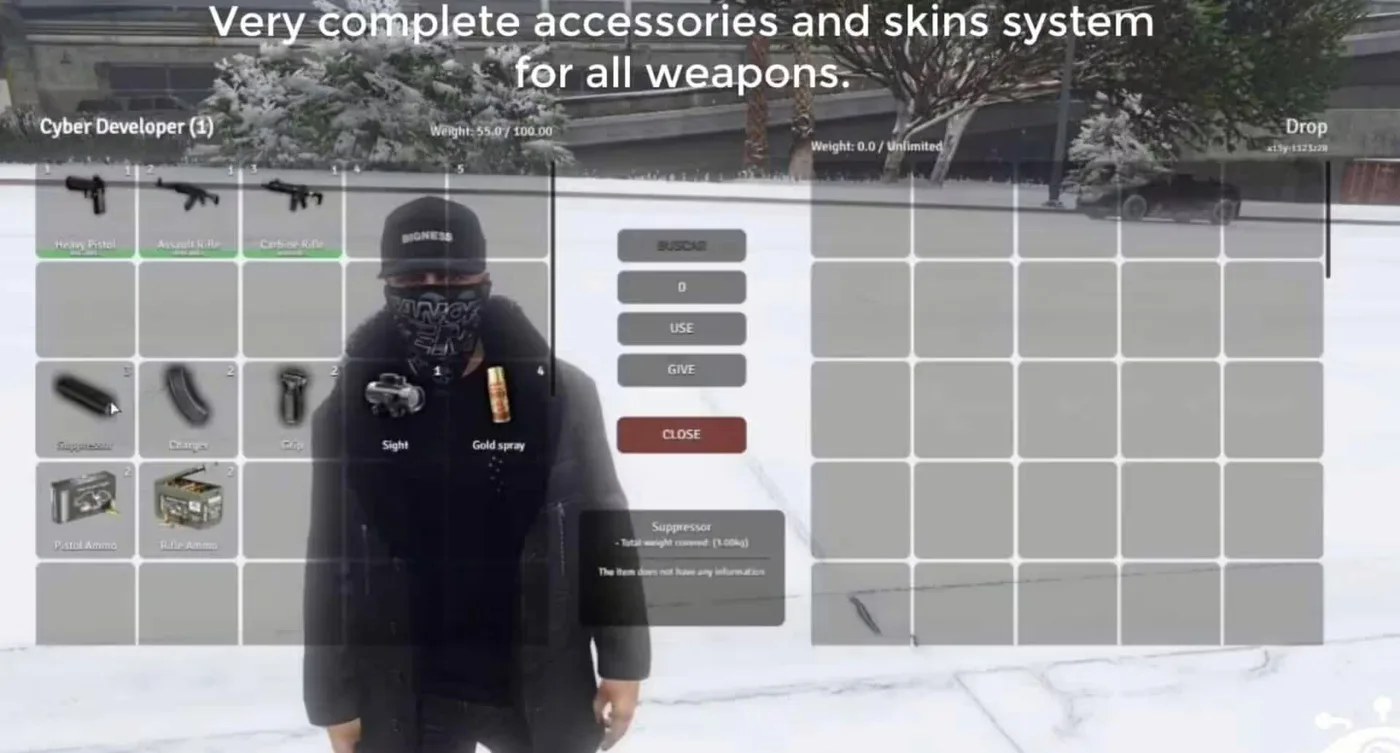
The Pockets System revolutionizes inventory management on FiveM servers by introducing realistic carrying capacity mechanics through equippable backpacks and pockets with varying sizes and weight limits. This script addresses one of the most common immersion-breaking aspects of many FiveM servers: players carrying unlimited items with no physical representation. With the Pockets System, inventory space becomes a meaningful resource that players must manage strategically, creating interesting gameplay decisions about what to carry and when to upgrade their storage capacity.
Whether you're running a hardcore survival server where inventory management is crucial, a roleplay server that values realism, or an economy-focused setup where backpack progression creates meaningful character advancement, this system provides the foundation for realistic item carrying mechanics. Players start with limited pocket space and must acquire larger backpacks to increase their carrying capacity, creating natural progression and economic activity around storage solutions.
https://www.youtube.com/watch?v=P3g9PkW2DQ4What's Included
The Pockets System includes multiple tiers of storage solutions, from basic pockets to large tactical backpacks. Each storage tier has specific weight limits and slot counts, preventing players from carrying unrealistic amounts of items. The system integrates seamlessly with ox_inventory to provide visual representation of equipped backpacks on player characters, so you can actually see who's carrying what based on their visible gear.
Backpacks function as equippable items that increase inventory capacity when worn and return to normal pocket limits when removed. This creates tactical decisions - do you wear a large conspicuous backpack that makes you stand out to police, or stick with smaller pockets to remain low-profile? The visual feedback ensures that inventory capacity isn't just a hidden number but something players and observers can actually see.
Key Features
- Tiered Storage System - Multiple backpack sizes from small daypacks to large tactical bags, each with different capacities
- Visual Backpack Display - Equipped backpacks are visible on player character models, creating realistic visual inventory feedback
- Weight & Slot Limits - Dual restriction system using both item slots and weight calculations for realistic carrying capacity
- Hot-Swappable Storage - Players can change backpacks on the fly, with inventory automatically adjusting to new capacity limits
- Overflow Protection - Smart system prevents players from removing backpacks when it would cause inventory overflow
- Pocket-Only Mode - When no backpack is equipped, players revert to basic pocket capacity for minimalist gameplay
- Configurable Capacities - Server owners can easily adjust weight limits and slot counts for each backpack tier
- ox_inventory Integration - Seamless compatibility with ox_inventory's advanced inventory management features
- QBCore Native Support - Built specifically for QBCore framework with full qb-inventory compatibility
- Backpack Durability - Optional durability system where backpacks degrade over time and require replacement
- Custom Backpack Images - Includes high-quality inventory icons for all backpack types
- Search & Seizure Compatible - Works with police search scripts, allowing officers to see player inventory capacity
Perfect For
- Survival Servers - Inventory management becomes a core survival mechanic alongside food, water, and shelter
- Hardcore Roleplay - Adds realism to character equipment and prevents immersion-breaking infinite pockets
- Economy Servers - Creates demand for backpack items, generating economic activity and progression goals
- Criminal Roleplay - Criminals must decide between carrying capacity and maintaining a low profile
- Hunting & Gathering - Hunters need appropriate storage to transport pelts, meat, and materials
- Drug Running - Drug mules require larger backpacks to transport product, creating visual identification risk
- Resource Collection - Mining, logging, and farming become more engaging with realistic hauling limits
- Law Enforcement RP - Police can visually identify potential smugglers by their large tactical backpacks
Backpack Tier Breakdown
Basic Pockets (No Backpack): The default state when no backpack is equipped. Typically provides 20-30 inventory slots with low weight capacity, suitable for carrying essentials like phone, wallet, keys, and small personal items.
Small Backpack: Entry-level storage upgrade offering 40-50 slots and moderate weight capacity. Perfect for casual use, shopping trips, and low-key activities. Small enough to not attract excessive attention but provides meaningful storage increase.
Medium Backpack: Mid-tier option with 60-80 slots and substantial weight capacity. Ideal for workers, hunters, and players who need to carry job equipment or harvested resources. Visible enough that it suggests the player is working rather than criminal activity.
Large Backpack: High-capacity storage with 100-120 slots and heavy weight limits. Commonly used by serious resource gatherers, drug runners, and players engaging in long-term activities away from storage. Highly visible and may attract police attention in urban areas.
Tactical Backpack: Top-tier military-style backpack with maximum capacity of 150+ slots and extreme weight limits. Typically restricted or expensive, used for major operations like heists, large-scale drug transportation, or extended wilderness survival. Extremely conspicuous and often subject to police scrutiny.
Technical Details
- Performance Impact - Minimal overhead with efficient inventory calculations (typically 0.01-0.03ms resmon)
- Database Integration - Seamlessly saves backpack states and inventory contents to prevent item loss on disconnect
- Item Metadata Support - Preserves item metadata and custom properties when transferring between storage tiers
- Anti-Duplication - Server-side validation prevents inventory duplication exploits during backpack swaps
- Client Synchronization - Real-time inventory updates ensure accurate capacity displays across all clients
- Export Functions - Provides exports for other scripts to check player capacity and enforce inventory limits
Installation Instructions
- Add the Script to Your Server: Drag the
dynyx_pocketsfolder into your server's resources directory and addensure dynyx_pocketsto your server'scfgfile. - Install Dependencies: Ensure all necessary dependencies are installed, including
qb-coreandox_inventory. - Run the SQL File: Execute the provided SQL file to set up the necessary database tables.
- Update Inventory Items: Go to
ox_inventory/data/items.luaand paste the provided code to add the backpack items with their respective capacities and configurations. - Add Backpack Images: Copy the images from the script's images folder into
ox_inventory/web/imagesfor proper display. - Configure Capacities: Edit the config file to set weight limits and slot counts for each backpack tier to match your server balance.
- Test Functionality: Spawn each backpack type and verify capacity changes work correctly when equipping and removing backpacks.
Framework Compatibility
- ✅ QBCore - Native integration designed specifically for QB framework with full support for qb-inventory
- ✅ ox_inventory - Direct compatibility with ox_inventory's weight and slot system
- ✅ QBOX - Works with QBOX framework using ox_inventory integration
- ✅ qs-inventory - Compatible with Quasar inventory system with minor configuration adjustments
Configuration Examples
Balanced Progression Server: Set basic pockets to 25 slots/25kg, small backpack to 50 slots/50kg ($500), medium to 80 slots/80kg ($1,500), large to 120 slots/120kg ($5,000), and tactical to 150 slots/150kg ($15,000). This creates clear progression tiers that reward economic advancement.
Hardcore Survival Server: Reduce all capacities by 30-40% to make inventory management a constant challenge. Set basic pockets to 15 slots/15kg, making even basic survival difficult without storage upgrades. Increase backpack prices significantly to make storage a major investment.
Casual Roleplay Server: Increase basic pocket capacity to 40 slots/40kg for convenience, with backpacks offering incremental improvements rather than dramatic changes. Keep prices low ($200-$2,000) so storage isn't a major barrier to gameplay.
Gameplay Impact
Realistic inventory systems create meaningful choices that don't exist with unlimited pockets. A criminal planning a drug run must decide whether to use a large backpack (high capacity but obvious to police) or make multiple trips with a small backpack (time-consuming but safer). Hunters must plan trips around hauling capacity rather than harvesting infinitely. Businesses like backpack shops gain purpose, creating economic activity and job opportunities.
The visual component adds a layer of risk assessment - police can identify suspicious individuals carrying tactical backpacks in urban areas, creating probable cause for searches. Civilians can spot heavily-laden travelers and offer assistance or target them for robbery. The what-you-see-is-what-you-get approach to inventory creates fairness and realism that players appreciate.
Integration Opportunities
Combine the Pockets System with job scripts to create carrying capacity requirements - delivery drivers need medium backpacks for package delivery, fishermen need large bags for catch transportation, paramedics need tactical backpacks for extended medical supplies. Integrate with robbery scripts so stolen goods have weight, preventing instant escape with unlimited loot. Use it with drug scripts so dealers must manage product inventory strategically.
What Makes It Stand Out
Unlike simple slot-restriction systems, the Pockets System combines visual feedback, hot-swappable storage, and intelligent overflow prevention to create a polished inventory management experience. The dual weight-and-slot system prevents both item count exploits (carrying 100 phones) and weight exploits (carrying one impossibly heavy item). The ox_inventory integration ensures backpacks are visible on character models, creating accountability and tactical considerations. Server owners appreciate the extensive configuration options that allow perfect balance tuning for their specific server economy and gameplay style. Players value the fairness and realism - everyone plays by the same inventory rules, and those rules make logical sense. The system strikes the perfect balance between realistic limitation and enjoyable gameplay, adding depth without frustration. Most importantly, it creates natural progression where upgrading your storage capacity feels like meaningful character advancement, similar to buying a better car or apartment.