Config file:
Customize = {

    Framework = "QBCore", -- QBCore | ESX | OldQBCore (Write the framework you used as in the example)
    Mysql = "oxmysql", -- oxmysql | ghmattimysql | mysql-async (Write the sql script you use as in the example)
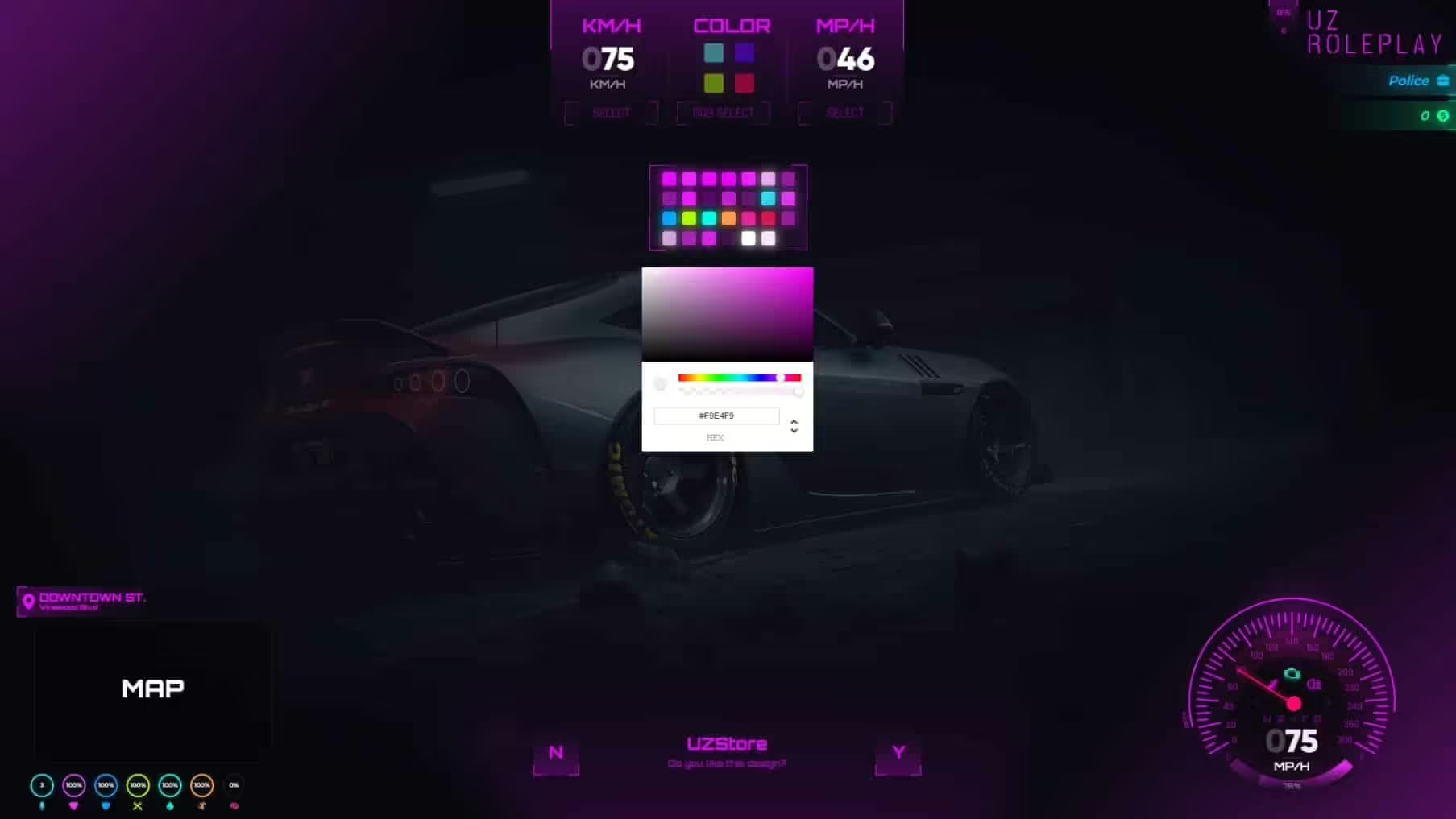
    DefaultColor = 2, -- 1: blue | 2: red | 3: purple | 4: green
    DefaultType = 'kmh', -- kmh | mph
    ServerName = 'UZ ROLEPLAY',
    VehHudText = 'uz-rp',
    ServerMaxOnline = 120,
    SeatbeltControl = 'K',

    QuestionYes = 246, -- Y: 246
    QuestionNo = 249, -- N: 249

--
    NitroItem = "noos", -- item to install nitro to a vehicle
    NitroControl = "G",
    NitroForce = 40.0, -- Nitro force when player using nitro
    RemoveNitroOnpress = 2, -- Determines of how much you want to remove nitro when player press nitro key

    SignalControl = false,
    RightSignalControl = 174, -- > : 174
    LeftSignalControl = 175, -- < : 175
--


    MoneyDisplay = true, -- true | false
    StatusDisplay = true, -- true | false


    JobLabel = false, -- true | false (true:Officer  -  false: Police)
    JobDisplay = true, -- true | false
    BlackMoneyDisplay = false, -- true | false
    BossMoneyDisplay = false, -- true | false

    SocietyMoney = function()
        return 0 -- You should edit this to your own server
    end,

    DefaultMapType = 'rectangle', -- rectangle | radial

    Lang = {
        ['Online'] = 'ONLINE',
        ['ID'] = 'ID',
    },

    GetVehFuel = function(Veh)
        return exports["uz_fuel"]:GetFuel(Veh) -- exports["LegacyFuel"]:GetFuel(Veh) - GetVehicleFuelLevel(Veh) - exports["uz_fuel"]:GetFuel(Veh)
    end,

    StressChance = 0.1, -- Default: 10% -- Percentage Stress Chance When Shooting (0-1)
    MinimumStress = 50, -- Minimum Stress Level For Screen Shaking
    MinimumSpeedUnbuckled = 50, -- Going Over This Speed Will Cause Stress

    WhitelistedWeaponStress = {
        `weapon_petrolcan`,
        `weapon_hazardcan`,
        `weapon_fireextinguisher`
    },

    Intensity = {
        [1] = {
            min = 50,
            max = 60,
            intensity = 1500,
        },
        [2] = {
            min = 60,
            max = 70,
            intensity = 2000,
        },
        [3] = {
            min = 70,
            max = 80,
            intensity = 2500,
        },
        [4] = {
            min = 80,
            max = 90,
            intensity = 2700,
        },
        [5] = {
            min = 90,
            max = 100,
            intensity = 3000,
        },
    },

    EffectInterval = {
        [1] = {
            min = 50,
            max = 60,
            timeout = math.random(50000, 60000)
        },
        [2] = {
            min = 60,
            max = 70,
            timeout = math.random(40000, 50000)
        },
        [3] = {
            min = 70,
            max = 80,
            timeout = math.random(30000, 40000)
        },
        [4] = {
            min = 80,
            max = 90,
            timeout = math.random(20000, 30000)
        },
        [5] = {
            min = 90,
            max = 100,
            timeout = math.random(15000, 20000)
        }
    }
}


function GetFramework()
    local Get = nil
    if Customize.Framework == "ESX" then
        while Get == nil do
            TriggerEvent('esx:getSharedObject', function(Set) Get = Set end)
            Citizen.Wait(0)
        end
    end
    if Customize.Framework == "QBCore" then
        Get = exports["qb-core"]:GetCoreObject()
    end
    if Customize.Framework == "OldQBCore" then
        while Get == nil do
            TriggerEvent('QBCore:GetObject', function(Set) Get = Set end)
            Citizen.Wait(200)
        end
    end
    return Get
end

function ExecuteSql(query)
    local IsBusy = true
    local result = nil
    if Customize.Mysql == "oxmysql" then
        if MySQL == nil then
            exports.oxmysql:execute(query, function(data)
                result = data
                IsBusy = false
            end)
        else
            MySQL.query(query, {}, function(data)
                result = data
                IsBusy = false
            end)
        end
    elseif Customize.Mysql == "ghmattimysql" then
        exports.ghmattimysql:execute(query, {}, function(data)
            result = data
            IsBusy = false
        end)
    elseif Customize.Mysql == "mysql-async" then
        MySQL.Async.fetchAll(query, {}, function(data)
            result = data
            IsBusy = false
        end)
    end
    while IsBusy do
        Citizen.Wait(0)
    end
    return result
end


--[[
    if exports['uz_TrygonHud']:Question('UZStore', 'Do you want to open settings ?') then
        SendReactMessage('setOpenSettings', true)
        SetNuiFocus(true, true)
    end
]]

--[[
    exports['uz_TrygonHud']:SetHudVisibility(false)
    exports['uz_TrygonHud']:SetHudVisibility(true)
]]
Only logged in customers who have purchased this product may leave a review.









Reviews
There are no reviews yet.