
Overview
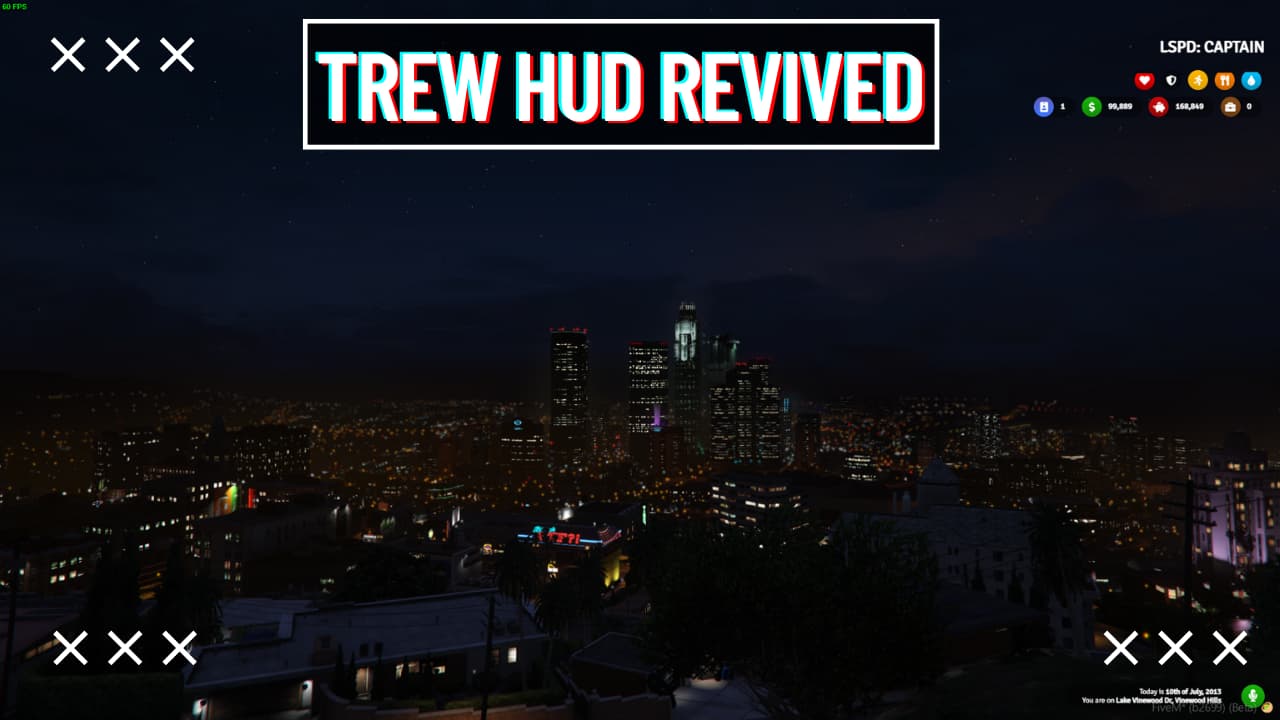
Trew HUD UI is a clean, modern heads-up display designed to replace the default GTA V interface on your FiveM server. It delivers a professional player stats overlay that tracks health, armor, hunger, thirst, and additional metrics in real-time, giving your players an immersive and intuitive way to monitor their character's condition during gameplay. Trew HUD UI is a standalone resource that works directly with most FiveM frameworks, including ESX, QBCore, and QBox.
Key features
- Health and Armor Display: Clean display of player health and armor status within the HUD interface.
- Hunger and Thirst Tracking: Real-time monitoring of hunger and thirst player stats.
- Comprehensive Player Stats: Shows additional player statistics beyond the core health, armor, hunger, and thirst metrics.
- Modern Visual Design: Implements a contemporary aesthetic for the HUD interface.
- Clean UI Layout: Organized and uncluttered presentation of game information.
Compatibility
Frameworks: ESX, QBCore, Standalone
Requirements: Requires a FiveM server, ESX or QBCore or Standalone, access to server resources, and permission to restart the resource after configuration.
Questions
What core player statistics does Trew HUD UI display?
Trew HUD UI displays health, armor, hunger, thirst, and other player stats.
What is the visual style of Trew HUD UI?
The HUD features a clean and modern design.
Is Trew HUD UI designed for FiveM?
Yes, Trew HUD UI is a HUD designed for FiveM.







Constance (verified owner) –
One of the best scripts I have used.
WolfLisa476 (verified owner) –
Quite easy to use, nice design, surely will buy again
Rocio (verified owner) –
The documentation is clear and covers all the important setup steps.
Aric (verified owner) –
Wished I had found this sooner, it took me a lot of money and time until I found my dream product here!
Beulah (verified owner) –
I received a personalized and attentive treatment. Thanks to this deal, I was able to find a solution to my problem in a short time. :)
Monica (verified owner) –
The developer was patient and answered all my questions clearly. Highly recommended.
Margret (verified owner) –
Great quality and excellent support.
Bryana (verified owner) –
An awesome product with great flexibility. The customer support is superb. I recommend this without any doubt.
LisaShadow238 (verified owner) –
Great balance between simplicity and customization. You can use it immediately or configure every detail.