







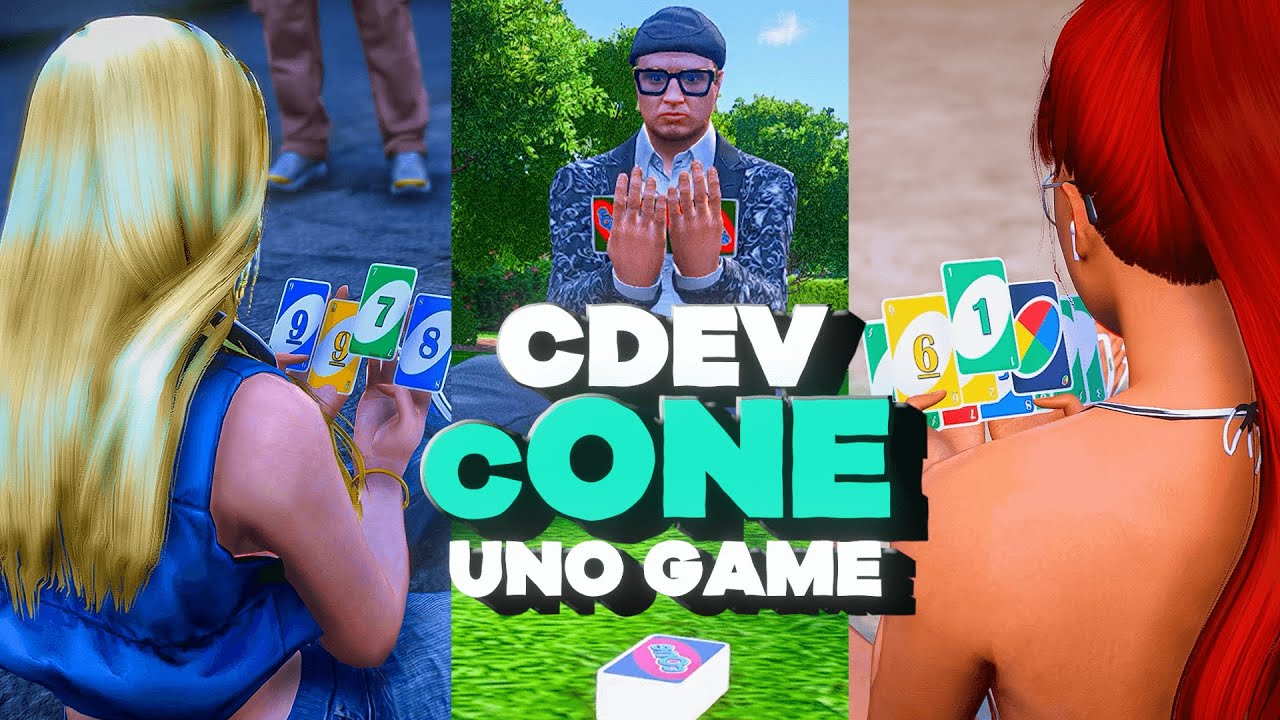






cOne – FiveM için Çok Oyunculu Uno Kart Oyunu
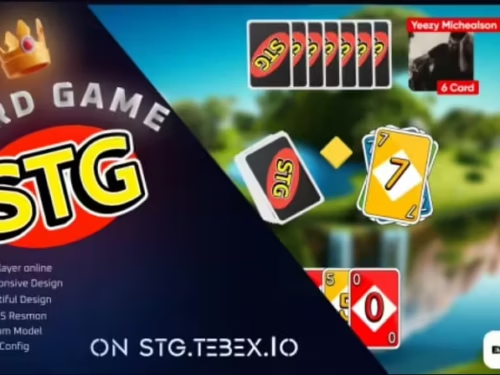
Klasik Uno kart oyununu FiveM rol yapma sunucunuza getirin cOne cdev tarafından. Bu tam özellikli, çok oyunculu Uno betiği, oyuncuların bir masaya oturup gerçek zamanlı kart oyununun keyfini çıkarmasını sağlar — özel aksiyon kartları, özel oturma animasyonları ve sezgisel bir UI ile. İster bir kumarhane RP, sosyal kulüp işletin, ister sunucunuza eğlenceli minigames eklemek isteyin, cOne mükemmel bir eklentidir.
Genel Ayarlar
- Standalone Modu — cOne'ı bağımsız olarak çalıştırın veya mevcut sunucu betiklerinizle sorunsuz bir şekilde entegre edin
- Hata Ayıklama Modu — Kolay sorun giderme ve geliştirme için ayrıntılı günlük kaydını etkinleştirin
- Sürüm Kontrolü — En son betik sürümünü otomatik olarak doğrulayın ve güncelleyin
- Dil Desteği — Tercih ettiğiniz dile uyacak şekilde tamamen özelleştirilebilir oyun içi metin
- Envanter Desteği — quasar-inventory, qb-inventory ve ox-inventory ile uyumlu; üçüncü taraf envanter entegrasyonu da desteklenir
Klasik Uno Oyun Mekanikleri
- Klasik Uno Oynanışı — Sevilen Uno kurallarının sadık bir uygulaması, akıcı çok oyunculu destek ile
- Oyuncu Sınırı Kontrolü — Dengeli ve adil maçlar için masa başına maksimum oyuncu sayısını ayarlayın
- Özel Aksiyon Kartları — Stratejik oynanış için Ters, Pas, İki Çek, Joker ve Dört Çek Joker kartlarının tam desteği
Masa ve Oturma Düzeni Yapılandırması
- Birden Çok Masa — Haritanızda benzersiz oturma pozisyonlarına sahip birden çok oyun masası oluşturun ve yönetin
- Koltuk Özelleştirme — Sürükleyici bir karakter deneyimi için oturma düzenlemelerini ve animasyonları ayarlayın
- Nesne Yönetimi — Destelerin ve atılan kart yığınlarının görsel temsili, oyun gerçekçiliğini artırır
Tuş Atama Yapılandırması
- Özel Eylemler — Sezgisel kontrol için belirli oyun eylemlerini klavye tuşlarına atayın
- Esnek Atamalar — Sunucunuzun oyun tarzına ve ihtiyaçlarına uyacak şekilde tuş atamalarını kolayca değiştirin
Kullanıcı Arayüzü
- Sezgisel Tasarım — Kolay etkileşim için oyuncu elleri, desteler ve oyun durumunun net görüntülenmesi
- Gerçek Zamanlı Bildirimler — Oyun olayları ve oyuncu eylemleri hakkında anlık güncellemeler herkesi bilgilendirir
- Pürüzsüz Animasyonlar — Kesintisiz kart hareketleri ve efektleri görsel deneyimi geliştirir
Neler Dahil?
- fxmanifest.lua — kaynak bildirimi
- client/ — istemci tarafı betikleri
- server/ — sunucu tarafı betikleri
- html/ & public/ — NUI kullanıcı arayüzü dosyaları
- utils/ — yardımcı araçlar
- data/ — oyun verileri ve yapılandırma
- config.lua — tam yapılandırma dosyası
Gereksinimler
- FiveM sunucu (Standalone — çerçeve gerekmez)
- İsteğe bağlı: öğe tabanlı entegrasyon için quasar-inventory, qb-inventory veya ox-inventory
Kurulum
- Çıkarın
cdev_cOneklasörünü sunucunuzaresources/dizin - Eklemek
ensure cdev_cOnesanaserver.cfg - Masaları, oturma düzenlerini ve tuş atamalarını yapılandırın
config.lua - Sunucunuzu yeniden başlatın ve keyfini çıkarın!
cOne adds a multiplayer Uno-style card game to FiveM. Servers can place multiple tables and use the game for social roleplay, events or casual minigame sessions.
Ana özellikler
- Multiplayer table gameplay with familiar action cards
- Configurable player limits, seats and key bindings
- Multiple tables at configurable map positions
- Customizable language and notifications
- Support for common FiveM inventory systems


Kristina (doğrulanmış kullanıcı) –
Great balance between simplicity and customization. You can use it immediately or configure every detail.
Pearl (doğrulanmış kullanıcı) –
Thank you guys for this amazing creation! Absolutely mind-blowing!
Van (doğrulanmış kullanıcı) –
Excellent value for the price. The resource includes more features than I expected and has been reliable so far.
Izaiah (doğrulanmış kullanıcı) –
Installed it today and everything worked immediately. Very satisfied with the purchase.
Gisselle (doğrulanmış kullanıcı) –
Really impressed with this resource. Installation was straightforward, performance is solid, and everything works as described.