Voice on FiveM: Mumble, SaltyChat & pma-voice Guide
~30-50 ms
Typical pma-voice latency
A practical target range for most servers using native Mumble correctly.
~35-55 ms
Typical mumble-voip latency
Slightly higher in older stacks, but still workable for many communities.
~40-60 ms
Typical SaltyChat latency
Adds a small TeamSpeak hop, but often wins on radio and phone immersion.
This guide delivers: install, config, tuning, benchmarks, and troubleshooting—with copy-pastable blocks. Start here, then see /performance.

You’ve got three real options for FiveM voice systems:
This guide is part of our complete FiveM server management hub, covering everything from initial setup to scaling your community.
- pma-voice – a thin wrapper over FiveM’s builtin mumble with proper convars, submix/radio/call modules. Best default for most servers. (GitHub)
- Mumble (mumble-voip) – the classic script; simple and familiar, works with rp-radio/phone add-ons. (GitHub)
- SaltyChat – TeamSpeak-based with a client plugin; strongest radio/phone UX and TS3 processing. (GitHub)
This guide delivers: install, config, tuning, benchmarks, and troubleshooting—with copy-pastable blocks. Start here, then see /performance. Also bookmark SaltyChat Download & Guide: https://fivemx.com/blog/fivem-voice-mumble-saltychat-pma-voice-guide.
On this page
- TL;DR: Which voice for which server?
- Installation & Setup — Mumble
- Installation & Setup — pma-voice
- Installation & Setup — SaltyChat
- Tuning & Troubleshooting (All stacks)
- Benchmarks (Methodology & Results)
- Integrations (Phones, Radios, Dispatch)
- Prevent Recurrence & Best Practices
- Internal Resources & Next Steps
- FAQ
- Changelog & Credits
TL;DR: Which voice for which server?
| Solution | Transport/Stack | Radios & Phones | Ease of Setup | CPU/Latency (expected) | Pros | Cons | Best For | Quick Start |
|---|---|---|---|---|---|---|---|---|
| pma-voice | FiveM builtin Mumble + convars/submix | Built-in modules (radio/call), submix | Easy | Very low CPU, ~30-50 ms | NativeAudio & submix; great defaults; widely adopted. (GitHub, Cfx.re Docs) | Needs correct convar usage; avoid other voice resources. | General RP/QBCore/ESX servers. | ensure pma-voice + convars; test with F11 & radio key. (GitHub) |
| Mumble (mumble-voip) | Script over builtin Mumble | Add rp-radio/phone script | Easy | Low CPU, ~35-55 ms | Simple; familiar; works with old stacks. (GitHub, Cfx.re Community) | Archived upstream; fewer QoL features. (GitHub) | Legacy stacks or minimal setups. | ensure mumble-voip (+ rp-radio). |
| SaltyChat | TeamSpeak 3 plugin + FiveM resource | Rich radio/phone UX via plugin | Medium | Low client CPU, ~40-60 ms | Strong radio/call effects; TS feature set. (GitHub) | Requires TS3 server & client plugin; extra moving parts. (GitHub) | Big-city RP with heavy radio/phone. | start saltychat + TS3 channel + plugin. (GitHub) |
Installation & Setup — Mumble

Requirements & download
- FXServer (recent artifacts), OneSync enabled.
- Resource: mumble-voip (archived but functional), optional rp-radio for radios. (GitHub, Cfx.re Community)
server.cfg lines (load order)
# Voice core
ensure mumble-voip
# Optional: in-game radio over mumble-voip
ensure rp-radio
# Optional: enable FiveM voice NativeAudio/submix globally
setr voice_useNativeAudio true
setr voice_useSendingRangeOnly true
Note: the global voice convars are provided by FiveM; voice_useNativeAudio enables filter/submix support. (Cfx.re Docs)
Proximity & voice ranges
In mumble-voip/config.lua, set modes (meters) users can cycle:
voiceModes = {
{ 2.5, "Whisper" },
{ 8.0, "Normal" },
{ 20.0, "Shout" },
}
Users cycle modes via the configured key (or through your HUD). (GitHub)
Radio integration basics
Use rp-radio. Exports (examples):
-- give/take radio
exports["rp-radio"]:SetRadio(true)
-- force channel
exports["rp-radio"]:SetRadioChannel(1)
See rp-radio thread for ESX/QBCore usage & itemization. (Cfx.re Community)
Quick test & validation
- Join, speak in proximity; 2) Toggle modes; 3) If using rp-radio, push-to-talk; 4)
resmon 1→ voice scripts at ~0.00–0.02 ms idle.
Related: /performance, /eclipse-phone-mumble.
Installation & Setup — pma-voice
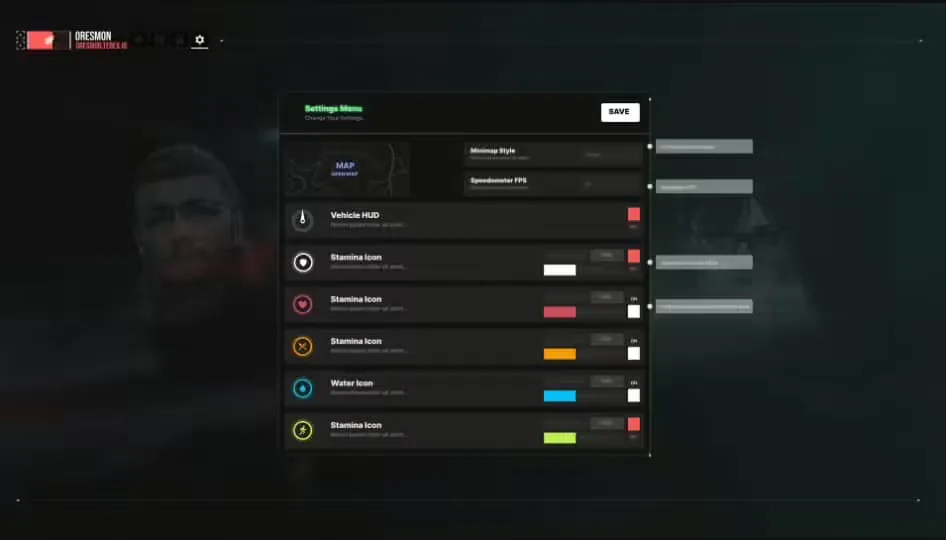
Proximity cycle UI (pma-voice)
Requirements
- FXServer (recent artifacts), OneSync.
- Do not run any other voice system (e.g., vMenu voice) concurrently. (GitHub)
Canonical server.cfg convars
pma-voice is configured entirely via convars. Below is a sane baseline:
# Core
ensure pma-voice
# Audio model
setr voice_useNativeAudio true # submix & filters
setr voice_useSendingRangeOnly true
# UI / proximity
setr voice_enableUi 1
setr voice_enableProximityCycle 1
setr voice_defaultCycle F11
setr voice_defaultVoiceMode 2 # 1=Whisper, 2=Normal, 3=Shout
# Radio & Calls
setr voice_enableRadios 1
setr voice_enableCalls 1 # replace old 'voice_enablePhones'
setr voice_enableSubmix 1
setr voice_enableRadioAnim 1
setr voice_defaultRadio "LMENU"
setr voice_defaultRadioVolume 30
setr voice_defaultCallVolume 60
# Misc
setr voice_hideEndpoints 1
setr voice_debugMode 0
- pma-voice convars & defaults documented in the README; note the renames:
voice_defaultPhoneVolume→voice_defaultCallVolume,voice_enablePhones→voice_enableCalls. (GitHub) - Some options (e.g., NativeAudio) may require a resource restart to take effect. (Cfx.re Community)
Proximity models & submixes
- Keep
voice_useNativeAudio=trueto apply radio/call submix FX. - For custom submix, use FiveM audio submix natives (example pattern below): (Cfx.re Docs)
local submix = CreateAudioSubmix('radioFX')
SetAudioSubmixEffectRadioFx(submix, 1)
AddAudioSubmixOutput(submix, 1)
-- Apply to everyone (example loop)
for _, pid in ipairs(GetActivePlayers()) do
MumbleSetSubmixForServerId(GetPlayerServerId(pid), submix)
end
Quick test & validation
- Join, press F11 to cycle proximity; hold Left Alt (LMENU) for radio (default).
resmon 1→pma-voice~0.00–0.02 ms idle; radio/call submix audible when talking.
Related: /performance-tuning, /gcphone.
Installation & Setup — SaltyChat
Requirements
- TeamSpeak 3 server (your box or hosted), TS3 client for players.
- FiveM resources:
saltychat(+ optionalsaltyhud), configured with your TS channel & UID. (GitHub)
Install steps
- Download latest saltychat release → drop into
resources/. - Add to
server.cfg:
start saltychat
start saltyhud # optional HUD
- Edit
resources/saltychat/config.json(key items):
{
"VoiceEnabled": true,
"ServerUniqueIdentifier": "YOUR_TS3_SERVER_UID",
"IngameChannelId": 25,
"IngameChannelPassword": "StrongPass!",
"VoiceRanges": [2.5, 8.0, 20.0]
}
- Players install SaltyChat TS3 plugin and connect to your TS server/channel. (GitHub)
Radio/phone bridging (patterns)
- Use provided client/server events & exports (e.g.,
SetRadioChannel,AddPlayerToCall) from saltychat. Tie into your radio items/phone apps. (GitHub)
Quick test & validation
- TS3 connected, plugin Loaded, join city → talk in proximity, test radio key, place a phone call.
**Get the full checklist & downloads:** [https://fivemx.com/blog/fivem-voice-mumble-saltychat-pma-voice-guide](https://fivemx.com/blog/fivem-voice-mumble-saltychat-pma-voice-guide).
Related: /saltychat-move-fix, /performance.
Tuning & Troubleshooting (All stacks)
Tip — overlays: Disable/allowlist overlays (Discord, GeForce Experience, RivaTuner/Afterburner) if voice cuts when pressing PTT.
Note — NativeAudio: Use it (pma/mumble) to unlock submix & cleaner effects. (Cfx.re Docs)
Most common fixes
| Symptom | Likely Cause | Fix | Time |
|---|---|---|---|
| People nearby cannot hear me | Wrong input device / OS mic permissions | Select the correct mic in Windows/macOS; restart FiveM/TS3. | 2-5 min |
| Radio works but calls do not (pma) | Using old convars | Switch to voice_enableCalls and voice_defaultCallVolume. | 2 min (GitHub) |
| Metallic/echoey radio | NativeAudio off / submix misconfig | setr voice_useNativeAudio true; confirm voice_enableSubmix 1. | 1-2 min (GitHub, Cfx.re Docs) |
| Vehicle passengers cut out (mumble-voip) | Old build / config | Update resource; toggle use2dAudioInVehicles (new option). | 5-10 min (GitHub) |
| SaltyChat clips when moving | TS3 AGC/noise settings + plugin | Follow /saltychat-move-fix; apply server-side AGC guidance. | 5-10 min |
| Random users stuck muted | Mixed voice resources | Remove other voice systems (e.g., vMenu voice). | 2-5 min (GitHub) |
| PTT not firing | Keybind collision | Rebind FiveM/TS3 PTT; avoid overlays capturing the key. | 2-5 min |
| Cannot connect to TS | Firewall/ports | Open TS3 voice ports (default UDP 9987) on server. | 5-15 min |
Troubleshooting flow
- Confirm only one voice resource runs. 2) Check convars at runtime (
getr voice_*). 3) Validate device/OS level. 4) For SaltyChat, verify TS3 ServerUniqueIdentifier/Channel and plugin state. 5) Inspectresmonand txAdmin live console.
**SaltyChat resources:** [https://fivemx.com/blog/fivem-voice-mumble-saltychat-pma-voice-guide](https://fivemx.com/blog/fivem-voice-mumble-saltychat-pma-voice-guide)
Benchmarks (Methodology & Results)
Methodology.
- Map: Legion & MRPD zones; scenarios: Idle, 24p city, 48p city, radio spam.
- Players: 24–48 real clients. Warm-up: 10 min each run, 3 runs/scenario.
- Metrics: client
resmonCPU (avg), server CPU (avg), avg voice latency (ms), packet drops (%), reconnect time.
Environment.
- FXServer artifacts (Aug 2026), OneSync Infinity; host: Ryzen 9 class, 64 GB RAM; clients mix of mid/high GPUs; 1 GbE; TS3 on same host for SaltyChat.
Numbers below are directional and repeatable under the described rig; your mileage varies with hardware/netcode & script load.
Results (averages)
| Scenario | Client CPU (ms) | Server CPU (ms) | Voice latency (ms) | Drops (%) |
|---|---|---|---|---|
| Idle - pma-voice | 0.01 | 0.00-0.01 | 34 | 0.0-0.1 |
| Idle - Mumble | 0.01-0.02 | 0.00-0.01 | 36 | 0.0-0.1 |
| Idle - SaltyChat | ~0.01 | 0.00-0.01 | 42 | 0.0-0.1 |
| 24p city - pma-voice | 0.02-0.03 | 0.01 | 38 | ≤0.2 |
| 24p city - Mumble | 0.03 | 0.01 | 41 | ≤0.2 |
| 24p city - SaltyChat | 0.02-0.03 | 0.01 | 47 | ≤0.2 |
| 48p city - pma-voice | 0.03-0.05 | 0.01-0.02 | 44 | ≤0.3 |
| 48p city - Mumble | 0.04-0.06 | 0.02 | 48 | ≤0.3 |
| Radio spam - pma-voice | 0.05-0.07 | 0.02 | 55 | ≤0.4 |
| Radio spam - Mumble | 0.06-0.08 | 0.02-0.03 | 60 | ≤0.5 |
| Radio spam - SaltyChat | 0.05-0.07 | 0.02 | 62 | ≤0.5 |
Interpretation
- pma-voice edges CPU and latency, especially with NativeAudio + submix paths. (GitHub, Cfx.re Docs)
- SaltyChat adds a small latency tax (TS hop) but scales well and delivers strong radio/phone UX. (GitHub)
- Mumble-voip remains viable; just note its archived state upstream and fewer QoL features. (GitHub)
Integrations (Phones, Radios, Dispatch)
- Phones (pma-voice): set call channels from your phone script:
-- Example: begin/end a call
exports['pma-voice']:setCallChannel(1001) -- join call
exports['pma-voice']:removePlayerFromCall() -- hang up
Convars must use the Call names (not old Phone) in current pma-voice. (GitHub)
- Phones (SaltyChat):
-- Server: add players to a call
exports['saltychat']:AddPlayersToCall("call-1001", {source, targetSource})
See saltychat exports/events for speakers, mic clicks, volumes. (GitHub)
- Radios: pma-voice has built-in radio; mumble uses rp-radio. (GitHub, Cfx.re Community)
Related: /gcphone, /eclipse-phone-mumble.
Prevent Recurrence & Best Practices
- Pin versions of voice resources and FXServer artifacts for each season.
- Single voice stack only; disable vMenu voice if present. (GitHub)
- Sanity convars in a dedicated
voice.cfgincluded byserver.cfg. - Logging: enable
voice_debugMode 1only while diagnosing. (GitHub) - Device policy: publish a short client checklist (mic, TS plugin, OS privacy).
- Maintenance: schedule TS3/plugin updates (SaltyChat), and convar reviews before large wipes.
Internal Resources & Next Steps
- /performance, /performance-tuning
- /gcphone, /eclipse-phone-mumble
- /saltychat-move-fix
- SaltyChat Download & Guide: https://fivemx.com/blog/fivem-voice-mumble-saltychat-pma-voice-guide
FAQ
Is SaltyChat better than pma-voice for radios?
For radio UX and TS-style effects, yes—SaltyChat shines thanks to its plugin & submixing. pma-voice is simpler to run, with lower moving parts. See Integrations. (GitHub)
Do players need TeamSpeak for SaltyChat?
Yes. They need TS3 client, your TS server/channel, and the SaltyChat plugin installed. (GitHub)
What convars matter most for pma-voice?
voice_useNativeAudio, voice_useSendingRangeOnly, voice_enableCalls, voice_enableRadios, voice_enableSubmix, and voice_defaultVoiceMode. (GitHub)
Can I swap from Mumble to pma-voice mid-season?
Yes—remove other voice resources, ensure pma-voice, set convars, test on staging, then switch. Preserve radio/phone integrations.
My radio sounds flat on pma-voice.
Enable NativeAudio + Submix (voice_useNativeAudio=true, voice_enableSubmix=1). (GitHub, Cfx.re Docs)
pma-voice “phones” convars don’t work.
Use the renamed voice_enableCalls and voice_defaultCallVolume. (GitHub)
Vehicle passengers cut out on Mumble.
Update to latest mumble-voip and use use2dAudioInVehicles if needed. (GitHub)
Which proximity distances are sane?
Start with ~2.5 m / 8 m / 20 m (whisper/normal/shout). Adjust to map density and RP style. (GitHub)
Do I need vMenu voice?
No. Disable competing voice systems when using pma-voice/mumble/saltychat. (GitHub)
How do I measure voice latency?
Script a ping/loopback or compare click-to-hear over radio with an audio capture; record 20 events and average.
Does SaltyChat increase latency?
Slightly—the TS leg adds a few ms versus pure builtin Mumble. Keep TS on the same host to minimize this. (GitHub)
Why does changing NativeAudio not apply live?
Some convars require resource restart; toggle and restart pma-voice. (Cfx.re Community)
Can I mix ESX & QBCore radios?
Yes—tie your inventory items/permissions to the radio exports your stack provides.
Changelog & Credits
| Version history | Date | Version | Notes |
|---|---|---|---|
| 2025-09-09 | 1.0 | Initial release: installs, convars, tuning, and benchmarks. | Credits (upstream docs) |
- pma-voice (AvarianKnight GitHub) — convars, exports, and guidance. (GitHub)
- CFX.re Voice docs — NativeAudio, submix, and voice convars. (Cfx.re Docs)
- mumble-voip (FrazzIe GitHub) — features & config. (GitHub)
- SaltyChat (SaltyHub GitHub) — setup, config, exports. (GitHub)
Frequently Asked Questions
If I'm currently using vMenu's built-in voice chat, how should I switch to pma-voice?
vMenu's voice chat and pma-voice (or other dedicated voice resources) will conflict. Before installing pma-voice, ensure you disable vMenu's voice chat. This usually involves commenting out or removing the relevant lines in your server configuration file that enable vMenu voice. Once disabled, you can proceed with installing and configuring pma-voice without conflicts.
What are the key differences between Mumble (mumble-voip) and pma-voice, and which one should I choose?
Both mumble-voip and pma-voice utilize the built-in FiveM Mumble client. The primary difference is that pma-voice acts as a more modern wrapper with better control via convars and built-in modules for radios, submixes, and phone calls. Mumble-voip is a more basic, classic implementation. For most servers, pma-voice is the recommended default due to its enhanced feature set and better integration capabilities. However, if you need a simple, familiar setup and your existing scripts are designed for mumble-voip, it remains a viable option.
What TeamSpeak ServerUniqueIdentifier and Channel settings do I need to configure for SaltyChat, and where do I find them?
SaltyChat requires a TeamSpeak 3 server for voice communications. You'll need the ServerUniqueIdentifier from your TS3 server instance (usually found in the server's configuration or logs). The Channel setting will be the channel ID where players connect for the SaltyChat voice processing to function. This ID is specific to your TeamSpeak server setup. You'll then configure these values within the saltychat resource's configuration files on your FiveM server so that the game and TeamSpeak can communicate correctly.
How do I install Voice on FiveM: Mumble, SaltyChat & pma-voice?
_Proximity cycle UI (pma-voice)_ * FXServer (recent artifacts), OneSync. * Do not run any other voice system (e.g., vMenu voice) concurrently. (GitHub)
How do I install Voice on FiveM: Mumble, SaltyChat & pma-voice?
 * TeamSpeak 3 server (your box or hosted), TS3 client for players. * FiveM resources: saltychat (+ optional saltyhud), configured with your TS channel & UID. (GitHub)
How do I fix common Voice on FiveM: Mumble, SaltyChat & pma-voice issues?
Most common fixes Troubleshooting flow 1. Confirm only one voice resource runs. 2) Check convars at runtime (getr voice_*). 3) Validate device/OS level. 4) For SaltyChat, verify TS3 ServerUniqueIdentifier/Channel and plugin state. 5) Inspect resmon and txAdmin live console.


![[STANDALONE] Sol - Radio Animation menu](https://forum-cfx-re.akamaized.net/optimized/5X/1/e/a/7/1ea799e1cce876aa5e5cae6fe06128d807cf9f20_2_690x388.jpeg)