Breaking Free from Tebex: Complete Guide to FiveM Server Monetization
The game server monetization landscape has undergone a seismic shift since Rockstar’s September 2023 policy changes.

Introduction to The game server monetization landscape has undergone a
The game server monetization landscape has undergone a seismic shift since Rockstar’s September 2023 policy changes. As server administrators navigate an increasingly complex ecosystem of payment solutions, legal restrictions, and platform choices, one thing has become clear: relying solely on traditional platforms like Tebex may be costing you thousands of dollars annually. With direct payment integration offering up to 46% cost savings and greater operational control, it’s time to explore the alternatives that could transform your server’s financial future.
The New Reality of FiveM Monetization
Gone are the days of unrestricted in-game sales and loot boxes. Rockstar’s Creator Platform License Agreement has fundamentally reshaped what’s possible, prohibiting the sale of virtual currencies, loot boxes, or any in-game items for real money. Servers are now limited to covering operational costs, forcing administrators to completely reimagine their revenue strategies.
2026 Update: Rockstar launched the Cfx Marketplace in January 2026 — an official, curated store for FiveM and RedM mods. This adds another monetization channel for creators alongside Tebex and direct payment solutions. If you’re a script developer or asset creator, it’s worth exploring as an additional sales channel.
Despite these restrictions, successful servers continue to thrive. YesPixel, the flagship example of adaptation, generates an estimated $10,000-50,000 monthly through clever implementation of $30 priority queue access and tiered subscriptions. Their model focuses on community value rather than in-game advantages, proving that compliance and profitability can coexist.
The Seven Revenue Streams That Actually Work
In today’s restricted environment, successful FiveM servers rely on seven primary revenue streams, with VIP subscriptions and cosmetic sales generating 60-80% of total revenue:
1. Direct Donations
The simplest approach, yielding $5-50 per transaction. Engaged communities typically contribute $100-500 monthly through voluntary support. Use Patreon, PayPal or Stripe for that.
2. Tiered Membership Systems
The most effective structure includes:
The most effective structure includes:
- Bronze Tier: $5-15/month
- Silver Tier: $15-30/month
- Gold Tier: $30-60/month
- Platinum Tier: $60-150/month
Each tier offers cumulative benefits without disrupting gameplay balance.
You can easily use Patreon for this.
3. Cosmetic Shops
A particularly lucrative opportunity that remains compliant:
- Vehicle customizations: $2-20
- Character clothing: $1-15
- Property decorations: $3-25
Well-designed cosmetic systems generate $500-5000+ monthly, with limited edition items commanding 3-5x regular prices.
4. VIP Perks
Focus on convenience rather than competitive advantage:
- Queue priority access
- Exclusive social areas
- Enhanced features (faster vehicle spawning)
- Custom titles and badges
These VIP players exhibit 3-5x longer retention rates than free users, forming your stable revenue foundation.
Top rated
-
[
AngebotProduct on sale

](https://fivemx.com/free-mods)
### [Izzy GiveAway](https://fivemx.com/free-mods)
$50.00 Ursprünglicher Preis war: $50.00$32.00Aktueller Preis ist: $32.00.
Add to cart [View cart](https://fivemx.com/cart/ "View cart")
-
[
AngebotProduct on sale

](https://fivemx.com/free-mods)
### [Daily Rewards](https://fivemx.com/free-mods)
$20.00 Ursprünglicher Preis war: $20.00$15.00Aktueller Preis ist: $15.00.
Add to cart [View cart](https://fivemx.com/cart/ "View cart")
- [
    ](https://fivemx.com/free-mods)

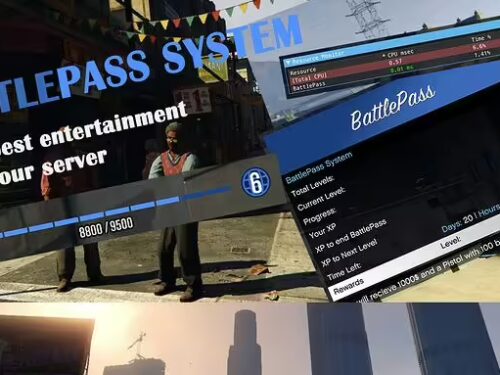
    ### [ESX Battlepass / XP Script](https://fivemx.com/free-mods)

    $13.99

    Add to cart [View cart](https://fivemx.com/cart/ "View cart")
-
[
AngebotProduct on sale

](https://fivemx.com/free-mods)
### [Daily Lucky Wheel](https://fivemx.com/free-mods)
$20.00 Ursprünglicher Preis war: $20.00$14.00Aktueller Preis ist: $14.00.
Add to cart [View cart](https://fivemx.com/cart/ "View cart")
-
[
AngebotProduct on sale

](https://fivemx.com/free-mods)
### [Standalone VIP System](https://fivemx.com/free-mods)
$19.99 Ursprünglicher Preis war: $19.99$12.99Aktueller Preis ist: $12.99.
Add to cart [View cart](https://fivemx.com/cart/ "View cart")
The Hidden Costs of Tebex: Why Alternatives Matter
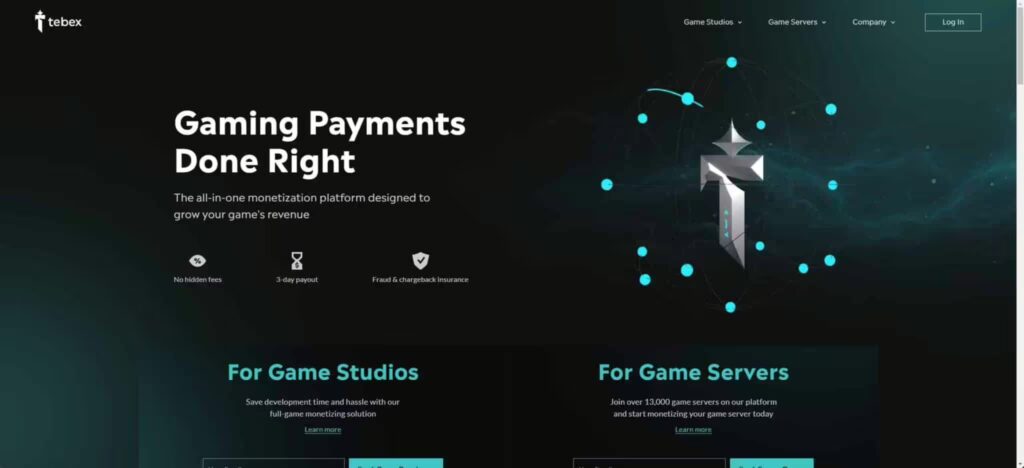
Screenshot of the Tebex Website
Here’s what Tebex doesn’t want you to
Here’s what Tebex doesn’t want you to know: their fee structure is decimating your profits. With a 5% platform commission (15% for FiveM servers) plus gateway fees, **you’re looking at total costs of 7-8% per transaction.**
Let’s break down the math:
- Server generating $1,000/month with Tebex: $75 in fees
- Same server with direct PayPal integration: $29 in fees
- Annual difference: $552
For servers generating $5,000 monthly, that’s $2,760 annually going straight to Tebex instead of server improvements or your pocket. And that is a lot of money.
CraftingStore: The Game-Changing Alternative
CraftingStore emerges as the primary Tebex alternative, eliminating percentage fees entirely. At just $15/month for full features, servers retain 100% of revenue minus standard payment processor costs.
Key advantages include:
- Immediate payment processing
- Custom domain support
- No percentage-based fees
- Community-praised support quality
- Full data ownership and export capabilities
    User experiences reveal growing frustration with Tebex’s evolving policies. Features previously free now require paid plans, while mandatory store review processes create deployment delays. Settlement delays for new stores and withdrawal restrictions further strain cash flow for emerging servers.

    [List: The Best Tebex Alternatives](/blog/tebex-alternatives-fivem-2026)
Direct Payments: Maximum Control & Profit
For technically capable administrators, direct payment integration using PayPal or Stripe APIs offers complete control at the lowest possible cost.
PayPal Integration
- 2.9% + $0.30 per transaction
- REST API with OAuth 2.0 authentication
- Multiple currency support
- Built-in fraud protection
Stripe Integration
- Same base fee structure
- Superior developer experience
- Advanced fraud detection through Radar
- Extensive documentation
Implementation best practices:
Implementation best practices:
- Use idempotency keys to prevent double-charging
- Implement proper error handling for rate limits
- Design databases for atomic transactions
- Create automated retry logic with exponential backoff
- Maintain comprehensive logging for dispute resolution
Navigating Legal Compliance in 2026
Game server monetization faces complex regulatory requirements that vary by jurisdiction:
United States Requirements
- Report income exceeding $600
- “Donations” with perks classified as taxable revenue
- COPPA compliance for under-13 users
European Union Regulations
- VAT thresholds between €10,000-€35,000
- GDPR mandates including 72-hour breach notifications
- Article 8 age verification for under-16 users
Chargeback Prevention
Digital goods merchants face 37.1% higher friendly fraud rates than physical retailers. Maintain chargeback ratios below 0.9% to avoid monitoring programs that add $50-250 in fees. Exceeding 1-2% risks account termination.
Breaking Free from Vendor Lock-in
Tebex’s ecosystem demonstrates classic vendor lock-in patterns:
- Proprietary data formats
- Limited export capabilities (500 requests per 5 minutes)
- Customer relationship dependencies
- Migration barriers requiring users to re-register
Planning your escape requires strategic preparation:
- Export all customer data while maintaining service
- Implement parallel systems before full migration
- Communicate changes clearly to your community
- Maintain transaction records for dispute resolution
Strategic Recommendations for 2026 and Beyond
For New Servers
Start with [CraftingStore](https://craftingstore.net/) or direct integration from day one. The initial setup investment pays for itself within 2-3 months through fee savings alone.
For Established Servers
Calculate your annual Tebex fees and compare against [alternatives](/blog/tebex-alternatives-fivem-2026). Most servers save enough in 6 months to justify migration costs.
For Growing Communities
Implement tiered systems early, focusing on community
Implement tiered systems early, focusing on community value rather than pay-to-win mechanics. The most profitable servers combine ethical monetization with exceptional player experiences.
For Technical Teams
Invest in direct payment integration for maximum control and minimum costs. The $552+ annual savings for a $1,000/month server scales proportionally with growth.
The Future of Server Monetization
Success in game server monetization ultimately depends on balancing community value with sustainable revenue generation. As platform restrictions tighten and player expectations evolve, adaptability and transparency become the cornerstones of long-term success.
The servers thriving today aren’t those clinging to outdated models or expensive platforms. They’re the innovators who’ve embraced change, reduced costs, and focused on building loyal communities that support growth through voluntary contributions rather than exploitative mechanics.
Choose CraftingStore’s simplicity or direct integration’s control, one thing is certain: continuing to pay Tebex’s inflated fees is no longer a necessity—it’s a choice. And with thousands of dollars at stake annually, it’s a choice fewer servers can afford to make.
[Find alternative ways here](/blog/tebex-alternatives-fivem-2026)
Related FiveM monetization resources
- Tebex alternatives for FiveM for fee comparisons and platform choices.
- What it really costs to run a FiveM server before setting revenue targets.
- Creating subscription tiers players actually want for ethical recurring offers.
- Pre-purchase checklist to reduce buyer friction and refund risk.
- FiveM economy script comparison when monetization touches in-game money systems.
- Browse FiveM bundles for higher-value package ideas.
Practical launch checklist for Breaking Free from Tebex: Complete Guide to FiveM Server Monetization
Use this section as a release checklist before you apply the change on a live FiveM server. Start by copying the current configuration, listing the resources touched by the change, and checking whether the topic depends on your framework, database, inventory, jobs, Discord roles, or txAdmin permissions. Many FiveM problems are not caused by the feature itself. They come from the wrong startup order, missing dependencies, inconsistent item names, or unclear staff permissions.
After the first restart, read the server console before inviting players to test. Warnings about missing exports, missing items, unknown job names, failed SQL queries, or duplicated resources should be solved immediately. If you are changing several things at once, test each resource separately with a fresh character and with an admin account. That makes it easier to tell whether the issue is inside the resource, inside an ESX/QBCore/QBox bridge, or inside your server configuration.
A production server also needs a rollback plan. Keep the previous script or config version, note the database tables involved, and decide when you will revert instead of debugging live. A practical rule is simple: if players cannot join, interact, or keep their items normally after ten minutes, roll the change back and continue on a staging server. Stability matters more than shipping one extra feature during peak hours.
Common mistakes to avoid
The most common mistake is testing only with administrator permissions. Many systems work for admins but fail for normal players because of ACE permissions, job grades, Discord role checks, or inventory metadata. Test at least three roles: normal player, staff member, and full admin. Write down which commands, items, menus, or map markers should be available to each role before you call the setup finished.
Another common mistake is ignoring monitoring after the change. Watch resmon, txAdmin warnings, client console errors, and Discord feedback for the first play session. If a resource constantly uses too much time or creates repeated client errors, it lowers server quality even when the feature appears to work. Larger changes should go through a short maintenance window with a clear testing checklist.
Related FiveM resources
- FiveM server setup
- server.cfg
- txAdmin Discord setup
- Discord whitelist
- server backups
- rules generator
These resources help you treat Breaking Free from Tebex: Complete Guide to FiveM Server Monetization as part of the full server stack instead of an isolated fix. The better your setup, framework, rules, marketplace resources, and monitoring work together, the fewer support issues you will have after launch.
Frequently Asked Questions
How do Rockstar's policy changes impact what I can sell on my FiveM server?
Rockstar's updated Creator Platform License Agreement prohibits selling virtual currency, loot boxes, or any in-game items for real money on FiveM servers. Monetization is now limited to covering operational costs, which requires server administrators to shift their revenue strategies toward compliant methods like subscriptions and priority queue access.
What kind of cost savings can I expect by switching from Tebex to direct payment integration for my FiveM server?
Direct payment integration can potentially save you up to 46% in costs compared to using platforms like Tebex. These savings arise from reduced platform fees and greater control over your server's finances.
Besides Tebex, what other monetization options are available for FiveM server owners?
While the document doesn't list them explicitly yet, it hints at compliant and profitable models like YesPixel's use of priority queue access and tiered subscriptions. It also mentions the more recent Cfx Marketplace, launched in January 2026, as an additional avenue, especially for script and asset creators. The full list of working revenue streams is presumably covered later in the complete guide.
How is YesPixel able to generate significant revenue while remaining compliant with Rockstar's policies?
YesPixel generates an estimated $10,000 - $50,000 monthly by offering priority queue access and tiered subscriptions for around $30 each. Their success comes from focusing on community value and convenience rather than selling in-game advantages, demonstrating that profitability and compliance can coexist.
Is the Cfx Marketplace a replacement for Tebex?
The Cfx Marketplace is not necessarily a replacement for Tebex, but an additional option. It functions as an official, curated store specifically for FiveM and RedM mods, offering another sales channel for script developers and asset creators alongside existing platforms like Tebex and direct payment solutions.