




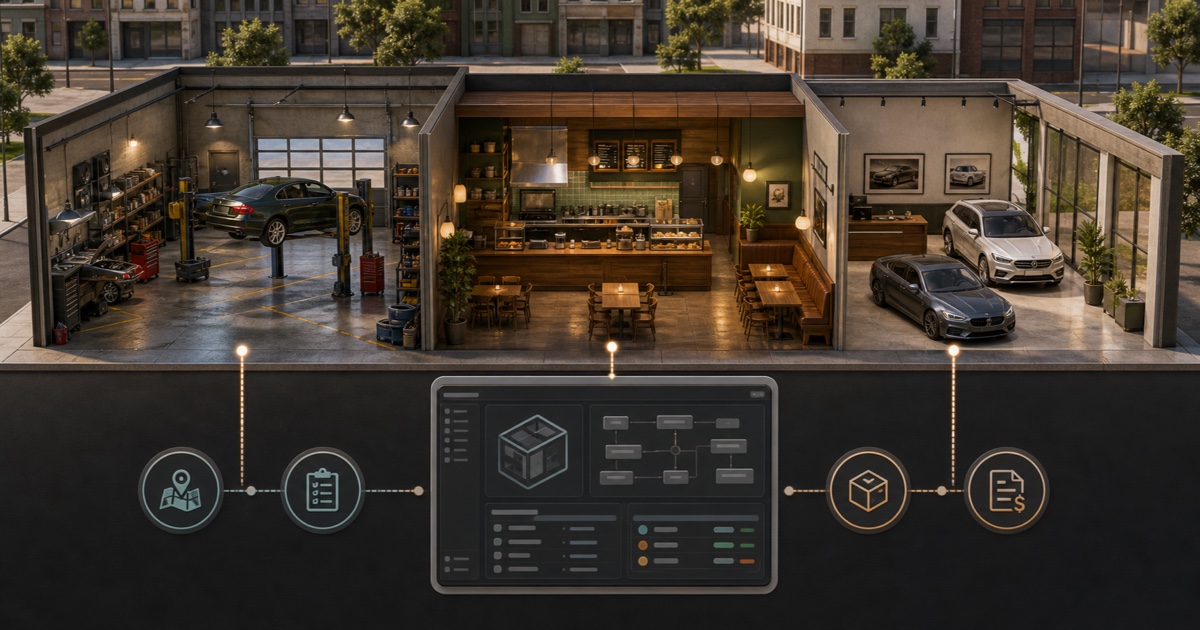
A FiveM business usually needs two separate layers: an MLO supplies the building, rooms and collision; a Job-Skript supplies employees, crafting, billing, stock, sales and management. Buying both does not guarantee that they work together. Compatibility depends on your framework and the other resources between them.
Quick compatibility matrix
| Schicht | Was zu überprüfen ist | Common mismatch |
|---|---|---|
| MLO | Coordinates, doors, collision and map conflicts | Another map edits the same location |
| Framework | ESX, QBCore, Qbox or standalone support | A QBCore label is treated as proof of Qbox support |
| Inventar | Item definitions, images, metadata and exports | The script expects a different inventory API |
| Interaktion | Target resource, zones, markers or key prompts | Interaction points are written for another target system |
| Business logic | Job grades, duty, billing, society account and boss menu | Grade names or account identifiers do not match |
| Datenbank | SQL changes, ownership and persistence | Tables are imported without a backup or migration plan |
1. Choose the venue and gameplay separately
Start with the roleplay loop: mechanic, restaurant, cafe, dealership, nightclub or another player business. Then choose the map and script independently. A polished interior does not provide recipes or invoices, and a complete job script does not move its interaction points into a custom building automatically.
For example, compare Mechaniker-Jobskripte mit dem FiveM MLO-Katalog. For hospitality roleplay, inspect the Irish Pub Job, UwU Cafe MLO Und Billard Bar MLO as separate components.
2. Read the resource manifests and dependency lists
Open each delivered fxmanifest.lua before adding the resource to server.cfg. The manifest can identify scripts, files and dependencies, while the creator’s documentation should state the required framework, inventory, target, menu, notification, audio and database resources. Use the official Cfx.re resource manifest reference when a directive is unclear.
For Qbox, do not assume that every QBCore resource is compatible. Read the Qbox vs. QBCore-Leitfaden and require a native-Qbox statement or a documented bridge path on the individual product.
3. Install the MLO first
- Back up the server and database, then create a staging copy.
- Start only the MLO and its documented map dependencies.
- Check entrances, doors, collision, lighting and vehicle access.
- Search for overlapping YMAP, MLO or vegetation resources at the same location.
- Record the exact coordinates for service counters, storage, crafting, duty and management.
This separates a map problem from a job-script problem. If the building does not work on its own, adding billing and inventory resources makes diagnosis harder.
4. Define jobs, grades and accounts
Create the job and grade structure expected by the script. Match internal names exactly: mechanic Und mechanic2 are different identifiers. Decide which grades can hire, withdraw money, craft restricted items or access management. If the script uses a society or business account, verify that deposits and withdrawals reach that account after a reconnect and resource restart.
A shared management layer such as the Erweitertes Boss & Gang-Menü still needs correct job grades and permissions; it cannot infer a safe organization structure.
5. Map inventory, targets and coordinates
Add every required item to the inventory used on your server, including images and metadata where required. Replace the script’s default interaction coordinates with the points recorded inside the MLO. Then verify target zones or key prompts from different distances and player positions.
Restaurant and pub resources need extra attention around recipes: ingredient names, amounts, output items and sale prices must match the live economy. Mechanic resources need vehicle ownership, repair-item and billing checks. Dealership resources need showroom spawns, stock and purchase validation.
6. Test the full customer and employee journey
- Employee clocks in and can access only the actions allowed by the grade.
- Customer can buy, receive an invoice or interact without holding the employee job.
- Items are removed and granted exactly once.
- Business income reaches the correct account.
- Full inventories, cancelled actions and unavailable dependencies fail safely.
- State survives reconnects, script restarts and a full server restart.
- Two players using the same station cannot duplicate stock or rewards.
Recommended buying order
- Choose the business loop and framework.
- Buy or install the MLO, then prove it has no map conflict.
- Select a job script with explicit support for your framework and dependency stack.
- Add management, inventory or interaction resources only when the chosen job requires them.
- Complete staging tests before importing the setup into production.
Abschließende Checkliste
Before purchase, you should be able to name the framework version, inventory, target system, management resource, business-account method, database changes and map location. If any one of those is unknown, ask the creator or choose a product with clearer documentation. That is faster and cheaper than repairing an incompatible business stack after launch.