



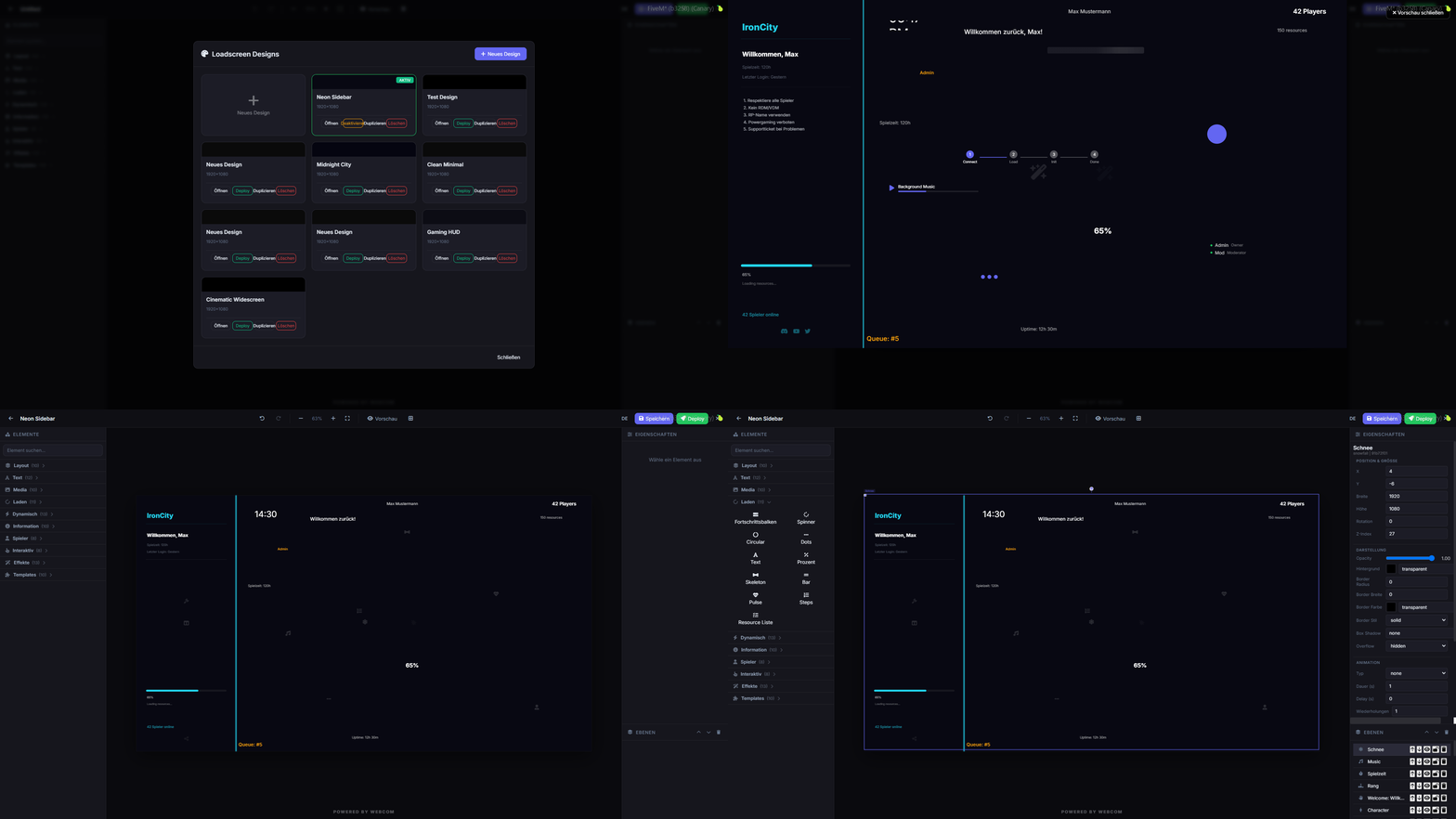
Customize your FiveM loading screens with an in-game editor and media manager.
Vorschau
Übersicht
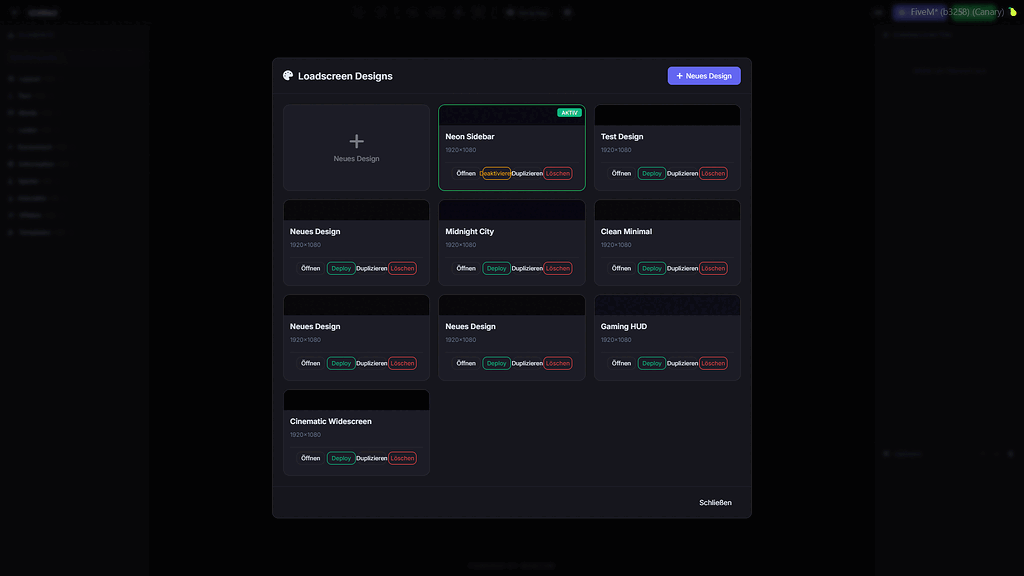
webcom Loadscreen offers a robust in-game solution for designing and managing your FiveM loading screens. Eliminate the need for external tools and streamline your customization process.
This script allows for real-time deployment and deactivation of custom loading screen designs directly from within the game. It also features a built-in media manager for easy audio and video uploads.
Hauptmerkmale
- In-game loadscreen editor accessible via command.
- Store loadscreen designs in a database.
- Deploy and deactivate designs instantly.
- Integrated media manager for audio and video.
- Supports collaborative editing for multiple users.
- Automatic SQL table creation, no manual setup needed.
Anforderungen und Kompatibilität
- Flexible permission system, usable standalone or with dashboard integration.
- Configurable for simple standalone permissions.
- Fully functional in standalone mode.
Installation
- Lade die Ressource über die überprüfte Download-Schaltfläche herunter.
- Überprüfe die enthaltenen Dateien und Konfigurationshinweise.
- Entpacke die Ressource und platziere sie im richtigen FiveM-Server-Ressourcen-Ordner.
- Füge die Ressource zu server.cfg hinzu, wenn die Veröffentlichung einen Ressourcen-Ordner enthält.
- Starte neu und teste auf einem Staging-Server, bevor du sie live nutzt.