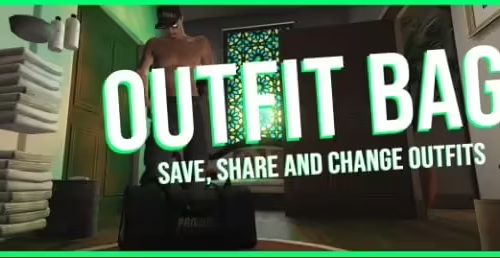

KQ Outfit Bag 2.0 – Portable Wardrobe System for FiveM
Give players complete clothing flexibility with this innovative portable outfit system. Drop a bag anywhere, access your saved outfits with a unique real-time preview interface, and change clothes on the fly without visiting clothing stores. Perfect for undercover operations, quick disguises, event outfit changes, or simply convenience in realistic roleplay scenarios.
What Makes KQ Outfit Bag Special
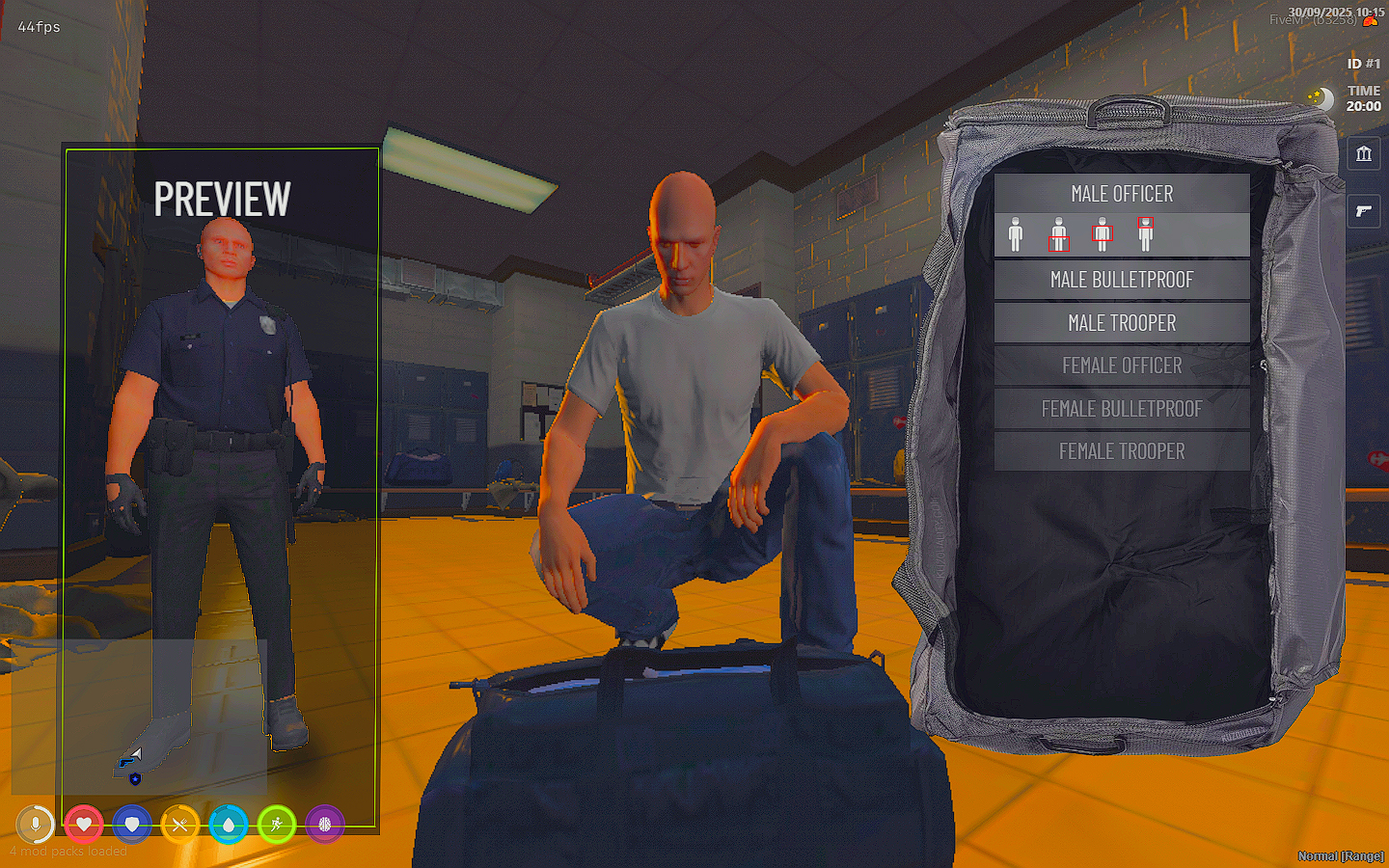
Unlike traditional clothing systems that force players to visit stores or wardrobes, KQ Outfit Bag 2.0 delivers portable clothing access with a unique preview system that shows exactly how outfits will look before applying them:
- Unique Real-Time Preview System – See outfit changes live on your character before confirming – no surprises, no regrets
- Full & Partial Outfit Application – Apply complete outfit sets or cherry-pick individual clothing pieces (hat from one outfit, jacket from another)
- Flexible Interaction Methods – Choose between target system (ox_target, qb-target) or traditional 3D text prompts
- Completamente Standalone Arquitectura – Core functionality works independently; framework integration is optional enhancement
- Automatic Bag Management – Forgotten bags automatically despawn after configured timeout to prevent world clutter
- Customizable UI Colors – Match interface colors to your server branding through simple config changes
Características principales
- Portable Outfit Storage – Carry your wardrobe in inventory, deploy bags anywhere for instant clothing access
- Real-Time Outfit Preview – Revolutionary preview system shows outfit changes on your character before applying
- Mix & Match Clothing – Apply complete outfits or select individual pieces from different saved looks
- Soporte para sistema de objetivos – Full ox_target and qb-target integration with optional 3D text fallback
- Compatible con el marco – Usable items work with ESX y QBCore; core features work standalone
- Soporte multicharacter – Properly handles outfit storage across multiple characters on same account
- Smart Despawn System – Automatically removes forgotten bags after configured time period
- Personalización de la interfaz de usuario – Configure interface colors through config file without touching code
- Rendimiento optimizado – Minimal resource usage even with multiple active bags in world
Basic Usage Flow
- Obtain Outfit Bag: Receive bag item from admin, shop, or starter pack
- Deploy Bag: Use bag item to place physical bag prop at your location
- Access Wardrobe: Interact with bag via target system or 3D text prompt
- Preview Outfits: Browse saved outfits with real-time preview on your character
- Apply Outfit: Choose full outfit or individual clothing pieces
- Pack Up Bag: Pick up bag to return it to inventory or leave for auto-despawn
Funciones avanzadas
- Partial Outfit Application: Select specific clothing slots (shirt, pants, shoes, accessories) from different saved outfits
- Outfit Management: Save new outfits directly from bag interface or manage via clothing stores
- Cambio rápido: Switch between saved outfits in seconds for undercover work or event participation
- Bag Permissions: Configure who can use bags (all players, specific jobs, VIP tiers)
Perfecto para
- Undercover Policía – Switch from uniform to civilian clothes quickly for covert operations
- Criminal Disguises – Change outfits between crimes to evade identification
- Event Participation – Quick outfit changes for car shows, races, parties, formal events
- Roleplay Escenarios – Change into work uniforms, formal wear, or casual clothes contextually
- Fashion Enthusiasts – Access your entire wardrobe without traveling to clothing stores
- Modeling/Photography – Rapid outfit changes for fashion shoots or promotional content
Especificaciones técnicas
- Core System: Fully standalone (no framework required)
- Soporte del marco: ESX and QBCore usable items (optional)
- Sistemas objetivo: ox_target, qb-target, 3D text (configurable)
- Multi-Character: Outfit separation per character supported
- Actuación: 0.00-0.01ms per active bag instance
- Marco de interfaz de usuario: Custom NUI with configurable color schemes
- Bag Model: Realistic duffel bag prop with proper physics
Instalación
- Download KQ Outfit Bag 2.0 from your FiveMX download page
- Extraer la carpeta de recursos a
resourcesdirectorio - Configurar ajustes en
config.lua:- Choose interaction method (target vs. 3D text)
- Set bag despawn timer
- Configure UI colors
- Enable framework integration if using ESX/QBCore
- Add usable item to your framework’s item database (if using ESX/QBCore)
- Agregar
ensure kq-outfit-bagaserver.cfg - Restart server and test bag deployment
ESX Item Configuration
Add to your ESX items database:
INSERT INTO `items` (`name`, `label`, `weight`, `rare`, `can_remove`) VALUES
('outfit_bag', 'Outfit Bag', 1, 0, 1);
QBCore Item Configuration
añadir qb-core/shared/items.lua:
['outfit_bag'] = {
 ['name'] = 'outfit_bag',
 ['label'] = 'Outfit Bag',
 ['weight'] = 1000,
 ['type'] = 'item',
 ['image'] = 'outfit_bag.png',
 ['unique'] = false,
 ['useable'] = true,
 ['shouldClose'] = true,
 ['description'] = 'Portable wardrobe for outfit changes'
}
Opciones de configuración
- Interaction System: Choose target (ox_target/qb-target) or 3D text prompts
- Despawn Timer: Set automatic bag removal time (default: 10 minutes)
- UI Colors: Customize primary color, accent color, text colors via config
- Preview Speed: Adjust real-time preview refresh rate
- Permisos: Configurar trabajo restrictions or make available to all players
- Bag Limits: Set maximum number of bags per player or in world
Qué Hace que Este Sistema Destaque
The real-time preview system is what sets KQ Outfit Bag apart from other clothing scripts. Instead of applying outfits blindly and hoping they look right, players see exactly how each outfit will appear before confirming the change. Combined with partial outfit application (mix pieces from different saved looks), this creates unprecedented clothing flexibility. The automatic despawn feature solves the common problem of forgotten bags cluttering the world, while the customizable UI colors let servers maintain consistent branding across all interfaces.
Escenarios de Uso
Undercover Detective: Officer changes from police uniform to casual clothes in private location before approaching criminal suspects. Uses preview to ensure civilian outfit looks natural.
Bank Heist Crew: Criminals change from robbery gear to clean civilian outfits immediately after job. Each crew member deploys bag in safe house, switches clothes, disposes of bags.
Car Show Participant: Enthusiast arrives in casual clothes, deploys outfit bag at venue, previews three different racing outfits, selects best match for their vehicle’s theme.
Profesional Ejecutivo: Character maintains separate outfits for office work, client meetings, and after-work social events. Changes in office restroom using outfit bag rather than driving to clothing store.
Partial Outfit Feature Examples
Mix and match clothing pieces from different saved outfits:
- Take hat and jacket from “Business Casual” outfit
- Combine with pants from “Professional” outfit
- Add shoes from “Formal Evening” outfit
- Create unique look without saving dozens of variations
Soporte multicharacter
The system properly separates outfit storage per character:
- Character 1 (Police Officer) has separate saved outfits from Character 2 (Criminal)
- Outfit bags placed by one character don’t affect other characters
- Framework multi-character systems (esx_multicharacter, qb-multicharacter) fully supported
UI Customization Examples
Match the outfit bag interface to your server theme:
Config.UIColors = {
 primary = '#2563eb', -- Blue theme
 accent = '#3b82f6', -- Lighter blue
 text = '#ffffff', -- White text
 background = '#1e293b' -- Dark background
}
Give your players the clothing freedom they deserve. Whether it’s undercover cops, criminal masterminds, fashion-conscious civilians, or anyone who values convenience, KQ Outfit Bag 2.0 delivers portable wardrobe access with the most advanced preview system in FiveM. No more blind outfit changes, no more trips to clothing stores, no more limitations – just instant access to your complete wardrobe wherever you need it.