
Écran de chargement (DebuX) | Une première impression professionnelle pour votre serveur FiveM
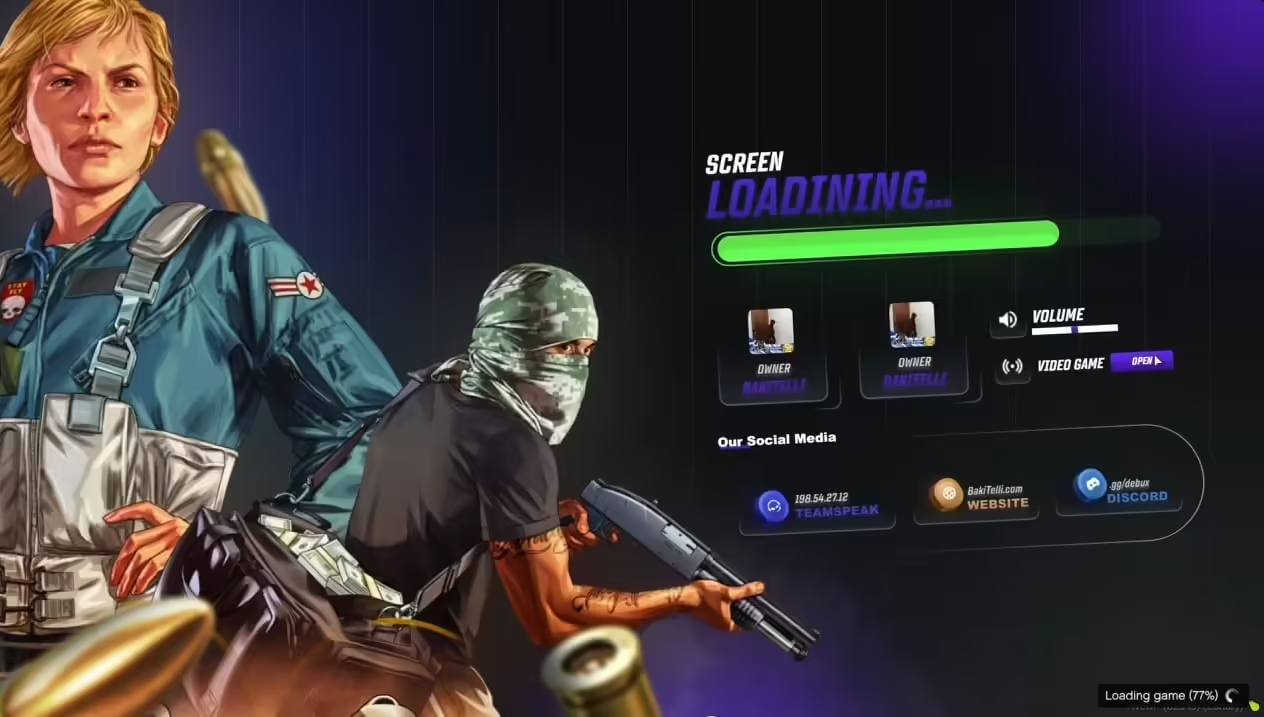
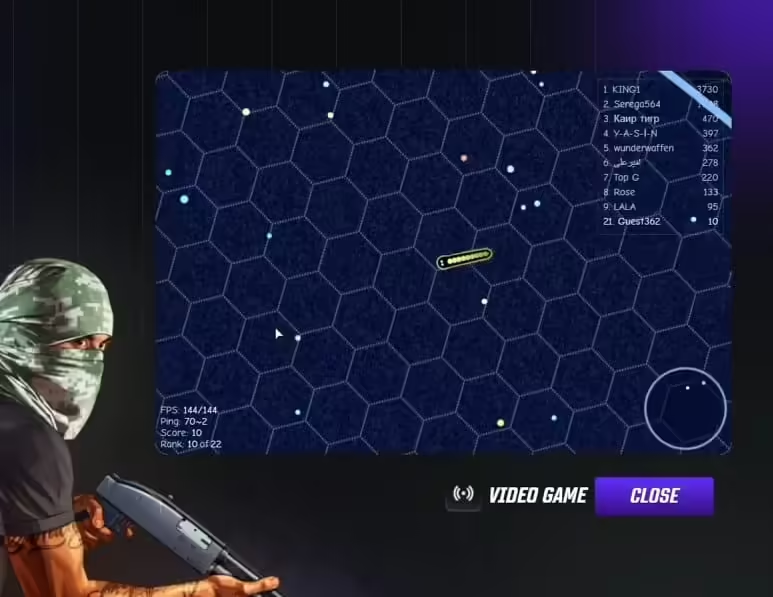
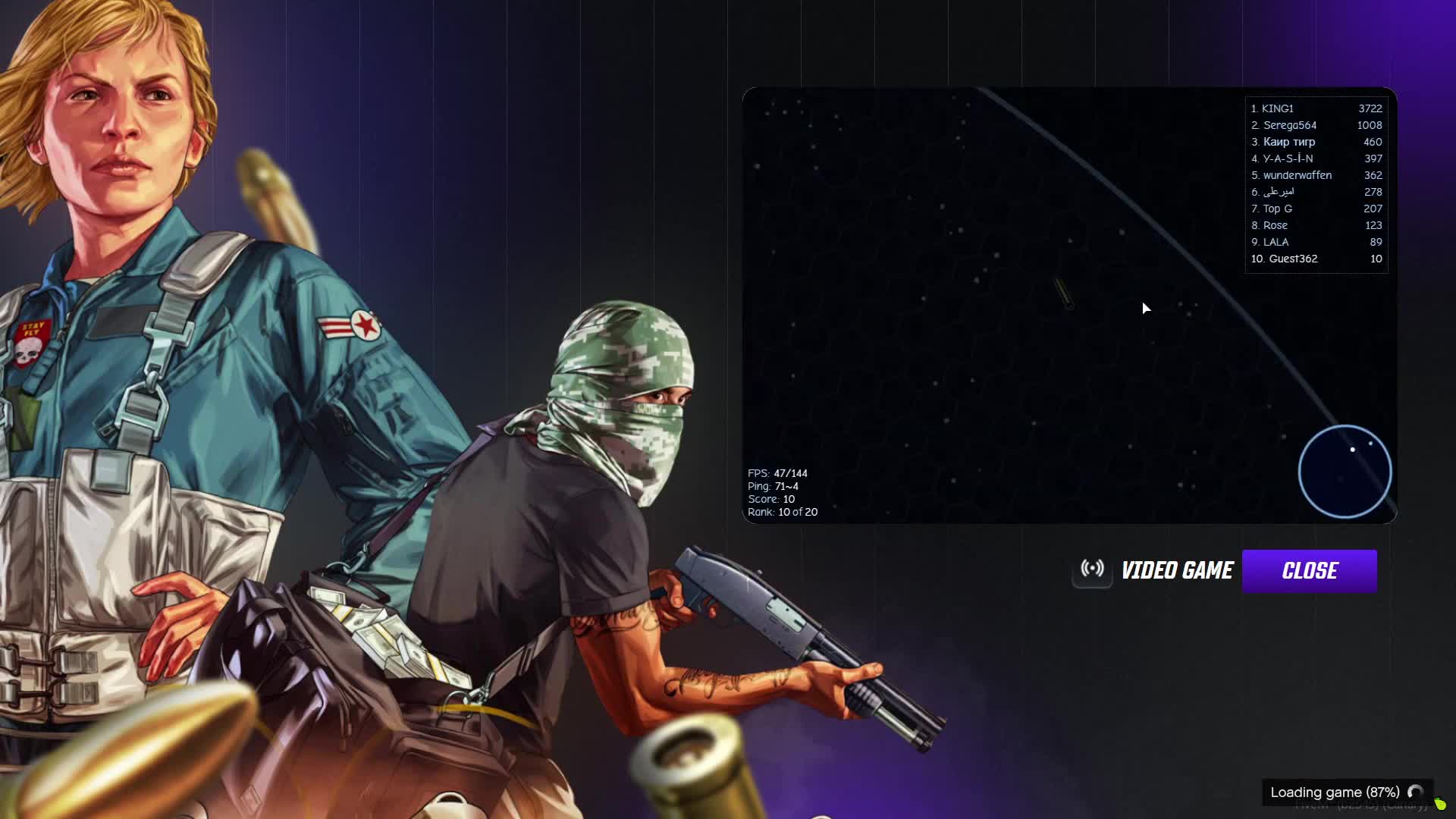
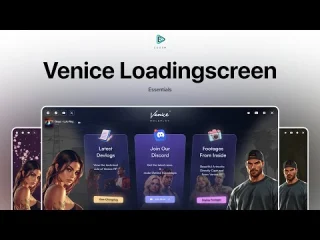
Rendez chaque connexion mémorable grâce à l'écran de chargement DebuX, une expérience moderne et soignée qui transforme la séquence de démarrage monotone de FiveM en une véritable vitrine professionnelle de votre serveur. Bien plus qu'une simple barre de progression, c'est la première impression que votre serveur donne, alliant graphismes élégants, informations pratiques et animations fluides pour captiver les joueurs pendant le chargement. Montrez à votre communauté que la qualité compte dès le premier instant.
Ce qui distingue DebuX
- Langage du design moderne – Interface épurée et professionnelle avec des animations fluides
- Affichage des informations du serveur – Afficher le nombre de joueurs, les règles du serveur, les liens vers les réseaux sociaux et les annonces
- Intégration musicale – Musique de fond optionnelle pendant le chargement (volume configurable)
- Indicateurs de progrès – Retour visuel pour les étapes de chargement avec affichage en pourcentage
- Entièrement personnalisable – Modifier les couleurs, les arrière-plans, les logos et le texte pour qu'ils correspondent à l'identité visuelle du serveur.
- Conception réactive – S'adapte parfaitement à toutes les résolutions d'écran et à tous les formats d'image.
Parfait pour
- Serveurs de jeux de rôle sérieux souhaitant une première impression professionnelle
- Des communautés qui valorisent le raffinement et le souci du détail
- Les propriétaires de serveurs remplacent les écrans de chargement par défaut de FiveM par des expériences personnalisées.
- Serveurs devant communiquer des règles et des informations lors de l'intégration des joueurs
Caractéristiques visuelles
- Arrière-plans personnalisés – Téléversez des captures d'écran du serveur, des illustrations ou des images de marque
- Affichage du logo – Mettez en évidence le logo de votre serveur ou l'identité visuelle de votre communauté.
- Schémas de couleurs – Personnalisez toutes les couleurs de l'interface utilisateur pour qu'elles correspondent au thème du serveur
- Effets d'animation – Fondu enchaîné fluide, animations de barres de progression, transitions de texte
- Conseils de chargement – Affichage en rotation des astuces de jeu et des informations du serveur pendant le chargement
- Icônes des réseaux sociaux – Liens cliquables Discord, Twitter, Instagram, TikTok
Options d'affichage des informations
- Nom et description du serveur – L'identité et le slogan de votre serveur
- Nombre de joueurs – Nombre actuel de joueurs en ligne et capacité du serveur
- Règles du serveur – Afficher les règles essentielles pendant le chargement (empêche les excuses liées au non-respect des règles)
- Annonces – Présenter des événements, des mises à jour ou des avis importants
- Liens sociaux – Invitation Discord, site web, liens pour faire un don
- Équipe du personnel – Mettre en évidence le personnel du serveur et les informations de contact
- Statistiques du serveur – Nombre total de joueurs, disponibilité, visiteurs uniques
Fonctionnalités de chargement en cours
- Indicateurs d'étape – Afficher la phase de chargement active (connexion, téléchargement, lancement)
- Affichage en pourcentage – Pourcentage de progression numérique accompagné d'une barre visuelle
- Durée estimée – Afficher le temps de chargement restant approximatif (facultatif)
- Messages d'état – Texte descriptif pour chaque phase de chargement
- Animations fluides – La barre de progression se remplit de manière fluide, sans à-coups.
Options de personnalisation
- Paramètres d'arrière-plan – Arrière-plans statiques, carrousels d'images ou vidéos
- Lecteur de musique – Ajouter une musique de fond avec contrôle du volume
- Choix de polices – Choisissez parmi les polices incluses ou utilisez des polices web personnalisées
- Options de mise en page – Choisissez parmi plusieurs mises en page prédéfinies
- Contenu textuel – Modifiez facilement tout le texte affiché dans config.lua
- Sélecteur de couleurs – Personnalisez la couleur de chaque élément de l'interface utilisateur
Installation
- Extrayez l'écran de chargement DebuX dans le dossier des ressources de votre serveur.
- Modifiez le fichier config.lua pour ajouter les informations de votre serveur, vos règles et vos liens vers les réseaux sociaux.
- Remplacez les images d'arrière-plan par défaut par l'identité visuelle de votre serveur (située dans /images/).
- Personnalisez les couleurs et les polices dans le fichier CSS (facultatif).
- Ajoutez ensure debux_loadingscreen à votre server.cfg
- Redémarrez le serveur et connectez-vous pour voir votre nouvel écran de chargement.
Compatibilité du framework
- ✅ Cadre indépendant – Fonctionne avec ESX, QB-Core, QBOX, ou tout cadre
- ✅ Aucune dépendance – Écran de chargement HTML/CSS/JS purement côté client
Détails techniques
- Taille du fichier: Pack léger de moins de 10 Mo (sans musique ni images personnalisées)
- Performance: Côté client uniquement, aucun impact sur les performances du serveur
- Technologie: HTML5, CSS3, JavaScript (aucune dépendance externe)
- Compatibilité: Compatible avec toutes les versions du serveur FiveM
Intégration musicale
DebuX propose une option de musique d'ambiance. Ajoutez vos propres fichiers musicaux (MP3, OGG) pour une expérience de chargement immersive. Les joueurs peuvent couper le son via un bouton à l'écran. Parmi les choix populaires : rythmes lo-fi, musique d'ambiance ou bandes son thématiques pour le serveur, idéales pour l'immersion dans le jeu de rôle.
Avantages de l'affichage des règles
L'une des fonctionnalités les plus précieuses de DebuX est l'affichage des règles du serveur pendant le chargement. Les nouveaux joueurs sont ainsi obligés de consulter les règles les plus importantes avant même d'apparaître : fini les excuses du genre « Je ne savais pas que c'était interdit ». Affichez les règles essentielles, comme les définitions de RDM/VDM, les directives concernant les échecs RP ou les conditions de création de personnage, au moment précis où les joueurs en ont besoin.
Opportunités de branding
- Logo du serveur – Mettez en évidence l'image de marque de votre communauté
- Correspondance des couleurs – Harmoniser l'écran de chargement avec les couleurs du site web/Discord du serveur.
- Démonstration de captures d'écran – Utilisez des captures d'écran du jeu pour illustrer les fonctionnalités du serveur
- Logos des partenaires – Afficher les logos des serveurs des sponsors ou des partenaires
- Présence sociale – Diriger les joueurs vers les chaînes Discord, TikTok et YouTube
Pourquoi les propriétaires de serveurs choisissent DebuX
L'écran de chargement est la première chose que chaque joueur voit : soignez-le. Un écran de chargement soigné indique immédiatement que votre serveur est légitime, bien entretenu et mérite qu'on s'y investisse. DebuX remplace l'écran de chargement par défaut de FiveM, souvent peu esthétique, par une interface personnalisée qui reflète l'identité de votre serveur. L'affichage des règles pendant le chargement réduit les signalements d'infractions, et les liens vers les réseaux sociaux favorisent les inscriptions sur Discord et l'engagement de la communauté.
Exemples de configuration
Le fichier config.lua utilise des tableaux Lua simples pour une personnalisation aisée :
- Informations serveur : Nom, description, point de terminaison API du nombre de joueurs
- Tableau des règles : Liste des règles du serveur affichées en rotation
- Liens sociaux: URL du serveur Discord, du site web et de la page de dons
- Conseils de chargement : Des conseils de jeu utiles s'affichent pendant le chargement
- Couleurs: Couleurs primaires, secondaires et d'accentuation au format hexadécimal
Avantages liés à l'expérience du joueur
Les écrans de chargement sont ennuyeux ; DebuX les rend informatifs et captivants. Les joueurs peuvent lire les règles, se renseigner sur les événements du serveur, rejoindre le Discord et s'imprégner de l'ambiance avant même d'apparaître. Les conseils de chargement qui défilent expliquent les mécaniques de jeu aux nouveaux joueurs, et la musique crée une atmosphère relaxante pendant les temps morts. C'est une petite amélioration du confort de jeu qui fait toute la différence pour fidéliser les joueurs.
Mise à jour et assistance
Les mises à jour régulières ajoutent de nouvelles options de mise en page, des fonctionnalités et des améliorations de compatibilité pour les nouvelles versions de FiveM.
Scripts vRP associés
- Sac de tenue KQ 2.0
- Magasin d'armes Eyes V2
- 0R Marché noir
- Un Kill-Feed (Fil d'élimination inspiré de Valorant)





Macey (client confirmé) –
Tout est bien organisé et facile à modifier. Même les petits détails peuvent être personnalisés sans changer les fichiers principaux.
Zena (client confirmé) –
Je suis prise :) Trouvez mon amour et n'achèterai jamais dans un autre magasin.
Rosalee (client confirmé) –
Script propre et optimisé. Il fonctionne en douceur même avec de nombreux joueurs en ligne.
Randall (client confirmé) –
Facile à installer et facile à personnaliser.
Russel (client confirmé) –
Cinq étoiles de ma part.