







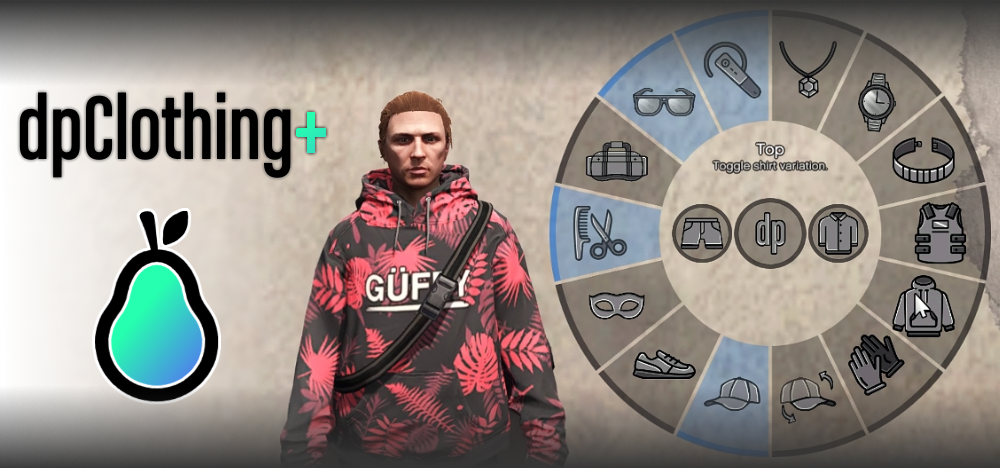
Looking to spice up your FiveM server with some fresh fashion? Our Clothing Menu mod is exactly what you need! This amazing mod allows players to easily customize their characters’ outfits in-game, offering an immersive experience like never before. Whether you’re running a roleplaying server or just want to give players more control over their appearance, this mod is a must-have.
Voorbeeld

Over de mod
The Clothing Menu mod enhances your FiveM server by allowing players to quickly and easily change their outfit pieces directly in-game. Using simple commands, players can toggle various clothing items such as hats, glasses, and shirts, and even change the style of their equipped clothes. Here’s a list of some commands players can use:
/hat(Toggle)/glasses(Toggle)/shirt(Toggle)/pants(Toggle)/shoes(Toggle)/top(Variants)
And many more! These commands make it super easy to dress your character exactly how you want and make quick outfit changes on the fly. One unique aspect of this mod is the “revert clothing” command, which allows you to instantly revert to your saved outfit, making it perfect for roleplaying scenarios.
Downloaden
Installatie-instructies
Installing the Clothing Menu mod is a breeze! Follow these simple steps:
- Download de Mod: Download the Clothing Menu mod file
- Pak de bestanden uit: Use a file extraction tool like WinRAR or 7-Zip to extract the contents of the downloaded file.
- Upload naar server: Move the extracted folder to your server’s
resourcesdirectory. - Serverconfiguratie bijwerken: Open je
server.cfgfile and add the following line to ensure the mod loads:start clothingmenu - Herstart de server: Herstart je FiveM server om de nieuwe mod te laden.
That’s it! You’re now ready to enjoy a whole new range of clothing options in your game!
Compatibiliteit
The Clothing Menu mod is compatible with both QBCore and ESX frameworks and works seamlessly with the latest versions of FiveM. Ensure your server is up-to-date for the best experience.