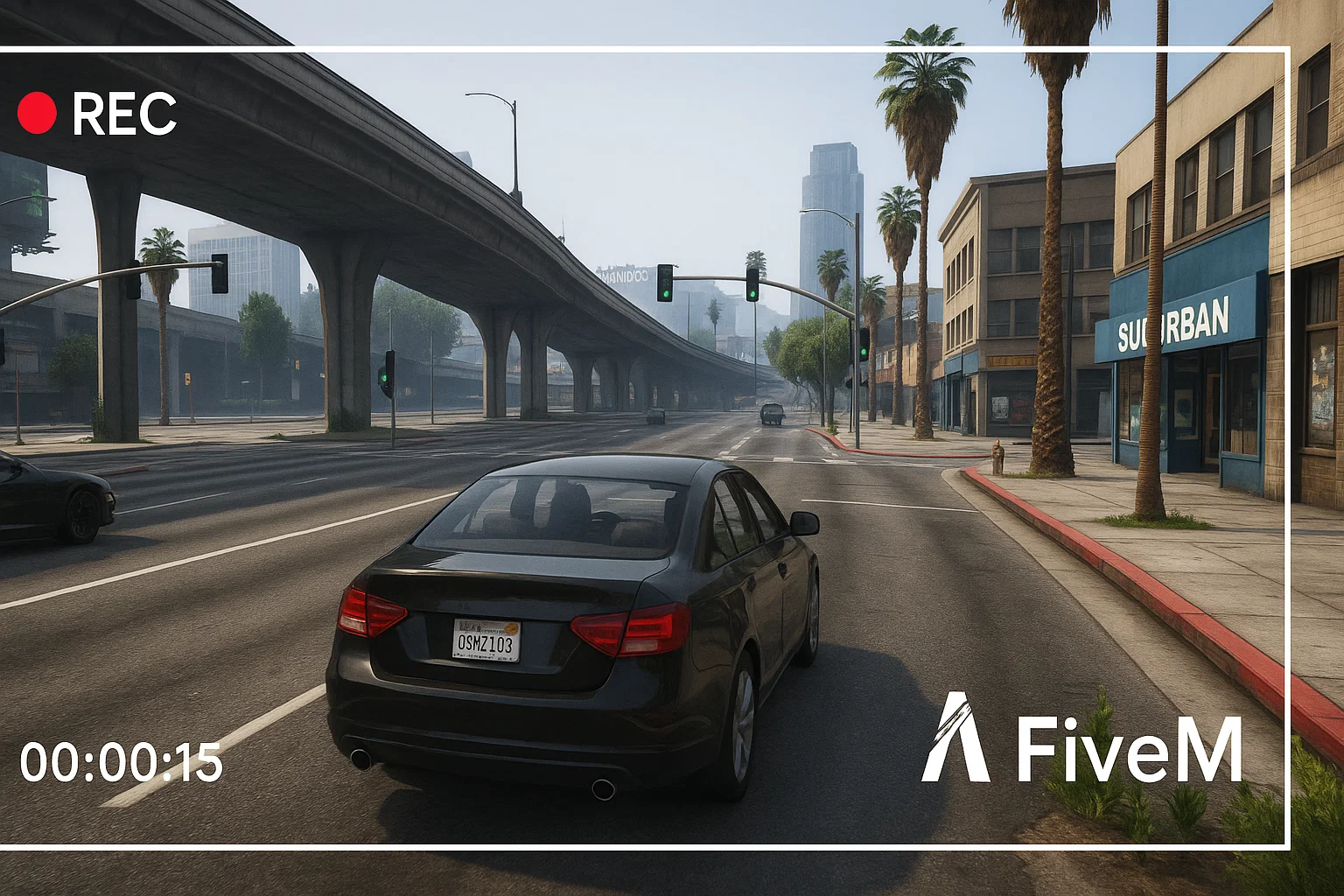
Het opnemen van FiveM-gameplay is nuttig voor supporttickets, staffrapporten, servertoepassingen, contentcreatie en het opslaan van roleplay-hoogtepunten. De beste opstelling hangt af van je pc, maar de workflow is meestal hetzelfde: het FiveM-venster vastleggen, game-audio en microfoonaudio testen, een kort voorbeeld opnemen en de bestanden georganiseerd houden zodat je later bewijs kunt vinden.
Opname-opties
- OBS Studio: het beste wanneer je controle wilt over scènes, microfoontracks, overlays, bitrate en uitvoerformaat.
- NVIDIA ShadowPlay: nuttig voor snelle hoogtepunten op ondersteunde NVIDIA GPU's.
- Windows Game Bar: eenvoudig voor korte clips wanneer je geen volledige opname-opstelling wilt configureren.
- Server-side clips: nuttig voor staffsystemen, maar ze vervangen niet de lokale audio en het perspectief van een speler.
Beste OBS-opstelling voor FiveM
Voor de meeste spelers en staffteams is OBS de meest betrouwbare optie. Gebruik game capture als het correct koppelt. Als het een zwart scherm toont, test dan window capture of display capture. Houd één scène voor normale gameplay en één scène voor bewijsopname zonder decoratieve overlays. Een schone opname is gemakkelijker voor staff om te beoordelen dan een clip met waarschuwingen, muziek en een bedekte minimap.
Audiocontroles voor lange sessies
- Neem 20 seconden op in een rustig gebied.
- Spreek in je microfoon en activeer in-game voice.
- Speel de clip af en bevestig dat game-, voice- en mic-niveaus in balans zijn.
- Controleer dat Discord, browser-audio of muziek niet in bewijsclips lekt als je serverregels dit verbieden.
- Bevestig dat de opnamemap voldoende schijfruimte heeft.
Opnemen voor staffrapporten
Als de clip voor moderatie is, houd hem dan saai en volledig. Toon de aanloop, het incident en de nasleep. Knip geen context weg die de betekenis van het rapport verandert. Bewaar de tijd, servernaam, speler-ID's indien zichtbaar en eventuele gerelateerde chat- of ticketreferentie.
Prestatietips
Opnemen kan een zwakke pc laten haperen. Als FiveM instabiel wordt tijdens het opnemen, verlaag dan eerst de resolutie of framerate, verlaag vervolgens de grafische instellingen. Als de server al zwaar is, vergelijk dan je FPS met opname aan en uit. Voor prestatie-debugging, combineer deze gids met de FiveM FPS-gids En de Resmon-gids.
Als je nieuw bent met de client zelf, begin dan met hoe FiveM te spelen voordat u een opnameworkflow configureert.
Bestandsnaamgeving en opslag
Gebruik eenvoudige bestandsnamen die de server, datum en reden voor de clip bevatten. Een map vol bestanden met de naam “opname 1” is later moeilijk te beoordelen. Houd voor personeelsteams rapportclips gescheiden van marketingclips en verwijder oude opnames wanneer ze niet langer nodig zijn voor een ticket of beroep.
Privacy en serverregels
Sommige gemeenschappen beperken waar clips kunnen worden geplaatst, vooral wanneer ze voicechat, privé Discord-audio of alleen voor personeel bestemde informatie bevatten. Controleer de serverregels voordat u een openbare montage of rapportvideo uploadt. Deel voor personeelsbewijs de kleinste nuttige clip met het juiste team in plaats van ruwe opnames openbaar te plaatsen.
Problemen met zwarte schermen oplossen
Als OBS een zwart scherm vastlegt, test dan game capture, window capture en display capture in die volgorde. Voer OBS eerst uit met normale machtigingen, controleer vervolgens overlays, GPU-selectie en fullscreen/venstermodi. Verander niet alle instellingen tegelijk; maak één wijziging, neem een kort voorbeeld op en speel het af.
Eenvoudige basisinstellingen
Begin met een stabiele basis voordat u naar perfecte kwaliteit streeft. Neem op in de resolutie waarin u daadwerkelijk speelt, gebruik een framerate die uw pc kan vasthouden en vermijd zware overlays tijdens het testen. Als uw clip bedoeld is als bewijs voor personeel, is helderheid belangrijker dan filmische kleur. Als uw clip bedoeld is voor YouTube of TikTok, maak dan een aparte scène voor dat doel.
Wat u in bewijsclips moet opnemen
Nuttig bewijs toont meestal de spelersnaam of ID, de locatie, de gebeurtenis voor het incident en het resultaat erna. Een clip van vijf seconden kan context missen. Een ruwe opname van tien minuten kan te traag zijn om te beoordelen. Knip alleen genoeg om het probleem begrijpelijk te maken en bewaar het originele bestand tot het rapport is afgehandeld.
Maak voor creator-inhoud een apart opnameprofiel met muziek, overlays en hogere visuele kwaliteit. Houd voor personeelswerk het profiel eenvoudig. Het mengen van beide doelen in één scène levert meestal clips op die slechter zijn voor beide doelgroepen.
Label die profielen duidelijk.
![East Los Santos [7 INTERIORS] FiveM resource preview](https://cdn.fivemx.com/wp-content/uploads/2025/11/east-ls-500x375.jpg)