







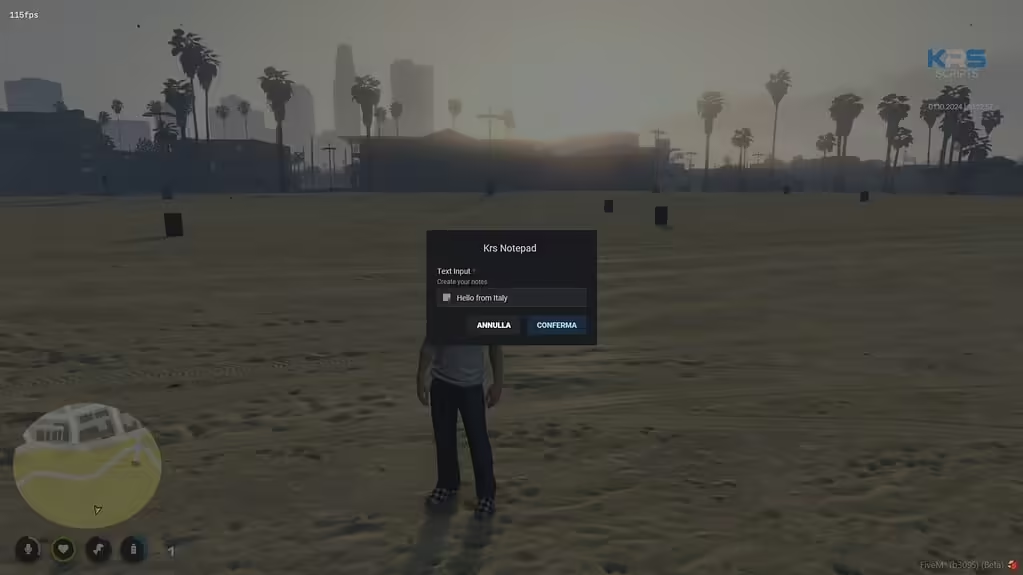
Krs Notepad is a small ESX and ox_lib resource that turns two ox_inventory-style items into editable and saved notes. FiveMX reviewed the public krscore/krs_notepad repository on 23 July 2026 at commit e8e17c5a5dd4. The notes below describe that inspected source, not an unverified mirror.
What the source actually contains
The manifest identifies version 1.0.0, enables Lua 5.4 and loads both @ox_lib/init.lua En @es_extended/imports.lua. It exports notepad En notepad_saved, with separate client and server folders.
The README provides two item definitions. The blank notepad item calls the krs_notepad.notepad export; the saved item calls krs_notepad.notepad_saved. Both definitions use zero consumption and a weight of one in the example. Add the supplied item images and adapt the definitions to the exact inventory version running on your server.
Installation boundary
- Download or clone the creator repository and record the commit or archive checksum.
- Confirm that your server uses compatible ESX imports, ox_lib and an inventory that supports the documented item exports.
- Add the two item definitions and images without overwriting existing item keys.
- Start ox_lib, ESX and the inventory before
krs_notepad. - Test a blank note, a saved note, item transfer and reconnect behavior with two non-admin players.
What to test before live use
Check the maximum accepted note length, markup handling and whether note text is stored only in item metadata. Try empty, long and non-ASCII notes. Transfer a saved note between players and verify that one note cannot overwrite another. Treat note contents as player-generated data: do not place secrets in them, and confirm that logs or error messages do not expose private text.
The README makes a performance claim, but FiveMX did not reproduce a controlled benchmark. Measure the resource in your own stack and retain the server/client console output. The repository has no tagged release, so pin a reviewed commit instead of silently tracking the moving default branch.
Licence and maintenance
The repository includes a licence file. Review its terms before redistributing or modifying the resource, and preserve required notices. A public repository does not guarantee future ESX, ox_lib or inventory compatibility.