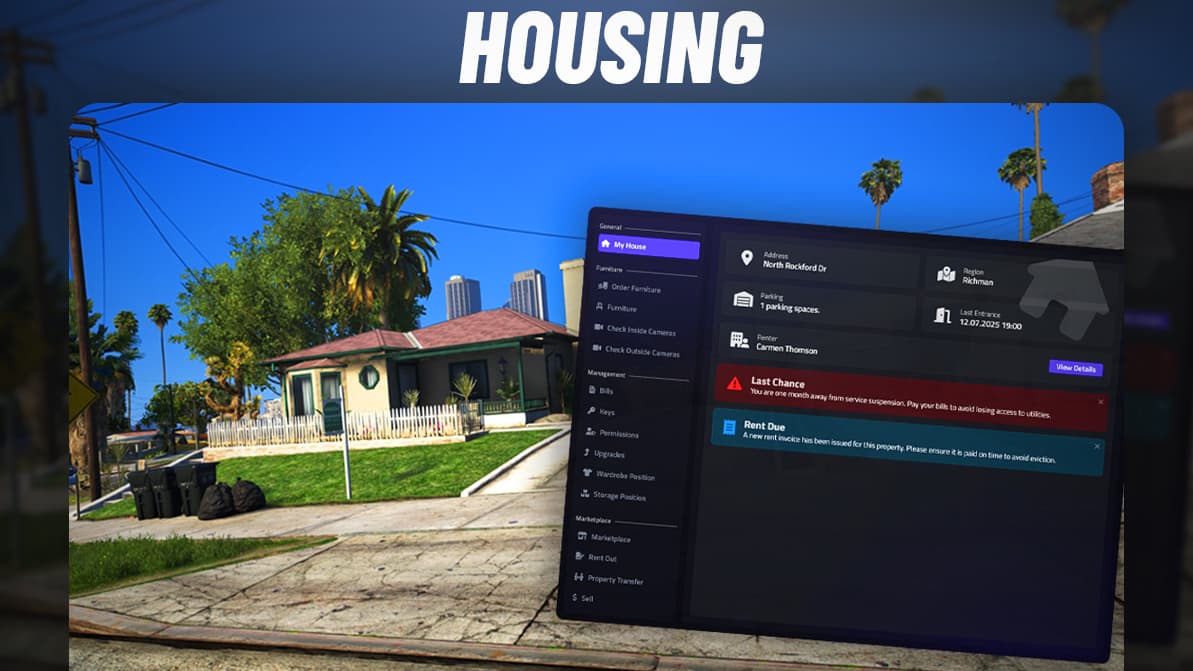
5 imagens do produto disponíveis.
frkn Doorlock v2
Processo de revisãofrkn Doorlock v2 - professional ESX script with custom features and optimized performance for FiveM servers. Compatible with ESX framework.
- Acesso Instantâneo
- SSL Criptografado
- Cartão, Klarna, carteiras
esx, qbcore, qbox, standalone
Publicado nesta página
Disponível
Cartão, Klarna e carteiras compatíveis via Stripe. Outros métodos locais podem aparecer quando disponíveis na sua região.
Expectativa de suporte
O suporte cobre acesso ao download, arquivos entregues que estejam faltando e dúvidas com base nas notas de instalação publicadas.
Instalação personalizada, conversão de framework, configuração em servidor ao vivo e trabalho em recursos personalizados não estão incluídos, salvo quando indicado na página do produto.
Pergunte antes de comprar se seu servidor usa recursos de framework, inventário ou banco de dados muito modificados.
Compre quando isso economizar tempo de configuração
Use esta checklist para decidir rapidamente se o recurso combina com seu servidor, framework e expectativas de suporte.
Ganho para o administrador
frkn Doorlock v2 foi posicionado para reduzir Housing Scripts, em vez de você reconstruir o mesmo sistema do zero.
Compatibilidade
Funciona com esx, qbcore, qbox, standalone. Verifique o bloco de requisitos antes de usar em um servidor ativo.
Confiança na compra
Download instantâneo, checkout Stripe, acesso ao suporte e contexto de reembolso são exibidos antes do pagamento.
Elementos de decisão
Requisitos, detalhes de instalação, Vídeo de pré-visualização, Perguntas do Produto
Descrição
frkn Doorlock v2 - Advanced Door and Access Control System
frkn Doorlock v2 provides a comprehensive door locking and access control system that gives you complete control over who can access which areas on your FiveM server. This powerful yet user-friendly script manages doors, gates, garages, and any lockable object with job-based permissions, item-based unlocking, lockpicking mechanics, and real-time synchronization across all players. Whether you're securing police stations, restricting gang hideouts, managing business access, or controlling private properties, frkn Doorlock v2 delivers the flexible, reliable access control that serious servers require for proper security and roleplay immersion.
The v2 update brings significant improvements over the original version with enhanced performance, expanded configuration options, better framework compatibility, and refined user experience. Server administrators can easily configure unlimited doors through clear config files, set complex permission requirements (job + grade + item combinations), customize door states and animations, and manage everything through intuitive in-game admin commands. Players experience smooth, lag-free door interactions with visual and audio feedback, while framework integration ensures access control respects your server's job system, inventory, and permission structure.
What's Included
The complete frkn Doorlock v2 package provides a turnkey access control system ready to secure your entire server. You receive the core doorlock script with full source code, comprehensive config system for unlimited door configurations, job-based permission system integrating with your framework, item-based unlock support using keys or access cards, lockpicking mechanic with skill checks and alarms, automatic door state synchronization across all players, visual indicators showing locked/unlocked status, audio feedback for locking/unlocking actions, admin commands for managing doors and permissions, distance-based interaction system preventing door spam, multi-door support for double doors and garage systems, configurable door types (standard doors, gates, garages, sliding doors), and detailed documentation with configuration examples.
Core Features
Door Management
- Unlimited Doors - Configure as many lockable objects as your server needs without performance degradation
- Door Types - Support for standard doors, double doors, gates, garage doors, sliding doors, hatches
- Automatic Detection - Script automatically finds nearby doors based on configured coordinates
- State Synchronization - Door locked/unlocked states sync in real-time across all players
- Visual Indicators - On-screen markers or text showing door status before interaction
- Sound Effects - Lock/unlock sounds providing audio feedback for actions
Access Control Methods
- Job Permissions - Restrict access by job type (police, ems, mechanic, etc.)
- Job Grade Requirements - Require specific rank within job (captain only, not patrol officers)
- Item-Based Access - Unlock with specific items (keys, access cards, key fobs)
- Combination Locks - Require both job AND item for maximum security
- Player-Specific - Lock doors to specific player IDs (private properties)
- Gang/Organization - Restrict by gang membership for faction hideouts
- Public Doors - Configure doors anyone can use (shops during business hours)
Lockpicking System
- Skill Checks - Mini-game or item requirement for picking locks
- Success Rates - Configurable difficulty per door (easy shops, hard banks)
- Item Consumption - Lockpick items break or degrade with use
- Alarm Triggers - Failed attempts or successful picks can alert authorities
- Time Requirements - Picking takes time, creating risk/reward decisions
- Police Notifications - Automatic alerts to police when secure doors are picked
Advanced Functionality
- Time-Based Access - Doors unlock/lock automatically based on time (business hours)
- Remote Control - Open/close doors from distance using items or commands
- Auto-Lock - Doors automatically re-lock after set time period
- Garage Doors - Special handling for large garage doors with slower animations
- Double Doors - Synchronized control of door pairs acting as single unit
- Access Logs - Track who accessed which doors and when (admin feature)
Perfect For
- All Server Types - Essential security infrastructure for any FiveM server
- Roleplay Servers - Realistic access control enhancing immersion and job separation
- Police Departments - Secure stations, evidence rooms, armories, cells
- Gang Territories - Protect hideouts, stash houses, and faction headquarters
- Business Ownership - Control shop access, employee-only areas, back rooms
- Property Systems - Lock houses, apartments, garages to owners
- Government Facilities - Restrict city hall, courthouses, military bases
Configuration System
Door Configuration Example
Adding new doors uses a straightforward config table structure. Each door entry includes the door's world coordinates (x, y, z) for location, the door model hash for identification, authorized jobs with optional grade requirements, required items for access (if item-based), lockpick settings (allowed/difficulty), locked state (default locked or unlocked), distance for player interaction range, and display text shown to players. The config system is well-documented with examples for every door type and permission combination.
Permission Configurations
- Single Job: Only police can access
- Multiple Jobs: Police OR EMS can access
- Job + Grade: Only police rank 3+ (sergeants and above)
- Item Required: Must have station_keycard in inventory
- Job + Item: Must be police AND have keycard
- Player ID: Only specific player identifier
- Everyone: Public access (unlocked during business hours)
Admin Commands
- /doorlock - Toggle nearest door (admin override)
- /doorlocksetstate [id] [locked/unlocked] - Set specific door state
- /doorlocklist - Display all configured doors with states
- /doorlockadd - Interactive door addition tool
- /doorlockremove - Remove nearest door from system
- /doorlockreload - Reload configuration after changes
Technical Details
- File Size: ~1.5 MB (core script and configs)
- Performance: <0.01ms resmon per active door, highly optimized with distance checks
- Database: Optional - can store door states in database or config-based
- Dependencies: Framework-specific (ESX/QBCore versions included)
- Sync Method: Real-time networked events for instant state updates
- Encryption: Unencrypted source code for full customization
- Compatibility: Works with all MLO interiors and default GTA doors
Installation
- Extract frkn Doorlock v2 files to your server resources folder
- Choose your framework folder (ESX/QBCore) and use that version
- Import optional SQL file if using database storage for door states
- Edit
config.luato configure your first doors with jobs and permissions - Add
ensure frkn-doorlock-v2to server.cfg - Restart server and test door locking/unlocking with different jobs
- Use admin commands to add additional doors as needed
- Configure lockpicking settings if allowing criminal door breaching
Framework Compatibility
- ✅ ESX - Full integration with ESX jobs, grades, and inventory for item-based access
- ✅ QBCore - Complete QBCore support using job system, permissions, and qb-inventory
- ✅ QBOX - Compatible with QBOX using QBCore integration methods
- ✅ Standalone - Limited standalone mode without framework features
- ✅ vRP - vRP integration available for job and permission systems
Use Cases and Applications
Police Department Security
Secure police stations with tiered access: lobby doors open to public, armory restricted to police only, evidence room requires detective rank, chief's office restricted to command staff. Holding cell doors controlled by police with automatic locks. Back entrance requires police keycard. This creates realistic security layers matching real law enforcement facilities.
Gang Hideout Protection
Gang headquarters locked to gang members only, preventing rivals from entering. Stash room requires gang leader permission. Escape routes locked from outside but openable from inside. Garage doors controlled by gang members with alarms alerting to lockpicking attempts. This provides faction security essential for gang servers.
Business Access Control
Shop front doors unlocked during business hours (time-based), automatically locking after closing. Employee-only back rooms require job permission. Owner's office restricted to owner ID specifically. Safe room requires both ownership AND special keycard. This enables realistic business security for economy servers.
Property Ownership
House doors locked to owner player ID. Garage controlled by homeowner. Guest access granted through temporary keycards. Lockpicking allowed for burglars with police notification. This supports housing systems with proper security mechanics.
What Makes It Stand Out
Many door lock scripts are either too simple (only job-based with no customization) or too complex (requiring extensive setup for basic functionality). frkn Doorlock v2 achieves the ideal balance - comprehensive enough to handle complex security requirements with job+grade+item combinations, yet simple enough that adding a new door takes under a minute. The real-time synchronization is rock-solid; when one player locks a door, everyone sees it instantly without lag or desync. The performance optimization means you can have hundreds of configured doors without any noticeable impact. Most impressively, the script just works - it doesn't break with updates, doesn't conflict with other scripts, and doesn't require constant maintenance.
Lockpicking and Criminal Gameplay
The integrated lockpicking system adds depth to criminal roleplay. Burglars can attempt to break into properties, shops, or vehicles, but success isn't guaranteed. The skill check mechanic creates tension - will the pick succeed or fail and alert police? The time requirement means criminals are vulnerable during the attempt, creating risk. Police notifications turn lockpicking into a tactical decision rather than a simple mechanic, as criminals must consider response times and escape routes. This transforms door access from binary (locked/unlocked) into dynamic gameplay with multiple actors and outcomes.
Realistic Security Layers
The tiered permission system enables realistic security that matches real-world facilities. A police station might have: public lobby (anyone), station interior (police only), armory (police rank 2+), evidence (detectives + evidence tech), chief office (command staff only), and interrogation (detectives with interview keycard). This layered approach creates immersion and respects organizational hierarchy, making jobs feel authentic rather than everyone having access to everything.
Business Hours and Automation
Time-based door control automates business operations. Shops unlock at 8 AM and lock at 10 PM without owner intervention. Banks lock overnight preventing after-hours robberies. Government offices close on weekends. This automation reduces admin burden while creating realistic city rhythms - the world feels alive with businesses operating on schedules rather than static always-open or always-closed states.
Property and Housing Integration
For housing systems, doorlock integration is essential for property ownership to feel meaningful. Owners can lock their homes preventing unauthorized entry. Roommates can be granted access through shared keys. Landlords can revoke access by removing keys. Burglars can attempt lockpicking for criminal gameplay. This creates proper property security that supports both legitimate ownership and illegal break-ins, both critical for economy and crime servers.
Performance and Scalability
Despite managing potentially hundreds of doors, frkn Doorlock v2 maintains minimal performance impact through intelligent optimization. Distance checks ensure the script only processes nearby doors rather than scanning every configured door constantly. Door state changes use efficient networked events rather than constant polling. The result is a system that scales gracefully - whether you have 10 doors or 500 doors, performance remains consistent and stable.
Customization for Server Needs
The unencrypted source code allows deep customization for servers with specific requirements. Modify lockpicking mechanics to match your preferred mini-game. Add custom permission checks beyond jobs (levels, reputation, faction membership). Integrate with custom frameworks or systems. Change visual/audio feedback to match your server aesthetic. The clean code structure makes modifications straightforward even for developers with moderate Lua experience.
Recommended Complementary Scripts
- Job system (esx_jobs, qb-jobs) for job-based permissions
- Inventory system for item-based access (keys, keycards)
- Housing/property system for player-owned doors
- Police MDT or dispatch for lockpicking alerts
- Lockpick item with crafting or shop purchase
- Access card system for modern keycard security
- Gang/organization system for faction doors
Why Every Server Needs Doorlock
Access control is foundational infrastructure for FiveM servers. Without proper door locking, you can't secure police stations, can't protect gang hideouts, can't implement meaningful property ownership, and can't create realistic business operations. A reliable doorlock system like frkn Doorlock v2 enables dozens of other features and scripts to function properly. It's not a flashy feature players notice directly, but its absence would break immersion and security immediately. This is essential infrastructure that serious servers deploy on day one, not an optional addon.
https://www.youtube.com/watch?v=S7EOEgc1nMY